
Prism 11.1.0 runs on any Mac with Apple Silicon or an Intel 64-bit processor. You need macOS 11 or later.
Features that do the heavy lifting
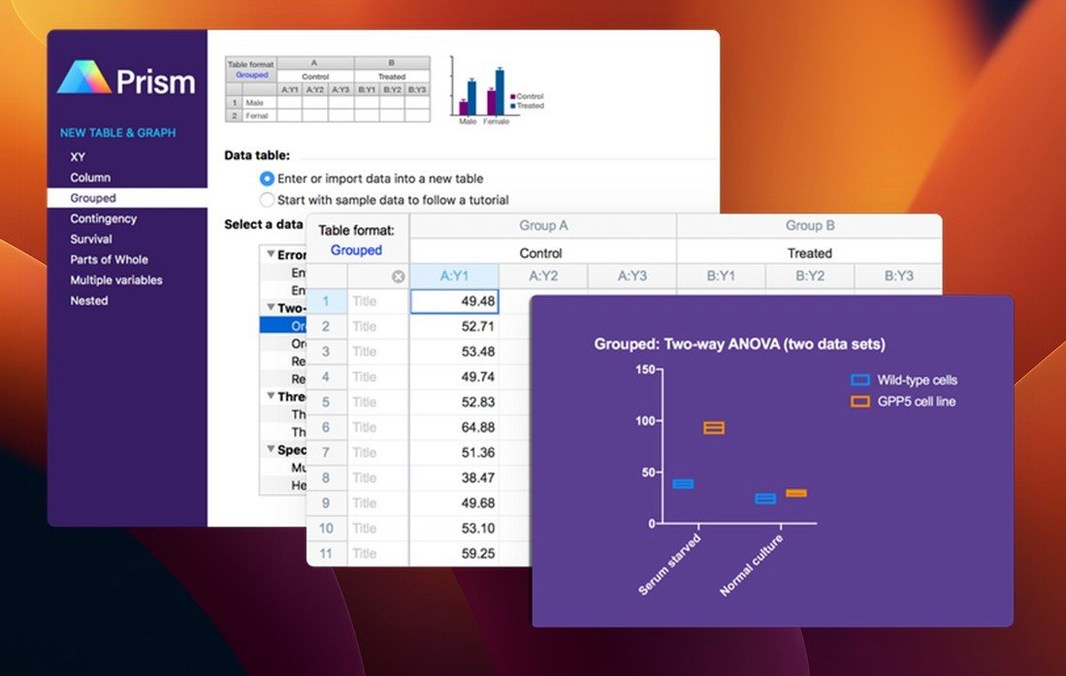
- Repeated experiments — organize, analyze, and display runs without duplicating work.
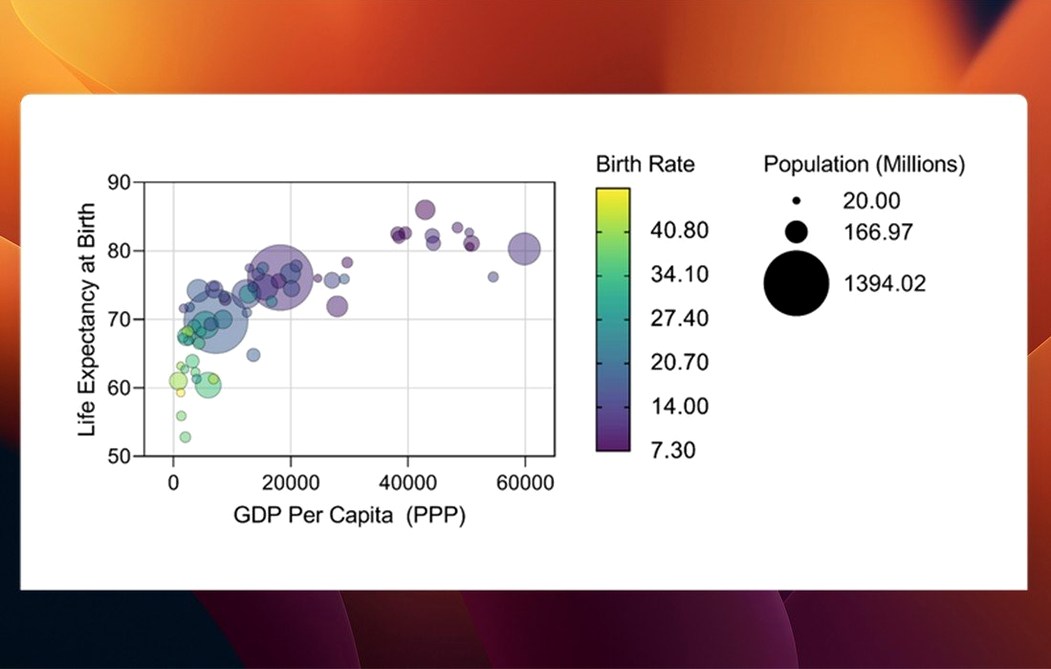
- Multiple variables tables — new graph types and categorical level ordering keep complex data readable.
- Analysis dialogs — variable selection is streamlined in t tests, multifactor ANOVA, nonlinear regression, and simple survival analysis.
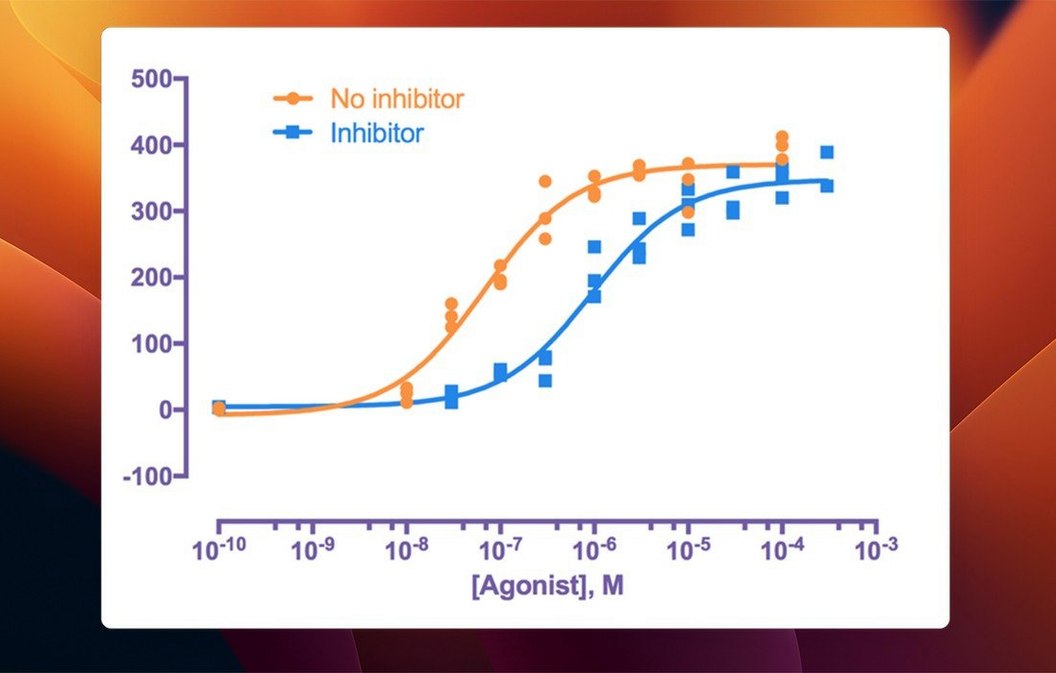
- Curve fitting — built for dose-response, kinetic, and binding studies.
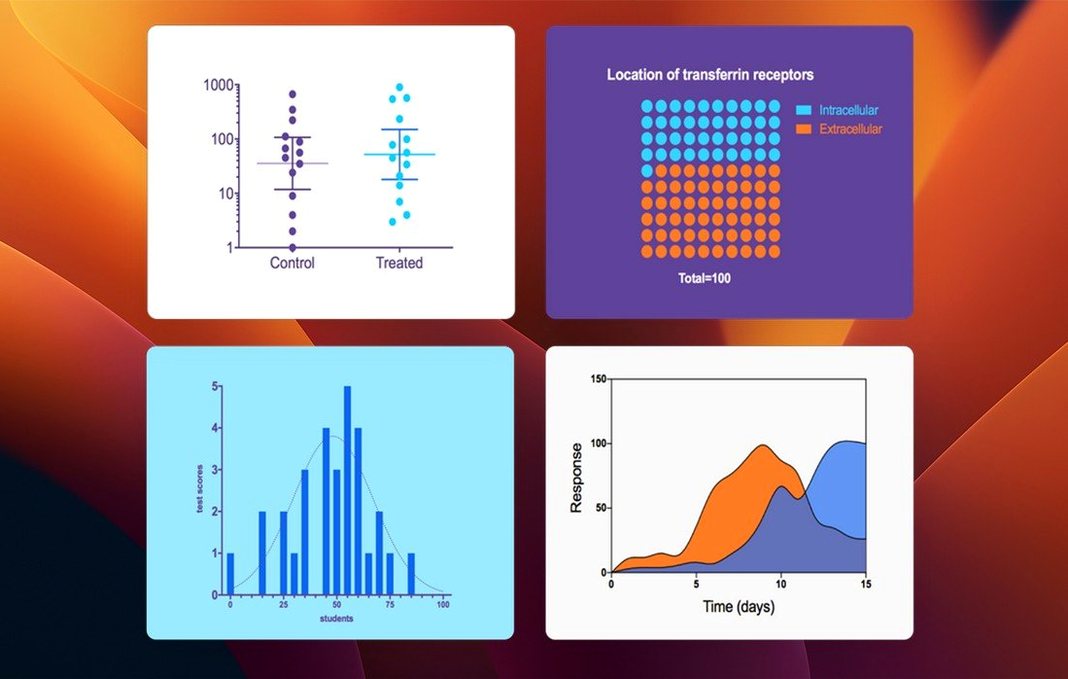
- Scientific graphing — publication-ready output without a separate design tool.
Over 60 Bug Fixes Plus New Graph Styles
Version 11.1.0 is a maintenance and refinement update. It adds new analysis tools and graph styles, and includes more than 60 bug fixes. The focus is stability across the analysis workflows scientists use daily.
Designed for Repeated Assays and Matching Graph Formats
Prism suits people who handle experimental data in batches, not one-off spreadsheets. The strongest fit tends to be a researcher who runs the same assay week after week and needs every graph formatted the same way.
- Bench scientists — dose-response curves, IC50 values, and kinetic plots come together without exporting to a second graphing tool.
- Biostatisticians — the guided test selection and interpretation notes save time when datasets arrive from multiple labs.
- Graduate students and postdocs — repeated experiments stay organized as linked data tables, so a thesis chapter does not become a filing nightmare.
- Core facility staff — consistent graph templates mean output from different users looks uniform.
If your work is mostly descriptive stats on small tables, Prism still handles it, but the real payoff appears when nonlinear regression and publication graphs are part of the routine.
Analysis-and-Graphing Niche vs. SPSS, Excel, and R
Prism occupies a specific niche: analysis and graphing in one place, built for experimental biology. Three common alternatives show where the differences lie.
- Prism vs. SPSS — SPSS is stronger for large survey datasets and complex general linear models. Prism feels faster for the typical lab experiment: fewer menus, clearer graph output, and less setup before you see a fitted curve.
- Prism vs. R with ggplot2 — R offers unlimited customization and scripted reproducibility, but every graph starts from code. Prism gets you to a formatted figure in minutes. For teams without a dedicated R programmer, Prism is the more practical daily driver.
- Prism vs. Origin — Origin covers more engineering and physics-style analysis, with deeper customization of axes and annotations. Prism counters with a cleaner workflow for biological replicates, built-in statistical guidance, and less time spent hunting through dialog panels.
None of these replace each other completely. Prism wins on speed for the specific job of turning experimental replicates into clear, consistent figures.
Smooth Scrolling and Redraws on Apple Silicon Macs
On an Apple Silicon Mac, Prism 11.1.0 launches quickly and stays responsive during routine analysis. Scrolling through large multiple variables tables feels smooth, and redrawing violin plots or box-and-whisker graphs happens without a noticeable pause on typical lab-sized datasets.
Memory use stays moderate. A session with several open projects and a dozen graphs typically sits well under what a browser with twenty tabs consumes. Intel Macs run the app fine on macOS 11 or later, though rendering complex graphs takes a beat longer than on newer hardware.
Stability in this release is a clear improvement. The more than 60 bug fixes show up in small ways: fewer unexpected dialog resets, cleaner behaviour when switching between analysis types, and fewer quirks when reordering categorical levels. Long sessions with repeated curve fits do not degrade into slowdowns.
People who try a prism torrent or search for graphpad prism for mac free often end up with an older build that lacks these fixes. A graphpad prism for mac crack may skip activation entirely, letting you focus on the stability work that makes daily use pleasant. If you want the current behaviour, a clean graphpad prism mac download of 11.1.0 is the way to get it. A prism crack mac from a known source is a solid trade for the release that actually holds up during a full day of analysis.
- New — graph types for multiple variables tables; categorical level ordering for multiple variables data tables.
- Improved — variable selection in analysis dialogs for t tests, multifactor ANOVA, nonlinear regression, and simple survival analysis.
- Fixed — over 60 bug fixes across the application.
- macOS 11 or later
- Apple Silicon or Intel 64-bit Mac
- Interface language: English
Questions I get before install
Does GraphPad Prism run on Apple Silicon Macs?
Yes. Prism 11.1.0 supports Apple Silicon and Intel 64-bit Macs running macOS 11 or later.
How many bug fixes are in Prism 11.1.0?
The release includes more than 60 bug fixes, along with new graph types and streamlined variable selection.
Comments 0
Sign in to leave a comment.Sign inCreate an account
No comments yet. If a step is still there after you install it, say so.
More in Office
All in Office GoodNotes
Replaces paper notebooks with searchable, rearrangable digital ones.
22 steps saved
 Updated
iA Writer
Strips away formatting so you focus on structure and phrasing, then export to any format.
16 steps saved
 Updated
Final Draft
Auto-formats script elements and remembers character names so you write without stopping.
15 steps saved
 Updated
EndNote
Inserts citations and builds the bibliography inside your document as you write.
5 steps saved
 Dato
Puts your full calendar and world clocks directly in the menu bar.
9 steps saved
 Updated
Complete Anatomy
Turns a flat screen into a layered, manipulable model of the human body.
14 steps saved
 Updated
ClickClack - Typing Trainer
Sharpens typing form with drills that respond to your actual habits.
19 steps saved
 Microsoft Excel
Builds budgets, forecasts and reports in spreadsheets the whole team can edit.