
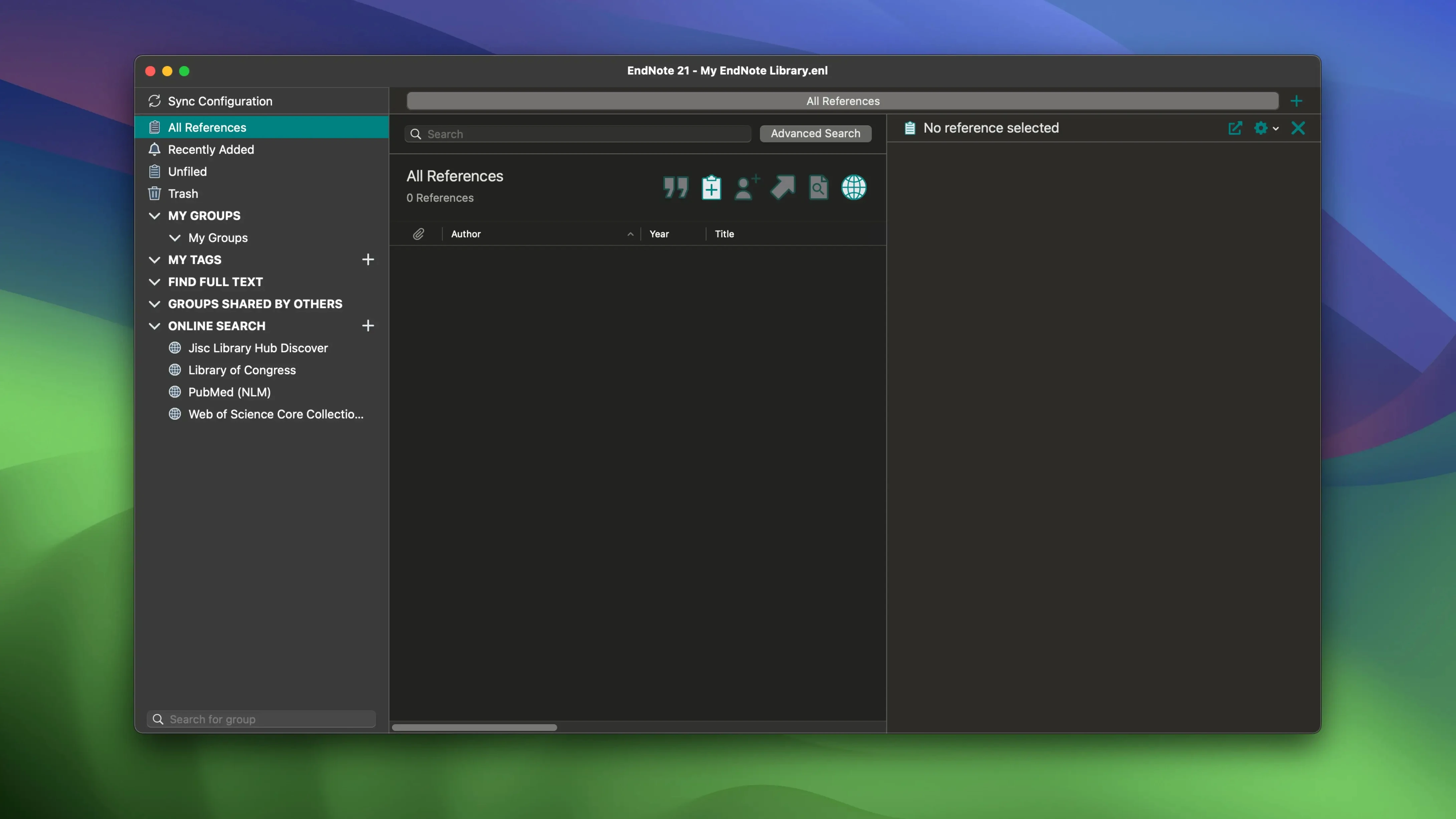
Cite While You Write still does the heavy lifting. The connector for Microsoft Word and Google Docs pulls saved references straight into your manuscript, formatting in-text citations and the final bibliography as you go. On the Mac, version 2025.3 keeps the engine running with a round of bug fixes, no new buttons added.
What happens to a reference I edit by mistake?
You can restore an earlier version of any individual reference. The same safety net extends to the whole library, which you can pull back from a cloud backup if needed.
Does it find sources or just store them?
EndNote can search across bibliographic databases, journals, and book catalogues from inside the app. Results land in your library ready to cite, not as loose text files.
Can I work from more than one Mac?
Treating It Like a PDF Folder, Not a Database
Most early problems come from treating EndNote like a folder of PDFs instead of a database. Drag a random PDF onto the dock icon without attaching it to a reference and you get a file with no author, no title, no year — useless at citation time. Create a reference first, then attach the PDF to it.
Another classic: editing the bibliography at the end of a Word document by hand. Those manual fixes vanish the next time Cite While You Write refreshes the field codes. Make the change in the reference itself, then update citations.
- Importing everything twice. Run an online search, then import the same papers from a saved PDF folder. Duplicates pile up fast. Use Find Duplicates before you cite anything.
- Skipping the output style check. A reference can be perfectly saved and still format wrong if the wrong style is selected in Word. Check the style dropdown in the EndNote toolbar, not just the library.
- Putting notes in the wrong field. The Research Notes field is for your own reading notes. The Abstract field is for the published abstract. Mix them and your bibliography looks odd.
Word Toolbar Vanishes After an Update
The Word toolbar disappears after an update sometimes. It is not gone — Word has disabled the add-in. Re-enable it from the Word add-ins list, or run the EndNote installer again and tick the Cite While You Write component.
You search for “endnote crack for mac” because the library will not open on a new machine. A well‑set‑up copy runs smoothly if you compress the library file on the old Mac and move the .enlx package, not the raw .enl and .Data folder separately. A missing .Data folder next to the .enl file breaks everything and looks like corruption.
If citations appear as curly brackets like {Smith, 2024 #12}, the field codes are showing. In Word, toggle the EndNote option to hide field codes. If they stay visible, the document has unformatted citations — run Update Citations and Bibliography once.
Bringing an Older Library to a New Mac
People ask whether they can keep using an existing library from an older Mac. Yes. Copy the .enl file and its matching .Data folder together, then open the .enl. The library converts on first open, and EndNote leaves the original untouched.
Some wonder if Google Docs support is as complete as Word. It is close. Cite While You Write works in both, though offline editing in Google Docs behaves differently — you need the connection back before formatting updates.
Others search “endnote mac torrent” or “endnote mac free” because they want to test the workflow before committing to a project. The app is a desktop tool first, with a companion web account for sync. Everything runs locally on macOS 10.14 or later, on both Intel and Apple Silicon, so a mid-range Mac handles a library of several thousand references without strain.
Library sync keeps your references, attachments, and annotations consistent across devices. Pick up on the office iMac exactly where you left off on the MacBook.
- macOS 10.14 or later
- Apple Silicon or Intel 64-bit
Questions I get before install
Does EndNote for Mac require Microsoft Word to be useful?
No. You can build formatted bibliographies directly from stored references without a word processor, though Cite While You Write adds the most value inside Word or Google Docs.
Comments 0
Sign in to leave a comment.Sign inCreate an account
No comments yet. If a step is still there after you install it, say so.
More in Office
All in Office Updated
Final Draft
Auto-formats script elements and remembers character names so you write without stopping.
5 steps saved
 Dato
Puts your full calendar and world clocks directly in the menu bar.
22 steps saved
 GoodNotes
Replaces paper notebooks with searchable, rearrangable digital ones.
23 steps saved
 GraphPad Prism
Organizes and graphs repeated experiments without duplicating work.
9 steps saved
 Updated
Complete Anatomy
Turns a flat screen into a layered, manipulable model of the human body.
14 steps saved
 Updated
ClickClack - Typing Trainer
Sharpens typing form with drills that respond to your actual habits.
22 steps saved
 Updated
iA Writer
Strips away formatting so you focus on structure and phrasing, then export to any format.
9 steps saved
 BusyCal
Merges tasks and appointments into one calendar view with weather-aware sharing.