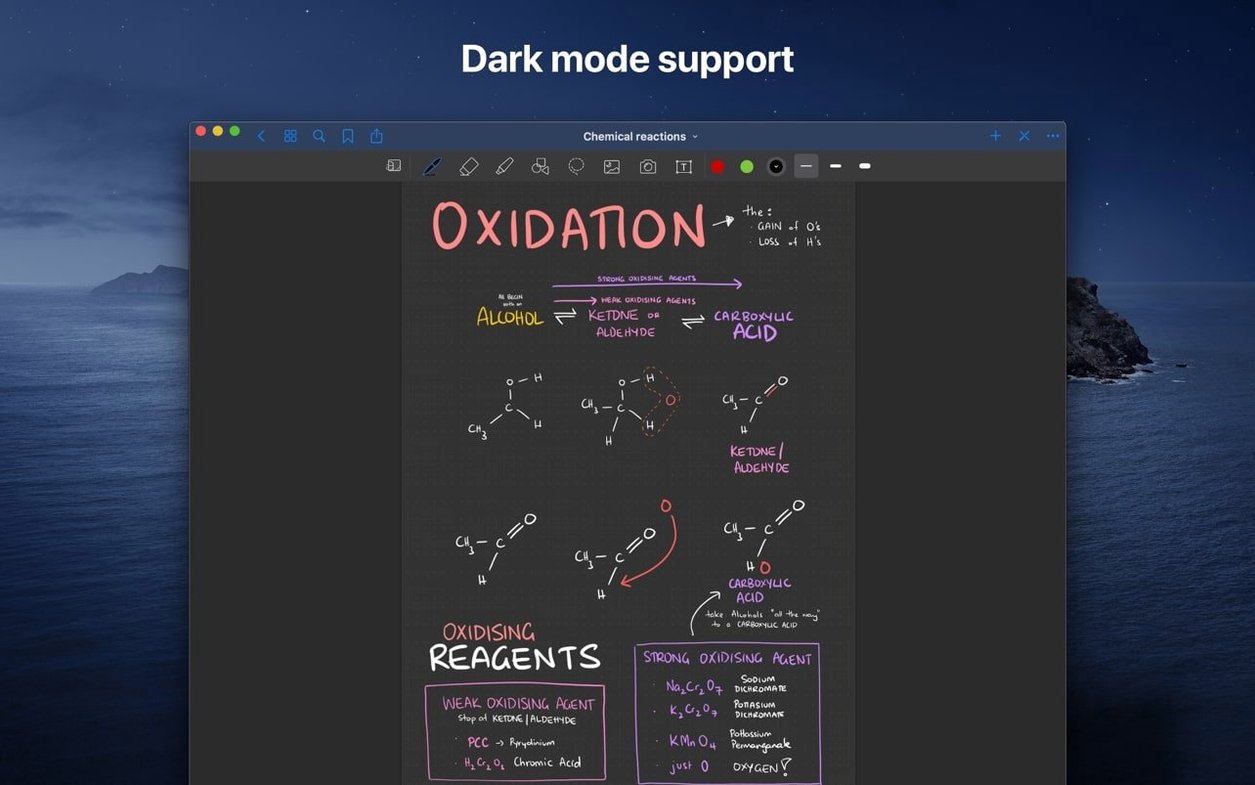
Paper notebooks are easy to start but hard to search, rearrange, or keep in sync across devices. GoodNotes gives you the feel of a notebook with the editing power of a Mac. Create digital notebooks, drag in documents from your hard drive, and organize everything with folders and subfolders.
Tools that earn their place
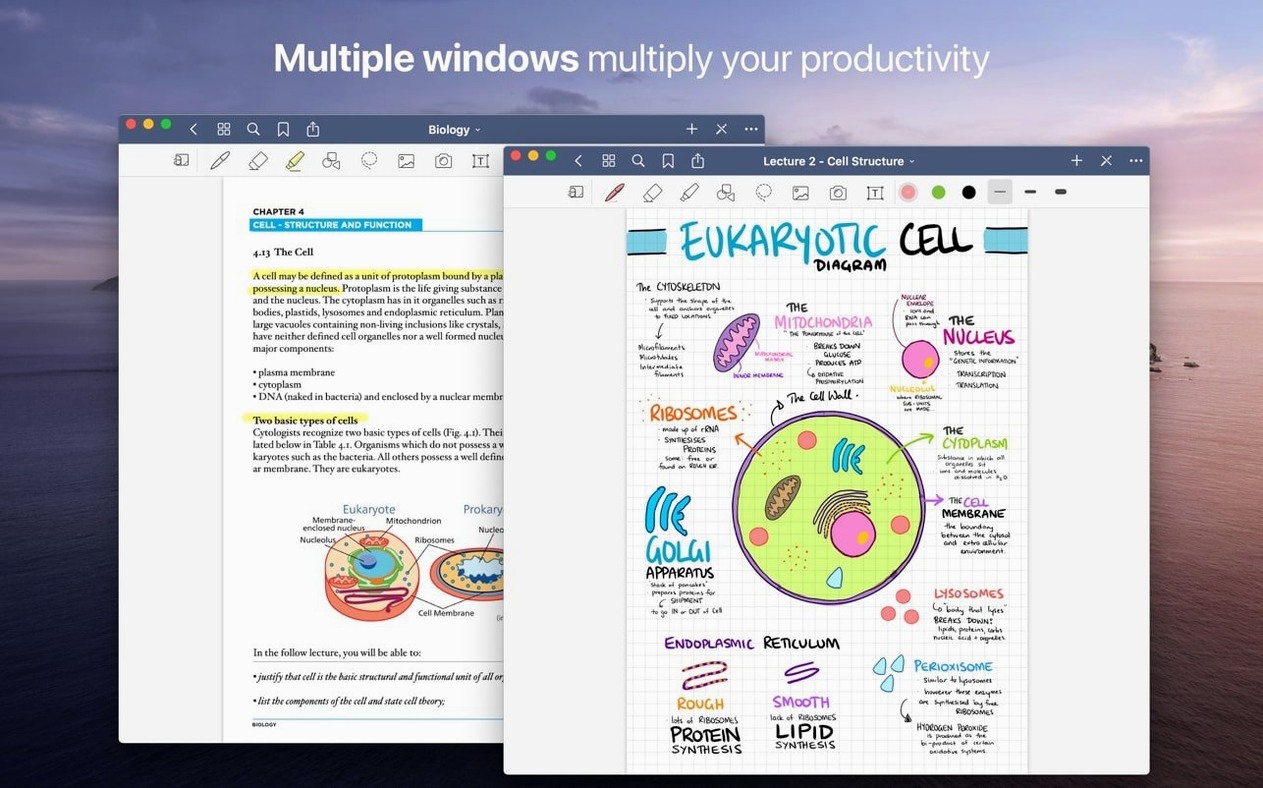
- Handwriting control — Move, rotate, resize, or recolour anything you write. The eraser removes a whole stroke or just the part you scrub over.
- Shapes tool — Draw rough circles and lines; the app snaps them into clean, precise shapes.
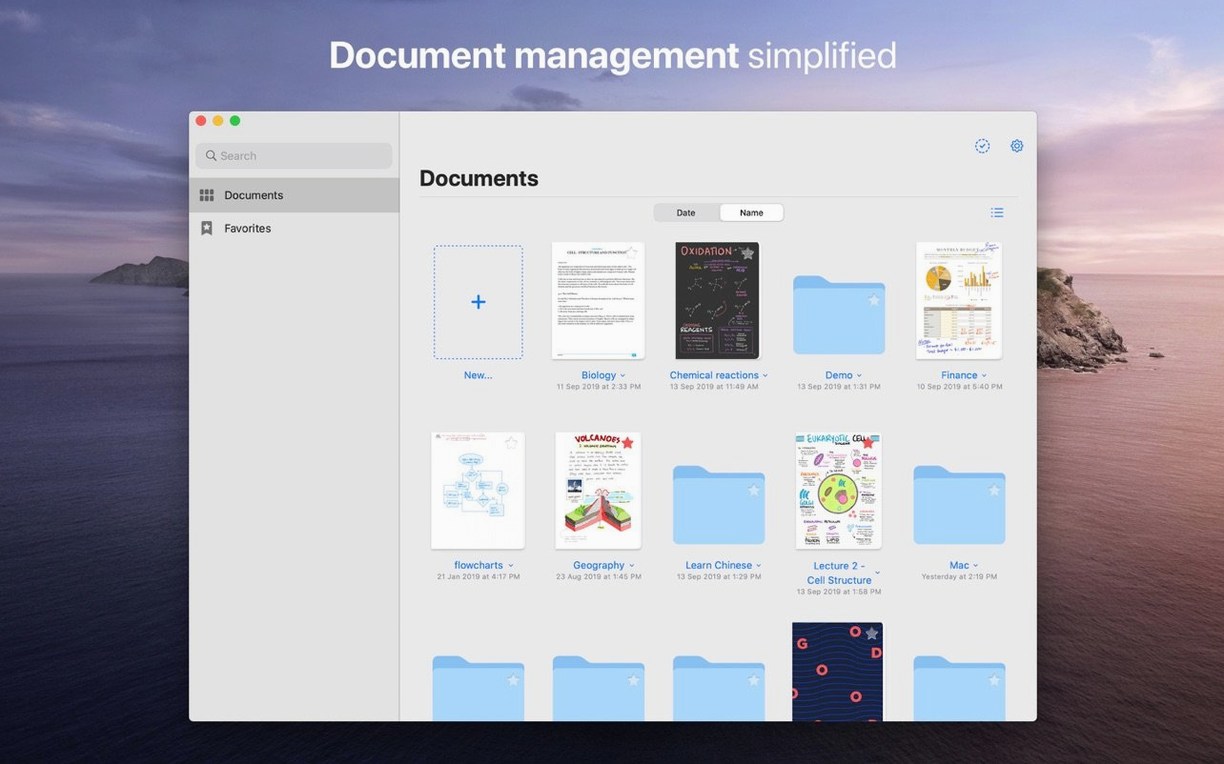
- Favorites — Pin the files, folders, and pages you return to most so they sit one tap away.
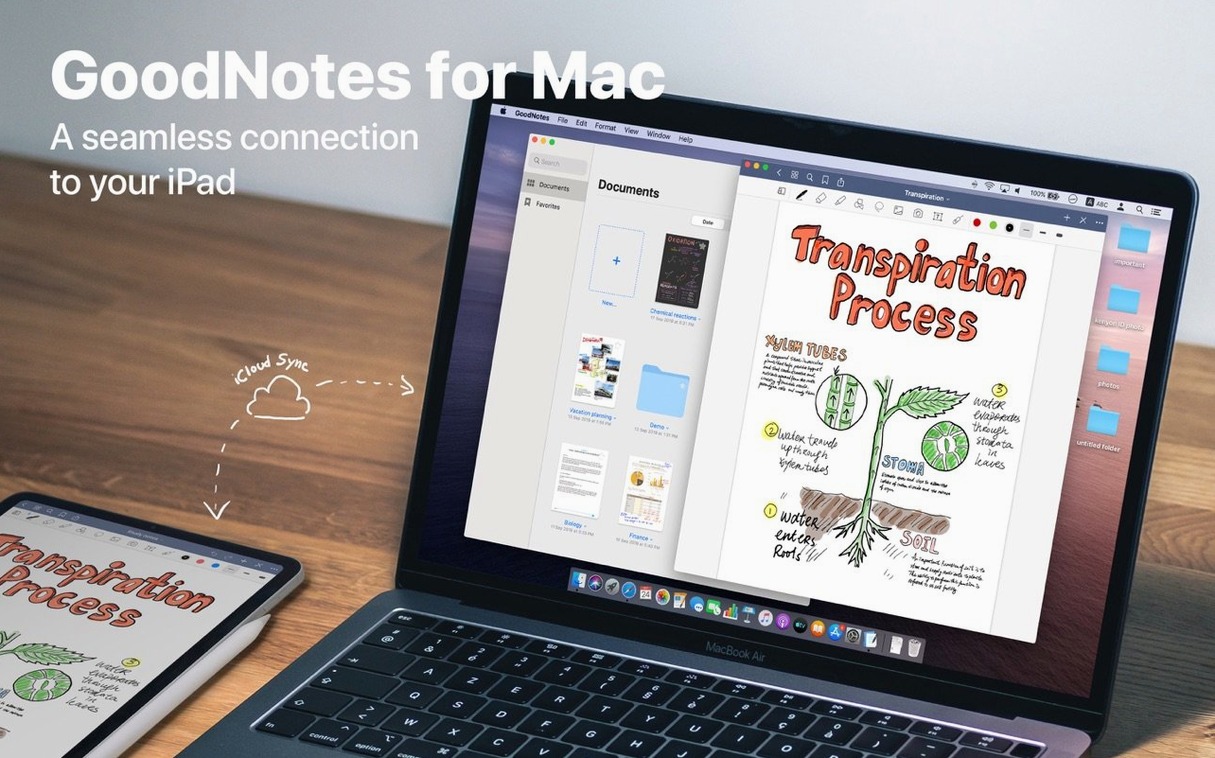
- iCloud sync — Changes appear on your iPad and iPhone without extra steps. Start a sketch on the iPad, refine it on the Mac.
Filing that fits how you think
Drag and drop brings documents straight from the Mac hard drive into a notebook. Folders and subfolders keep projects separated, and iCloud sync means the same structure shows up on every device. No import wizards, no duplicate files — just a clean, searchable library that stays current.
Where GoodNotes sits in your setup
GoodNotes plays well with the tools you already have open. Drag a PDF out of Mail or Safari straight into a notebook, mark it up, then drag the finished page back to Finder as a PDF. The same works with images from Photos or screenshots from the clipboard. Nothing forces you through an export dialog when a simple drag does the job.
macOS features slot in without friction. The share sheet sends a webpage or document into GoodNotes as a new page. Live text in imported PDFs keeps hyperlinks tappable, so a syllabus with links to readings stays useful after import. And because the app is a universal purchase across iOS, iPadOS, and macOS, the same library follows you without paying for the Mac version separately.
- Finder — Drag files from any folder into a notebook; drag pages out as standalone PDFs.
- Mail and Safari — Attach a PDF or article via the share sheet, then annotate immediately.
- Photos — Pull in images for visual notes, diagrams, or quick reference boards.
- iCloud — The backbone for syncing. No separate account, no export step between devices.
Smoother Stroke Rendering Mid-Task
Version 5.9.8 keeps the experience stable on macOS 10.15 and later, with support for both Apple Silicon and Intel Macs. Recent builds have focused on the details that show up mid-task: smoother stroke rendering when you move handwriting after the fact, more reliable eraser behaviour with marker ink, and fewer sync hiccups when a notebook is open on two devices at once.
For anyone who keeps a custom table of contents inside long documents, the navigation stays snappy even after importing a multi-hundred-page PDF. That matters more than it sounds when you jump between lecture notes, project briefs, and reading annotations all afternoon.
- macOS 10.15 or later
- Apple Silicon or Intel 64-bit processor
Questions I get before install
Does GoodNotes sync between a Mac and an iPad?
Yes. GoodNotes syncs changes through iCloud, so notebooks, folders, and edits stay current across Mac, iPad, and iPhone.
Can I erase only part of a handwritten stroke?
The eraser has two modes: erase an entire stroke in one tap, or switch to partial erase to remove only the portion you drag over.
Comments 0
Sign in to leave a comment.Sign inCreate an account
No comments yet. If a step is still there after you install it, say so.
More in Office
All in Office GraphPad Prism
Organizes and graphs repeated experiments without duplicating work.
16 steps saved
 Updated
Final Draft
Auto-formats script elements and remembers character names so you write without stopping.
22 steps saved
 Updated
iA Writer
Strips away formatting so you focus on structure and phrasing, then export to any format.
15 steps saved
 Updated
EndNote
Inserts citations and builds the bibliography inside your document as you write.
5 steps saved
 Dato
Puts your full calendar and world clocks directly in the menu bar.
9 steps saved
 Updated
Complete Anatomy
Turns a flat screen into a layered, manipulable model of the human body.
14 steps saved
 Updated
ClickClack - Typing Trainer
Sharpens typing form with drills that respond to your actual habits.
19 steps saved
 Microsoft Excel
Builds budgets, forecasts and reports in spreadsheets the whole team can edit.