
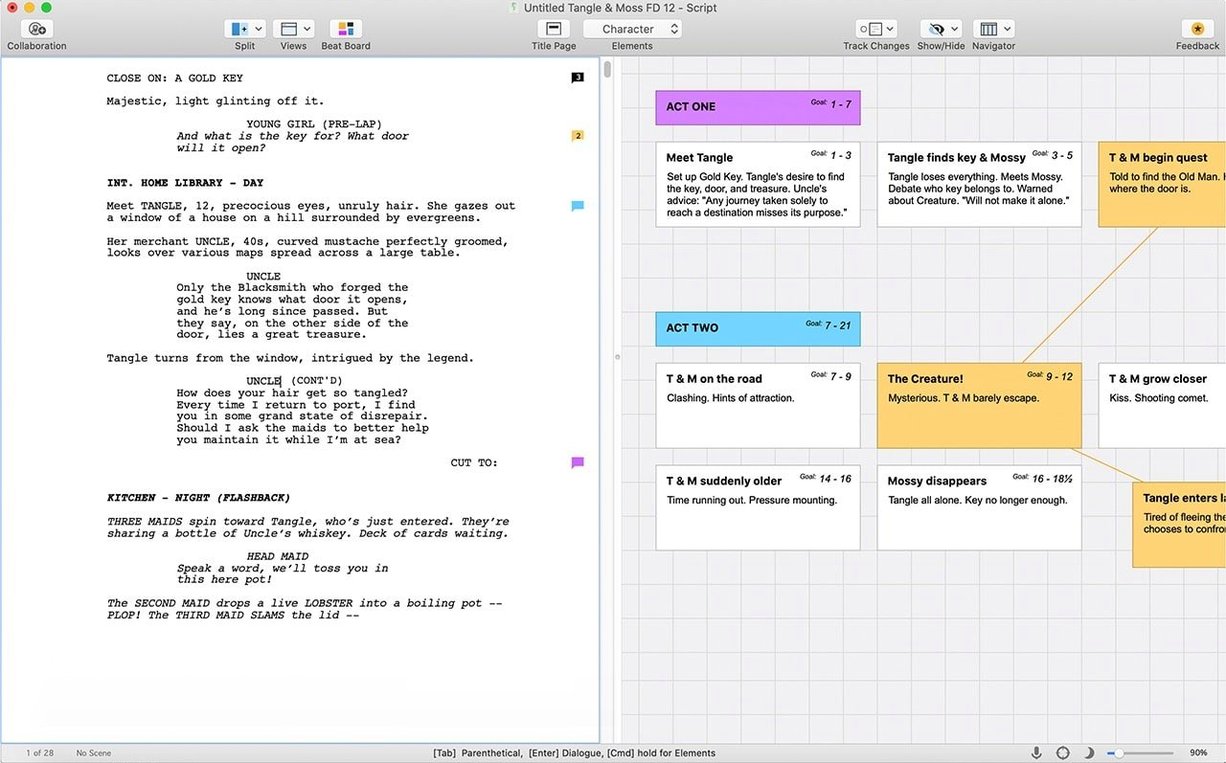
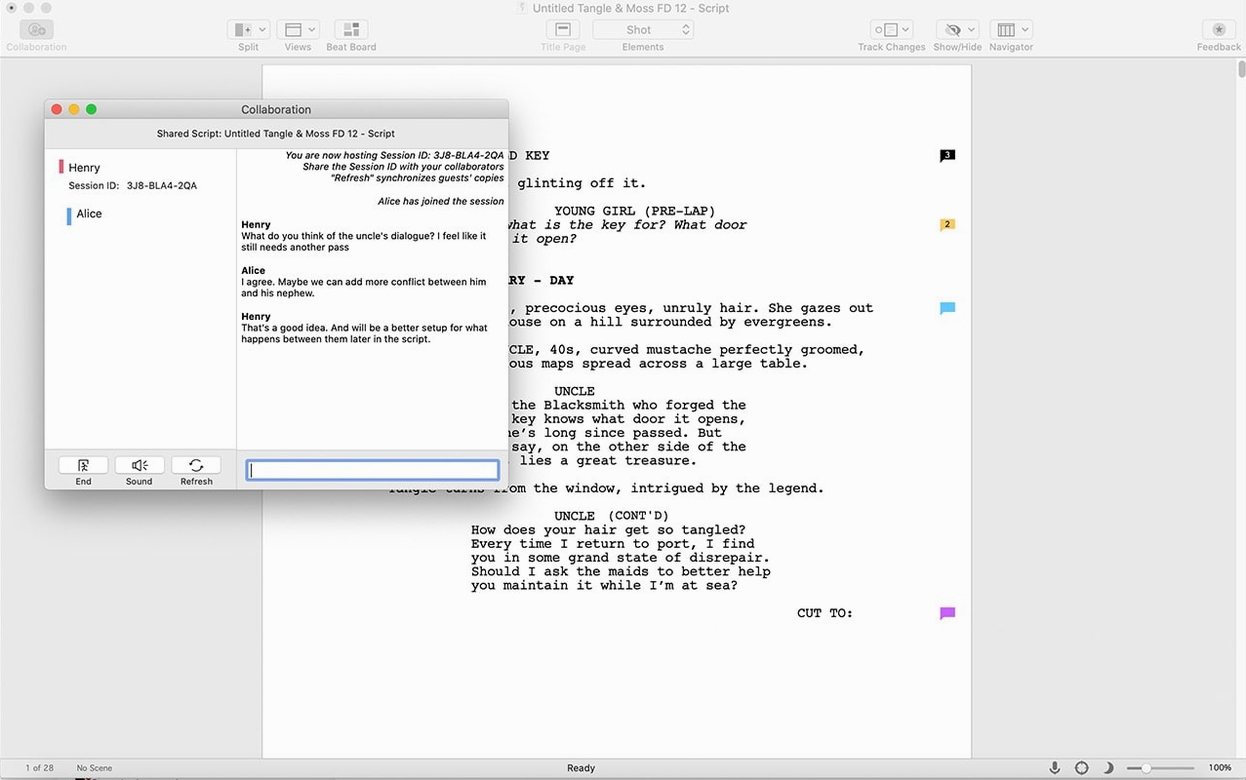
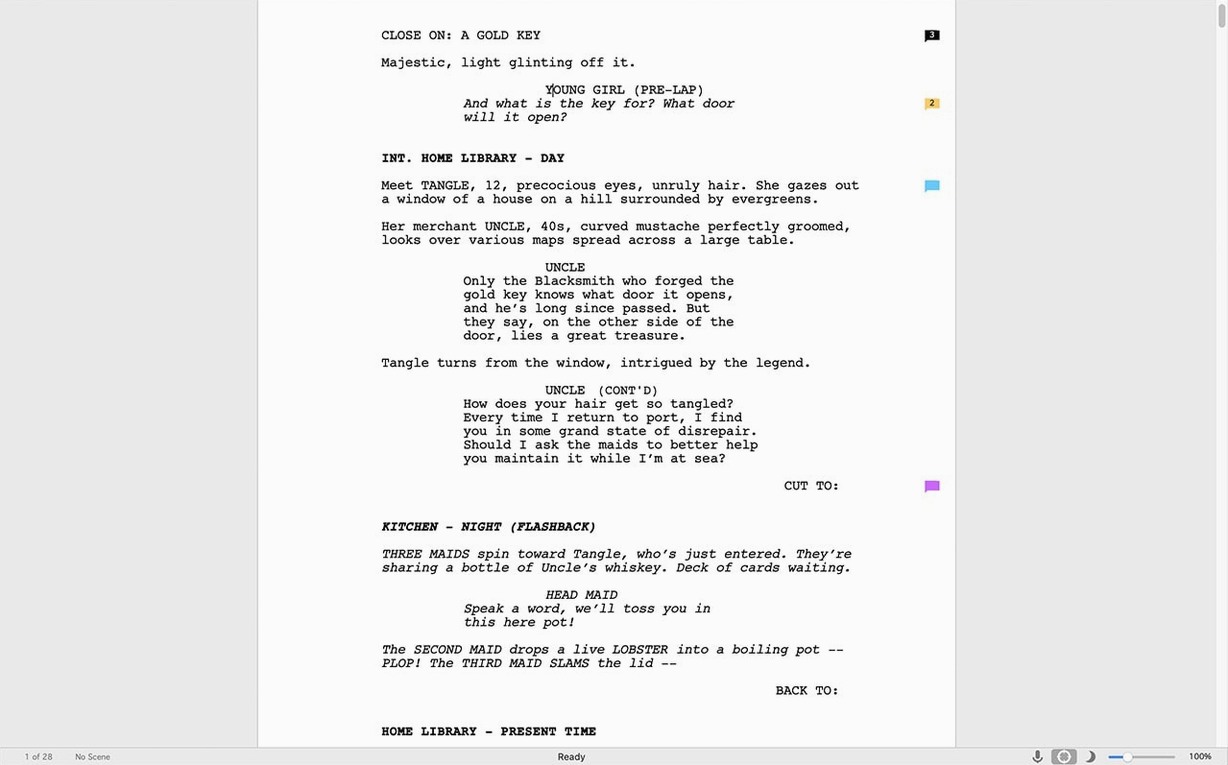
SmartType remembers character names, scene headings, and locations so you press Return, not re-type. It handles the formatting while you handle the story.
Where .fdx Files and Colored Revision Pages Are Non-Negotiable
- Feature film and TV episode scripts that need strict industry formatting
- Teams using revision mode to track coloured page changes
- Writers who want the .fdx file every production office expects
Rosetta Required on Apple Silicon, Monterey Minimum
- Requires macOS 12 Monterey or later — won't install on older systems
- Intel-only architecture; Apple Silicon Macs run it via Rosetta
- Needs an active internet connection for the initial sign-in
Scripts Only — Treatments and Pitch Decks Stay Elsewhere
Does Final Draft replace a normal word processor for every kind of writing? No. It earns its place on scripts. Letters, treatments in prose form, and pitch decks still belong in a regular editor. The moment the work has scene headings, character cues, and dialogue, Final Draft removes the busywork of keeping margins and spacing consistent.
Will it run on an M-series Mac? Yes, through Rosetta. Final Draft 13 is Intel-only, so the first launch triggers the Rosetta prompt on Apple Silicon. After that it behaves like any other app. No separate build to hunt down.
Do I need to be online to write? Only for the first sign-in. After that, offline work is fine. The app does not phone home every time you open a scene.
Can I move a script between Mac and Windows? Yes. The .fdx format carries formatting, notes, revisions, and SmartType lists across both platforms. Writers who switch machines mid-project lose nothing.
What happens to scripts I already have in PDF or Word? Import is uneven for PDF; Word files usually come in cleanly when they follow screenplay conventions. Expect to tidy transitions, not rebuild everything.
Tab Through Scene Elements Faster Than the Mouse
A few details only surface after regular use. They matter on deadline.
- Tab jumps to the next element. From a scene heading, Tab moves to action; from action, to a character name. It works faster than reaching for the mouse.
- Shift+Tab walks backwards. Useful when you accidentally skip a line and need to correct the element type without deleting text.
- Ctrl+5 marks a revision. Coloured pages change instantly across the script. Production offices expect exactly this visual language.
- The Navigator panel is searchable. Type any word and it filters scenes on the fly. Faster than scrolling a hundred pages.
- SmartType learns as you write. After the first mention, scene headings and character names appear after one or two keystrokes. No settings to configure.
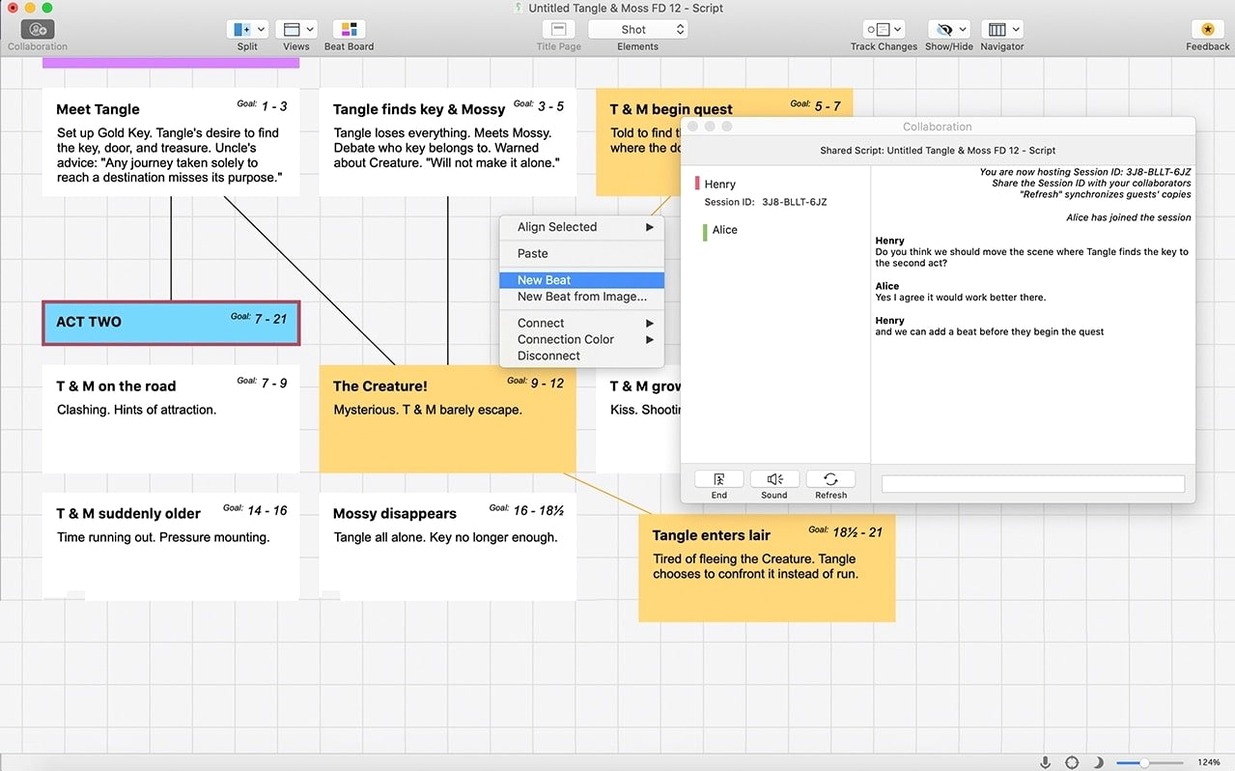
- Beat board cards sync to the script. Drag a card to a new order and the scenes follow. It is outline editing without a separate document.
A Stability Release That Quietly Fixed Saves and Redraws
Version 13.4.0 is a maintenance release. The developer lists minor bug fixes only — no new panels, no redesigned interface. In practice, that means fewer interruptions: cleaner saves, fewer redraws on long scripts. The release keeps the stability of the 13 series without adding learning curves.
Earlier 13-series updates brought the Scrivener integration. Writers who outline in Scrivener can move between the two apps without exporting by hand. The work splits cleanly: Scrivener holds research, notes, and structural thinking; Final Draft owns the script itself. For teams already deep in Scrivener, that connection avoids a second outline document drifting out of sync.
Picking Up Unfinished Beat Board Cards From Yesterday
You open the app and sign in — once, on first launch. The script from yesterday is exactly where you left it.
You start in the Beat Board. Three cards sit unfinished: a cold open, a phone call, a rooftop scene. You drag the rooftop card two places earlier. The Navigator updates. The script order now matches your plan.
You switch to script view. The blinking cursor sits at the end of yesterday's dialogue. You press Return. Final Draft offers a character name — it knows the scene has two speakers and picks the other one. You type a line, press Tab, and land in action. No formatting menus touched.
Halfway through the scene, a producer sends notes. You open revision mode, mark a new revision, and rewrite the phone call. Changed lines appear in a new colour. The producer can spot them in seconds without reading the whole draft.
You need a detail from your research file. The Scrivener window is already open — same project. You read the note, return to Final Draft, and keep typing. Nothing was exported or re-imported.
You finish the scene. You run Spelling from the menu, catch two typos, then save. The .fdx file is ready for the production office. You close the MacBook. The script is formatted, revised, and filed — without a single manual indent.
- macOS 10.15 (Catalina) or later
- Intel 64-bit processor
Questions I get before install
Does this run natively on Apple Silicon Macs?
No, Final Draft 13 uses Intel x86 64-bit architecture and runs through Rosetta 2 on M-series Macs.
Comments 0
Sign in to leave a comment.Sign inCreate an account
No comments yet. If a step is still there after you install it, say so.
More in Office
All in Office Updated
EndNote
Inserts citations and builds the bibliography inside your document as you write.
22 steps saved
 GoodNotes
Replaces paper notebooks with searchable, rearrangable digital ones.
23 steps saved
 GraphPad Prism
Organizes and graphs repeated experiments without duplicating work.
22 steps saved
 Updated
iA Writer
Strips away formatting so you focus on structure and phrasing, then export to any format.
5 steps saved
 Dato
Puts your full calendar and world clocks directly in the menu bar.
9 steps saved
 Updated
Complete Anatomy
Turns a flat screen into a layered, manipulable model of the human body.
14 steps saved
 Updated
ClickClack - Typing Trainer
Sharpens typing form with drills that respond to your actual habits.
9 steps saved
 BusyCal
Merges tasks and appointments into one calendar view with weather-aware sharing.