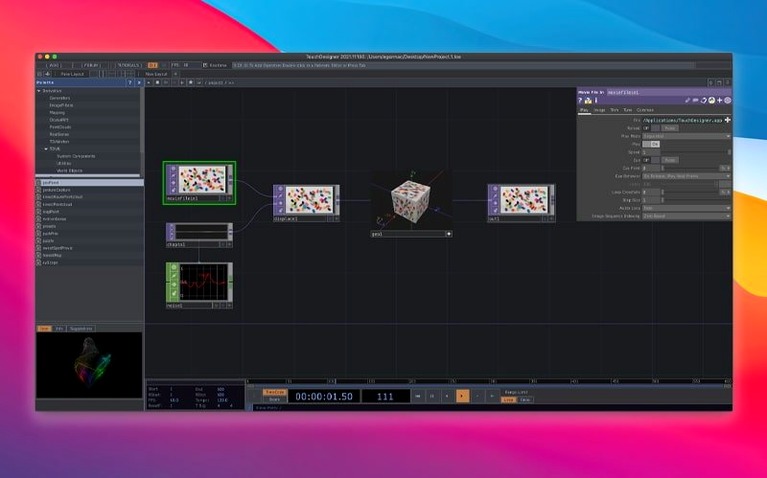
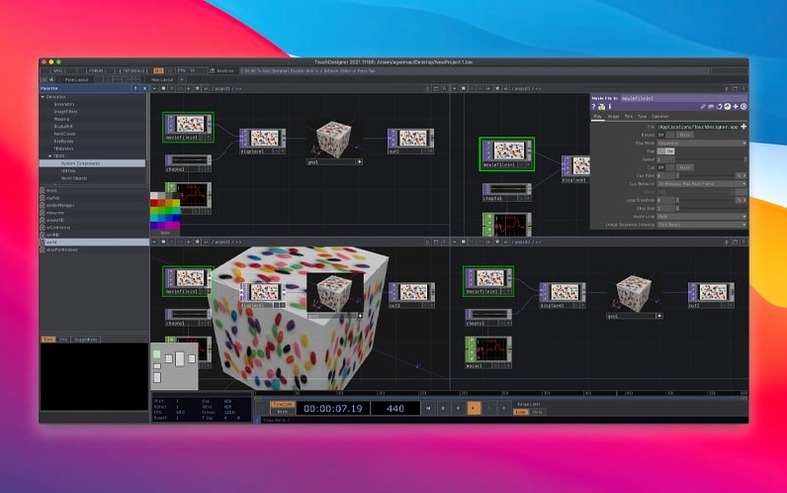
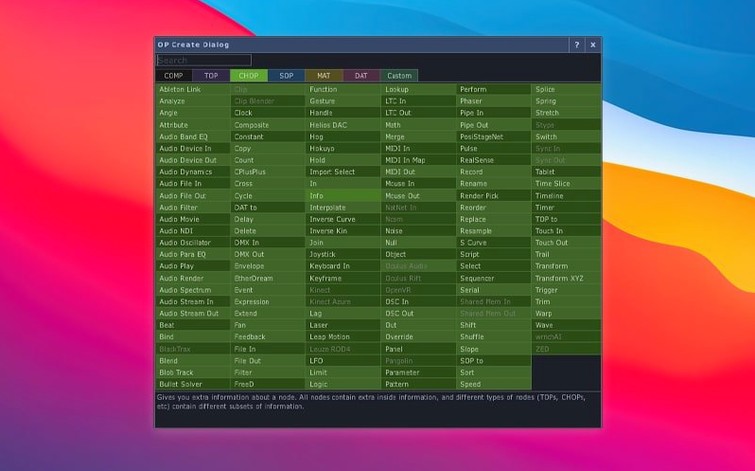
If you have used a node-based compositor like Nuke or a material editor in a 3D package, the concept behind TouchDesigner will feel familiar. It replaces text-based coding with a network of operators you connect to process video, audio, and data in real time. The environment handles both application logic and the user interface, so you build everything in one place. Toronto-based Derivative ships official builds that are production-ready, tested, and stable for installations and live performances. The platform talks to a wide range of hardware devices, software protocols, and web services, making it a practical hub for interactive projects.
| Detail | Note |
|---|---|
| Developer | Derivative (Toronto) |
| Current version | 2025.31550 |
| macOS | 10.14 or later |
| Architecture | Intel |
The 2025 release introduced Point Operators (POPs), a new operator family for working with point clouds. Most TOPs now natively support 3D textures and 2D arrays, which opens up more efficient ways to handle volumetric data and layered imagery. The Orbbec SDK was upgraded to version 1.10.16, adding support for Intel-based Macs and improving depth-sensor integration for interactive installations.
A small studio, one week out
An installation artist preparing for an exhibition in a converted warehouse has a week to turn a scanned 3D model of the space into an interactive projection. The scan arrives as a point cloud from a lidar survey. In TouchDesigner, a Point File In POP loads the data, a Transform POP aligns it to the projector position, and a Render TOP draws the result to a mapped surface. A MIDI controller wired to a few parameters lets the artist tune density and colour on site while the client watches. The same file runs the preview in the studio and the final piece in the venue. No separate UI tool, no code, no export step.
Set a project folder before you build anything
TouchDesigner rewards a few deliberate setup choices early on. The defaults work, but small adjustments save time later.
- Set the project folder first. TouchDesigner treats every project as a folder of files. Create one per piece, not one per experiment. You will find old builds faster.
- Learn the middle-click habit. Middle-click any operator to see its help page and a working example. This is the fastest way to learn what an operator actually does.
- Turn on performance monitors. The
Performwindow shows frame time and script cost. Open it before you build, not after the frame rate drops. - Save a blank starter file. Add your preferred project settings, a few common networks, and your display resolution. Duplicate it for every new idea.
From blank network to audio-reactive visuals on a deadline
Here is a typical afternoon with TouchDesigner on a Mac, building a small audio-reactive visual for a live stream.
- Open the starter file. The network view shows a clean root with a
performflag, avideooutTOP, and nothing else. The Perform window sits on the second monitor. - Bring in audio. An Audio Device In CHOP connects to the interface. A Spectrum CHOP breaks the signal into frequency bands. A quick middle-click on Spectrum opens an example that shows how to map the output.
- Build a visual. A Circle SOP feeds a Geometry COMP. A Noise TOP displaces the circle in a Displace TOP. The Spectrum output scales the displacement amount, so bass moves the shape.
- Add colour. A Ramp TOP maps frequency values to a palette. The Displace TOP output runs through a Lookup TOP, colouring the displaced geometry.
- Send it out. The final Null TOP connects to
videoout. A Window COMP shows the result fullscreen on the projector. The stream picks up the same window. - Fine-tune live. With the performance running, dragging a few sliders changes the noise scale and colour range. The client watches the stream and sends notes over chat. Changes apply instantly, no restart.
This session covers the core loop: connect an input, process it through operators, render the result, and adjust while it runs. Every project grows from the same pattern.
- New — Point Operators (POPs) family for point cloud workflows.
- Improved — Most TOPs now natively support 3D textures and 2D arrays.
- Updated — Orbbec SDK upgraded to 1.10.16 with Intel Mac support.
- macOS 10.14 or later
- Intel processor
Questions I get before install
What is Point Operators (POPs) in TouchDesigner?
POPs are a new operator family in the 2025 release designed for generating and manipulating point cloud data directly within the visual programming environment.
Can TouchDesigner integrate with external hardware?
Yes, it supports integration with a wide range of hardware devices, software protocols, and internet services, making it suitable for installations and live performances.
Comments 0
Sign in to leave a comment.Sign inCreate an account
No comments yet. If a step is still there after you install it, say so.
More in CAD & 3D
All in CAD & 3D Vectorworks
Connects 2D drawing and 3D modelling for architecture, landscape and entertainment design.
21 steps saved
 Sweet Home
Turns a flat floor plan into a textured, navigable 3D scene without learning CAD.
19 steps saved
 Updated
SketchUp Pro
Blocks out building volumes and adds detail with solid modelling tools.
19 steps saved
 Rhino
Creates mathematically precise curves and surfaces, not polygon approximations.
17 steps saved
 Updated
Plasticity
Shapes solids directly without a parametric history tree holding you back.
6 steps saved
 Pixologic Zbrush
Sculpts high-resolution characters and organic forms like digital clay.
17 steps saved
 Maya
Keeps keyframing, cloth, rigging, and rendering inside a single application.
6 steps saved
 MAXON Cinema
Handles product rendering, character rigging, and walkthroughs in one package.