
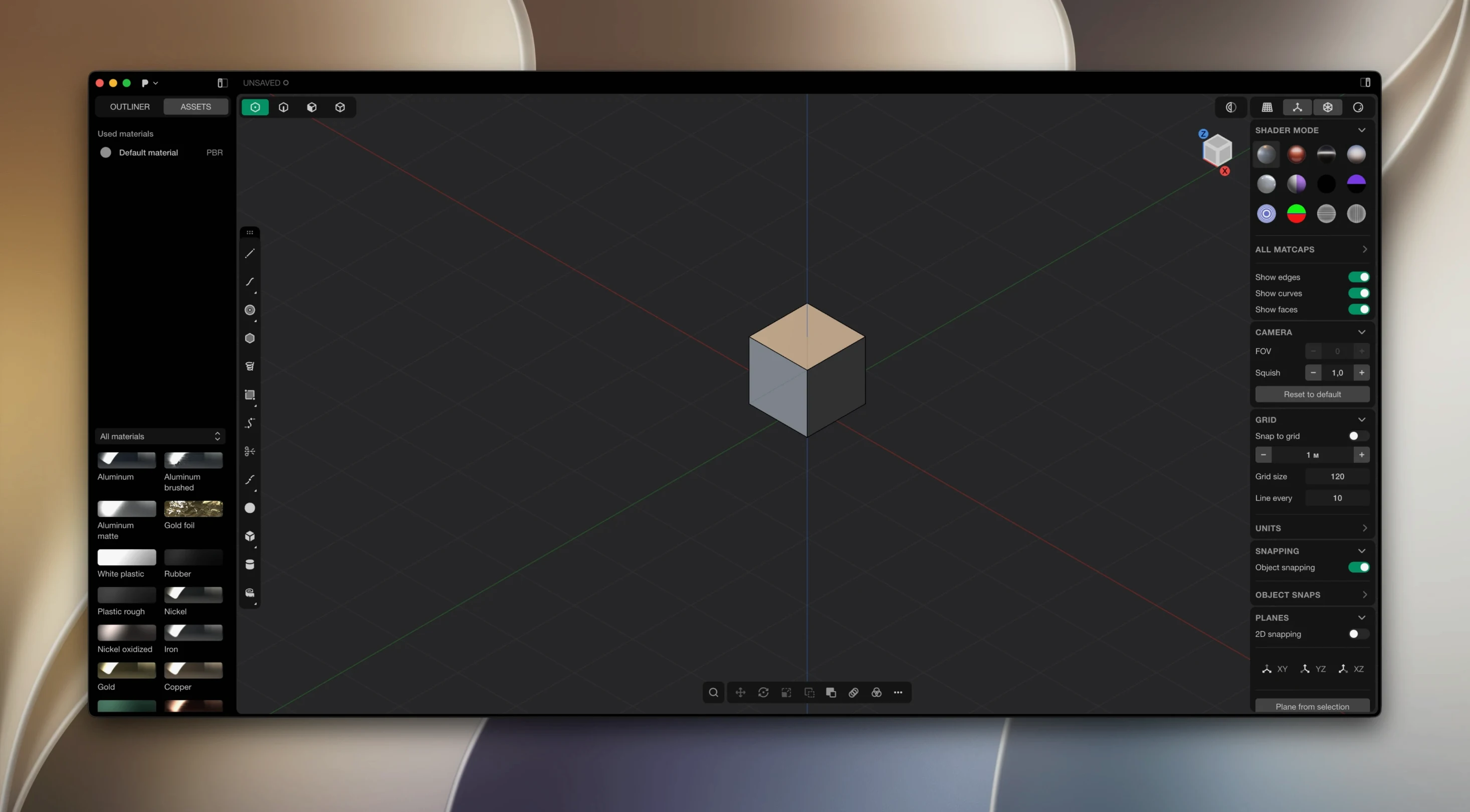
Parametric history trees slow down concept work. Plasticity replaces that timeline with a direct editing approach built on Parasolid and xNURBS geometry kernels. Push, pull, and cut solids until the form is right, then keep moving.
Parasolid Booleans and xNURBS Blending Under the Hood
- Kernel check. It uses Parasolid for watertight booleans and xNURBS for G2-continuous surface blending. If you need studio-grade surfacing, that combination matters.
- Editing style. Direct modeling, not history-based. There is no feature history to manage.
- Output format. The 2026.1 release added Export Hidden Line, which generates clean technical SVG drawings straight from your model.
- Studio features. The Studio edition adds PolySplines conversion, advanced surface tools, and broader CAD translation for production work.
It runs on Apple Silicon with macOS 10.14 or newer. Linux users need Ubuntu 22 and later. The interface ships in eight languages, including English, Japanese, and Simplified Chinese.
Fighting the Tool by Skipping a Rough Mental Sketch First
Most early frustration comes from fighting the tool instead of using its strengths. Here are the traps I see most often.
- Modelling before planning the solid. Plasticity rewards a rough mental sketch first. Beginners often start extruding and boolean-ing freely, then wonder why fillets fail later. A minute spent thinking about primary volumes saves twenty minutes of cleanup.
- Ignoring live dimensions. The dimension tools do more than measure. They drive geometry in real time. New users often treat them as readouts, then manually nudge edges afterward. Type the value once and move on.
- Overusing booleans on already-complex bodies. Booleans are watertight and reliable here, but stacking six of them on a body with bad edge flow invites trouble. Cut early, cut clean, and keep surfaces simple until the form is settled.
- Skipping the XNURBS blending step for transitions. When two surfaces need a smooth in-between, beginners reach for a fillet. Fillets are precise but limited on complex curvature. XNURBS blending produces G2-continuous patches that handle what fillets cannot.
- Not checking unit settings before modelling. A model built in millimetres then switched to inches is a quiet disaster. Set units at the start, not when you notice the scale is wrong.
How Plasticity Compares
Plasticity vs. Fusion 360. Fusion 360 is history-based and pushes you into assemblies, sketches, and timelines. Plasticity skips all of that for direct solid editing. If you need parametric revisions of a mechanical assembly, Fusion fits better. If you are shaping a product concept and want to keep moving without a history tree, Plasticity is faster to think in.
Plasticity vs. Blender. Blender is a general 3D tool: modelling, sculpting, animation, rendering. Its mesh workflow suits organic forms and visuals. Plasticity is a solid and surface modeller aimed at manufacture-ready geometry. The two often share a pipeline — model hard surfaces in Plasticity, export, then render in Blender.
Plasticity vs. Rhino. Rhino offers deep NURBS control and a mature plugin ecosystem. Plasticity is lighter, faster to learn, and built around direct manipulation with two strong kernels. Rhino wins on specialized tooling; Plasticity wins on speed to a clean solid.
Apple Silicon Required, Intel Macs Left Out
Will it run on my older Mac? The requirements are modest for a CAD-style modeller: macOS 10.14 or later on Apple Silicon. Intel Macs are not supported at this stage, so check your hardware first.
Do I need prior CAD experience? No. The direct editing model is closer to sculpting than to traditional parametric CAD. Designers coming from Illustrator or poly modelling usually adapt within a day. Engineers coming from SolidWorks or Fusion need a small mental reset: stop looking for the history tree.
What file formats can I bring in and out? It reads and writes common CAD exchange formats. The Studio edition expands CAD translation for production pipelines, and the 2026.1 release added technical SVG output via Export Hidden Line for documentation drawings.
Does it update itself? No. Updates are manual. You download a new build and install it yourself. It is a small thing, but worth knowing before a project deadline sneaks up.
Is a plasticity 26.1.3 setup difficult on macOS? The package includes install and activation instructions. If patching issues appear, moving the Patcher folder to the desktop usually resolves them. After that, the app launches like any other Mac tool.
- macOS 10.14 or later
- Apple Silicon
Questions I get before install
What does Plasticity Studio bring over the standard version?
Studio is meant for advanced surface modeling, PolySplines conversion, expanded CAD translation, and commercial production work.
Comments 0
Sign in to leave a comment.Sign inCreate an account
No comments yet. If a step is still there after you install it, say so.
More in CAD & 3D
All in CAD & 3D Pixologic Zbrush
Sculpts high-resolution characters and organic forms like digital clay.
19 steps saved
 Rhino
Creates mathematically precise curves and surfaces, not polygon approximations.
19 steps saved
 Updated
SketchUp Pro
Blocks out building volumes and adds detail with solid modelling tools.
21 steps saved
 Sweet Home
Turns a flat floor plan into a textured, navigable 3D scene without learning CAD.
17 steps saved
 Maya
Keeps keyframing, cloth, rigging, and rendering inside a single application.
6 steps saved
 MAXON Cinema
Handles product rendering, character rigging, and walkthroughs in one package.
17 steps saved
 Marvelous Designer
Drapes realistic 3D garments onto character models for fashion and film.
4 steps saved
 Marmoset Toolbag
Lights and renders a 3D asset quickly for look dev and portfolio shots.