
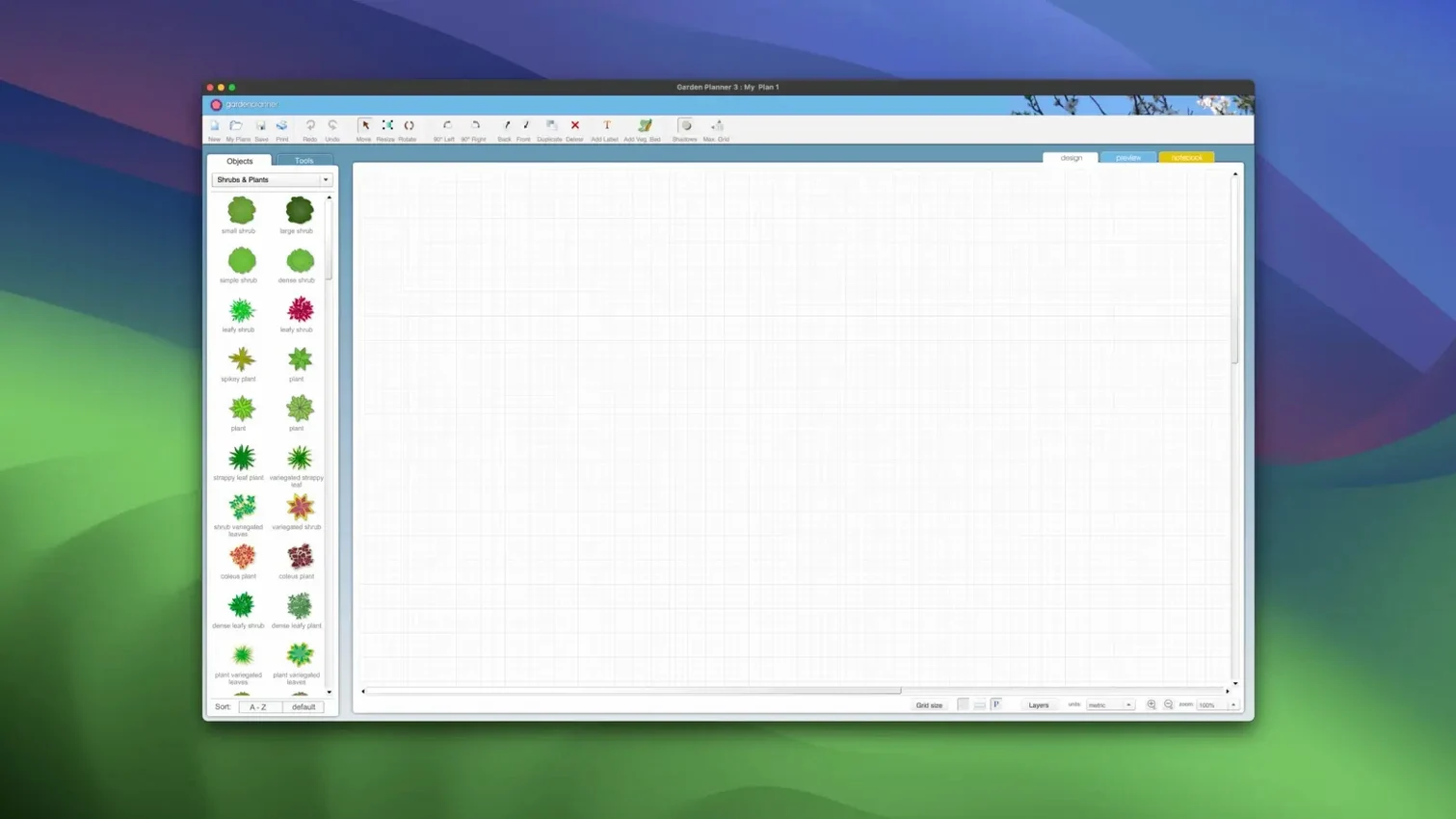
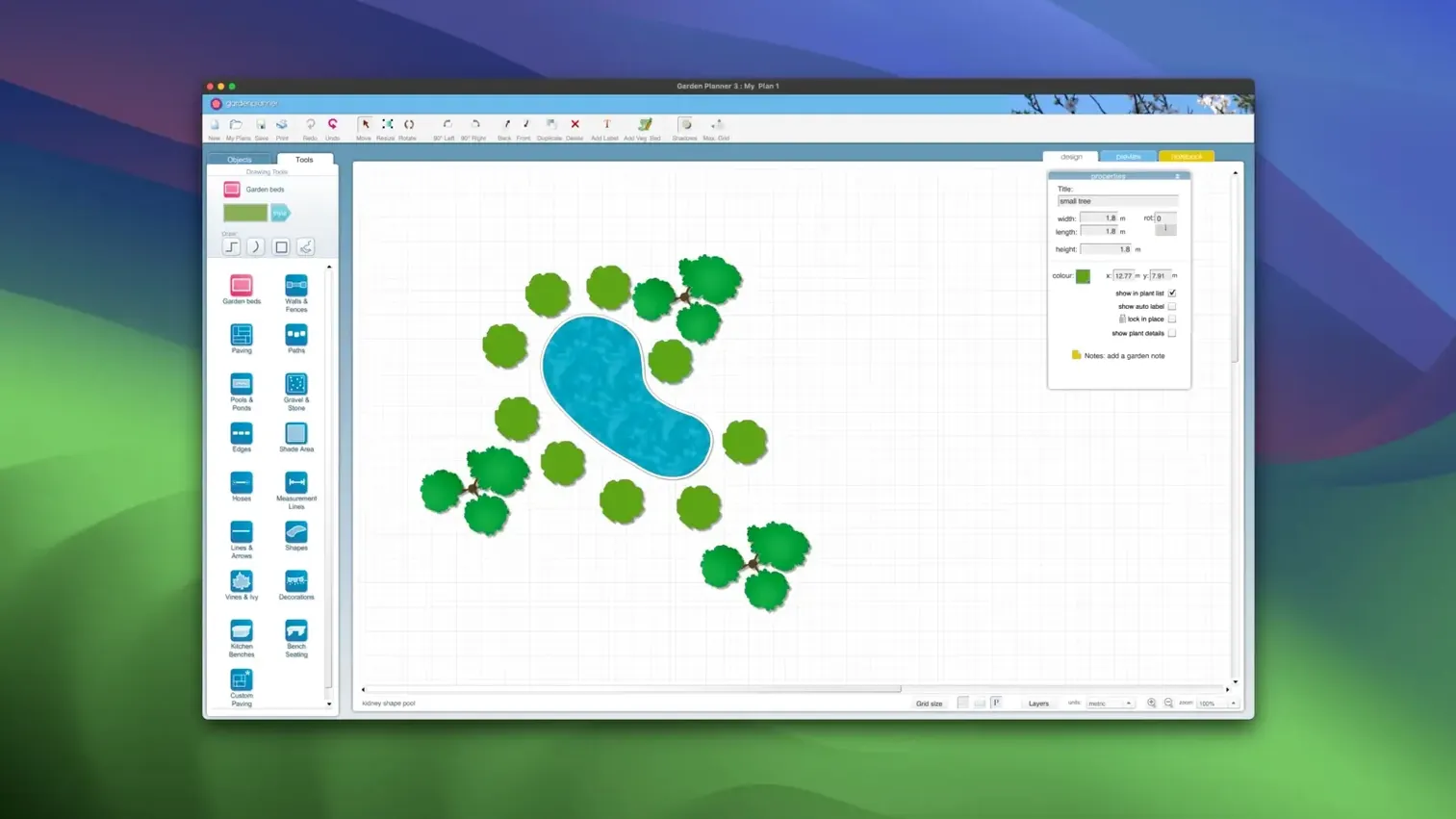
A straightforward macOS tool for arranging outdoor spaces without fuss. Garden Planner by smallblueprinter lets you drag plants, trees, buildings and surfaces onto a canvas and move them until the layout fits.
Choose plants and objects
Pull from a built-in library of more than 1,200 items. Apply your own settings to any element so the plan reflects the actual garden.
Add paths and structures
New path styles introduced in version 3.8 give you more ways to map out walkways, patios and fencing alongside the planting areas.
Export the details
Print the object report or save it as a CSV or TXT file. Text descriptions stay with the plan, so a contractor or client sees the reasoning behind each choice.
Visual plans before you dig or spend a dollar
Home gardeners planning a single border or a full backyard redesign. The tool suits people who want a visual plan before buying plants or moving soil.
- New homeowners — map out beds, paths and fences before committing to a layout.
- Allotment holders — plan crop rotation and spacing with the object report as a planting checklist.
- Landscape contractors — produce a clean 2D plan for client approval, then switch to 3D for a quick walkthrough.
- Garden designers working solo — the drag-and-drop canvas keeps revisions fast when a client changes their mind about a patio shape.
Anyone who has tried to sketch a garden on graph paper will notice the difference within the first hour. The library covers enough common plants and hardscape items that you rarely need to draw an element from scratch.
Fix snapping and sparse 3D views with zoom and detail layers
Most issues come down to layout habits rather than the app itself.
- Objects snap to the wrong spot. Zoom in before dragging. The canvas responds better to small adjustments at higher magnification.
- The 3D view looks sparse. Check that you have placed plants in the correct layer. Items added while in 2D mode sometimes sit behind structures until you nudge them forward.
- Exported JPEG looks blurry. Increase the canvas size before exporting. A larger working area produces a sharper image, even if the garden itself is small.
- Report lists an object twice. You likely duplicated it while resizing. Delete the copy from the object list rather than the canvas to avoid removing the wrong item.
- Text descriptions vanish after export. Descriptions stay embedded in the project file but do not always carry over to PNG exports. Use the object report for a permanent record.
For a quicker start, some users search for planner 5d mac download or planner 5d torrent expecting a similar tool. Garden Planner is a different product with a narrower focus: outdoor spaces only, no interior room layouts. That focus keeps the tool simple.
Real-world grid and object labels that match your plot
A few adjustments make the workspace feel less like a default template.
- Grid spacing — set it to match your real garden measurements. A 1-metre grid works better than the default for most residential plots.
- Object labels — turn them on while arranging, then off before printing. Labels help during planning but clutter the final plan.
- Default plant size — adjust the scale for mature plants, not young ones. A border planned around full-grown shrubs avoids overcrowding later.
- Path width — set your most-used width once. Most garden paths are 60–90 cm; changing the default saves repeated adjustments.
- Report fields — trim the object report to show only plant name, quantity and position. Shorter reports are easier to hand to a helper or nursery.
Spend ten minutes on these settings and the rest of the session moves faster. The app stays out of the way once the defaults match how you actually work.
- New — additional path styles for walkways and edging.
- Improved — general performance and interface refinements.
- Fixed — minor bugs reported in the previous release.
- macOS 10.7 or later
- Intel and Apple Silicon Macs
- Interface language: English
Questions I get before install
Can I add my own plants to the library?
Yes. User-defined settings can be applied to the built-in library elements, so you can customize what each plant or object represents.
What can I export from a plan?
The object report lists every item you placed and can be printed or saved as a CSV or TXT file for sharing.
Comments 0
Sign in to leave a comment.Sign inCreate an account
No comments yet. If a step is still there after you install it, say so.
More in CAD & 3D
All in CAD & 3D KeyShot
Renders physically accurate product visuals from CAD data with real-time global illumination.
8 steps saved
 Updated
Live Home 3D Pro
Shows clients the finished renovation before a single wall goes up.
4 steps saved
 CorelCAD
Drafts 2D plans and 3D parts in a DWG-native CAD workspace.
4 steps saved
 Marmoset Toolbag
Lights and renders a 3D asset quickly for look dev and portfolio shots.
17 steps saved
 Marvelous Designer
Drapes realistic 3D garments onto character models for fashion and film.
6 steps saved
 MAXON Cinema
Handles product rendering, character rigging, and walkthroughs in one package.
17 steps saved
 Maya
Keeps keyframing, cloth, rigging, and rendering inside a single application.
17 steps saved
 BricsCAD
Handles 2D drafting and 3D modelling while working directly with .dwg files.