
Standard sketching tools collapse when a flat layout needs to become a client-ready 3D visual. CorelCAD bridges that gap without forcing a jump to a different application.
CorelCAD workflow in 5 steps
- Draft the 2D geometry — Use familiar drafting tools for planning, editing, and precise technical drawings.
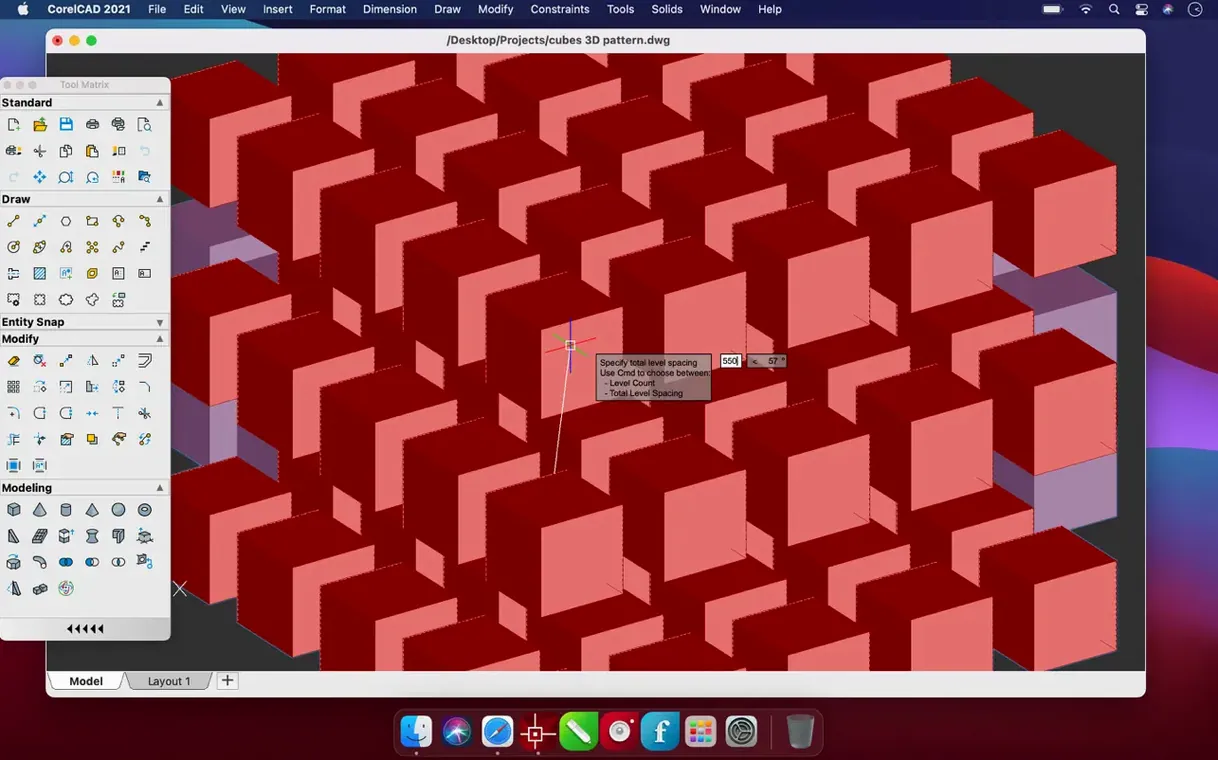
- Convert to 3D — Push selected 2D designs into 3D graphics in a few clicks. No rebuild required.
- Refine the model — Adjust solids, surfaces, and meshes with the 3D modeling toolset.
- Automate and customize — Apply built-in automation to repetitive tasks or tailor the interface to your team's process.
- Output for production — Export STL files for 3D printing or generate final drawings and layouts.
The result is a single environment that carries a concept from initial sketches through to a print-ready solid, with collaboration options baked in for teams who review work in parallel.
Fewer Redraw Delays in Complex Layouts
Build 22.3.1.4090 rolled up several enhancements that trimmed small but persistent frictions. The most noticeable shift is how the drafting viewports behave under heavy pan-and-zoom — fewer redraw delays on complex layouts, particularly when switching between paper space and model space tabs. Performance stability during multi-hour sessions improved enough that autosave triggers less often feel like an interruption.
Other refinements include smoother handling of large DWG reference files and tighter memory management on Apple Silicon machines. The update didn't overhaul the interface, so anyone returning from a previous 2022.x build picks up exactly where they left off.
Troubleshooting CorelCAD
Tool panels vanish after a workspace switch
Switching from 3D Modeling to 2D Drafting workspace sometimes collapses the Layers or Properties palette. Reset the workspace from the Window menu — choose the desired workspace name again, even if it shows as active. CorelCAD rewrites the panel layout on the second call.
Imported DWG files show missing line weights
This often traces back to a CTB plot style file that isn't linked. Open the Plot dialog, check the plot style table assignment, and point it to the correct CTB file. If the file came from a collaborator, ask them to eTransmit the drawing.
3D orbit becomes sluggish on Intel Macs
Disable the on-screen viewcube and reduce the shaded view mode from Conceptual to Hidden Line while orbiting. Both knocks down the GPU load without affecting the geometry itself. For those running CorelCAD torrent distributions on older Intel hardware, this single adjustment makes navigation usable.
Save Your Custom Workspace Before It Resets
- Lock in your workspace layout early. Arrange palettes, toolbars, and the command line where you want them, then save the workspace under a custom name. That snapshot saves you from reconstructing the layout after any accidental reset.
- Set the default save format. Under Preferences > Open and Save, set "Save as" to DWG 2018 or whichever version your collaborators expect. Eliminates the extra export step on every handoff.
- Test STL export immediately. Slice a simple 3D solid and export to STL. Check the mesh resolution settings in the export dialog — the default value often produces facets visible in prints, so bump it higher before you commit to production files.
- Map one custom shortcut. Pick the command you run most often and assign it a key combination under Tools > Customize > Keyboard. One tailored shortcut in the first session teaches muscle memory faster than a dozen tutorials.
- Open a real project file, not a demo. Load one of your own DWG files and run through zoom, plot preview, and a dimension edit. Applications feel different on familiar geometry, and any performance quirks surface before a deadline pins you down.
Those who work across platforms regularly keep the corelcad mac version on their machine alongside Windows installs, because the DWG fidelity holds up in both directions without translation layers.
- New — Several enhancements across the drafting and modeling tools.
- Improved — Performance and stability for everyday operations.
- macOS 10.14 or later
- Apple Silicon or Intel Mac
Questions I get before install
Can CorelCAD export files for 3D printing?
Yes, it supports 3D printing with STL file export, so you can send models directly to a slicer.
Does CorelCAD run on Apple Silicon Macs?
It supports both ARM and 64-bit x86 architectures, running natively on Apple Silicon and Intel Macs.
Comments 0
Sign in to leave a comment.Sign inCreate an account
No comments yet. If a step is still there after you install it, say so.
More in CAD & 3D
All in CAD & 3D BricsCAD
Handles 2D drafting and 3D modelling while working directly with .dwg files.
21 steps saved
 AutoCAD
Scans a drawing and converts repeated geometry into reusable blocks.
11 steps saved
 Artlantis
Converts raw 3D models into presentation-ready stills with natural light.
18 steps saved
 ArchiCAD
Shares BIM objects across a studio without leaving the modelling tool.
9 steps saved
 Garden Planner
Drags plants and surfaces onto a canvas to arrange outdoor spaces.
7 steps saved
 Adobe Substance 3D Painter
Applies textures to 3D models with editable layers and Smart Materials.
17 steps saved
 Adobe Dimension
Stages and renders 3D product shots from sourced models without a full 3D suite.
17 steps saved
 KeyShot
Renders physically accurate product visuals from CAD data with real-time global illumination.