
Typeface runs on macOS 12 and later, on both Intel and Apple Silicon Macs. It reads every font you have installed, plus any custom fonts you bring in. No cloud accounts, no subscription hooks — it sits next to your design tools and does one job.
What the app replaces
- Scrolling through Apple's Font Book to find a specific weight
- Keeping a text file of "fonts that might work" for a project
- Switching between apps just to compare two typefaces side by side
- Guessing which fonts support particular glyphs or special characters
Browse all your fonts at once before you design
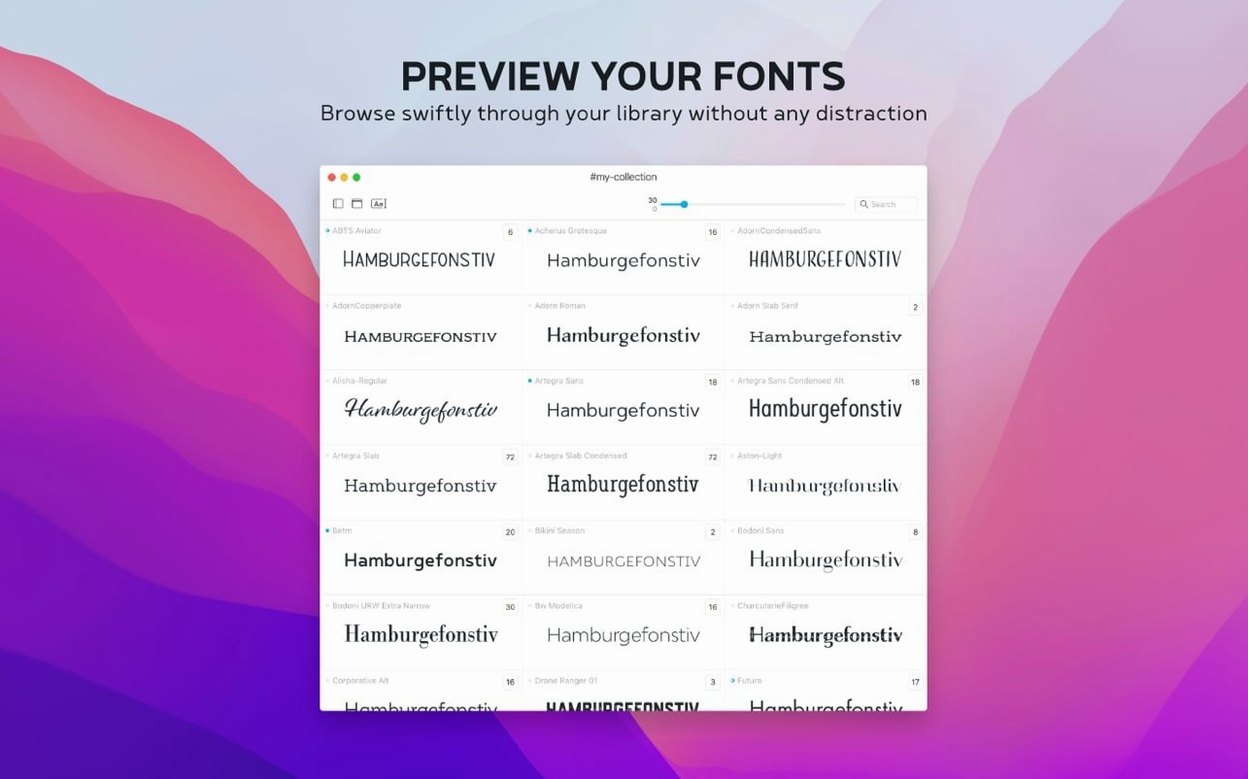
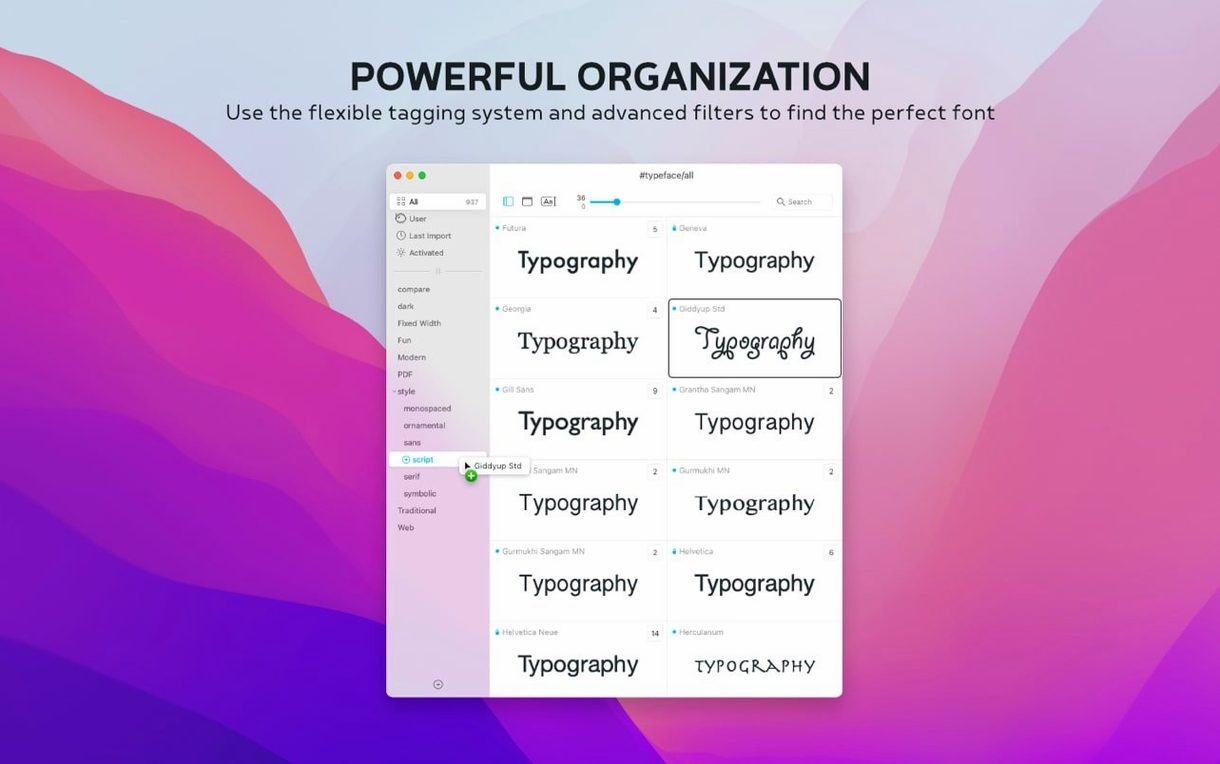
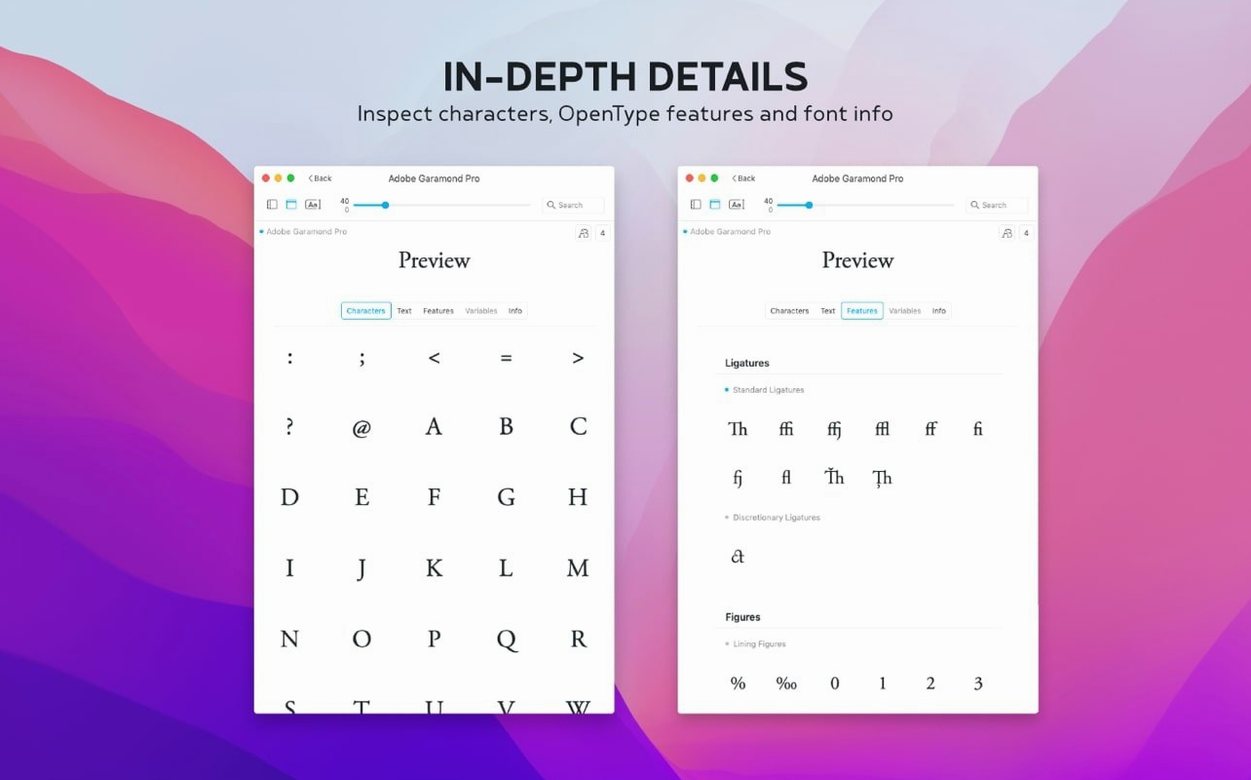
Typeface doesn't try to be your design canvas. It's the tool you open before you start designing. Browse everything at once — system fonts, Adobe fonts, that folder of display faces you have. Assign a font to multiple groups with tags, so that editorial serif can live in both "Client: Meridian" and "Book projects" without duplicating anything. The preview panel lets you dial in size, sample text, and weight on the fly. Check glyph coverage — uppercase, lowercase, figures, special characters — before you commit a font to a layout. Version 4.5 adds a Notes field to the Info tab and a Last Activated column, so you can sort by what you reached for most recently. It's a quick, local catalogue that leaves your actual design apps free for the heavy work.
Workflow: picking a pair for a newsletter redesign
Say you are refreshing a monthly newsletter. The editor wants a sharper body face and a heading that feels more current than the old slab serif. You know the tone — calm, editorial, nothing novelty. You open Typeface and the work runs in a single window.
First, narrow the pool. Select your "Serif Workhorses" collection from the sidebar — a tag group you keep for client projects. Type the newsletter's sample headline into the preview field. Dial the size to 32 pt. Use the arrow keys to walk through eight candidates. You mark three with a quick note: "too wide for two-column," "ink traps distract at 14," "yes — request from CD." Notes are now searchable in the overview, so that "yes" tag becomes a filter later.
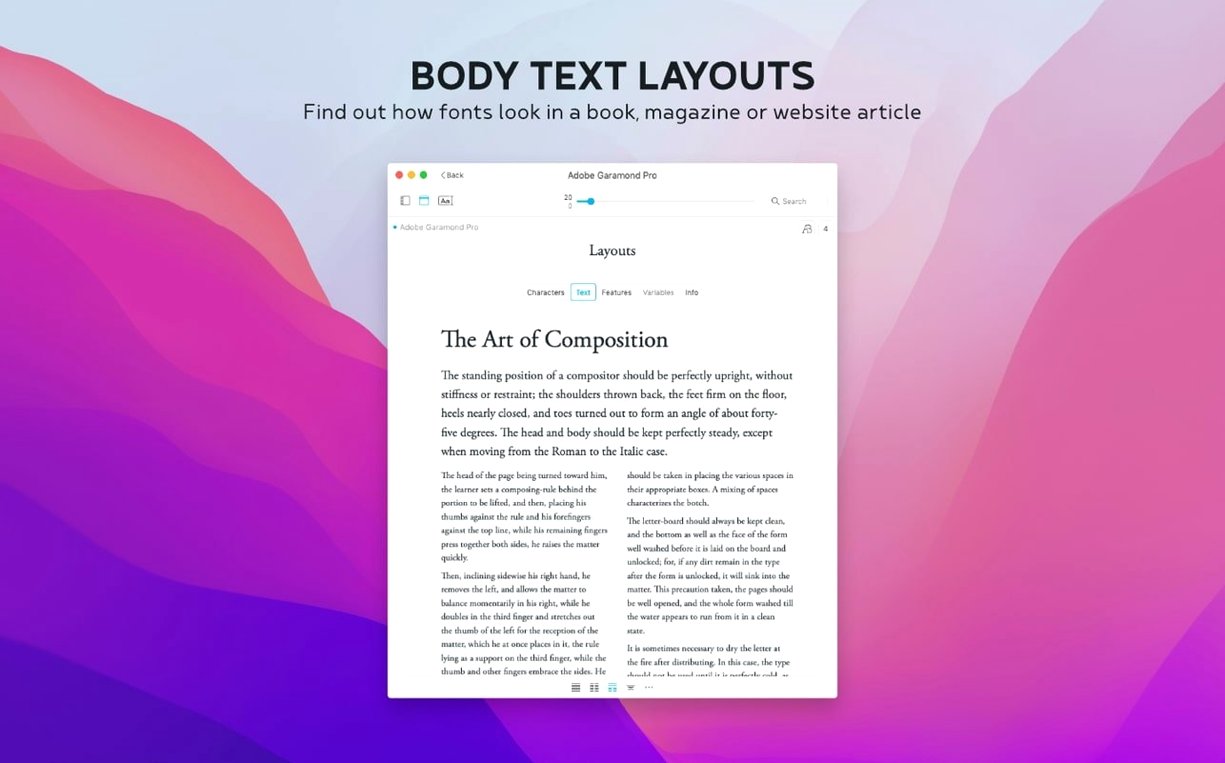
Switch the preview text to a body paragraph. Drop the size to 11 pt. Now you compare the remaining serif with two sans-serifs from a different collection. Typeface lets you pin a font and scroll the list independently — place the serif on the left, then flip through sans options on the right. You land on a geometric sans that shares the serif's x-height almost exactly. A side-by-side glyph check confirms matching figure styles. You add a note to the pair — "Q2 newsletter — body + display" — and jump into InDesign with two font names, not thirty guesses.
Sits between your font manager and your layout app
Typeface does not replace your layout app or your font licensing manager. It works between them. Open it next to Affinity Publisher or Sketch. Drag a font name into a style panel if your design app supports it, or simply read the name and select it. The app also complements macOS features: system-wide font collections you create in Font Book appear in Typeface automatically. Custom folders you point it at — say, a directory of open-source Typeface torrent downloads from a foundry's repository — show up as live previews without needing to install anything first. You can keep a work-in-progress folder of uninstalled fonts, preview them here, and only activate the final choices through Font Book or a dedicated activation tool when the project locks.
Tags bridge the gap between curation and storage. A single font can carry tags for client, project, style classification, and urgency. When macOS Spotlight indexes Typeface's notes, you get another layer of retrieval — find a font by a phrase you typed months ago, even when you cannot remember the file name.
Version 4.5.1 is available now. The release notes are posted on the Typeface website — check there for the full list of changes.
- macOS 12 or later
- Apple Silicon or Intel 64-bit
Questions I get before install
Can I organize fonts into more than one group?
Yes. Typeface uses a tag system, so a single font can belong to multiple collections without creating duplicates.
What kind of preview options does Typeface offer?
You can adjust the preview size, enter custom sample text, and toggle weight and other effects to see how a font behaves before using it.
Does Typeface show special characters and glyphs?
It does. The app displays glyph sets, including uppercase and lowercase letters, numbers, and special characters, for any selected font.
Comments 0
Sign in to leave a comment.Sign inCreate an account
No comments yet. If a step is still there after you install it, say so.
More in Mac Apps
All in Mac Apps Tuxera NTFS
Lets you read and write NTFS drives on a Mac without workarounds.
19 steps saved
 TunesKit iPhone Unlocker
Removes screen passcodes, Apple ID and MDM locks from a locked iOS device.
19 steps saved
 Transmit
Moves files to multiple servers at once from a single split view.
14 steps saved
 Traktor Pro
Isolates drums, bass or vocals live while mixing across four decks.
14 steps saved
 Tower PRO
Puts Git branches, history and merges into a clear visual client.
17 steps saved
 Vector Magic
Converts a pixelated logo into a clean SVG or PDF without an online upload.
18 steps saved
 Viaduct
Converts an unpacked Chrome extension into a signed Safari extension.
16 steps saved
 Updated
Vibe Island
Lets you approve agent actions from the Mac notch while coding.