
You plug a rugged NTFS-formatted portable SSD into a MacBook Pro. The drive mounts instantly. You open a 40 GB video project, make a trim, and save it back to the drive. No copy-to-desktop workaround. The operation completes with the same speed as a native HFS+ volume.
| Detail | Info |
|---|---|
| Type | File system driver |
| Works with | All NTFS versions |
| Key use | Write to Windows USB drives |
The driver operates at the kernel level, meaning your Mac treats an NTFS volume like any other writable disk. Drag-and-drop, Finder tags, and command-line tools all work without translation layers. For more complex setups, the driver maintains stability when an NTFS disk is shared between macOS and a Windows virtual machine running in Parallels or VMware. The 2023.1 release corrects a timestamp bug that could mislabel file dates on copied items, a detail that matters when you are syncing project assets across platforms.
File-system-level access unlocks every creative app
The driver integrates at the file system level, so every app that touches the disk inherits read/write access automatically. Final Cut Pro, DaVinci Resolve, and Logic Pro projects stored on an NTFS external drive open and save as though they live on APFS. Finder tags, Spotlight indexing, and Quick Look previews all work because macOS sees the volume as a standard writable destination — no plug-in bridges or helper utilities required.
Time Machine does not back up to NTFS, but the driver cooperates with other macOS services cleanly:
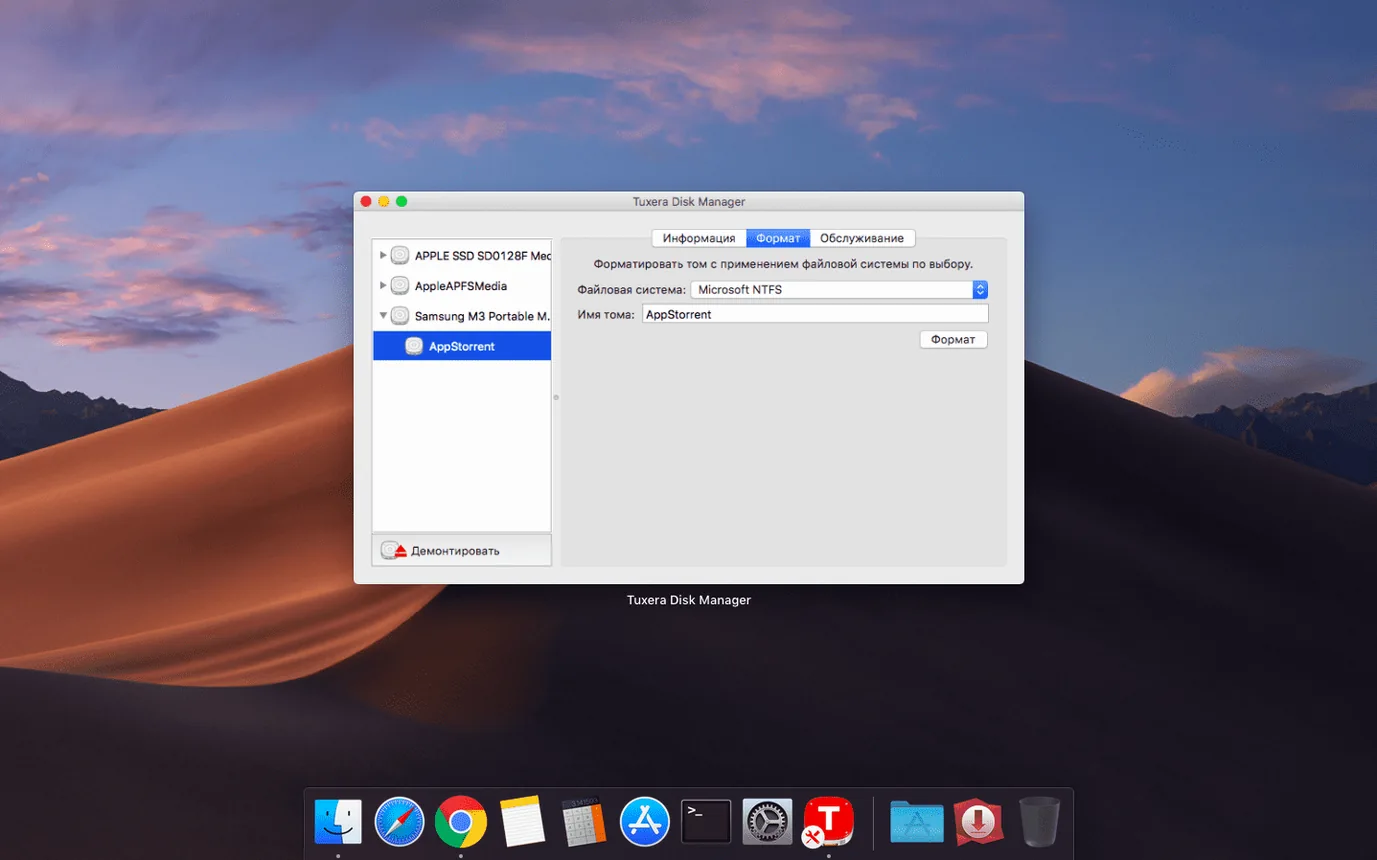
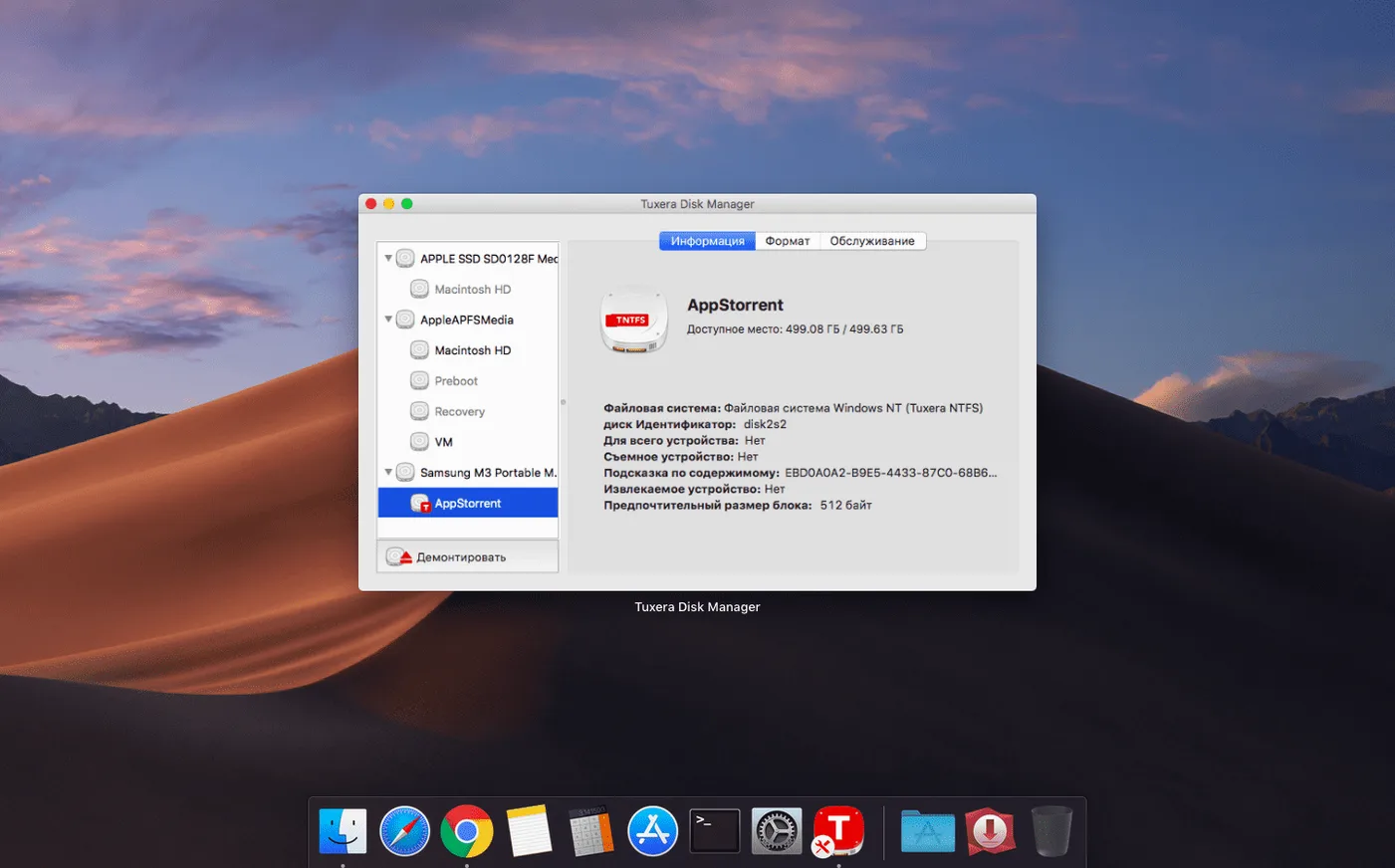
- Disk Utility — recognises NTFS volumes for First Aid checks; the driver adds its own verify-and-repair layer accessible from System Preferences.
- Terminal — standard commands like
cp,mv, andrsynchandle NTFS paths without special flags. - Automator and Shortcuts — file actions targeting an NTFS drive run without permission errors.
- Parallels Desktop / VMware Fusion — a volume can be mounted in macOS and passed through to a Windows VM simultaneously; the driver handles the locking so neither OS corrupts the file table.
For users who rely on cloud sync, folders on an NTFS drive work as Dropbox or Synology Drive locations — the sync engine sees a normal writable directory. The same holds for backup utilities like Carbon Copy Cloner when the destination is a folder on the NTFS volume.
A colourist’s NTFS shuttle between Resolve suites
Consider a freelance colourist working in DaVinci Resolve. The grading suite runs on a Mac Studio; the client’s review station is a Windows tower with a calibrated monitor. The colourist carries a 2 TB Samsung T7 formatted as NTFS — the only file system both machines read without reformatting the drive every project.
On Monday morning she pulls graded timelines onto the drive directly from Resolve. In the afternoon she plugs the same T7 into the Windows machine for a client-attended session. No exFAT compatibility compromises, no 4 GB file-size ceiling, no helper Mac running a network share. Tuesday she’s back on the Mac Studio, opening the project file from the NTFS volume and rendering new LUT strips straight to it. The driver makes the disk a first-class citizen on both desks.
Restart first so volumes write immediately
- Reboot after installation. The kernel extension needs a cold start to bind properly. Skipping this step sometimes leaves existing NTFS volumes in read-only mode until the next restart.
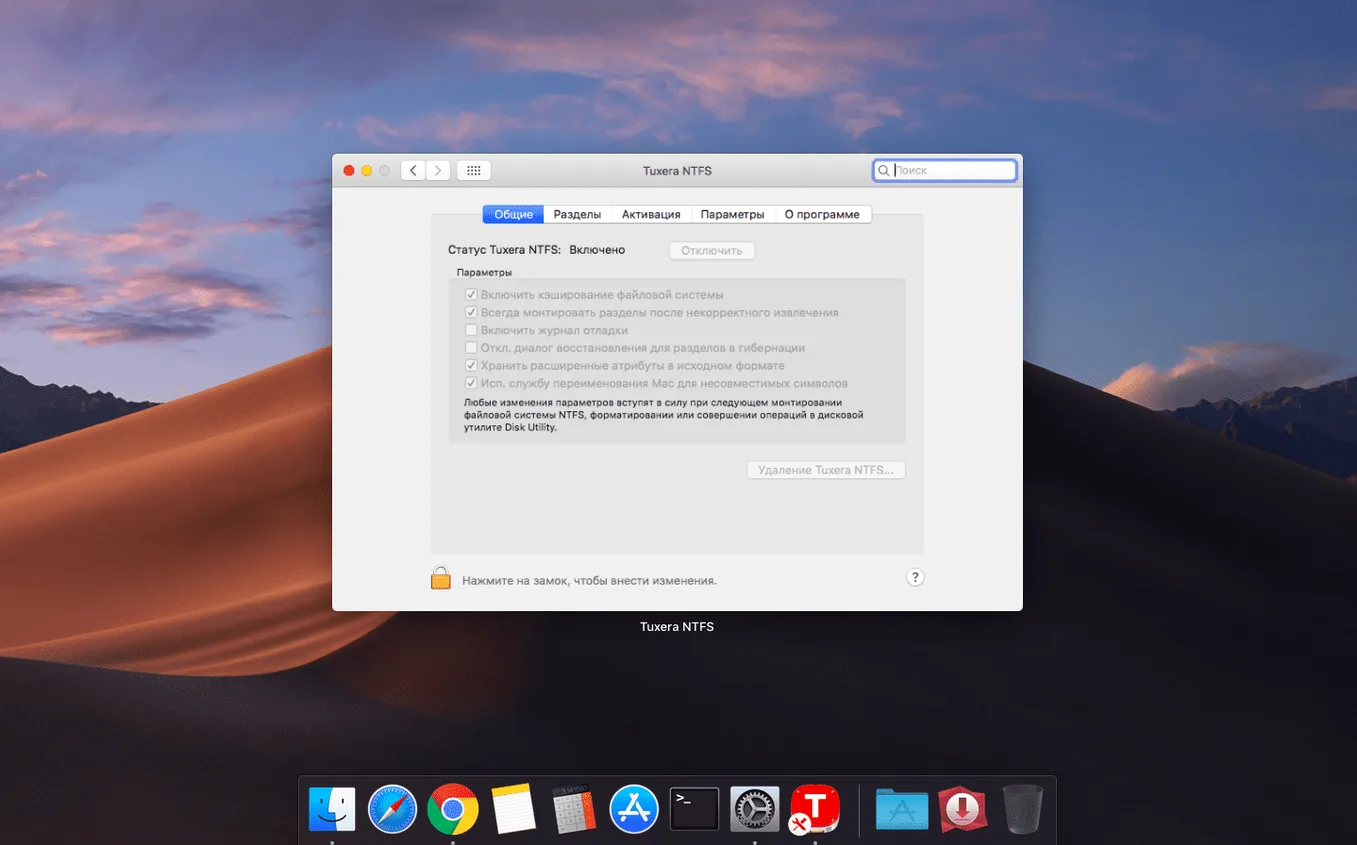
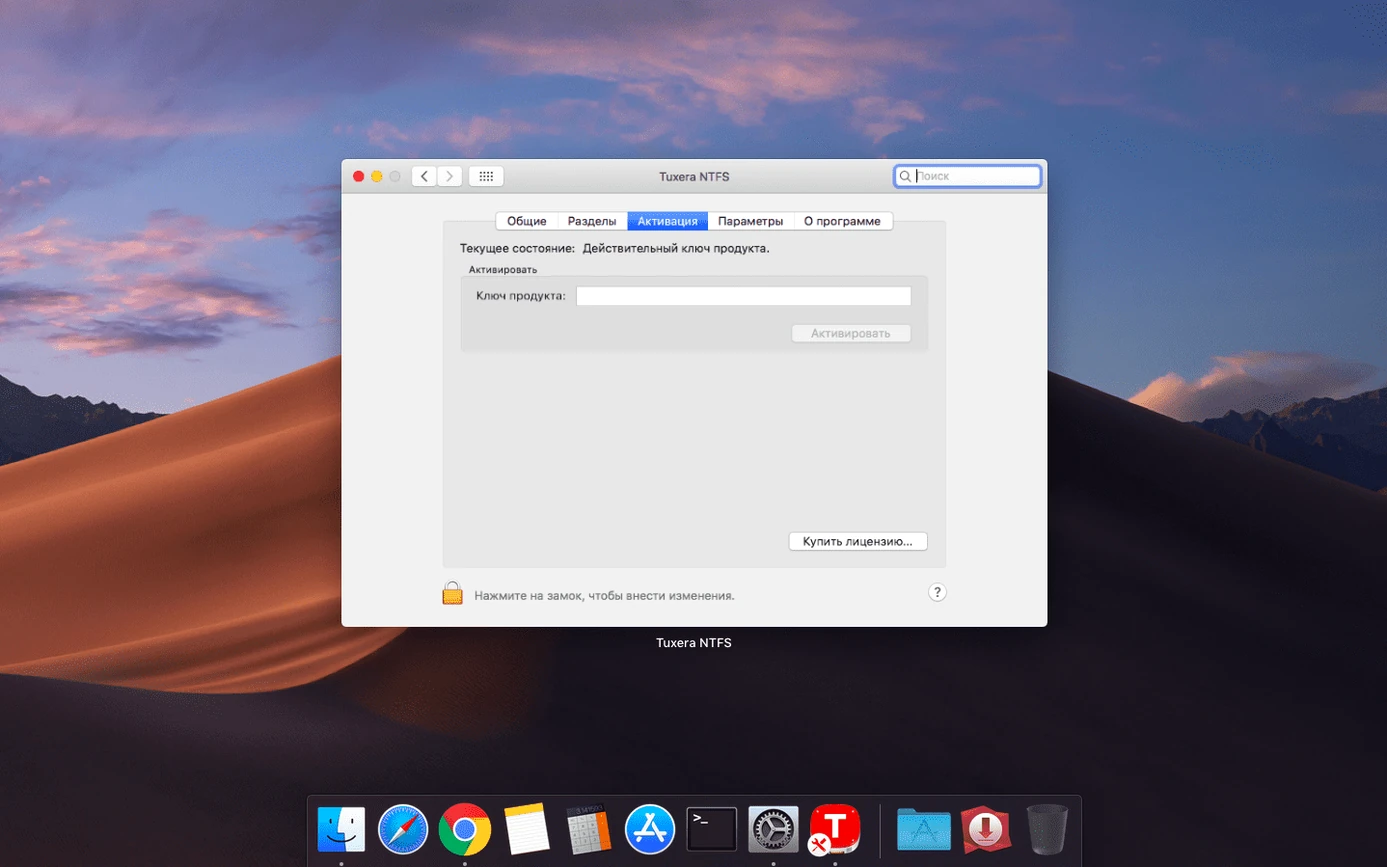
- Check System Preferences → Tuxera NTFS. The pane shows recognised volumes, cache settings, and a repair button. Enable automatic mounting for drives you use daily; leave it off for archival disks you mount manually.
- Eject properly. The driver caches writes aggressively. Yanking a drive without ejecting can still corrupt the NTFS journal, even with a commercial driver.
- Test with a small disposable volume first. Format a spare USB stick as NTFS on Windows, copy a few files on the Mac, then verify them back on the Windows machine. This confirms the driver, cabling, and port all behave before you trust it with project data.
- Disable NTFS compression on the Windows side for volumes you regularly use on the Mac. The driver handles compressed files, but read performance drops noticeably on large compressed media assets.
- Use the built-in repair tool before reformatting a drive that unmounts unexpectedly. The repair function resolves minor allocation table inconsistencies that macOS Disk Utility cannot fix on NTFS.
Paragon, Mounty, and the built-in read-only fallback
Microsoft NTFS for Mac by Paragon Software
Paragon’s driver is the most direct alternative and similarly mature. Both operate at the kernel level and support all NTFS versions. Paragon includes a more polished System Preferences panel with per-volume mount options and a slightly faster repair utility. Tuxera’s edge is its caching engine — sustained write speeds on large sequential transfers tend to hold steadier under the Tuxera driver, especially on Apple Silicon machines. Paragon offers Seagate- and Western Digital-branded variants bundled with those manufacturers’ external drives; Tuxera ships pre-installed on some NAS devices and Linux distributions, which speaks to its cross-platform lineage.
iBoysoft NTFS for Mac
iBoysoft is a lighter-weight option that installs as a system extension rather than a traditional kernel extension on newer macOS versions. It handles basic read/write reliably and includes a simple disk management interface for formatting and repairing NTFS volumes. Where it falls short is multi-threaded throughput — copying several large video files simultaneously can stall the transfer queue briefly. Tuxera’s caching layer manages concurrent I/O more predictably. iBoysoft suits users who touch an NTFS drive occasionally; the Tuxera driver suits those who treat an NTFS disk as a working volume all day.
EaseUS NTFS for Mac
EaseUS provides a straightforward driver with a single-window utility for mounting, unmounting, and repairing NTFS volumes. It covers the core write-access need without much configuration. Performance under light workloads is comparable to Tuxera. Under sustained load — say, rendering a 4K timeline directly to an NTFS RAID enclosure — the Tuxera driver maintains write consistency longer without the periodic flush pauses the EaseUS driver exhibits. EaseUS also bundles its data-recovery tools into the installer, which some users prefer as a two-in-one package; Tuxera stays focused solely on file system reliability.
- Fixed — Incorrect date and time stamps on files copied to NTFS volumes.
- macOS 10.9 or later
- Apple Silicon and Intel Macs
Questions I get before install
Can this driver handle an NTFS drive I use with a Windows virtual machine?
Yes. The driver maintains stable read-write access when an NTFS volume is shared between macOS and a Windows guest in a virtual machine.
What NTFS operations does macOS lack without this driver?
Without an NTFS driver, macOS can read files from NTFS drives but cannot open, edit, copy, move, or delete them.
Comments 0
Sign in to leave a comment.Sign inCreate an account
No comments yet. If a step is still there after you install it, say so.
More in Mac Apps
All in Mac Apps TunesKit iPhone Unlocker
Removes screen passcodes, Apple ID and MDM locks from a locked iOS device.
15 steps saved
 Updated
Typeface
Replaces Apple’s Font Book with fast browsing and comparison of every installed font.
19 steps saved
 Transmit
Moves files to multiple servers at once from a single split view.
14 steps saved
 Traktor Pro
Isolates drums, bass or vocals live while mixing across four decks.
14 steps saved
 Tower PRO
Puts Git branches, history and merges into a clear visual client.
17 steps saved
 Vector Magic
Converts a pixelated logo into a clean SVG or PDF without an online upload.
4 steps saved
 Updated
Topaz Video AI
Upscales, denoises, and stabilizes video footage using local AI models.
18 steps saved
 Updated
Topaz Photo
Sharpens, denoises, and upscales photos by targeting the real cause of softness.