
TunesKit iPhone Unlocker is a Mac utility for stripping passcodes, Apple ID, and MDM locks from an iPhone, iPad, or iPod touch. It sits alongside the Finder and your backup tool as a recovery option when the device itself refuses to cooperate.
Bypass screen lock, disabled device, or Apple ID
A broken screen, a disabled device after too many failed attempts, or Face ID that won’t recognise you — the app targets the lockout, not the hardware. It can remove a forgotten screen passcode, clear an Apple ID that isn’t yours, or lift a mobile device management profile left over from a former employer. The tool covers the three lock types that turn an iOS device into a paperweight.
The emergency tool when Finder and iCloud can’t help
Think of it as a specialist wrench kept next to your general toolkit. You use Finder for everyday syncs, iCloud for routine backups, and perhaps a dedicated backup browser for granular data. TunesKit iPhone Unlocker enters the picture only when normal authentication paths are dead. It does not replace your daily drivers; it resolves the specific access problem so those tools can work again.
Removing a screen lock — start to finish
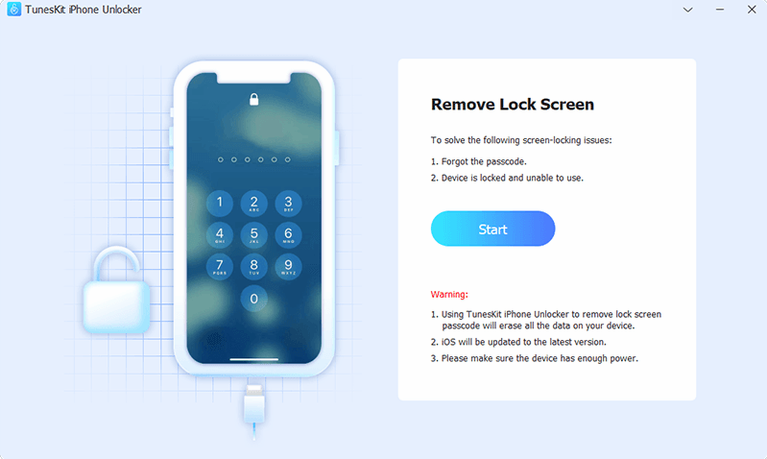
Before you touch anything, plug the locked iPhone into your Mac and launch the app. The home screen presents three modules. Pick Unlock Screen Passcode.
- Click Start. The app reads the device model and current iOS version, then queues the correct firmware package.
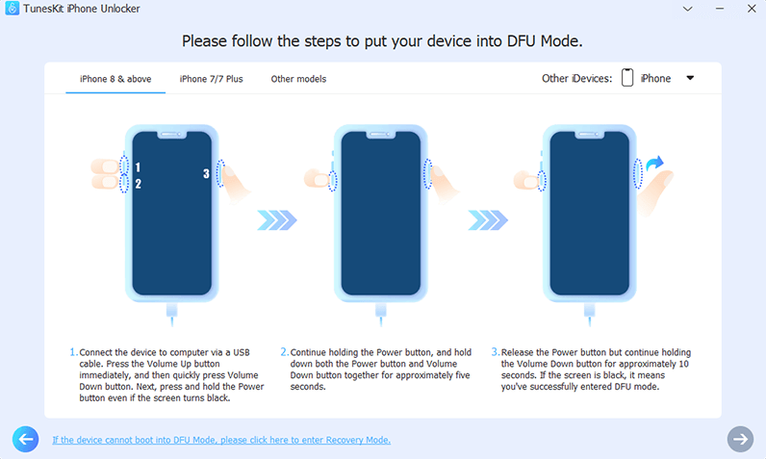
- When prompted, put the iPhone into recovery mode. For a Face ID model: press Volume Up, press Volume Down, then hold the side button until the recovery-mode cable icon appears. The app shows these steps on screen if you lose track.
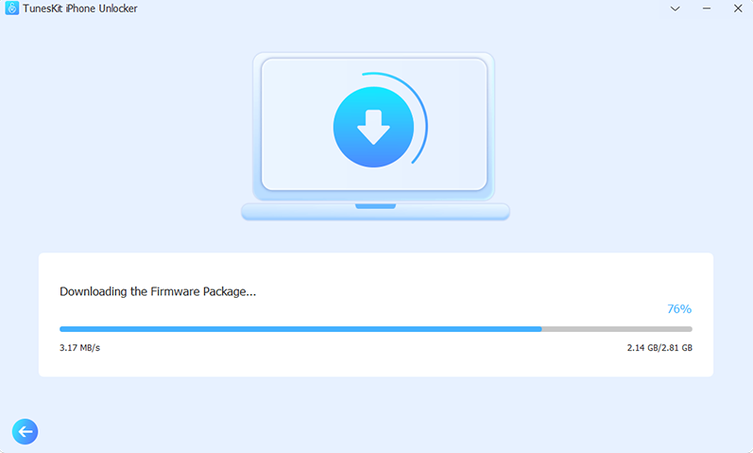
- Confirm the device info matches. The download begins — firmware sizes vary, so a wired connection beats Wi‑Fi here.
- Once the firmware downloads, click Unlock. The app writes the package to the device and strips the passcode. Do not unplug during this phase.
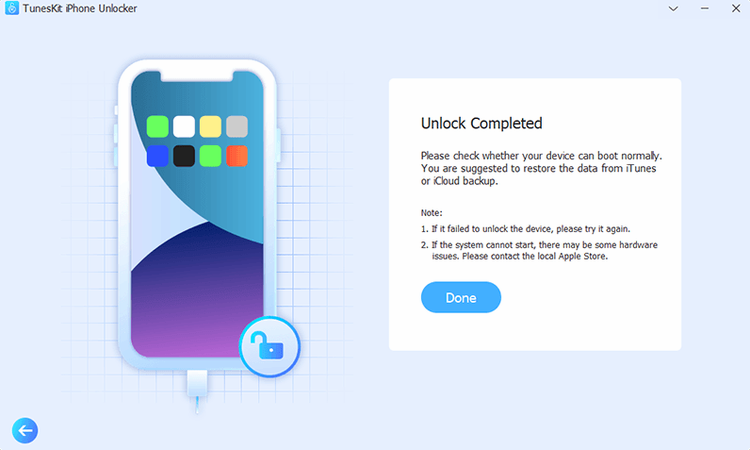
- The iPhone restarts with no passcode prompt. Set up a new one immediately from Settings.
The whole sequence takes fifteen to twenty minutes on a stable connection, most of it spent waiting on the download.
Install helper script, then build three habits
Installation on an Intel Mac requires a one‑time Gatekeeper bypass. Mount the disk image, run the helper script, and press Enter in Terminal — after that, launching from the Applications folder works like any other app.
Three habits worth forming early:
- Bookmark the firmware cache location. The app stores downloaded IPSW files under
~/Library/Application Support/tuneskit-iphone-unlocker/. You can copy them to an external drive for reuse across Macs. - Test with a backup device first. If you have an old iPod touch lying around, run an unlock on it once. The process feels slower the first time; familiarity removes the anxiety when a primary device is locked.
- Keep a Lightning cable that handles data. Charge‑only cables cause connection drops mid‑flash. Label the data cable and store it with the Mac you use for recovery.
A repair shop morning
A small phone‑repair counter in a suburban market. The first walk‑in of the day is a mother with an iPhone 8 her teenager locked after guessing the passcode wrong a dozen times. The device reads “iPhone is disabled — connect to iTunes.” She has no recent backup and no memory of the Apple ID password either.
The technician connects the iPhone to a 2017 iMac, launches the tool, and selects Unlock Apple ID after clearing the screen lock. Because the device runs iOS 15, the removal completes without a jailbreak dependency. Twenty‑three minutes later, the phone is at the setup assistant, ready for a new Apple ID. The technician hands it back with a note taped to the case: “Write down the passcode and the new password. Keep them in the kitchen drawer.” No data survived the wipe, but a working phone beats a glass‑slab paperweight — and the next time she comes in, she brings a neighbour with a locked iPad mini and the same problem.
- macOS 10.11 or later
- Intel 64-bit processor
Questions I get before install
Which lock types does TunesKit iPhone Unlocker remove?
It removes screen passcodes, Apple ID accounts, and MDM (Mobile Device Management) locks on iPhone, iPad, and iPod touch.
When would I need this instead of a normal restore?
It is useful when the screen is broken or unresponsive, after too many failed passcode attempts disable the device, or when Face ID and Touch ID are not working.
Comments 0
Sign in to leave a comment.Sign inCreate an account
No comments yet. If a step is still there after you install it, say so.
More in Mac Apps
All in Mac Apps Tuxera NTFS
Lets you read and write NTFS drives on a Mac without workarounds.
15 steps saved
 Updated
Typeface
Replaces Apple’s Font Book with fast browsing and comparison of every installed font.
19 steps saved
 Transmit
Moves files to multiple servers at once from a single split view.
14 steps saved
 Traktor Pro
Isolates drums, bass or vocals live while mixing across four decks.
14 steps saved
 Tower PRO
Puts Git branches, history and merges into a clear visual client.
4 steps saved
 Updated
Topaz Video AI
Upscales, denoises, and stabilizes video footage using local AI models.
17 steps saved
 Vector Magic
Converts a pixelated logo into a clean SVG or PDF without an online upload.
18 steps saved
 Updated
Topaz Photo
Sharpens, denoises, and upscales photos by targeting the real cause of softness.