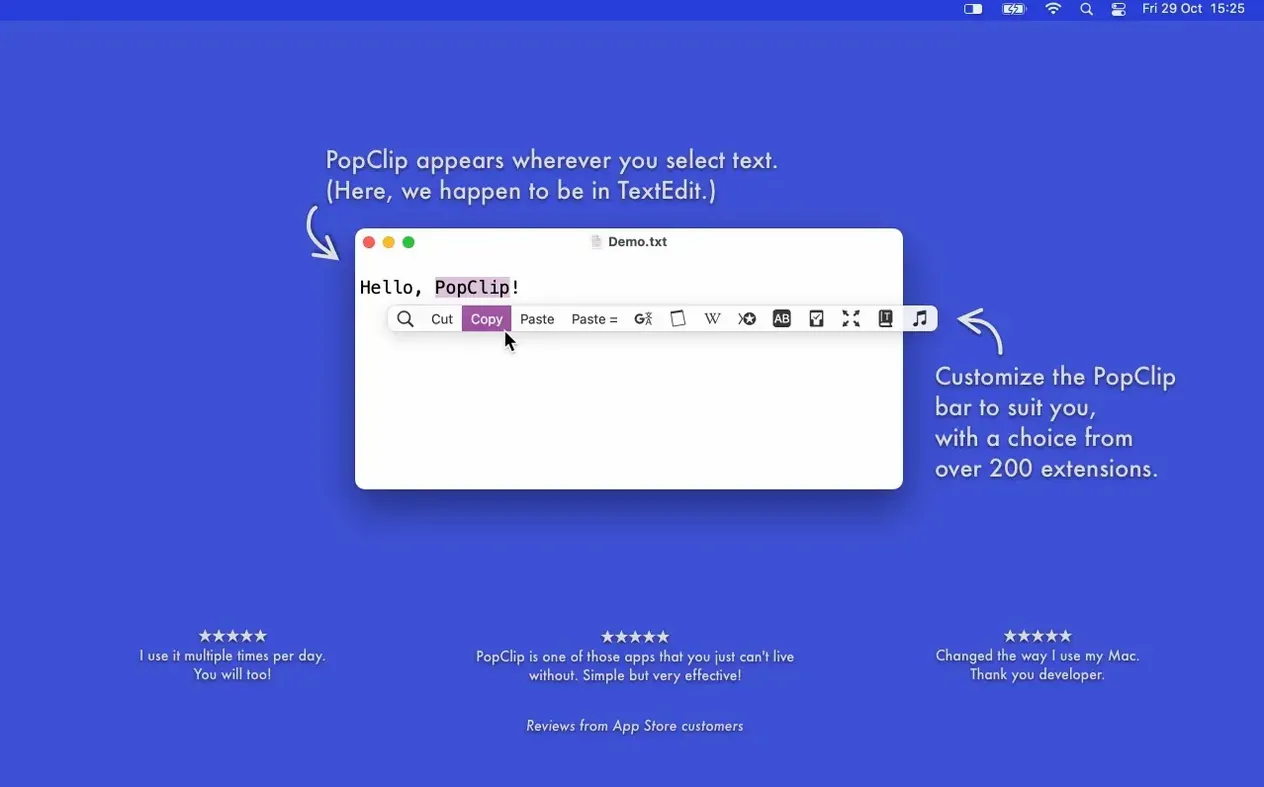
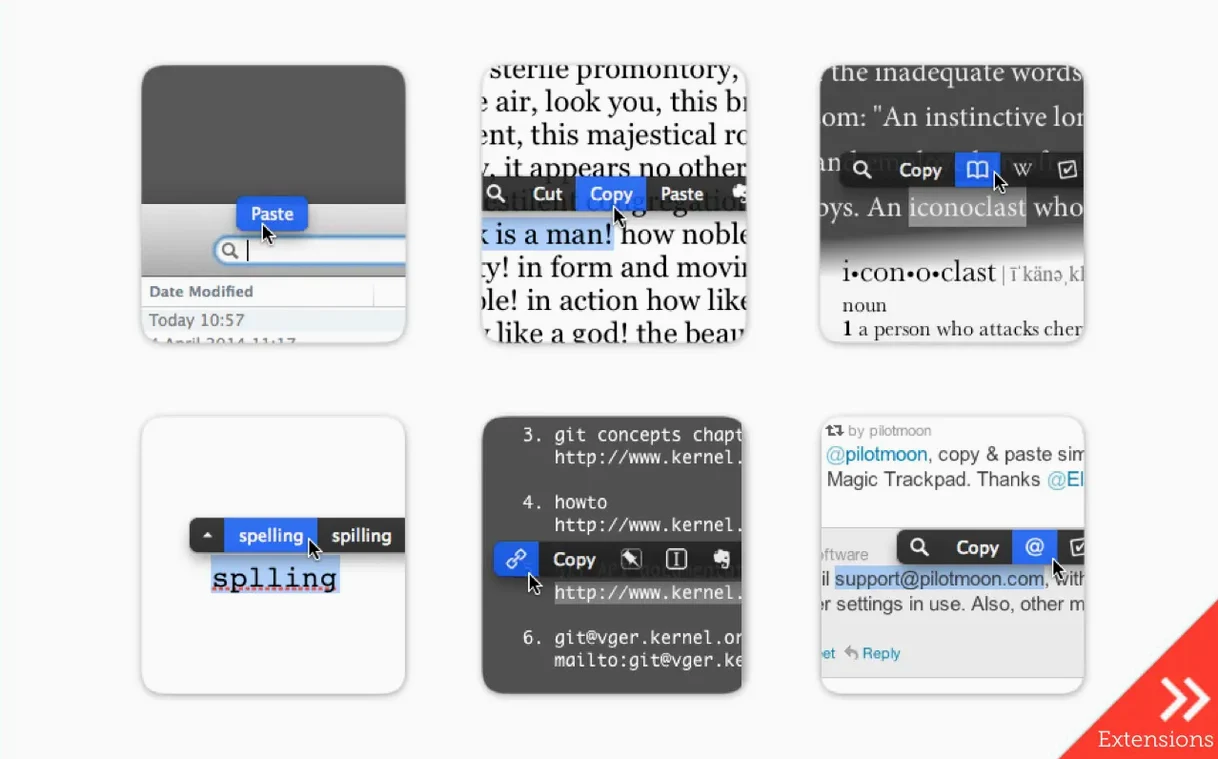
Selecting text on a Mac does nothing on its own. PopClip changes that by surfacing the right action the moment you highlight a word, a URL, or a file path.
Open a link — Select a URL and PopClip offers to open it in your default browser. Works the same way for email addresses and local file paths.
Search instantly — Highlight any phrase and fire off a web search with one click. No copy, no new tab, no pasting.
Look up a word — Select a single word and the dictionary action appears. One click opens the macOS dictionary entry.
Core clipboard tools — Copy and paste actions show up contextually, keeping your hands off the keyboard shortcuts for quick, one-off fixes.
A workflow that removes the busywork
Moving an address from a note into Apple Maps usually takes five or six steps. With PopClip, it takes two.
- Select the street address in your notes app.
- Click the Open Link action when it appears above the selection.
- The Maps app opens with the address already loaded.
The same pattern applies to turning a rough sentence into a search query. Highlight the phrase, choose Search, and results open in your default browser. No switching tabs to copy first. No right-click menu.
For writers who pull quotes from PDFs, the Paste and Match Style extension removes the formatting headache. Copy a styled line from a document, select the destination text, and paste plain text in one click. The extension list in PopClip's preferences covers more than 100 of these small fixes.
Where new users go wrong
The most common mistake is expecting PopClip to appear after every selection. It does not work in all Mac apps. Terminal windows, some code editors, and a handful of password managers block the overlay. If the bar fails to show up, the app in question likely does not support it.
Another beginner error is ignoring the extension settings. PopClip ships with sensible defaults, but the action order can be rearranged, and unused extensions can be hidden. New users often leave cluttered bars in place and then complain about too many buttons.
Finally, some people try to use PopClip as a replacement for clipboard managers. It is not one. The copy and paste actions are for quick fixes, not long-term clipboard history.
Where keyboard-meets-mouse editors see spellcheck mid-flow
People who alternate between keyboard and mouse all day get the biggest return. The app lives in the gap between the two input methods.
Editors and proofreaders — Spelling suggestions show up on misspelled words without invoking a separate spell-check panel.
Researchers — Selecting a citation, a name, or a term leads straight to web search or dictionary lookup.
Anyone who works with links and file paths daily — One click opens what would otherwise require copy, open app, paste, and confirm.
Mac users who rarely touch the mouse will find less value. PopClip rewards the mixed input style.
- Fixed — Cleanup and maintenance after the PopClip 2026.7 release.
- macOS 13.5 Ventura or newer
- Apple Silicon or Intel (64-bit) Mac
Comments 0
Sign in to leave a comment.Sign inCreate an account
No comments yet. If a step is still there after you install it, say so.
More in Mac Apps
All in Mac Apps Plugin Alliance Brainworx bx_mastering studio
Shapes a finished master from a stereo mix with simple, focused controls.
20 steps saved
 PlistEdit Pro
Edits property lists and JSON in a structured, searchable editor.
19 steps saved
 Updated
PowerPhotos
Splits one massive Photos library into smaller, manageable ones.
15 steps saved
 Updated
Presentify
Annotates and highlights anything on your screen, regardless of the app underneath.
21 steps saved
 Pixelmator Pro
Handles photo editing, compositing, and vector work in one Mac-native app.
17 steps saved
 Principle
Turns static Figma or Sketch mockups into clickable, scrollable prototypes.
13 steps saved
 Prizmo Pro
Captures, cleans, and recognizes text in scans with curved-page correction.
14 steps saved
 Updated
Pixea Plus
Views and edits images with masks, layers, and a full undo stack.