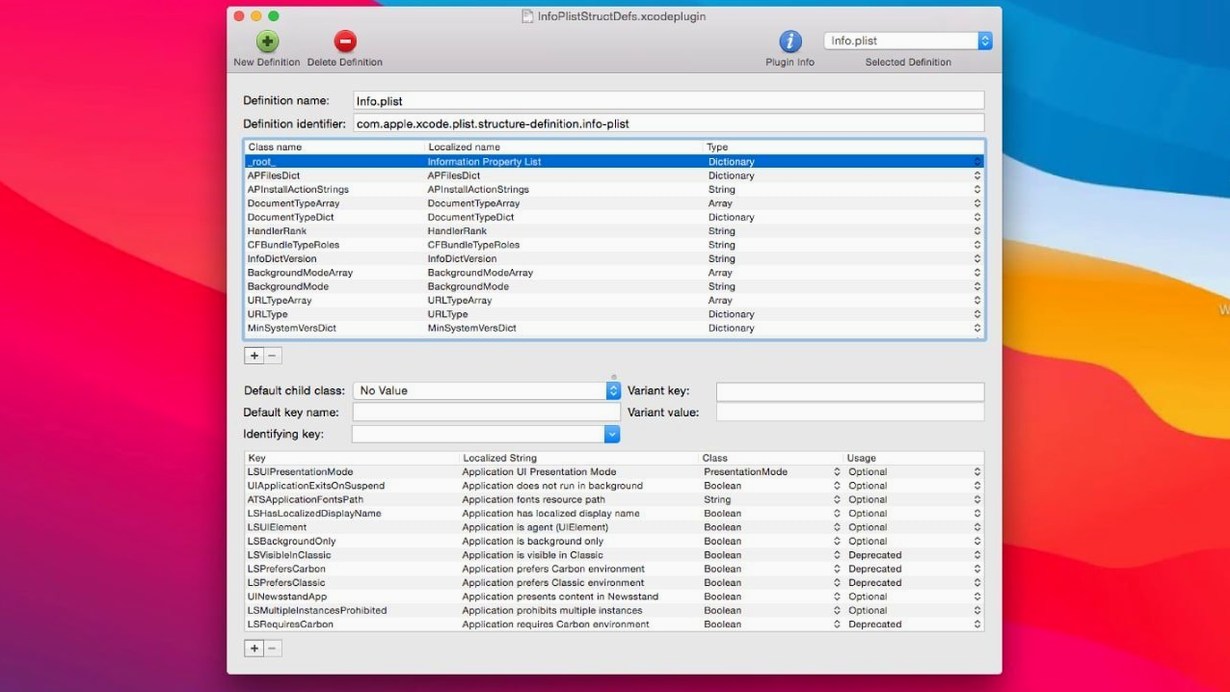
Xcode’s built-in plist editor handles quick edits, but when you need to restructure data or work across dozens of files, PlistEdit Pro gives you the dedicated controls that Apple’s tool withholds. The current version, 1.10.0, raises the system floor to macOS 14 while keeping the editor’s focused, no-clutter approach intact.
Drag-and-drop plist editing with AppleScript automation
- Mac and iOS developers who edit plist files regularly
- Drag-and-drop reorganization of property list data
- Working with both plist and JSON in one editor
- Multi-level undo that tracks every change
- AppleScript automation for repetitive edits
- Font customization for long sessions
Requires macOS 14; custom schemas need manual setup
- Requires macOS 14 or later
- Interface is purpose-built, not a general code editor
- Structure definitions cover standard plist files; custom schemas need manual setup
Side-by-side plist and JSON editing for Apple platform devs
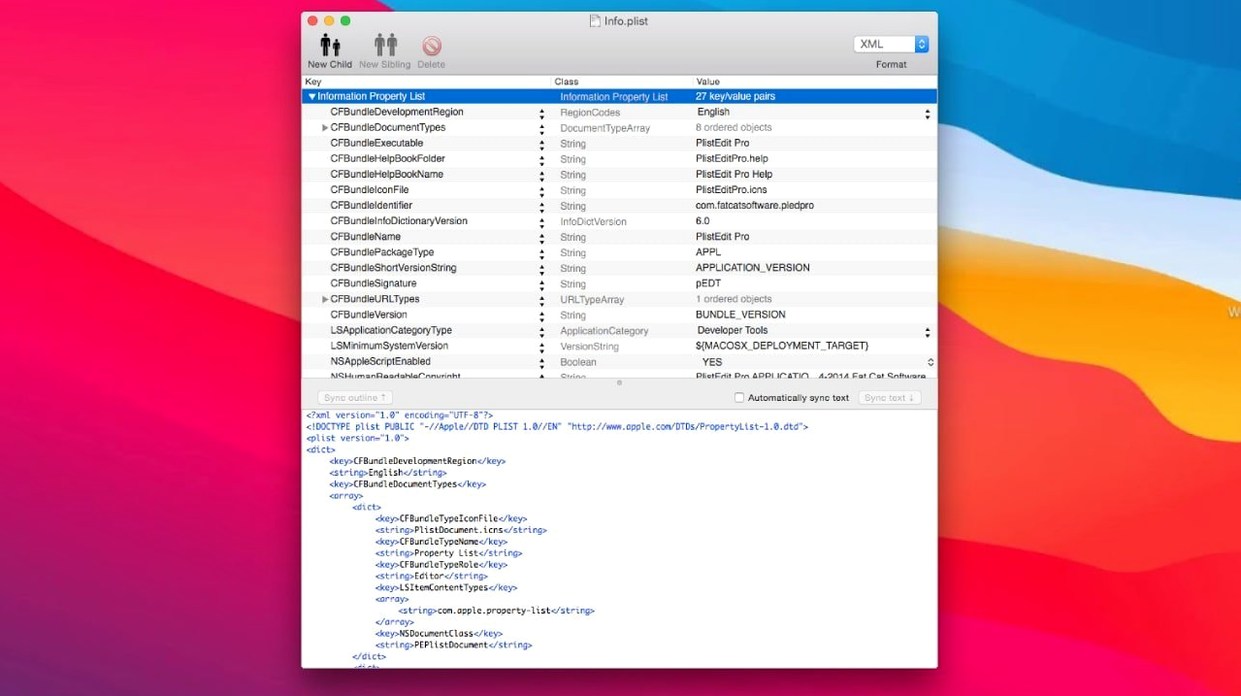
Developers working on macOS or iOS projects sit in the first row. PlistEdit Pro removes the friction of switching between Xcode’s plist view and a separate JSON tool — both formats live side by side here. Tweak a launch agent, adjust an app’s Info.plist, then open a JSON config file without changing apps.
System administrators and support techs benefit too. The preferences browser exposes macOS preference plists in one place, so tracing a misbehaving setting no longer means digging through ~/Library/Preferences by hand. Folder-wide search turns a needle-in-haystack hunt into a few keystrokes — search an entire directory of plist files for a key or value and jump straight to the match.
Anyone who edits the same plist structure repeatedly will use the AppleScript hooks. PlistEdit Pro can run scripted changes across files, which suits build processes and bulk cleanup work.
Drag rows to reorder; paste subtrees between files
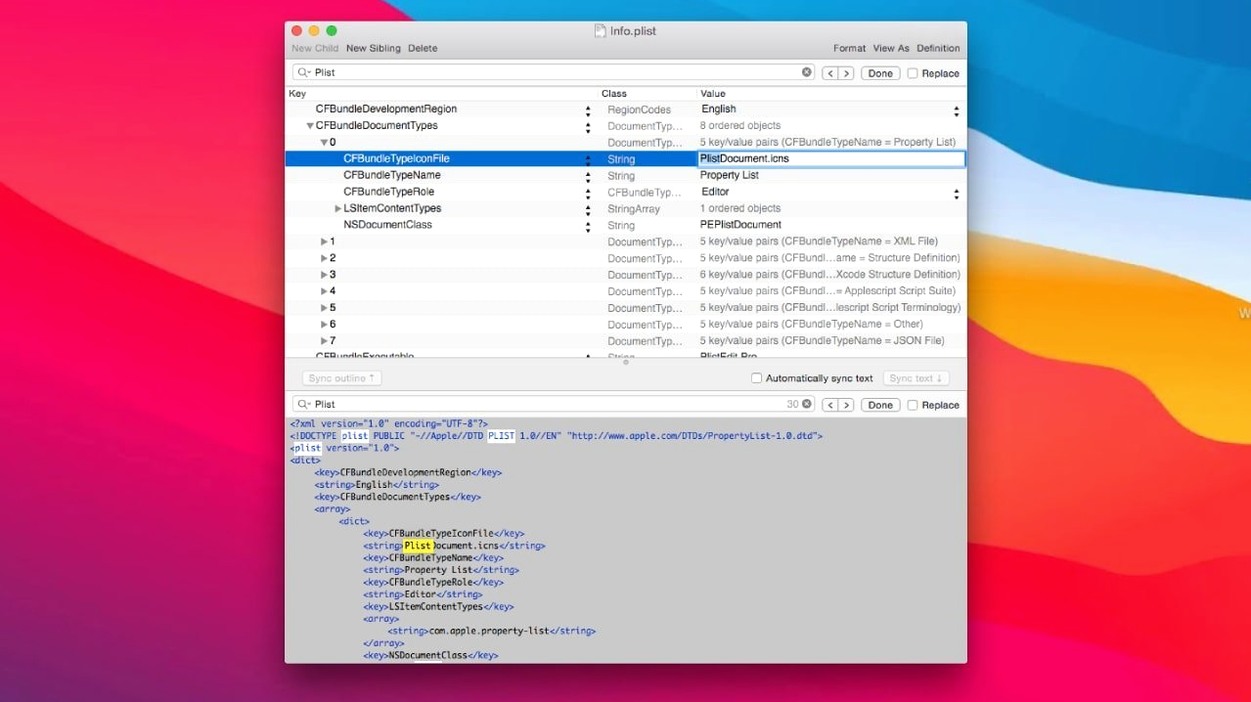
- Drag reordering in outline view — grab a row and drop it elsewhere; the plist structure updates without cutting and pasting.
- Copy and paste between files — copy a subtree from one plist and paste it into another; types and nesting survive the trip.
- Plain text toggle — switch between outline view and raw text to catch formatting issues before saving.
- Keyboard navigation — arrow keys move through rows, Return edits the selected value, and Tab jumps between key and value fields.
- Find and replace scoped to the current file — replace a key name everywhere it appears without touching values you want to keep.
- Structure definitions for standard files — known plist layouts get labelled fields, so you edit less blind.
Switch to a monospaced font and comfortable outline size
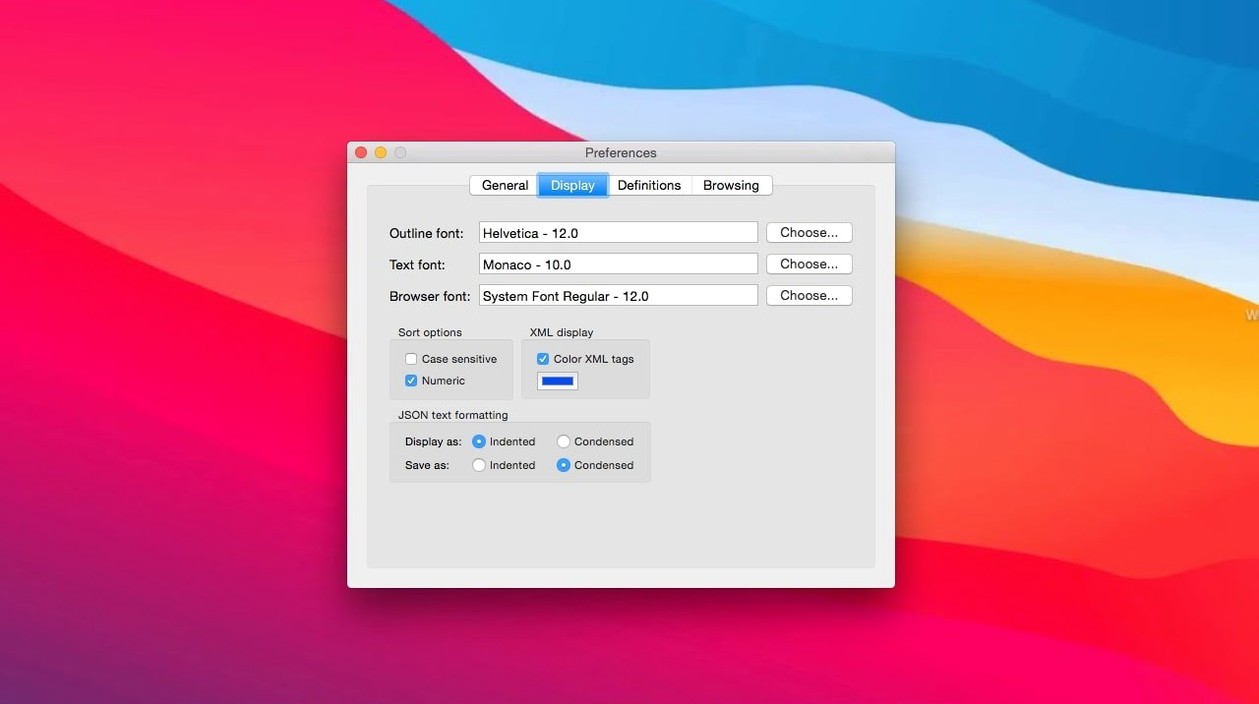
The defaults work, but three adjustments suit most workflows. Font customization lives in the preferences — pick a monospaced face for the plain text view and a comfortable size for the outline. Long sessions feel different with the right type.
Multi-level undo depth is generous out of the box; leave it unless you work with very large files and want to cap memory use. More useful is the “Ask to revert when file changes on disk” option, now a small popover. Turn it on if you edit plists that other tools or build scripts may modify underneath you.
Finally, set up the prefs browser options from the toolbar menu. It controls which preference domains appear, so you can filter out Apple’s system noise and keep your own app’s plists visible. The pledit command-line tool pairs well with this — run quick edits from Terminal once the browser is tuned.
- New — Requires macOS 14 or later; prefs browser options checkboxes moved into a toolbar menu.
- Improved — UI elements updated for macOS Tahoe.
- Changed — ‘Ask to revert when file changes on disk’ option is now a compact popover instead of a checkbox.
- macOS 14 or later
- Apple Silicon and Intel Macs
Questions I get before install
Does PlistEdit Pro include any command-line tools?
Yes. It ships with thepledit command-line tool for working with property list files directly from the terminal.
Can PlistEdit Pro edit JSON files as well as plist files?
It handles both property list and JSON files, giving you one editor for the two formats that show up most in macOS and iOS development.
Comments 0
Sign in to leave a comment.Sign inCreate an account
No comments yet. If a step is still there after you install it, say so.
More in Mac Apps
All in Mac Apps Plugin Alliance Brainworx bx_mastering studio
Shapes a finished master from a stereo mix with simple, focused controls.
21 steps saved
 Pixelmator Pro
Handles photo editing, compositing, and vector work in one Mac-native app.
14 steps saved
 Updated
Pixea Plus
Views and edits images with masks, layers, and a full undo stack.
22 steps saved
 PopClip
Surfaces a relevant action the moment you select text or a link.
12 steps saved
 PhotoSweeper
Finds and removes duplicate and near-identical images across drives.
22 steps saved
 PhotoScape X Pro
Fixes, collages and turns batches of photos into GIFs in one app.
19 steps saved
 Updated
PowerPhotos
Splits one massive Photos library into smaller, manageable ones.
23 steps saved
 Photomator
Edits photos with AI-powered adjustments and batch tools built for the Mac.