
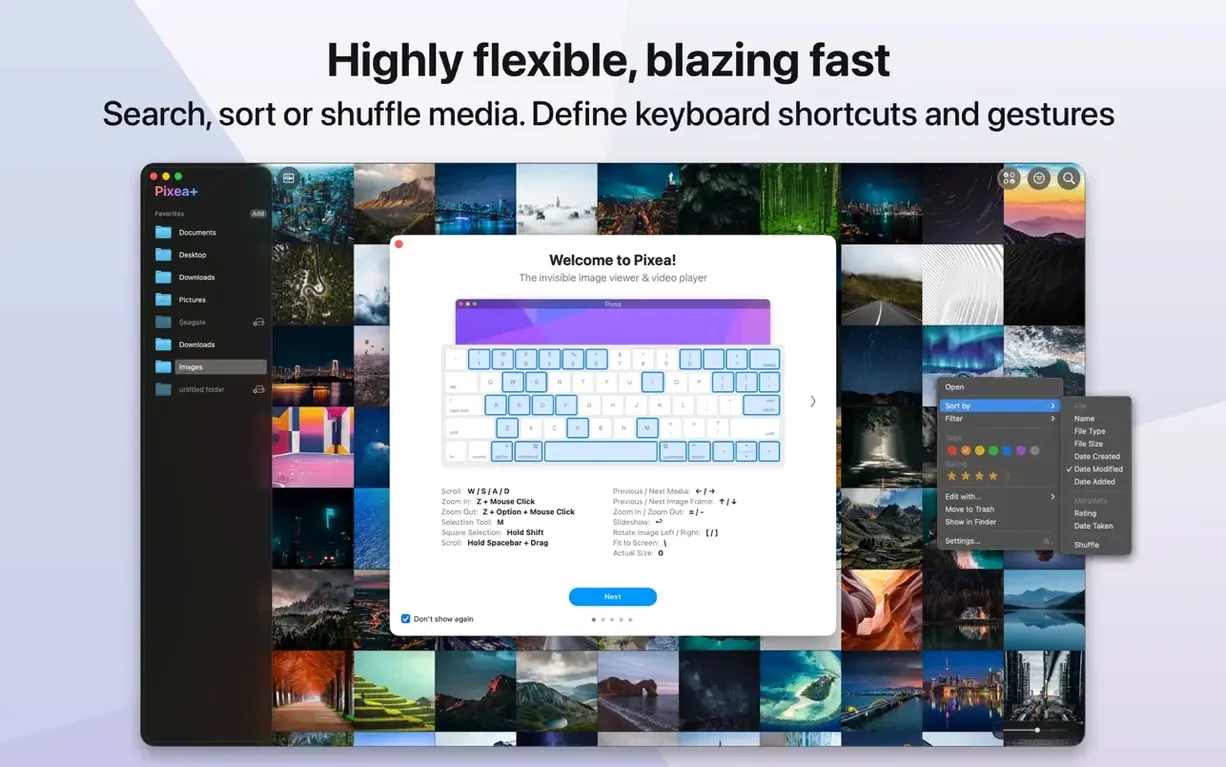
Version 8.3.0 brings three practical additions: masks for selective adjustments, a native Pixea Image format, and a full undo/redo stack. No more one-shot edits you can’t walk back.
What each tool actually does
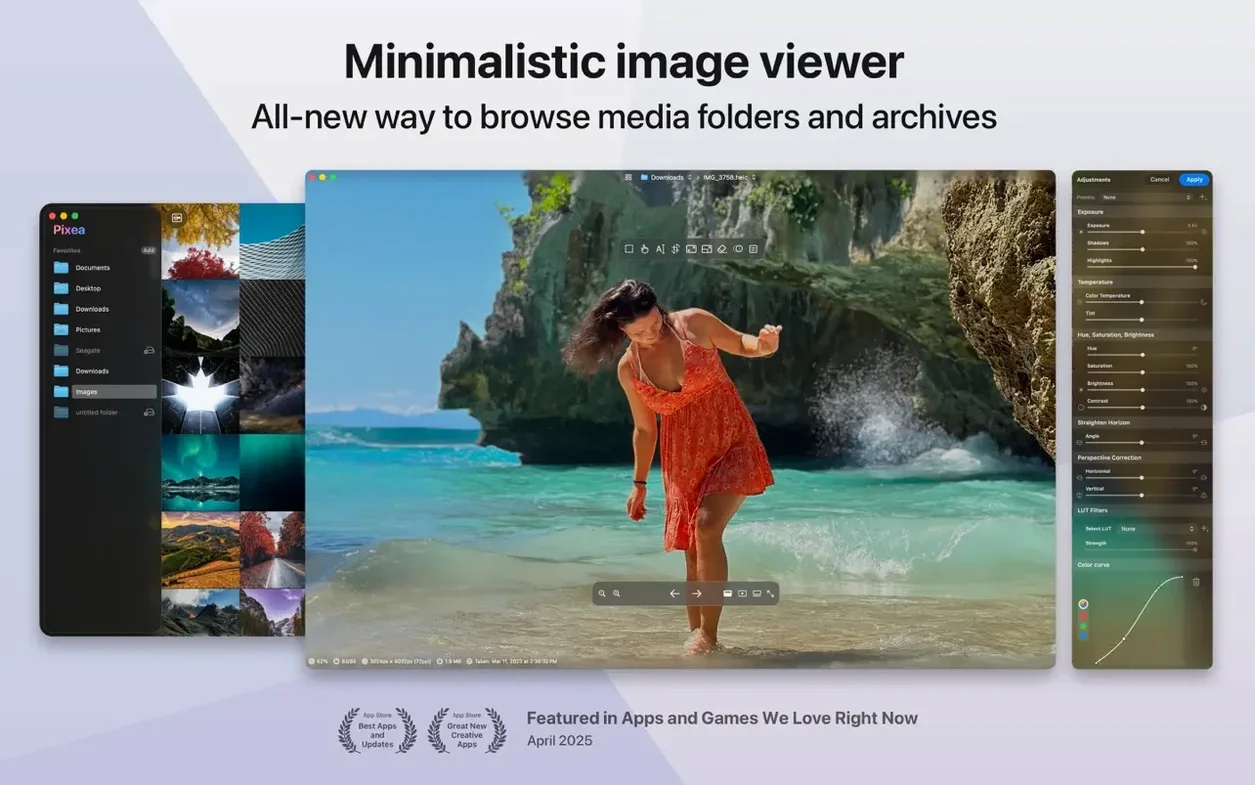
- Viewer — Opens JPEG, HEIC, GIF, PNG, TIFF, PSD, BMP, Radiance and WebP without importing a library. Browse with trackpad gestures or keyboard shortcuts in a clean, uncluttered window.
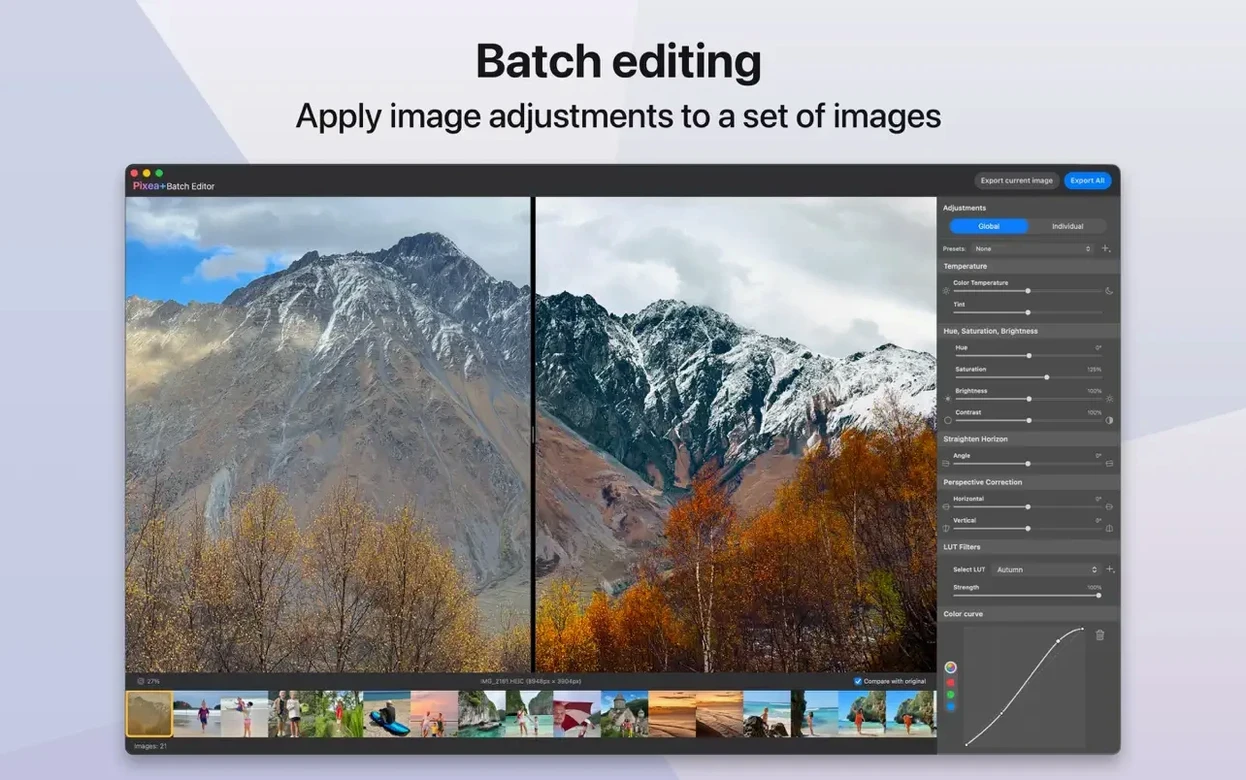
- Edit panel — Crop, rotate, adjust exposure and apply masks right in the viewer. Masks let you limit corrections to part of an image instead of the whole frame.
- Info sidebar — Displays a colour histogram and full EXIF data. Check exposure balance or confirm camera settings before you edit.
- Pixea Image format — Saves your masks and adjustment layers so you can reopen and continue later, something flat exports never offered before.
Built for Culling, Proofing, and Light Corrections on Apple Silicon
Pixea Plus is built for quick review sessions and light corrections — culling a shoot, checking client proofs, or prepping images for layout. It runs natively on Apple Silicon and Intel Macs, requires macOS 11, and stays responsive even with large TIFFs and PSDs.
Brush a Mask to Correct Only a Face, Sky, or Product
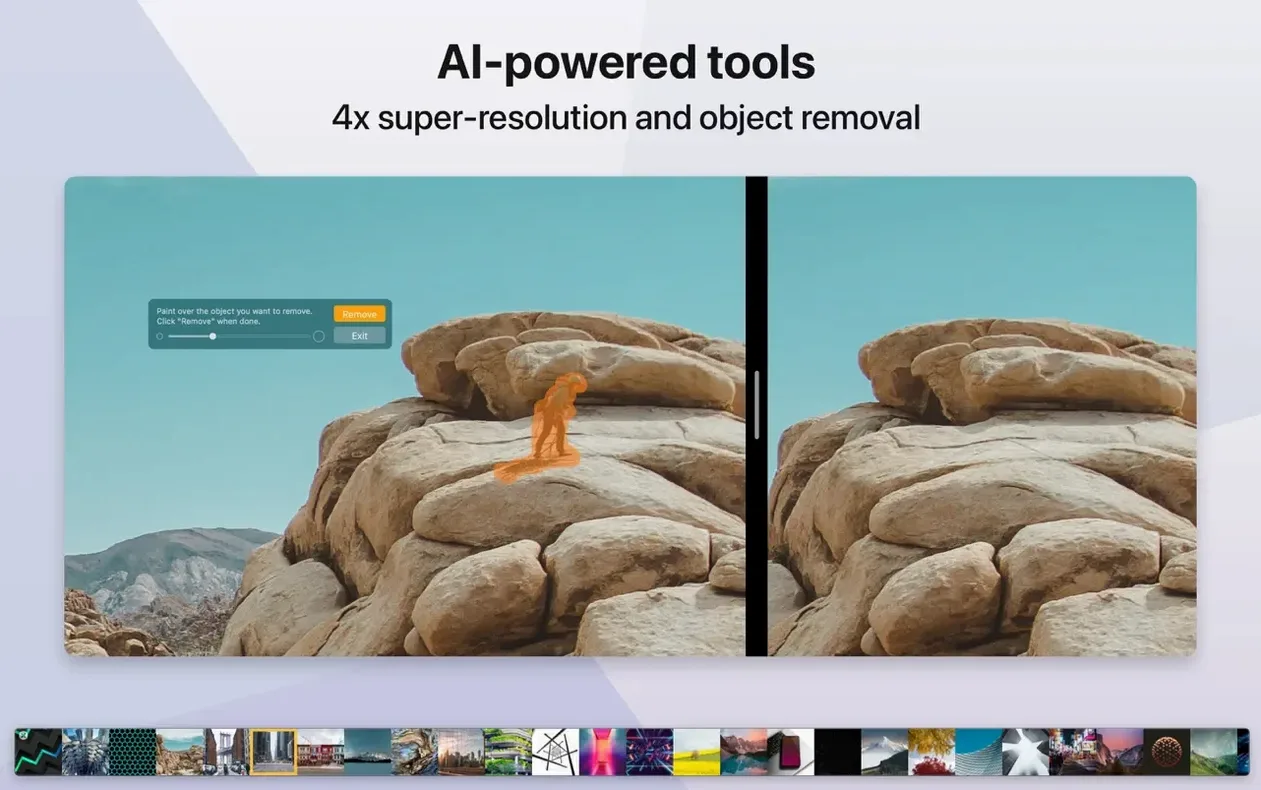
The most visible difference is the mask workflow. Instead of applying exposure or saturation to the whole image, you can brush a mask over a face, a sky, or a product and correct only that region. For catalog shots and event photos, that removes the usual bounce between Pixea Plus and a heavier editor.
The Pixea Image format changes how you save. A flat export used to be the end of the road — masks and non-destructive adjustments were baked in and gone. Now you can save as a Pixea Image file, close the app, and pick up the same edit days later with every mask intact. Use it for client proofs that tend to go through two or three revision rounds.
Undo and redo also alter the pace of work. Adjustments no longer require exporting a safety copy before each change. You can step back through crops, rotations, exposure shifts, and mask edits without rebuilding anything.
Loading and thumbnail generation got faster in the same release. Large folders of RAW files from Canon, Nikon, or Sony bodies populate the browser with less waiting, and flipping between full-size images feels snappier on both Intel and Apple Silicon hardware.
Set Pixea Image as Your Working Default and Remap Swipes
- Default save format — Set Pixea Image as the working default if you expect to revisit edits. Keep a flat format as a secondary export.
- Gesture mapping — Adjust trackpad gestures so a two-finger swipe moves to the next image and a pinch zooms the way you expect. The defaults are sensible but not universal.
- Histogram visibility — Leave the info sidebar collapsed for quick culling, then toggle it on only when you need exposure or colour checks.
- Mask feathering — Soften mask edges by default if your adjustments tend to look painted-on. A feathered brush blends corrections into portraits and skies more naturally.
What's new in 8.4.1
- New — Image adjustment tools: Reshape for local geometry tweaks, spatial Dehaze (depth-based dehaze), and a Clarity control.
- Improved — Printing dialogue now handles auto-rotate, scale, and images-per-sheet choices. Copy to Clipboard adds options to maximize compatibility or preserve HDR statistics and headroom. Brilliance adjustment refined. UI and UX polish throughout.
- Fixed — A handful of bugs squashed.
- macOS 11 or later
- Apple Silicon or Intel 64-bit
Questions I get before install
Which image formats does Pixea Plus open?
It supports JPEG, HEIC, GIF, PNG, TIFF, PSD, BMP, Radiance HDR and Google WebP.
Does Pixea Plus run on Apple Silicon Macs?
Yes. It includes native support for both ARM (Apple Silicon) and 64-bit Intel architectures on macOS 11 and later.
Can I see EXIF data inside the app?
Absolutely. The info sidebar shows a colour histogram alongside full EXIF data and other image information.
Comments 0
Sign in to leave a comment.Sign inCreate an account
No comments yet. If a step is still there after you install it, say so.
More in Mac Apps
All in Mac Apps Pixelmator Pro
Handles photo editing, compositing, and vector work in one Mac-native app.
12 steps saved
 PhotoSweeper
Finds and removes duplicate and near-identical images across drives.
22 steps saved
 PhotoScape X Pro
Fixes, collages and turns batches of photos into GIFs in one app.
20 steps saved
 PlistEdit Pro
Edits property lists and JSON in a structured, searchable editor.
23 steps saved
 Photomator
Edits photos with AI-powered adjustments and batch tools built for the Mac.
13 steps saved
 Plugin Alliance Brainworx bx_mastering studio
Shapes a finished master from a stereo mix with simple, focused controls.
7 steps saved
 Photo Mechanic
Culls and tags photos straight from the memory card before import.
22 steps saved
 PopClip
Surfaces a relevant action the moment you select text or a link.