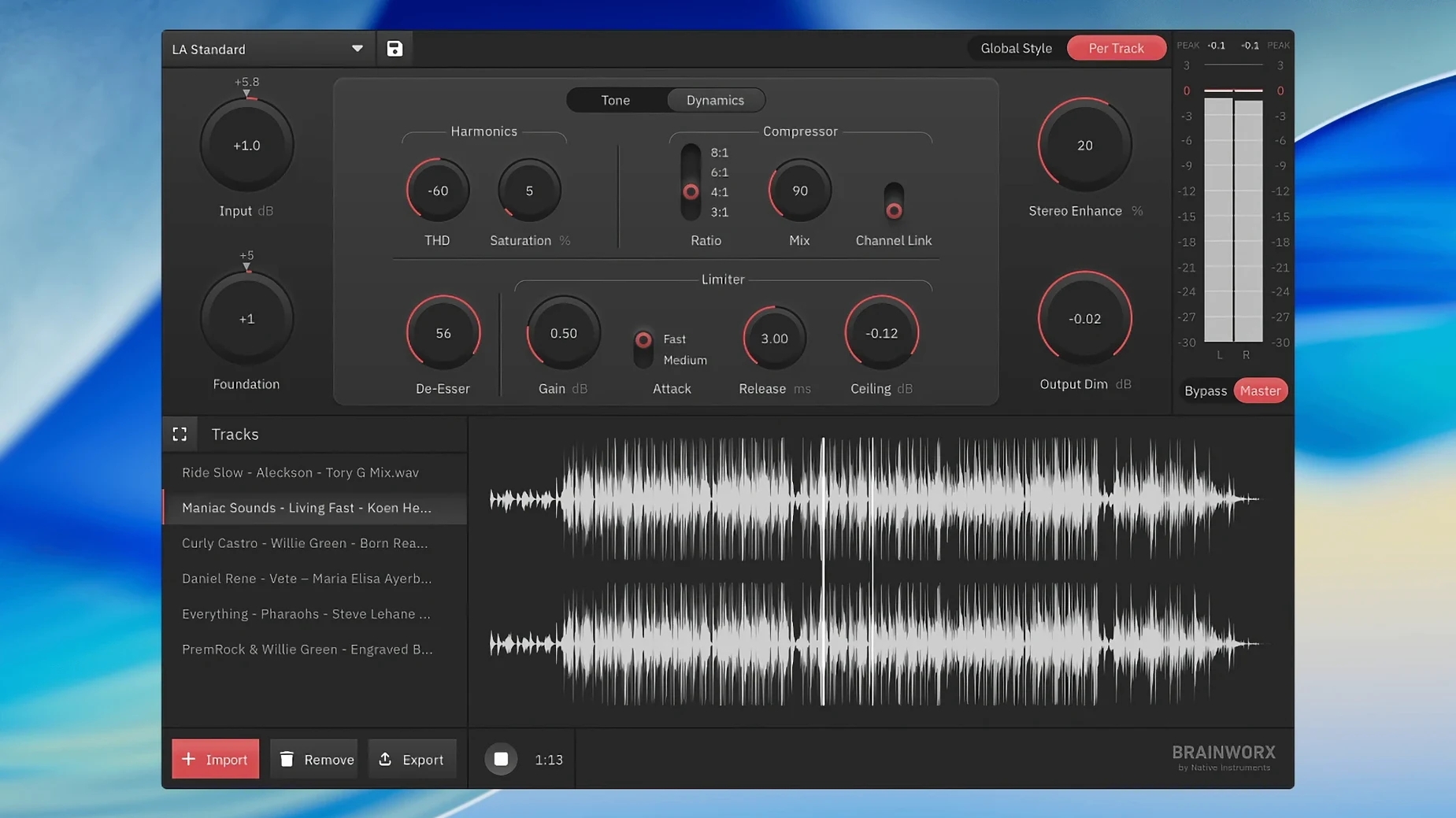
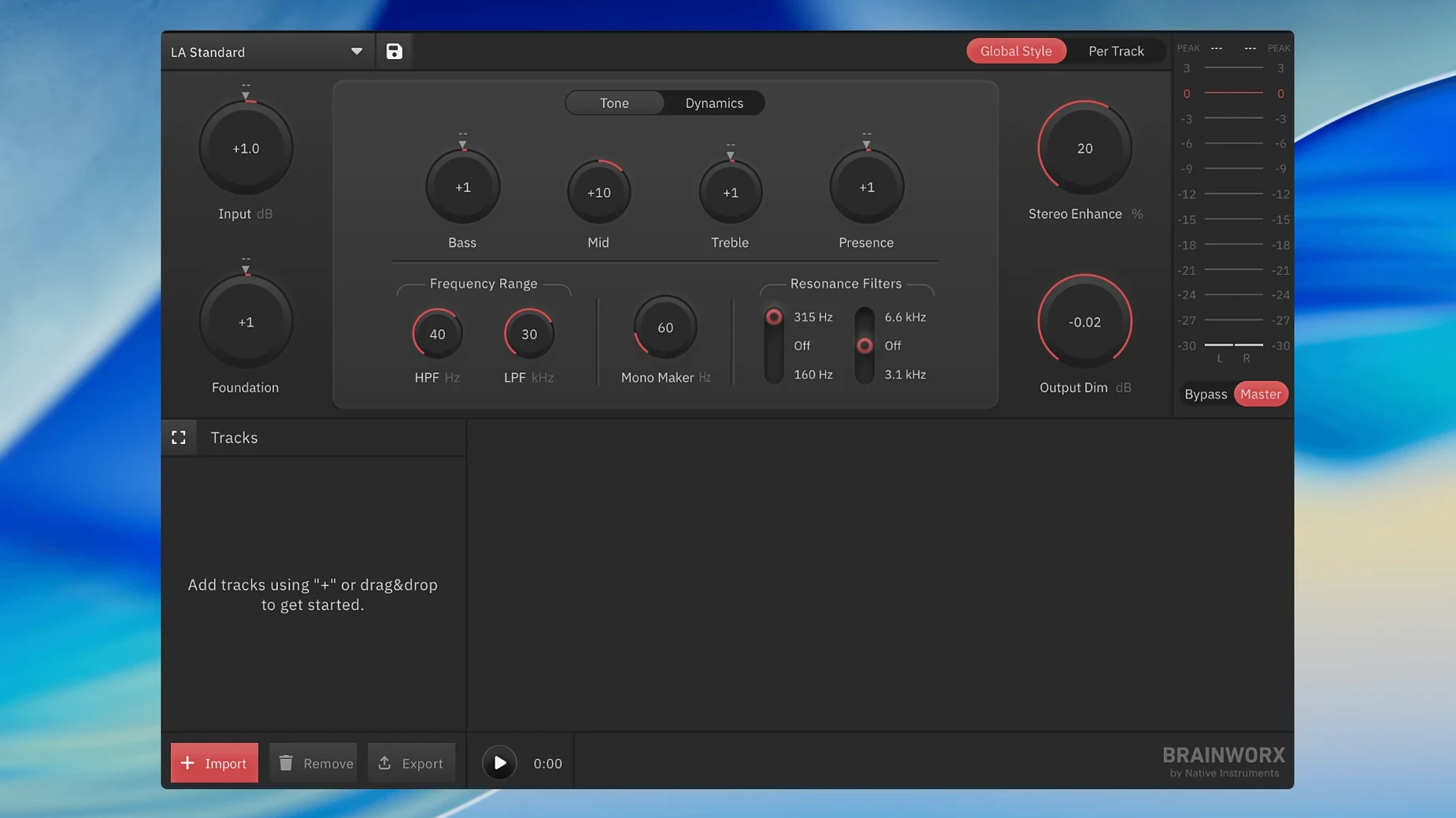
Version 1.0.0 ships as a clean first release, built from Style Creator technology and packaged for users who want to finalize audio outside a digital audio workstation. It runs as a desktop app, no host required.
Mastering style creator with built-in profiles
The style creator anchors the workflow. Pick a built-in style that matches your material — podcast voice, acoustic demo, electronic track — and the engine shapes EQ, dynamics and stereo width to suit it. Musicians, podcast producers and content creators get a fast path to a polished sound without building a chain from scratch. It replaces the guesswork of assembling a plug-in sequence in a less advanced DAW like GarageBand.
Streaming-ready output, no DAW needed
Output targets streaming loudness and peak standards directly. The app handles final limiting and dithering, so the file lands at the right level for Spotify, YouTube or Apple Music without extra metering tools. Because it runs standalone, a creator can open a mix, apply a style, adjust a few controls and print a master — all in one place.
From dry voiceover to podcast-ready master in one pass
You record a voiceover in GarageBand, export the mix, and open it in bx_mastering studio. The file loads into the source pane. You press play once to hear it dry.
Next, you open the style creator. A podcast preset feels close, so you select it and listen again. The vocal gains presence; the low end tightens. You pull the width control back slightly to keep the voice centred. Loudness already sits near the streaming target, so you leave the limiter as is.
You export. The app prints a master, names it, and saves it to your output folder. Total time from open to finished file: under five minutes. A second pass on a different episode takes less, because the style is already saved.
For a music demo, the rhythm changes. You pick a style that suits electronic material, check the stereo image on headphones, and compare two style variations before committing. The app keeps both masters in history, so nothing is lost.
bx_mastering studio runs standalone—no DAW required
Do I need a DAW to use it? No. The app is standalone. You open audio files directly, master them, and export. That is the point of it.
Does it work on Apple Silicon? Yes. Version 1.0.0 runs on both ARM and Intel Macs, from macOS 12 onward.
Will it replace my plug-in chain? For many small projects, yes. The built-in styles do the work of EQ, compression, limiting and stereo tools. If you want more manual control, you still adjust key parameters inside the app.
What files can I feed it? Standard uncompressed and lossless formats. Bounce a WAV or AIFF from GarageBand or any recorder and load it straight in.
Is it heavy on the machine? Not in daily use. The processing engine is efficient enough for a MacBook Air.
Three-minute voice file mastered in seconds, interface stays fluid
Processing is fast. A three-minute voice file finishes in seconds on a current Mac. Longer music sessions take a little more time but never feel sluggish. The interface stays responsive while the engine works.
Stability has been consistent through repeated sessions. No crashes while switching styles, exporting, or loading large files. Memory use stays modest — roughly in line with a single-purpose audio utility, not a full DAW.
Background CPU load is low when idle. The app only works hard during analysis and export. On battery, that matters: a few hours of occasional mastering costs very little power. For creators who already juggle several apps, bx_mastering studio does not add drag.
- macOS 12 or later
- Apple Silicon and Intel Macs
Questions I get before install
Who is bx_mastering studio for?
It suits musicians, podcast producers and content creators who want to master audio without a full digital audio workstation, including users of simpler DAWs like GarageBand.
Comments 0
Sign in to leave a comment.Sign inCreate an account
No comments yet. If a step is still there after you install it, say so.
More in Mac Apps
All in Mac Apps PlistEdit Pro
Edits property lists and JSON in a structured, searchable editor.
22 steps saved
 PopClip
Surfaces a relevant action the moment you select text or a link.
21 steps saved
 Pixelmator Pro
Handles photo editing, compositing, and vector work in one Mac-native app.
14 steps saved
 Updated
Pixea Plus
Views and edits images with masks, layers, and a full undo stack.
19 steps saved
 Updated
PowerPhotos
Splits one massive Photos library into smaller, manageable ones.
15 steps saved
 Updated
Presentify
Annotates and highlights anything on your screen, regardless of the app underneath.
12 steps saved
 PhotoSweeper
Finds and removes duplicate and near-identical images across drives.
17 steps saved
 Principle
Turns static Figma or Sketch mockups into clickable, scrollable prototypes.