
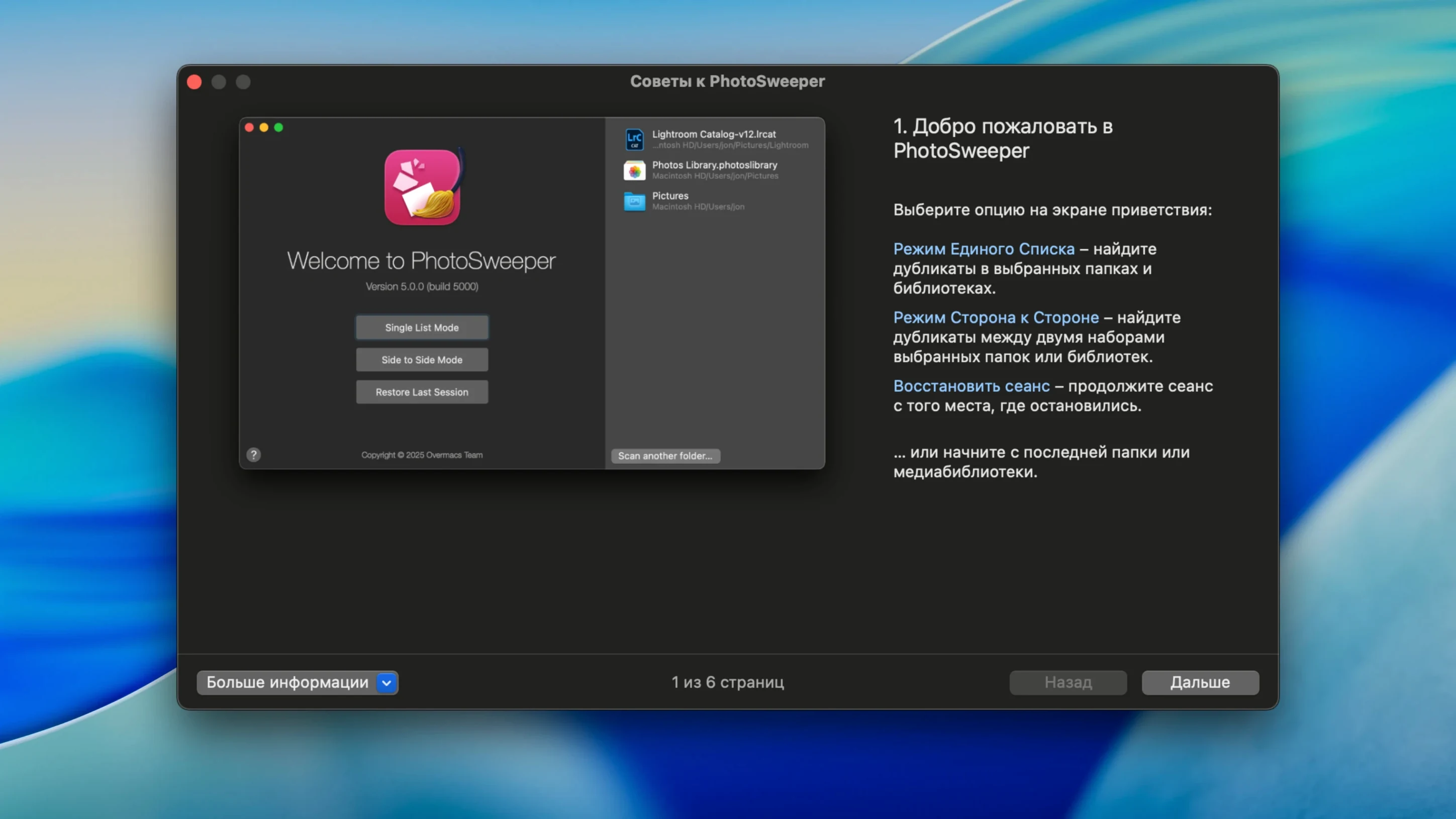
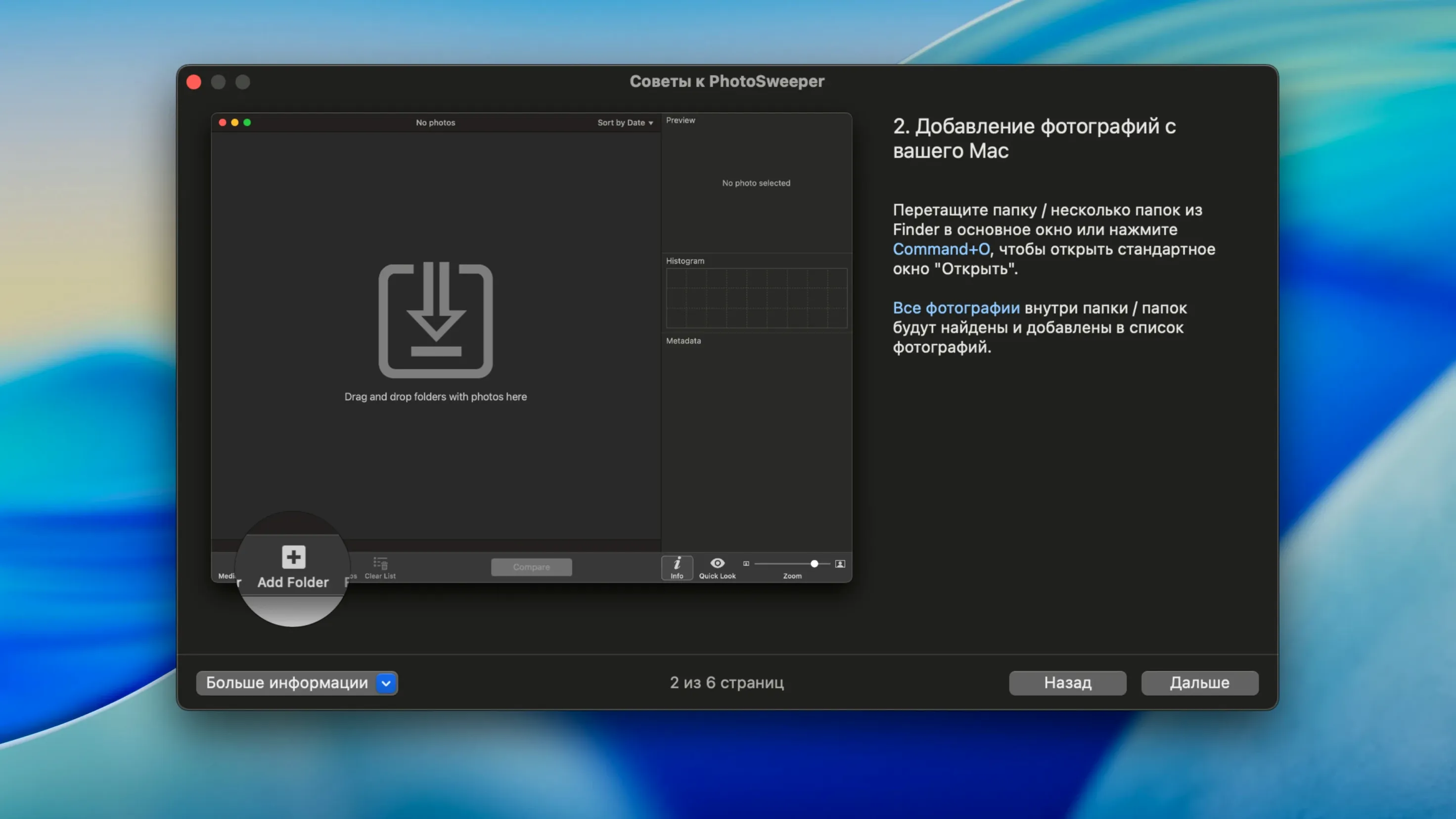
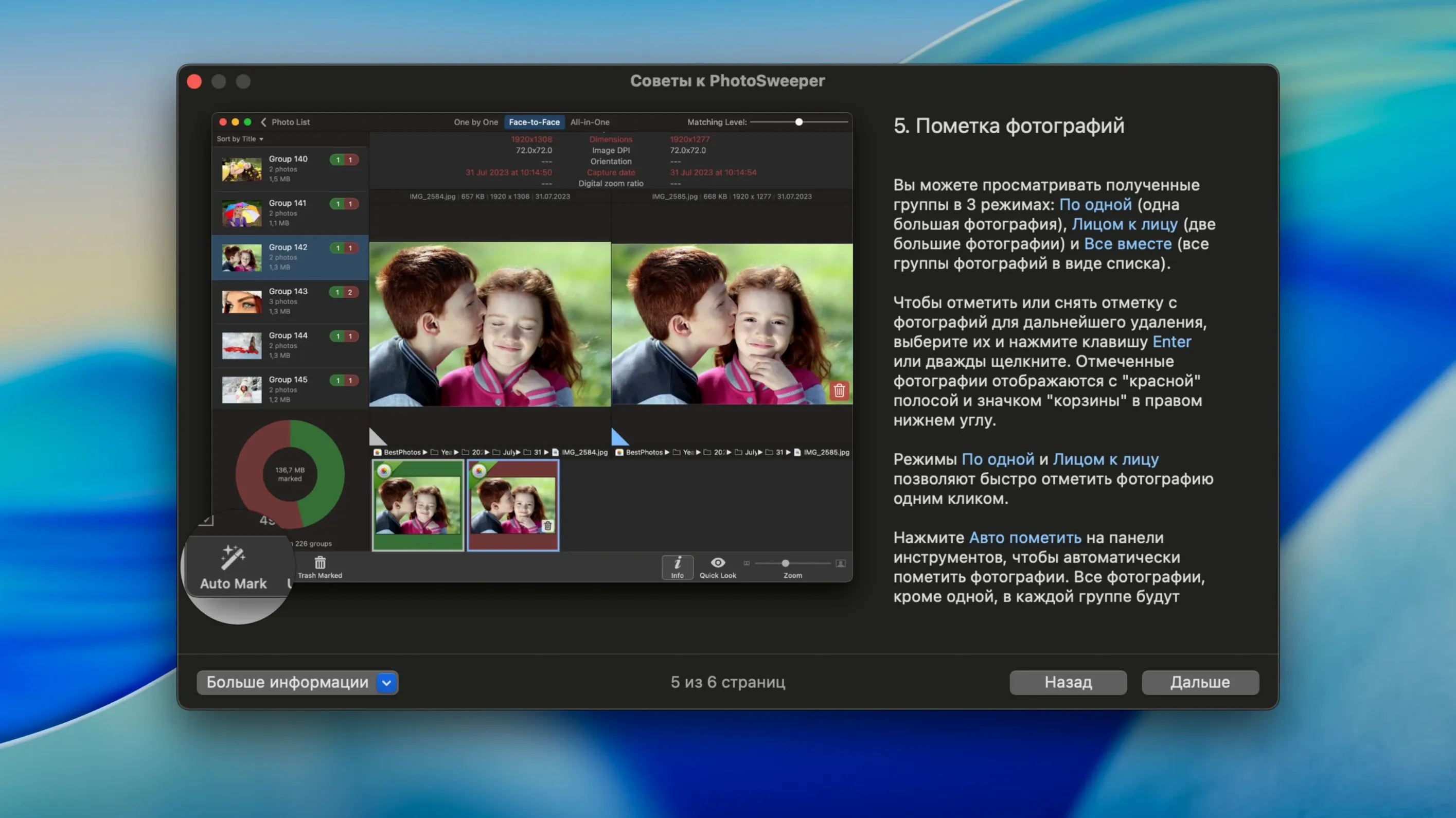
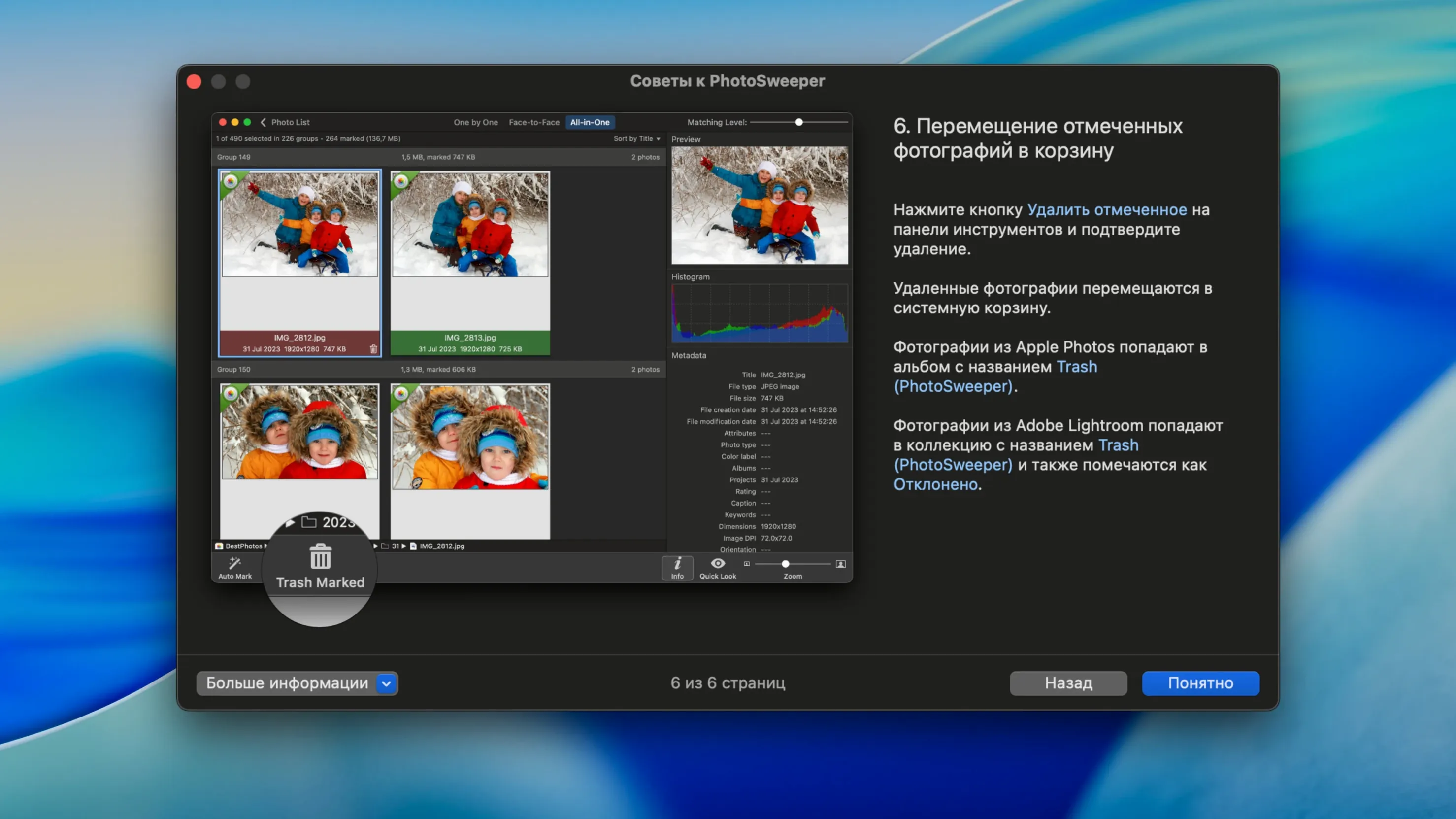
Even a 256 GB solid-state drive can fill up faster than you think. PhotoSweeper tackles the silent culprit: duplicate and near-identical images that sit in nested folders, Photos libraries, and external drives. It finds exact copies and photos that look alike—even after a round-trip through Photoshop.
Scan Apple Photos libraries in place
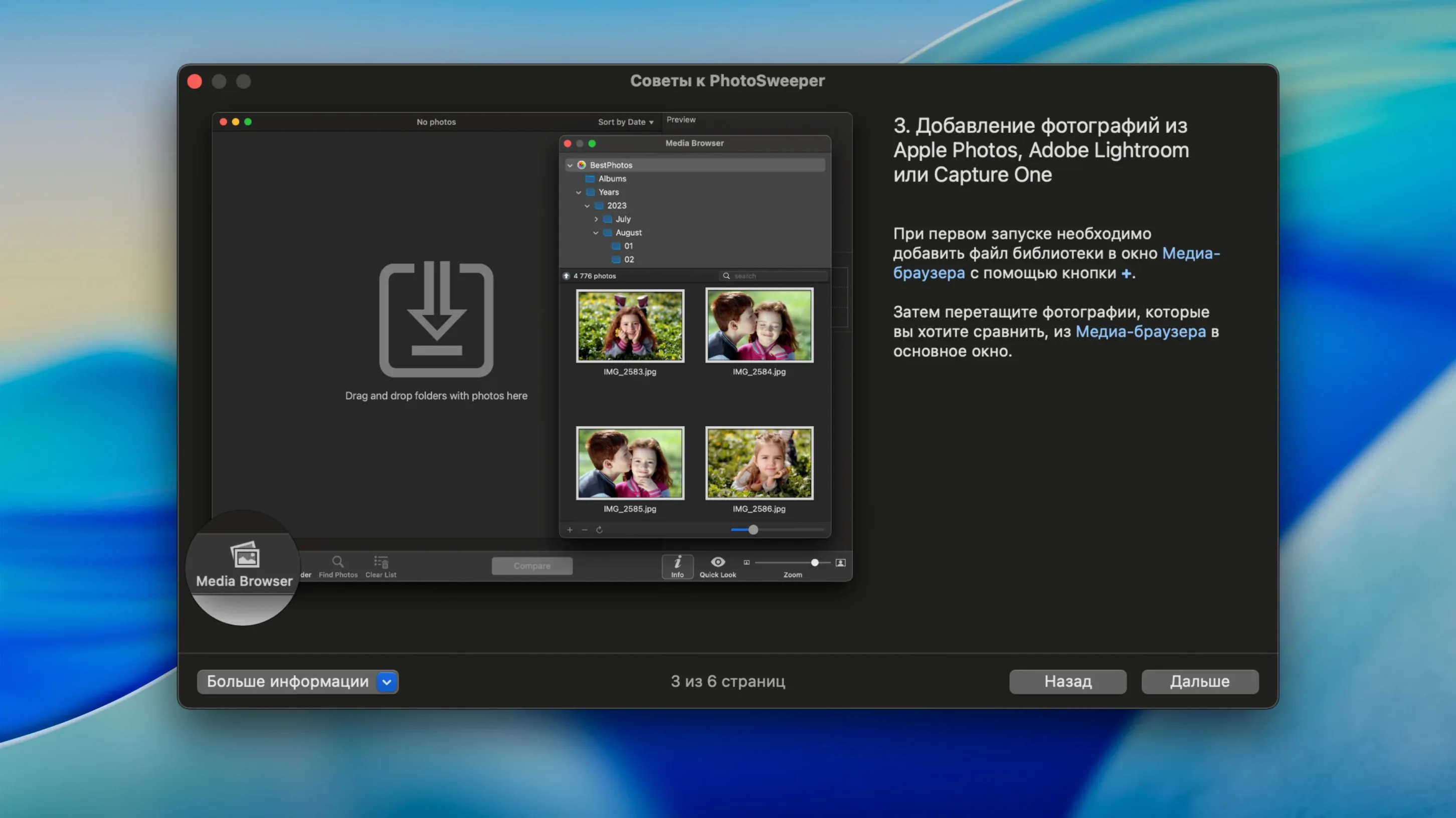
- Scan an Apple Photos library directly. Add it from the media browser. PhotoSweeper reads the library structure without exporting a thing.
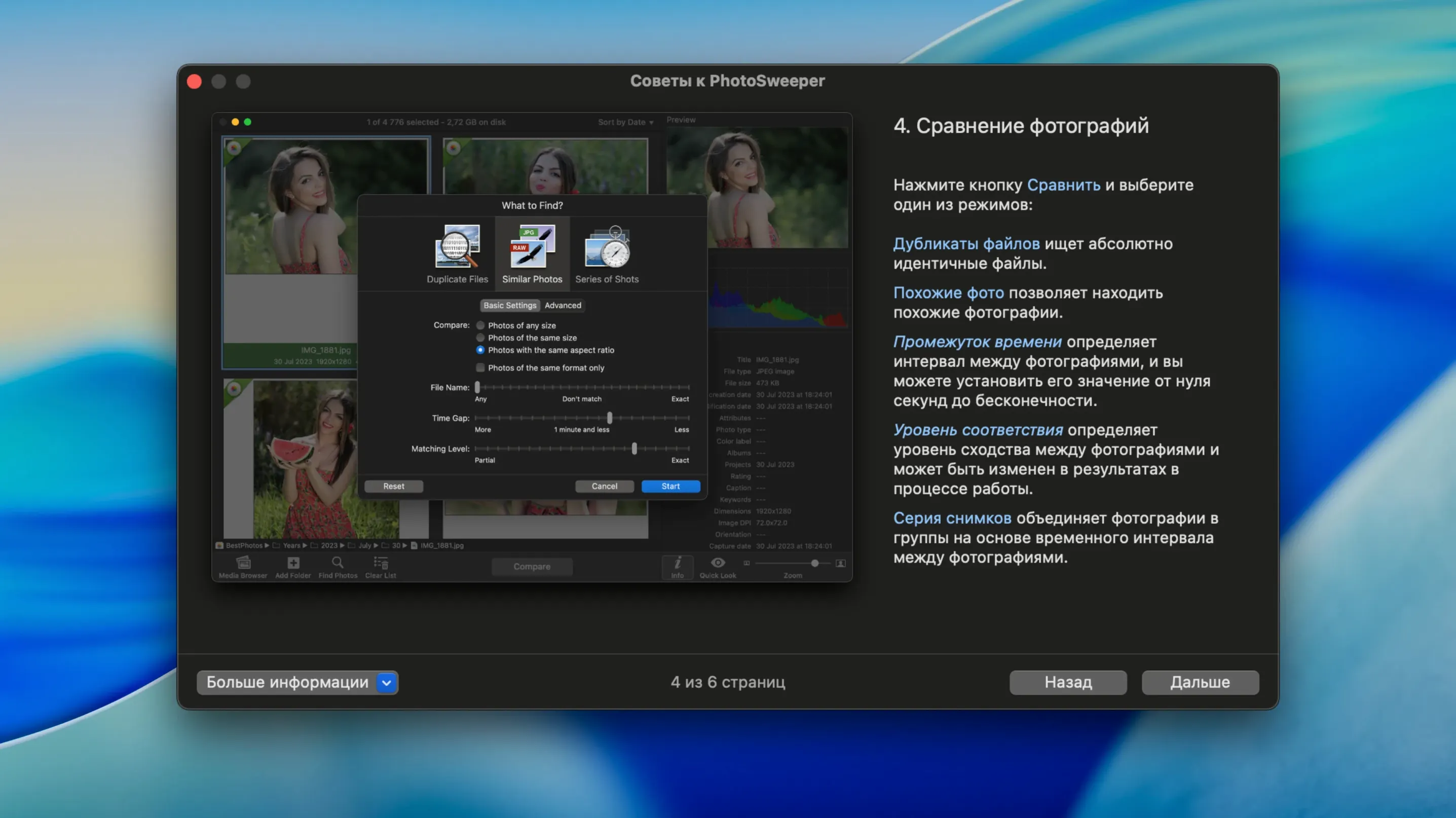
- Switch result views. Go from the “One by One” list to “Face-to-Face” pairs or the “All-in-One” cluster. Each view suits a different decision speed.
- Set auto-mark rules. Tell the app to keep the highest-resolution file, the oldest version, or the one with a specific camera model. Marking becomes mechanical, not a guessing game.
Why it works across tools
PhotoSweeper reads images from internal and external volumes, plus iPhoto, Lightroom Classic, and Apple Photos catalogues. Adobe DNG reading and XMP sidecar support keep raw workflow metadata intact. New import options let you skip hidden Apple Photos clutter and rejected Lightroom items before the scan even starts—fewer false positives, less scrolling.
PhotoSweeper versus similar Mac apps
Duplicate finders for Mac photos fall into two camps: the lightweight utilities and the library-aware tools. PhotoSweeper lands firmly in the second group, but a couple of others come up often enough to deserve a direct comparison.
PhotoSweeper vs. Duplicate Photos Fixer Pro
Duplicate Photos Fixer Pro scans folders and Photos libraries with a simpler matching engine. It flags exact duplicates quickly, but its similar-photo detection leans on pixel matching rather than a configurable similarity threshold. PhotoSweeper gives you a slider for that—drag it tighter or looser depending on how many near-duplicates you want to review. Fixer Pro also skips the three-result-view system: you get a grid, no face-to-face pairs, no one-by-one mode. For a fast pass on obvious duplicates, Fixer Pro works. For photo culling where composition matters, PhotoSweeper does more.
PhotoSweeper vs. Gemini
Gemini scans for duplicates and similars across files, folders, and Apple Photos. It uses a commercial matching engine tuned for speed, but it lacks metadata-aware rules. PhotoSweeper can auto-mark based on camera model, ISO, date, or file size; Gemini cannot. Gemini also skips Lightroom and Capture One catalogue support—two workflows where photosweeper mac users keep master files outside Apple’s ecosystem. If you need a broad system scrub, Gemini handles mixed file types well. If you need precision inside photo libraries, photosweeper x for mac stays closer to the tools photographers already use.
XMP sidecar edits now survive scanning
Version 5.5.5 shipped three quiet fixes that shift the scanning experience more than the patch notes suggest.
- XMP sidecar support. Edited raw files often carry adjustments in separate .xmp files. Earlier versions could miss those sidecars and treat edited and unedited versions as identical. Now the metadata flows with the image, so a colour-graded DNG and its original stay distinct in results.
- Improved DNG reading. Adobe DNG files load faster and with fewer colour-profile quirks. The histogram panel reflects what Lightroom shows, not a flat approximation.
- Smarter import filters. The new checkboxes to ignore hidden Apple Photos items and rejected Lightroom items cut pre-scan noise. You skip the outtakes you already rejected and the system thumbnails you never asked to see. Fewer pairs to judge, same cleanup result.
- New — XMP sidecar metadata support; import options to ignore hidden Apple Photos items and rejected Lightroom items.
- Improved — Adobe DNG image reading; Lightroom preview handling.
- Fixed — General bug fixes and performance improvements.
- macOS 10.15 or later
- Apple Silicon and Intel Macs
Questions I get before install
Can PhotoSweeper find similar photos, not just exact duplicates?
Yes. It compares images visually, catching resized versions, Photoshop edits, and shots taken in quick succession.
Does it work directly with Apple Photos and Lightroom libraries?
It integrates with Apple Photos, iPhoto, and Adobe Lightroom Classic libraries. You can scan these catalogues without manually exporting images first.
What drives and formats does PhotoSweeper support?
It scans photos stored on internal and external drives, handles Adobe DNG raw files, and reads XMP sidecar metadata for raw workflows.
Comments 0
Sign in to leave a comment.Sign inCreate an account
No comments yet. If a step is still there after you install it, say so.
More in Mac Apps
All in Mac Apps PhotoScape X Pro
Fixes, collages and turns batches of photos into GIFs in one app.
23 steps saved
 Photomator
Edits photos with AI-powered adjustments and batch tools built for the Mac.
14 steps saved
 Updated
Pixea Plus
Views and edits images with masks, layers, and a full undo stack.
7 steps saved
 Photo Mechanic
Culls and tags photos straight from the memory card before import.
21 steps saved
 Pixelmator Pro
Handles photo editing, compositing, and vector work in one Mac-native app.
20 steps saved
 PlistEdit Pro
Edits property lists and JSON in a structured, searchable editor.
13 steps saved
 Plugin Alliance Brainworx bx_mastering studio
Shapes a finished master from a stereo mix with simple, focused controls.
13 steps saved
 Updated
Path Finder
Holds scattered files in a temporary stack so you can move them all to one destination at once.