


You are pulling together a client proposal. A stat from a PDF, a revised paragraph, two screenshots, and the legal disclaimer all land on the clipboard within sixty seconds. Reaching each one without a history means stopping to re-copy, every time.
Collect without breaking stride
PasteNow quietly stores everything you copy — text, images, files — so you can paste any item later, not just the last one.
Pin what you reuse
Keep a short list of permanent snippets pinned at the top so your phone number, address, or standard reply never gets pushed out of the history.
Find a clip from last Tuesday
Letting your three-hour-old clip vanish because no rules were set
Most people install PasteNow, copy a few things, then forget it is running. That is fine — until they need a clip from three hours ago and realize they have not set any rules.
The first mistake: letting every single copy fill the history. Password managers, two-factor codes, and snippets from your password manager show up in plain view. Set PasteNow to ignore specific apps. Go to the exclusions list under Rules and add 1Password, Keychain Access, or your banking app immediately.
The second mistake: never using the search bar. People scroll through dozens of entries looking for a link they copied yesterday. Type three characters from the URL or the page title. PasteNow filters the list before you finish typing.
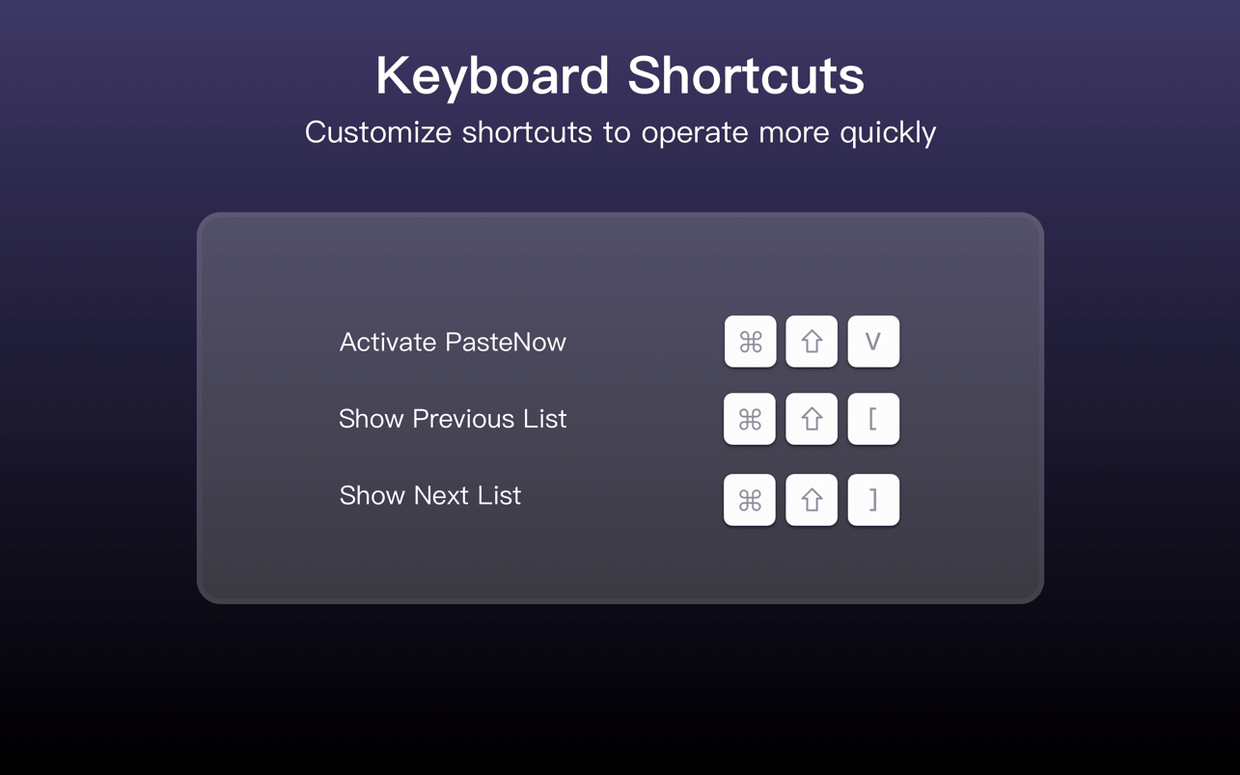
Third, ignoring the shortcut for pasting near the cursor. That shortcut saves you the trip to the menu bar. Memorize it early, or customize it to something your fingers already know.
Bumping the history limit past 200 so images don’t push out code
Out of the box, PasteNow stores up to 200 items and keeps them until you restart. That limit disappears fast if you copy images or long code blocks. Increase the history size to 500 or 1000 entries under General. The app handles it without slowing down.
Next, change the list view style to something denser. The default card view looks pleasant but shows fewer clips per scroll. Switch to compact list mode if your workflow involves scanning quickly.
Turn on Strip text formatting if you paste into plain-text editors, emails, or terminals. Without it, styled text from a web page arrives with fonts and colours you do not want. One toggle, and every paste lands as clean text.
Finally, enable iCloud sync if you use an iPhone or iPad alongside your Mac. A link copied on the phone appears on the desktop history within seconds. That single setting makes PasteNow behave like a shared clipboard without extra steps.
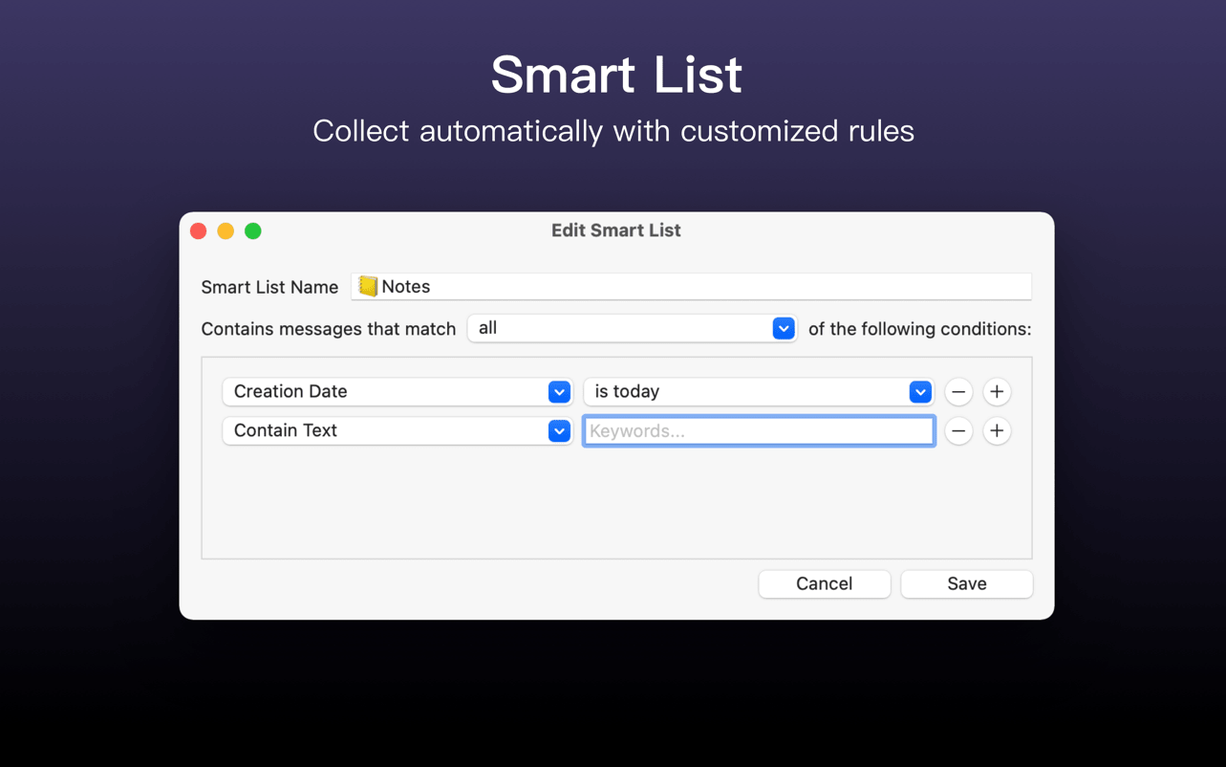
Smart lists let you filter by content type or search by keyword, making an old copy as accessible as something you grabbed ten seconds ago.
- macOS 12 or later
- Apple Silicon or Intel 64-bit
Questions I get before install
Does PasteNow keep my clipboard in sync between a Mac and an iPhone?
Yes. PasteNow synchronizes data between multiple devices running macOS 14 or later and iOS 17 or later, so your clipboard history stays current everywhere.
Comments 0
Sign in to leave a comment.Sign inCreate an account
No comments yet. If a step is still there after you install it, say so.
More in Mac Apps
All in Mac Apps Paste
Keeps your clipboard history searchable, so nothing you copied gets lost.
13 steps saved
 Updated
Path Finder
Holds scattered files in a temporary stack so you can move them all to one destination at once.
15 steps saved
 Updated
Parallels Desktop
Runs Windows apps beside macOS and drags files between them without rebooting.
23 steps saved
 Paragon NTFS
Mounts Windows-formatted drives so they behave like native APFS volumes for file transfers.
15 steps saved
 Pacifist
Peers inside installer packages to inspect or extract files before you commit to running them.
7 steps saved
 Photo Mechanic
Culls and tags photos straight from the memory card before import.
23 steps saved
 Photomator
Edits photos with AI-powered adjustments and batch tools built for the Mac.
18 steps saved
 One Switch
Collapses scattered system controls like Dark Mode and Do Not Disturb into one menu bar panel.