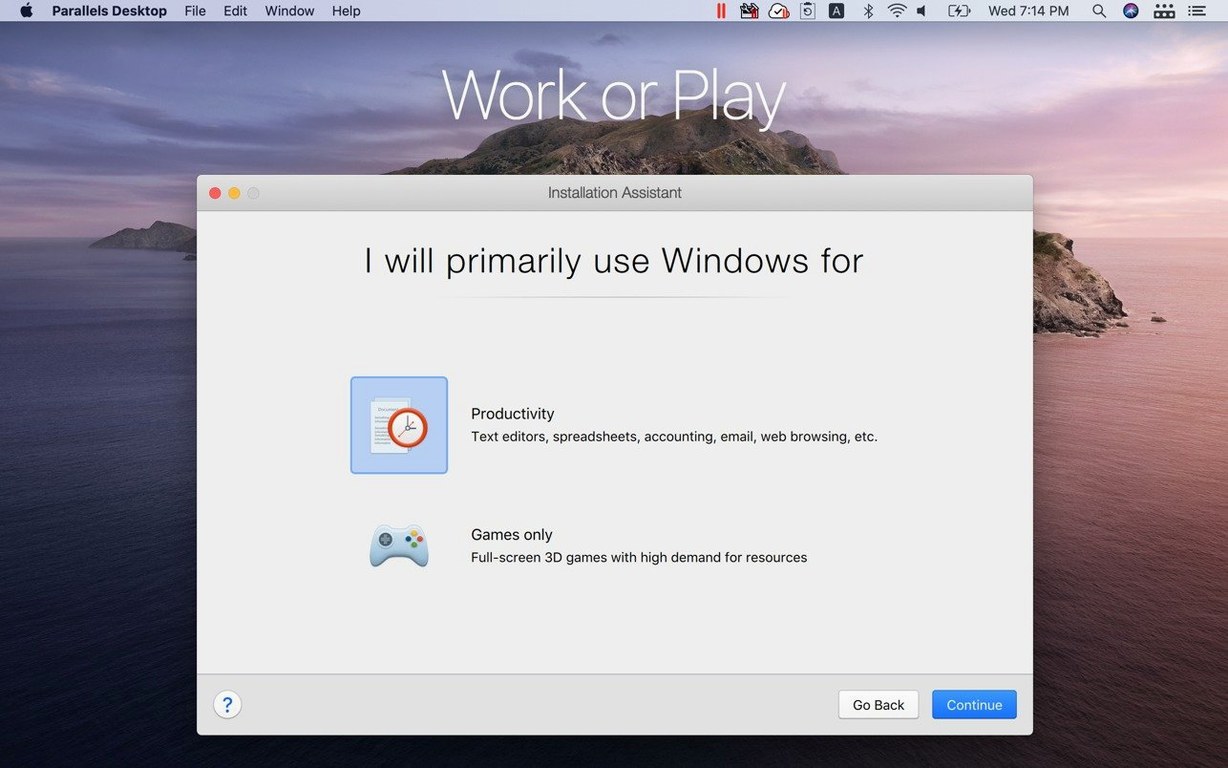
Parallels Desktop 27 runs on Apple Silicon Macs only. Support for Intel Macs and Boot Camp was removed in this release. You need macOS 26 or later.
Compatibility checklist
- Architecture — Apple Silicon (ARM)
- macOS — version 26 or newer
- Intel Macs — not supported
- Boot Camp — not supported
Drag Files Straight Into a Windows App Without Rebooting
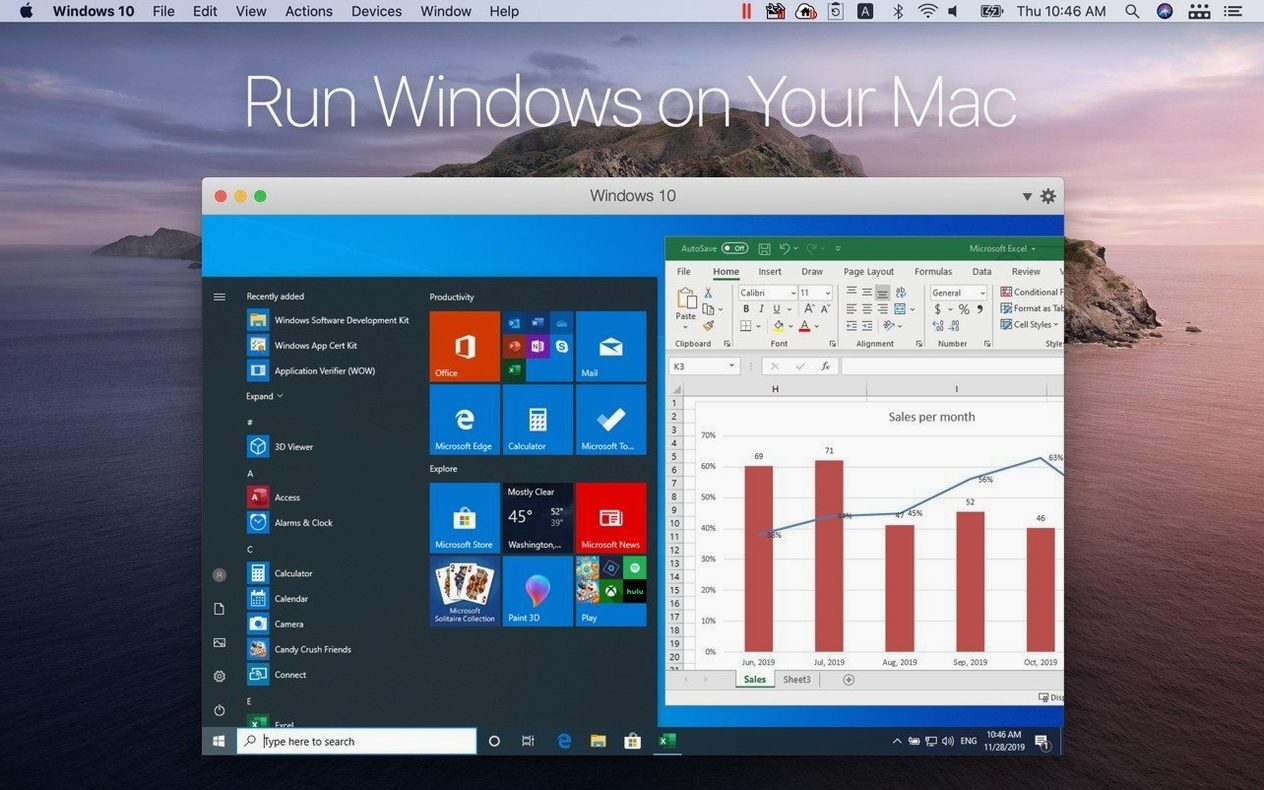
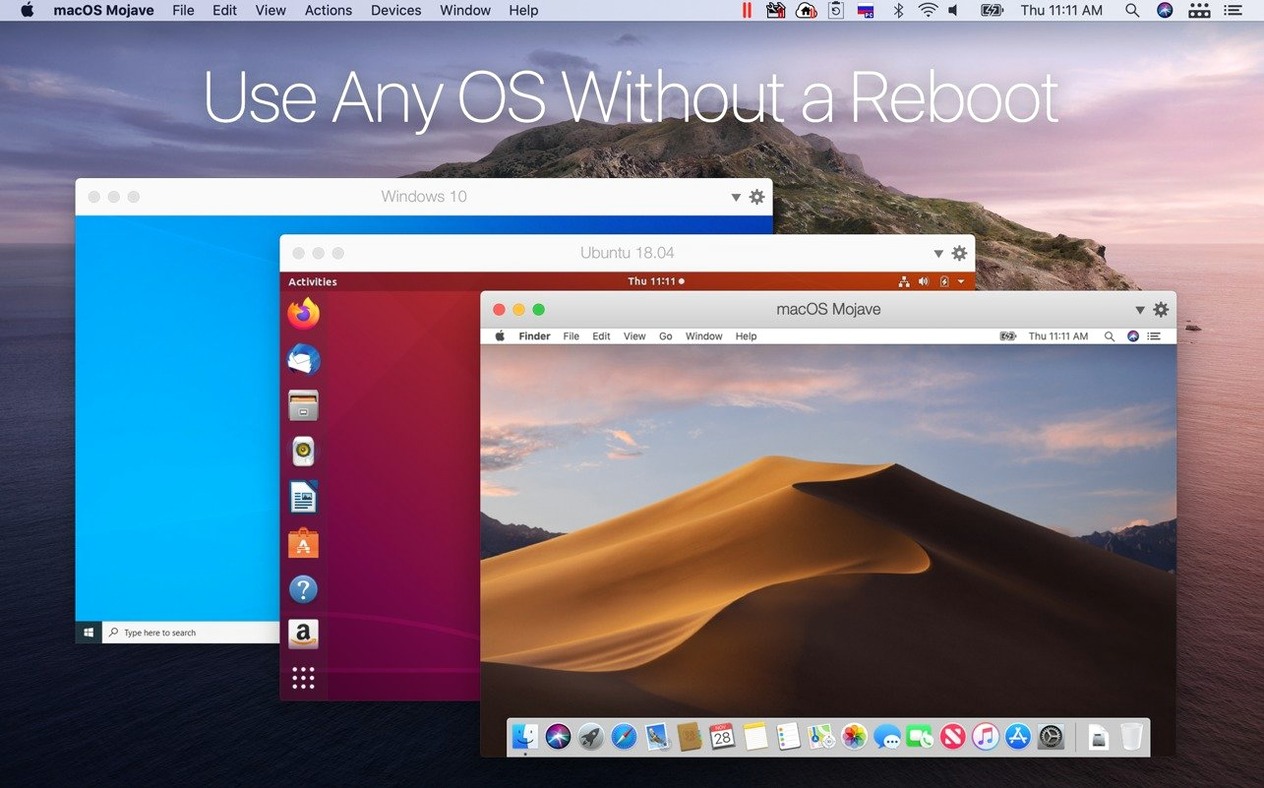
Run Windows, Linux, and macOS apps alongside your Mac desktop without restarting. Drag files between systems, copy and paste text and images, and push a Windows window to full screen. The current build includes out-of-the-box support for Ubuntu 26.04 LTS, Fedora 44, Debian 13.6, and Kali Linux 2026.2, and carries ARM SystemReady SR 3.1 certification.
Shared Mac Clipboard That Skips the Import Dialog
Parallels Desktop does not wall off the guest system. It plugs into macOS directly, which changes how you move between environments.
Shared folders and the Mac desktop
By default, your Mac desktop, Documents, and Downloads folders appear inside Windows. Drop a file on the Mac desktop and it lands in Windows instantly. Shared profiles for cloud storage apps like OneDrive or Dropbox work the same way — one folder, two operating systems, zero duplication.
Clipboard and drag-and-drop
Copy a screenshot on the Mac side, paste it into a Windows PowerPoint deck. Select a table in Excel for Windows, drag it onto a macOS email draft. The shared clipboard handles text, images, and formatted content without an intermediate step.
Spotlight and Launchpad integration
Windows applications installed through Parallels Desktop appear in Spotlight search results. Type the app name, hit Return, and it launches in Coherence mode — no Windows desktop visible. You can also pin Windows apps to the Dock.
Peripheral and device passthrough
USB drives, printers, and smart card readers connect to the guest system with a single click from the Devices menu. Parallels Desktop remembers the assignment across sessions. Network settings bridge automatically, so Windows shares the Mac's Wi-Fi or Ethernet connection without separate configuration.
4 CPU Cores Instead of All of Them Avoids Stutter
New users tend to over-allocate or misconfigure two things right after installation. Both are easy to fix once you spot them.
- Assigning too many CPU cores and too much RAM. A Windows 11 ARM VM runs smoothly with 4 GB of RAM and two cores for most office workloads. Giving it 16 GB and eight cores starves macOS and slows both systems. Start lean, monitor in Activity Monitor, and add resources only when a specific application demands them.
- Ignoring Coherence mode for single-app workflows. Beginners often launch the full Windows desktop, then open one application inside it. Coherence mode strips away the Windows shell and places the application window directly on the Mac desktop. For users who live in one or two Windows apps, it eliminates the mental context switch.
- Storing everything inside the VM disk image. The virtual disk grows but never shrinks automatically. Save large project files to a shared Mac folder instead. The VM stays lean, backups run faster, and you avoid snapshot bloat.
- Skipping the Parallels Tools installation. On custom Linux VMs, Parallels Tools must be installed manually after setup. Without them, clipboard sharing, dynamic resolution, and drag-and-drop break. The prompt appears on first boot — install it immediately.
Double-Click a Mac-Hosted Excel Model and It Opens in Windows
Here is how a 45-minute task flows when the setup is dialled in.
You open a client brief saved on your Mac desktop. The numbers need reworking in a Windows-only financial modelling tool. You double-click the model file — it sits in a shared folder — and the Windows app opens in Coherence mode. The window sits next to your Mac notes app. You copy assumptions from the notes, paste them into the model, adjust three scenarios, and drag the final output table back into a Keynote deck. The entire session runs without seeing a Windows taskbar or Start menu. When you save and close the model, the VM suspends after 60 seconds of inactivity, as configured. Next time you open the app, it resumes in under five seconds.
Later, a developer on your team needs to test a build against Fedora 44. They pull the Parallels control centre, click the Fedora VM, and it boots in 15 seconds. They SSH in from the Mac terminal — network bridging handles the IP assignment — run the test suite, and shut the VM down. No virtual desktop opened at all.
Coherence Mode Feels Like Mission Control, Not a VM
On an Apple Silicon Mac with 16 GB of unified memory, Windows 11 ARM feels native. Application launch is sub-two-second cold, instant on resume. Coherence mode adds no perceptible overhead — scrolling, window resizing, and Mission Control all respond at 60 fps. The hypervisor’s memory ballooning keeps idle VMs under 500 MB of RAM. Under sustained load — a four-core compile job inside Ubuntu 26.04 LTS x86_64 emulation alongside a dozen Mac apps — the system remains responsive, though the emulation layer adds roughly 20–30 percent overhead compared to native ARM guests.
Stability on version 27.0.2-58673 is uneventful in the best way. Three weeks of daily use across Windows and Linux VMs produced no kernel panics, no graphics corruption after sleep, and one recoverable VM freeze during a snapshot merge. The update's security and stability fixes appear to have tightened the suspend-resume path noticeably — VMs that previously took eight seconds to restore now land in under five.
Disk footprint is worth planning for. A fresh Windows 11 ARM install claims roughly 25 GB. Ubuntu 26.04 LTS sits around 8 GB. Both figures are acceptable on a 512 GB internal drive, but users who juggle three or four VMs should map shared folders aggressively and prune snapshots monthly. The hypervisor itself adds less than 1 GB to the Applications folder.
Release notes for version 27.0.3-58680 are posted on the developer's site. The update delivers the usual round of fixes and compatibility improvements.
- macOS 26 or later
- Apple Silicon Mac
Comments 0
Sign in to leave a comment.Sign inCreate an account
No comments yet. If a step is still there after you install it, say so.
More in Mac Apps
All in Mac Apps Paste
Keeps your clipboard history searchable, so nothing you copied gets lost.
23 steps saved
 Paragon NTFS
Mounts Windows-formatted drives so they behave like native APFS volumes for file transfers.
15 steps saved
 Updated
PasteNow
Stores every clipboard entry so you can recall a stat, paragraph, or screenshot in one click.
13 steps saved
 Updated
Path Finder
Holds scattered files in a temporary stack so you can move them all to one destination at once.
15 steps saved
 Pacifist
Peers inside installer packages to inspect or extract files before you commit to running them.
18 steps saved
 One Switch
Collapses scattered system controls like Dark Mode and Do Not Disturb into one menu bar panel.
13 steps saved
 Updated
ON1 Photo RAW
Lets you browse, develop, and retouch raw photos without switching between modules.
7 steps saved
 Photo Mechanic
Culls and tags photos straight from the memory card before import.