
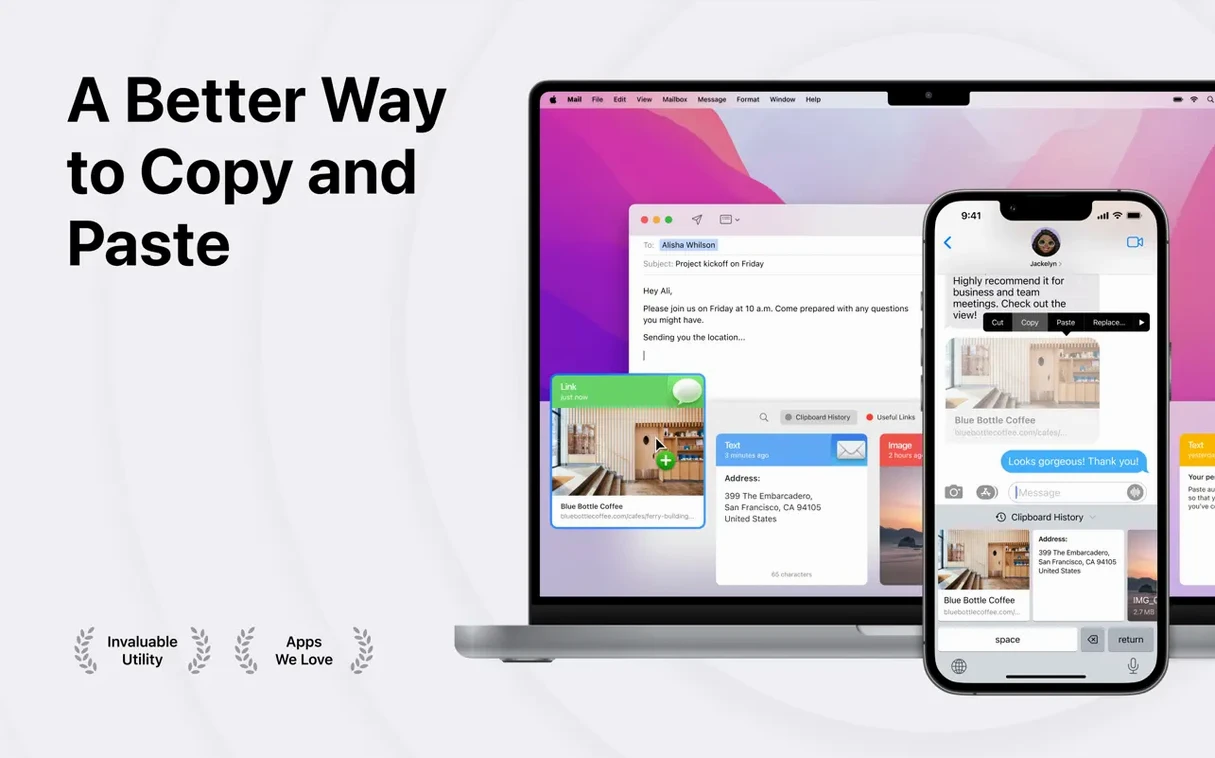
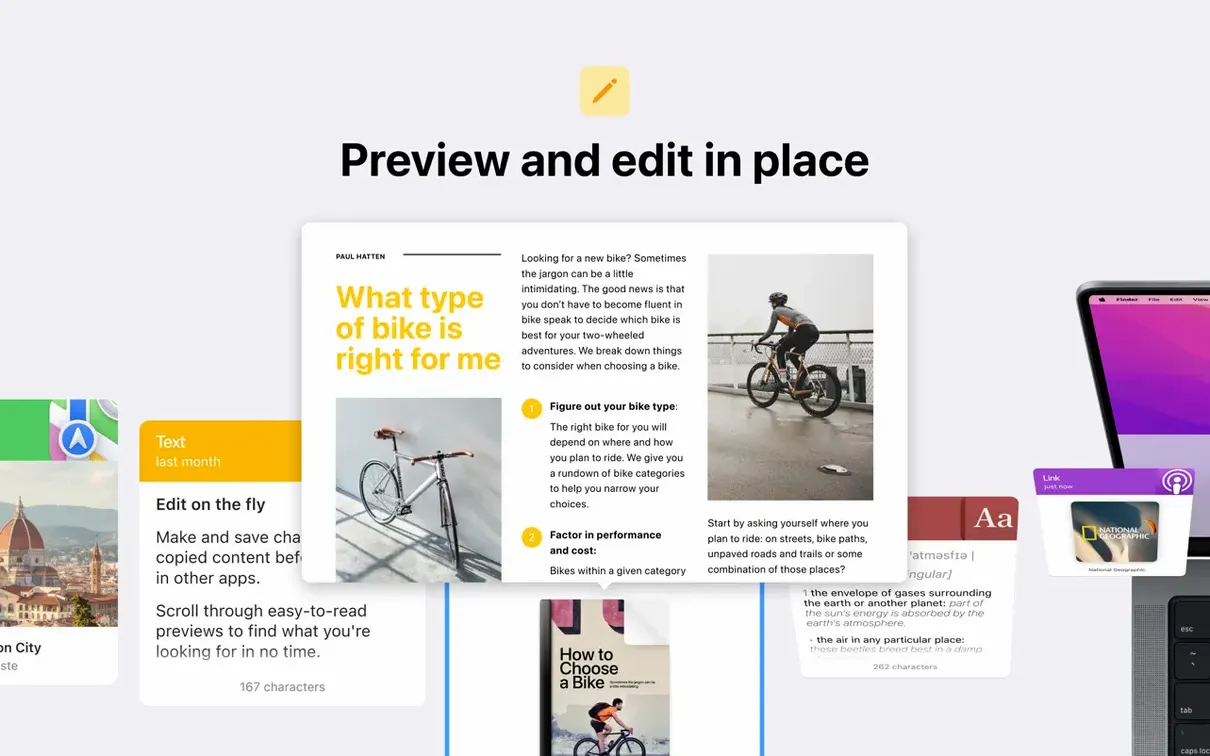
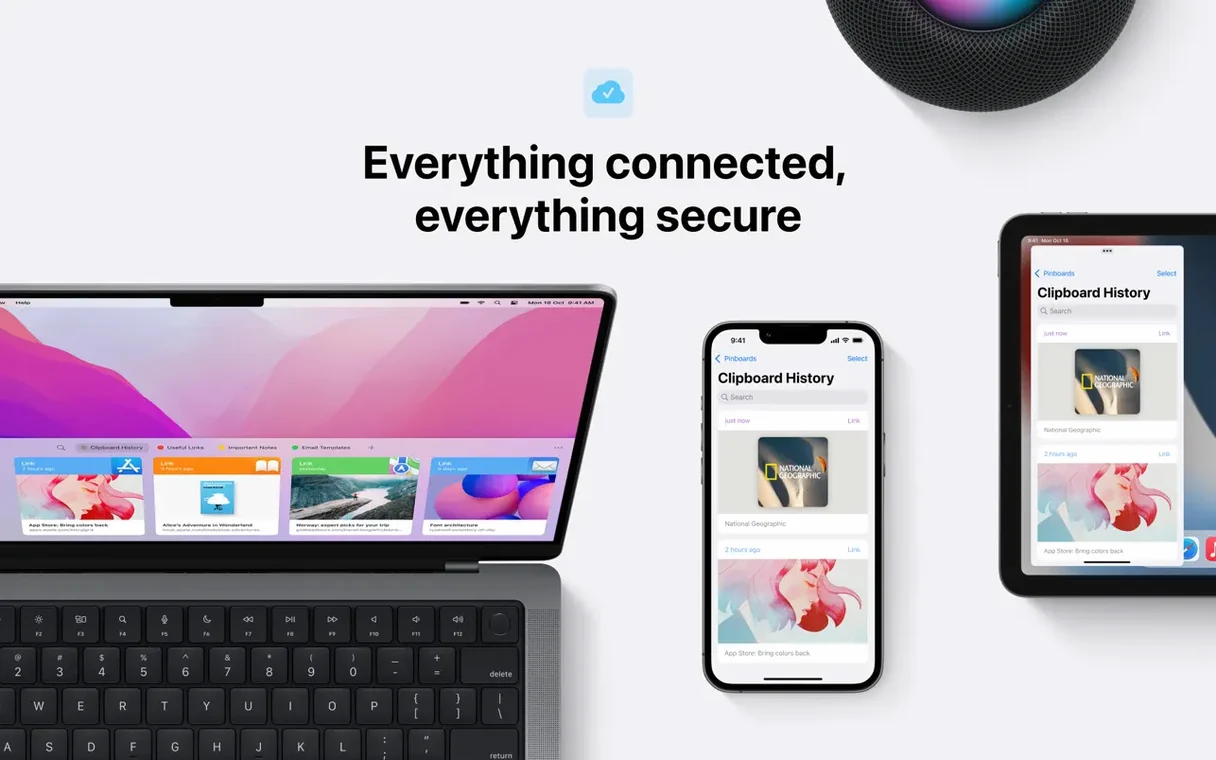
Plain Text as Default strips the formatting from a copied string before you paste it. That one setting tells you how Paste thinks. Before you install, check that your Mac clears the bar: it needs macOS 13 or later and an Apple Silicon or Intel 64-bit processor.
- Requires macOS 13 or newer — Apple Silicon and Intel 64-bit supported
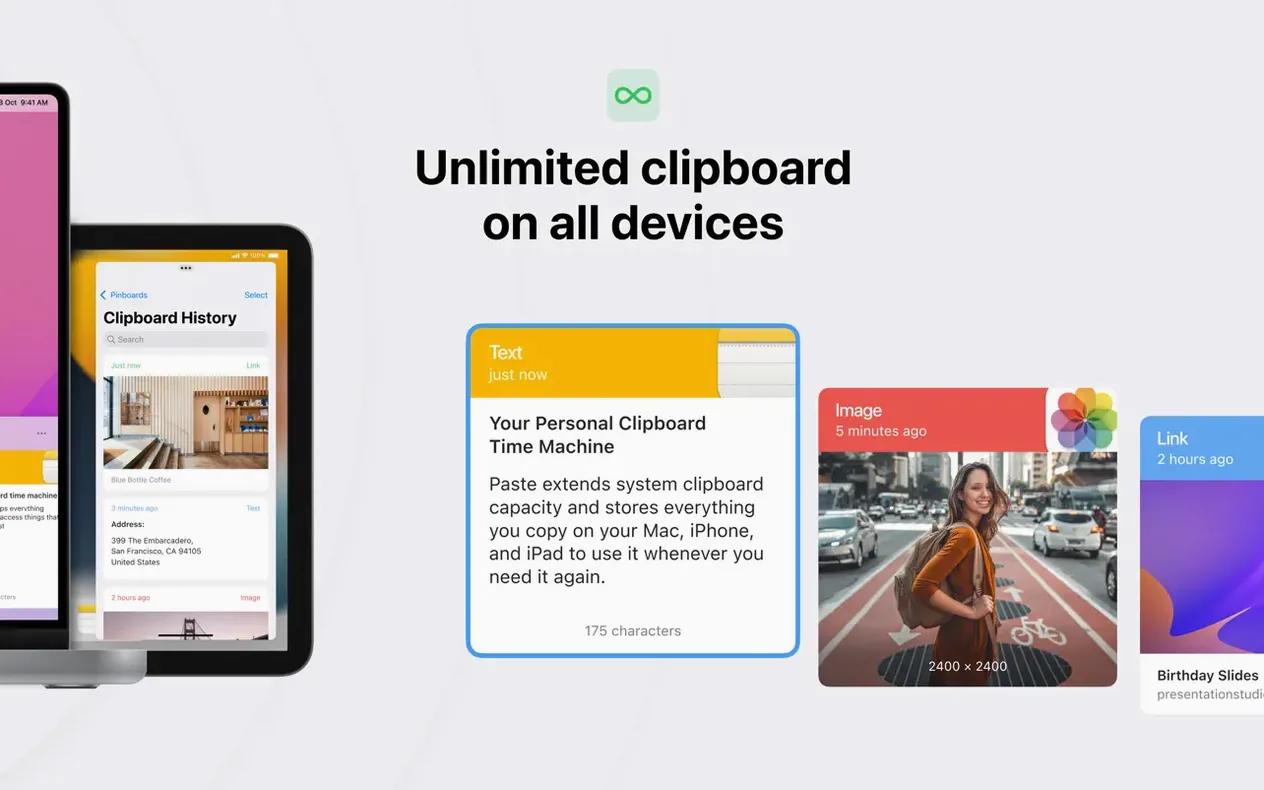
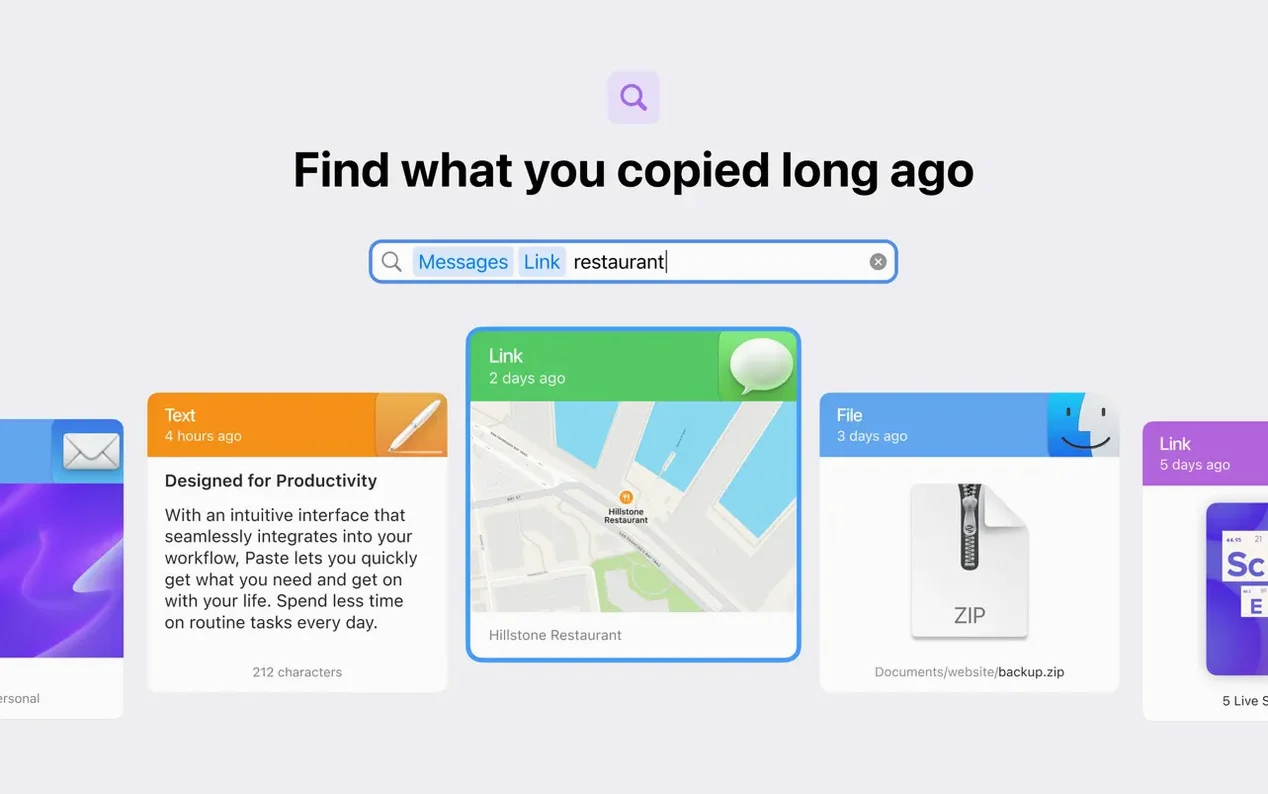
- Saves everything you copy into a searchable, visual history
- Syncs clipboard history and pinboards across Mac, iPhone, and iPad via iCloud
- Lets you copy and paste multiple items in one action
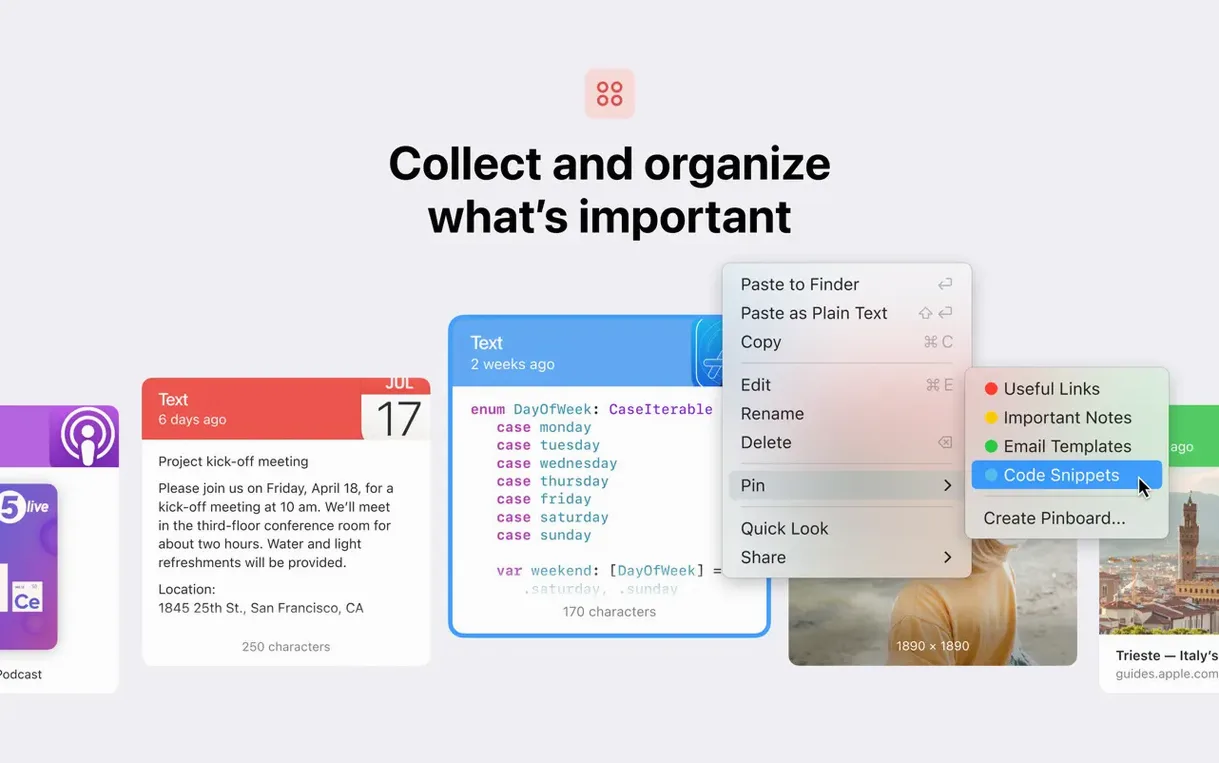
- Keeps unlimited pinboards for organising saved fragments
- Restores previously copied clips so you can retrace your steps
The interface runs in over twenty languages, so a distributed team can set it to their own. Once it is running, Paste stays out of your way until you need something you copied an hour ago. And then it is right there.
Only Captures After the First Launch
A few rough edges tend to surface in the first week. Most trace back to a single setting.
Paste stops capturing items. macOS restricts clipboard access after a restart until you launch the app once. Open Paste from Launchpad or set it as a login item under System Settings → General → Login Items.
iCloud sync lags or stalls. Clipboard data is small, but iOS power-saving can throttle background sync. On both Mac and iPhone, confirm Paste is allowed to use iCloud in System Settings → Apple ID → iCloud → Apps Using iCloud. A quick sign-out and sign-in usually resets the queue.
Images show as blank thumbnails. Some apps place proprietary data on the pasteboard that Paste can store but not render. Switch the item to Plain Text mode with the right-click menu, or rely on the search bar — Paste indexes even the invisible metadata.
Shortcut conflicts. The default ⌘⇧V binding can clash with other clipboard tools or input methods. Reassign it in Preferences → Shortcuts. Paste accepts four-key combos, so you can nest it under a hyperkey if you use one.
Stores Copied Files Alongside Text
Paste is not a replacement for Universal Clipboard — it augments it. Universal Clipboard works best for a single item between nearby devices. Paste gives you the full trail.
- Finder files. Copy a file in Finder and Paste stores a reference, not a duplicate. Drag it straight from the history pane into another folder or a message composer.
- Terminal and code editors. The Plain Text shortcut (
⌘⇧Vby default) pastes without rich-text noise — useful when you jump between VS Code and a styled email. - Shortcuts and Automator. Paste exposes no scripting hooks, but its custom URL scheme lets you trigger the main window from a Shortcut. Combine it with a keyboard maestro macro for a single-keystroke search.
- AirDrop fallback. When a clipboard item won't sync, select it, hit
⌘R, and AirDrop it directly to another Apple device.
Four Fragments, One Bug Report
A support engineer is assembling a bug report from scattered evidence: a console log, a screenshot, a stack trace in a note, and a URL to the affected build. Each fragment gets copied at a different moment while switching between Slack, Xcode, and a browser.
Instead of stitching things together in a blank document, she opens Paste, searches for the build number, and sees all four items clustered by timestamp. She selects them together, copies as a batch, and pastes the whole set into the ticket body. The screenshot lands inline, the log drops as monospaced text, and the URL stays tappable. She pins the collection to a board named after the ticket ID so the QA lead can pull the same pieces tomorrow. Twenty minutes of context-switching collapse into one gesture.
- macOS 13 or later
- Apple Silicon or Intel 64-bit processor
Questions I get before install
Does Paste for Mac work on Intel machines?
Yes. Paste supports both Apple Silicon and Intel 64-bit Macs running macOS 13 or later.
Can I use Paste on my iPhone and Mac together?
Yes. iCloud sync keeps your clipboard history and pinboards current across Mac, iPhone, and iPad.
Comments 0
Sign in to leave a comment.Sign inCreate an account
No comments yet. If a step is still there after you install it, say so.
More in Mac Apps
All in Mac Apps Updated
Parallels Desktop
Runs Windows apps beside macOS and drags files between them without rebooting.
15 steps saved
 Updated
PasteNow
Stores every clipboard entry so you can recall a stat, paragraph, or screenshot in one click.
13 steps saved
 Updated
Path Finder
Holds scattered files in a temporary stack so you can move them all to one destination at once.
23 steps saved
 Paragon NTFS
Mounts Windows-formatted drives so they behave like native APFS volumes for file transfers.
15 steps saved
 Pacifist
Peers inside installer packages to inspect or extract files before you commit to running them.
18 steps saved
 One Switch
Collapses scattered system controls like Dark Mode and Do Not Disturb into one menu bar panel.
7 steps saved
 Photo Mechanic
Culls and tags photos straight from the memory card before import.
13 steps saved
 Updated
ON1 Photo RAW
Lets you browse, develop, and retouch raw photos without switching between modules.