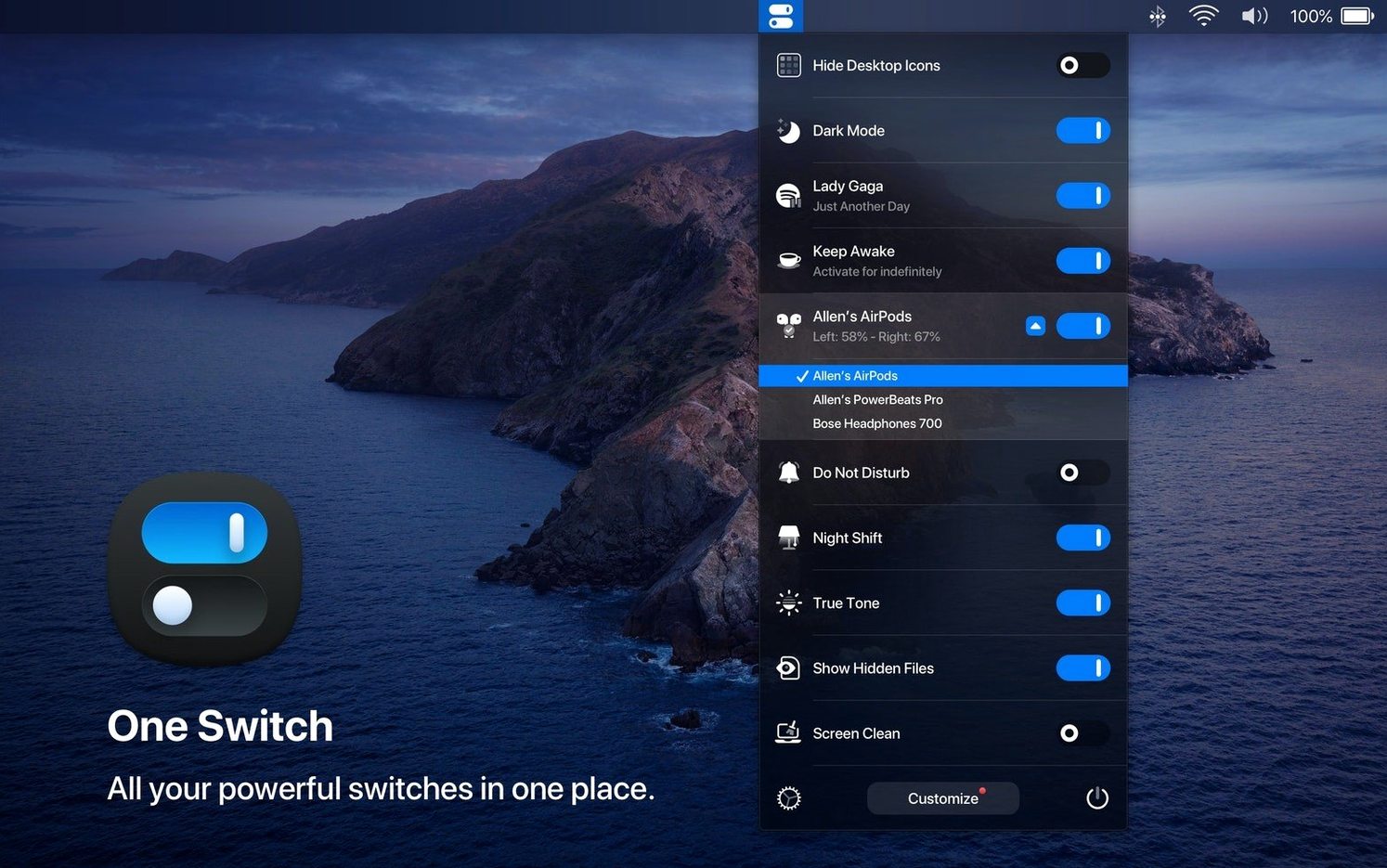
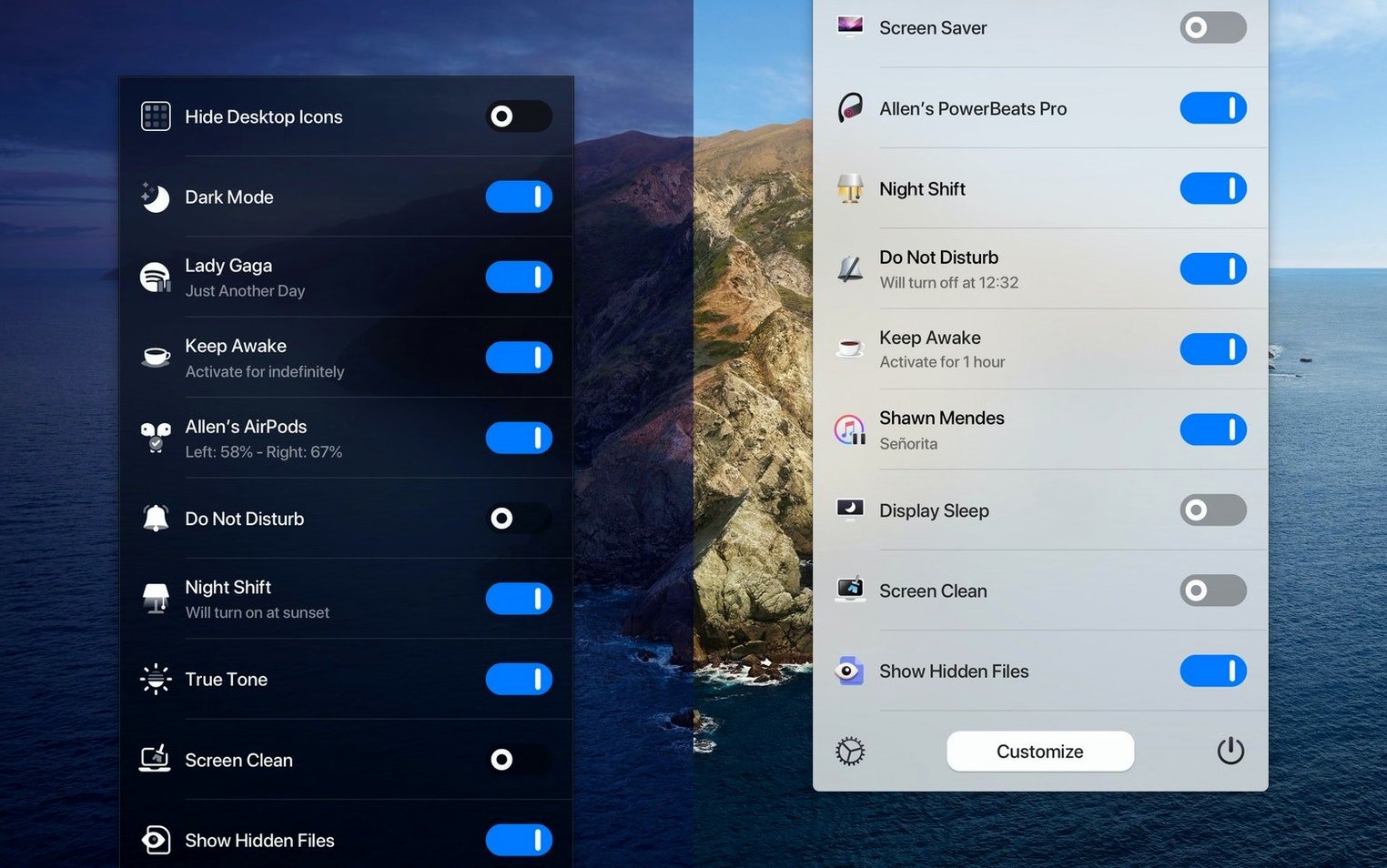
You sit down at your desk, connect your AirPods, turn on Do Not Disturb, and switch to Dark Mode. That is four different trips through System Settings before you have written a single word. One Switch collapses those scattered controls into a single menu bar panel.
Handling the daily setup in one pass
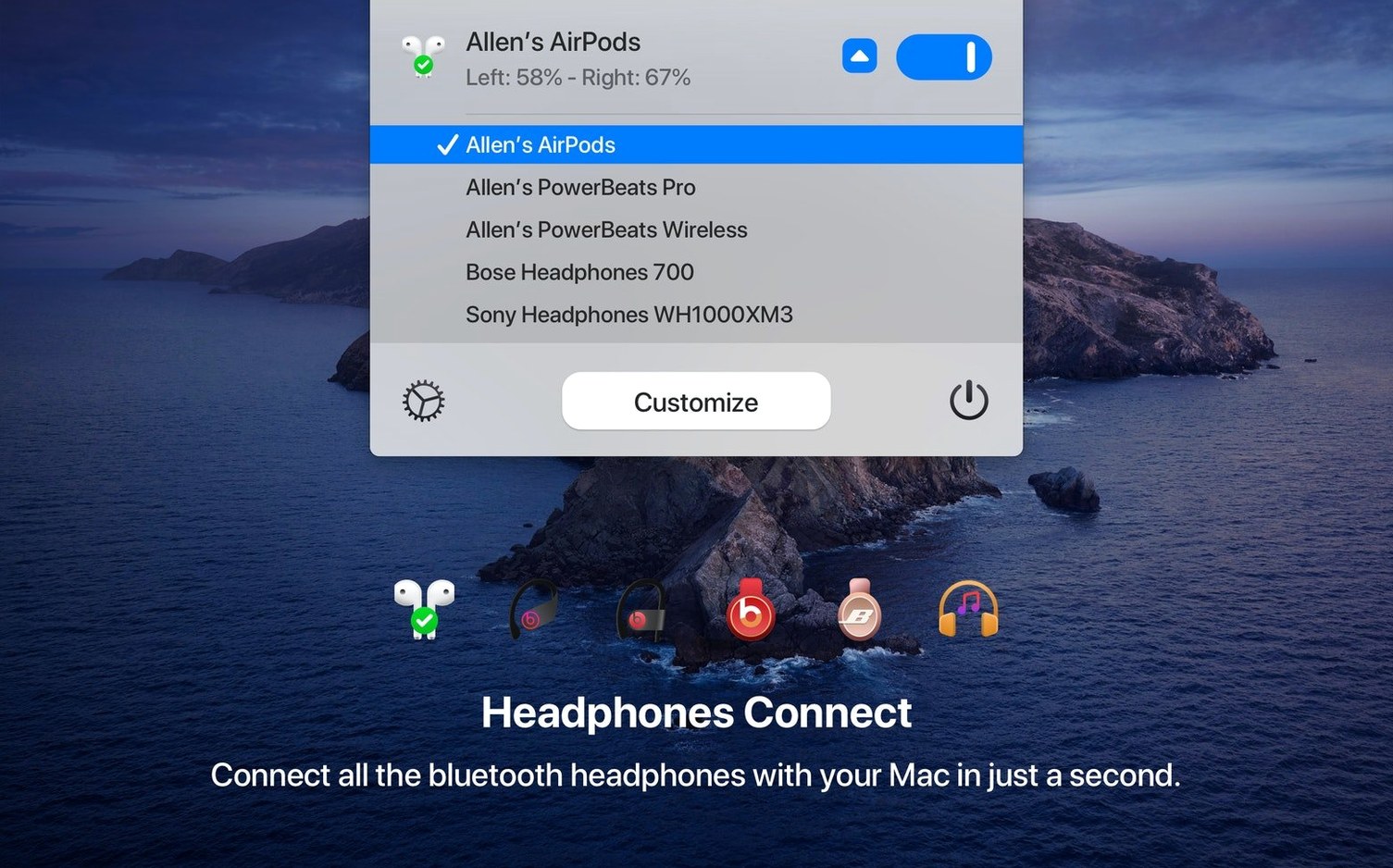
The real value appears during a routine start-up sequence. Click the menu bar icon and a clean panel drops down. One toggle switches the Mac to Dark appearance. Another activates Do Not Disturb to silence notifications. A third connects your AirPods without opening Bluetooth settings. Three actions that normally live in separate corners of macOS now sit side by side. The app also handles screen saver activation, desktop icon visibility, and sleep scheduling — letting you set automatic sleep and wake times without digging into Energy Saver preferences. For anyone who repeats the same system adjustments every morning, it replaces half a dozen trips through System Settings with a single click.
Why it sticks in the menu bar
Beyond the morning routine, the automation features keep it useful. You can schedule Light and Dark appearance to switch at set times, so the screen matches the room as the day progresses. The current version, 1.35.4, requires macOS 10.15 or later and works on both Intel and Apple Silicon machines. It is not a permanent resident of the menu bar because it looks clever — it stays because it removes small, repeated frictions that add up over a working week.
Imagine a freelance editor who starts every client session the same way. Headphones on, notifications off, desktop cleared so no stray file icons show during a screen share. With One Switch, that setup takes one click on the menu bar icon and three taps across the panel. No opening Bluetooth settings to hunt for an AirPods connection. No Control Centre swipe that misses Do Not Disturb. The editor configures the panel once — Dark Mode toggle, AirPods connection switch, desktop icon hide, Do Not Disturb — and leaves the other three slots empty because Keep Awake and Screen Saver never get used during calls. That is the pattern: keep only the switches your day actually demands and disable the rest.
Presenters Hiding Desktop Icons Before Screen Shares
The Mac users who extract the most from One Switch are the ones who touch system settings multiple times a day. Presenters who toggle desktop icon visibility before every screen share. Writers who shift between Light and Dark appearance as the room brightens. Anyone who connects and disconnects AirPods between a Mac and an iPhone and hates the Bluetooth dance. It also clicks for people who treat their Mac like a control surface — the kind who would search for a one switch mac free download because they want a single panel instead of scattered toggles. If your workflow never changes, the app is quiet. If your settings shift by the hour, it earns its place in the menu bar.
- New — Multilingual support added for German, Italian, Japanese, Korean, Portuguese, Russian, and Spanish.
- macOS 10.15 or later
- Intel or Apple Silicon Mac
Questions I get before install
Can One Switch change between Light and Dark mode automatically?
Yes, you can schedule automatic switching between Light and Dark appearance at specific times during the day.
Does One Switch control Do Not Disturb?
Yes, it includes a toggle to turn Do Not Disturb mode on or off directly from the menu bar panel.
Comments 0
Sign in to leave a comment.Sign inCreate an account
No comments yet. If a step is still there after you install it, say so.
More in Mac Apps
All in Mac Apps Updated
ON1 Photo RAW
Lets you browse, develop, and retouch raw photos without switching between modules.
15 steps saved
 Pacifist
Peers inside installer packages to inspect or extract files before you commit to running them.
5 steps saved
 OmniPlayer: MKV Video Player Pro
Handles subtitle timing, playback speed, and server streams without interface clutter.
23 steps saved
 Paragon NTFS
Mounts Windows-formatted drives so they behave like native APFS volumes for file transfers.
7 steps saved
 OmniGraffle Pro
Draws precise diagrams for workflows that outgrow basic boxes and arrows.
15 steps saved
 Updated
Parallels Desktop
Runs Windows apps beside macOS and drags files between them without rebooting.
6 steps saved
 Paste
Keeps your clipboard history searchable, so nothing you copied gets lost.
9 steps saved
 Updated
OK JSON - Viewer & Formatter
Structures raw API responses into a readable format instead of staring at text walls.