
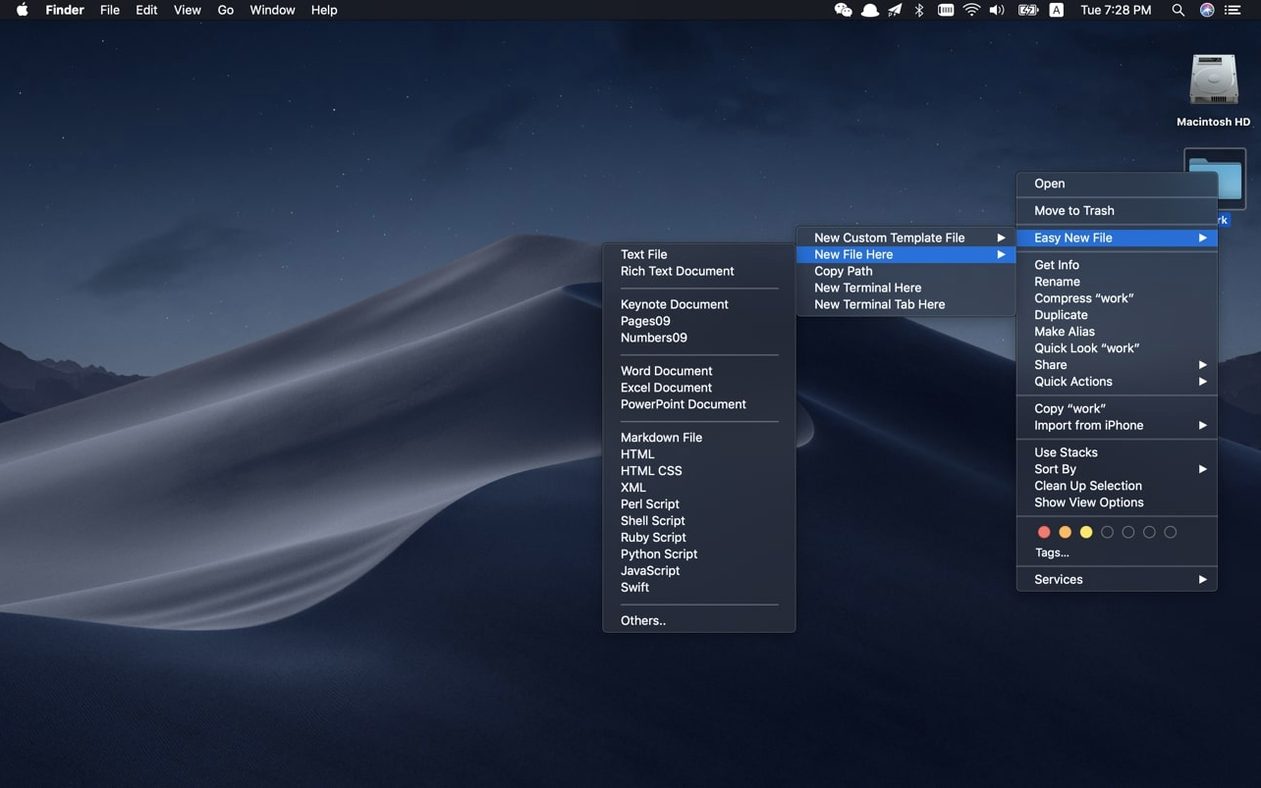
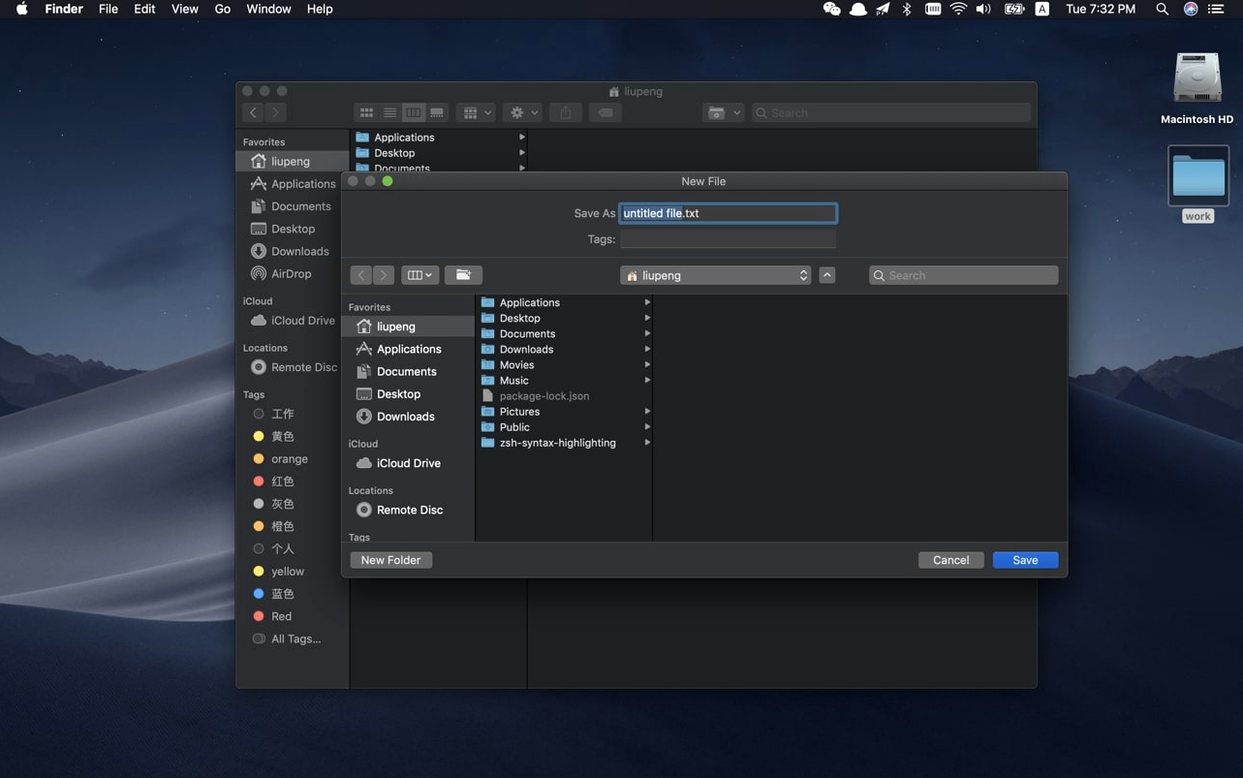
The 'New File with Template' command is where you should start. Open it from Finder's right-click menu to place a new Python script, Word document, or plain text file exactly where you are browsing—no launching an app first.
Build a custom template
Save any file you create repeatedly as a template. A standardised briefing doc or a shell script with your usual header can live in the template folder and appear in the menu alongside the built-in types.
Set the default file type
Tell Easy New File which format you reach for most often. Assign it as the default so a single click creates a new file of that type without stepping through the template list every time.
Hold Option to Create Any File Instantly
Right-click on any folder or empty space in Finder and hold the Option key. Easy New File adjusts its menu so you can create a file directly in the current directory without opening the folder first. This works particularly well in list view when you are several levels deep.
The copy path command has a twist: it copies the full POSIX path, so pasting into Terminal, a script editor, or a code review tool gives you something usable immediately. No extra formatting to strip.
Template filenames can include a date pattern. Name a template something like daily-notes-YYYY-MM-DD.txt and Easy New File fills in the date when the file is created. The same applies to numbered sequences if your workflow relies on daily or weekly files.
External disks work as expected. Create a file on a USB drive or network volume from the same context menu—the extension respects the volume you are viewing, so files land where you are working, not in a default location.
Preferences Window Now Groups Templates Separately
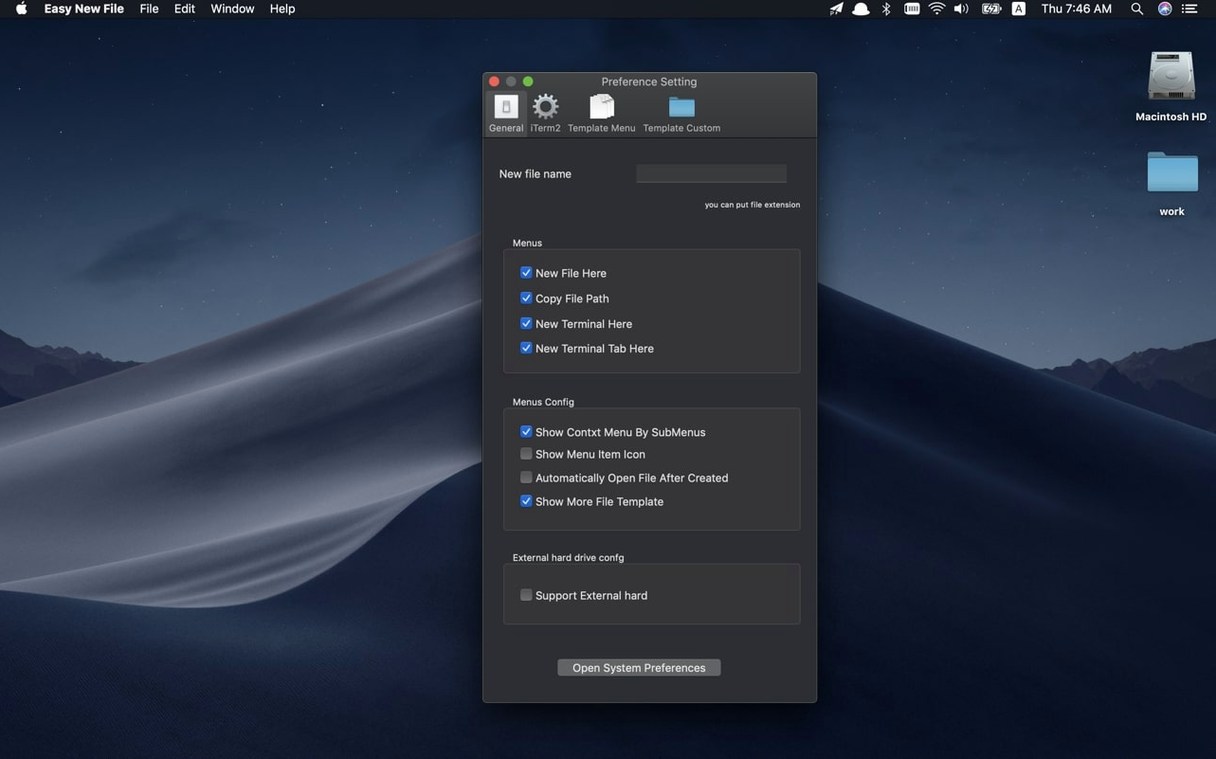
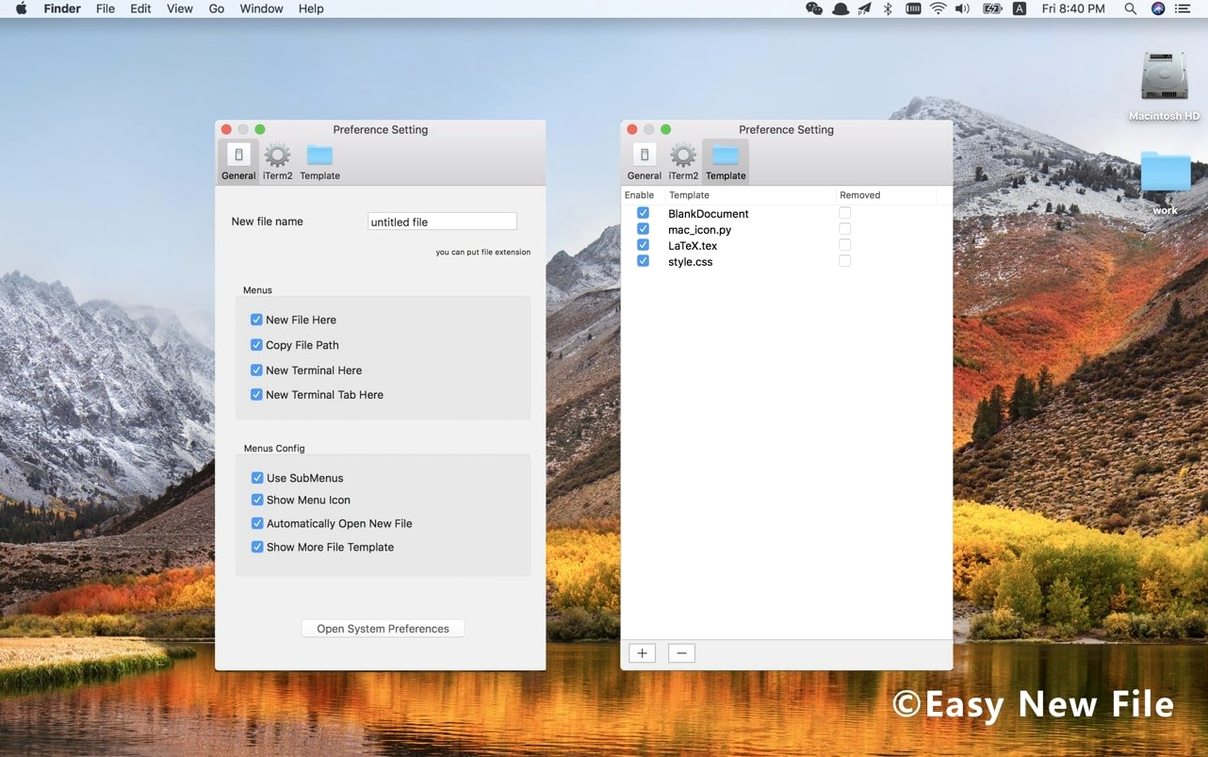
Version 6.0 refreshed the preferences window and the right-click shortcuts. The settings are now grouped more logically: file types on one side, templates on another, and the Terminal shortcut separate from the rest. If you used an older release, expect less scrolling to find the option you need.
The current release, version 6.2, fixes a focus bug from that redesign. Previously, creating a file from the context menu could leave the save dialog in the background, forcing an extra click. Now the dialog comes to the front automatically, so naming files stays a keyboard-first operation for those who use easy new file macos free daily.
Stability improvements for recent macOS versions mean the extension behaves consistently across Intel and Apple Silicon machines. Users who upgraded from easy new file 6.0 for mac should notice fewer Finder hiccups after system updates.
- Fixed — The save dialog now receives focus automatically when creating a new file from the context menu.
- Improved — Stability and compatibility with recent macOS versions.
- macOS 10.15 or later
- Apple Silicon or Intel 64-bit
Comments 0
Sign in to leave a comment.Sign inCreate an account
No comments yet. If a step is still there after you install it, say so.
More in Mac Apps
All in Mac Apps Eagle
Finds similar images in large reference libraries so you stay focused on design, not file wrangling.
11 steps saved
 DynamicLake Pro
Surfaces your next meeting and local weather in a glanceable menu-bar strip.
4 steps saved
 Dynamic Wallpaper Engine
Replaces a static desktop with live wallpapers you switch via hotkey.
7 steps saved
 Element 3D
Imports and renders 3D objects directly inside After Effects, removing the need for external software.
6 steps saved
 DxO PhotoLab
Corrects lens flaws and noise with lab-measured profiles built into the raw editor.
11 steps saved
 Elmedia Player Pro
Plays legacy and obscure media formats that other players leave unopened.
11 steps saved
 Updated
Duplicate File Finder Pro
Finds exact file copies by content, not name, across your Mac and external drives.
8 steps saved
 Dropover
Stages scattered files on a floating shelf until you reach the destination folder.