
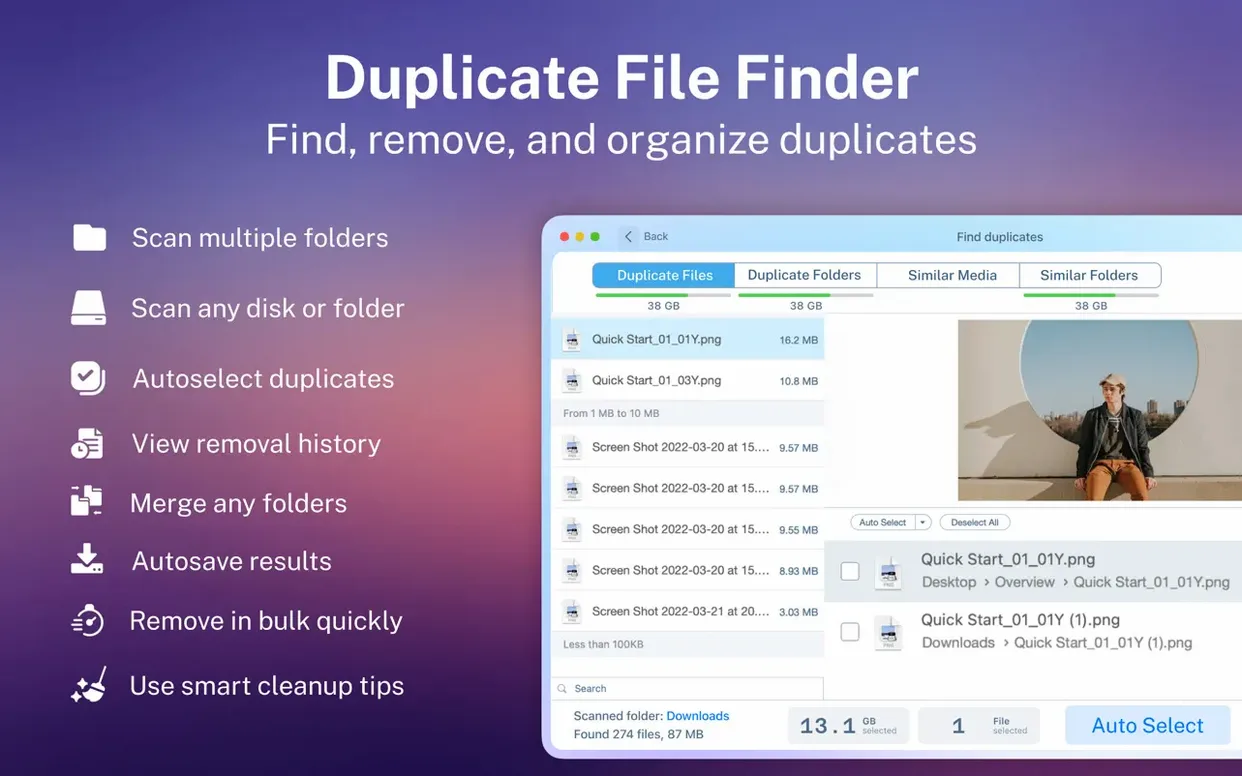
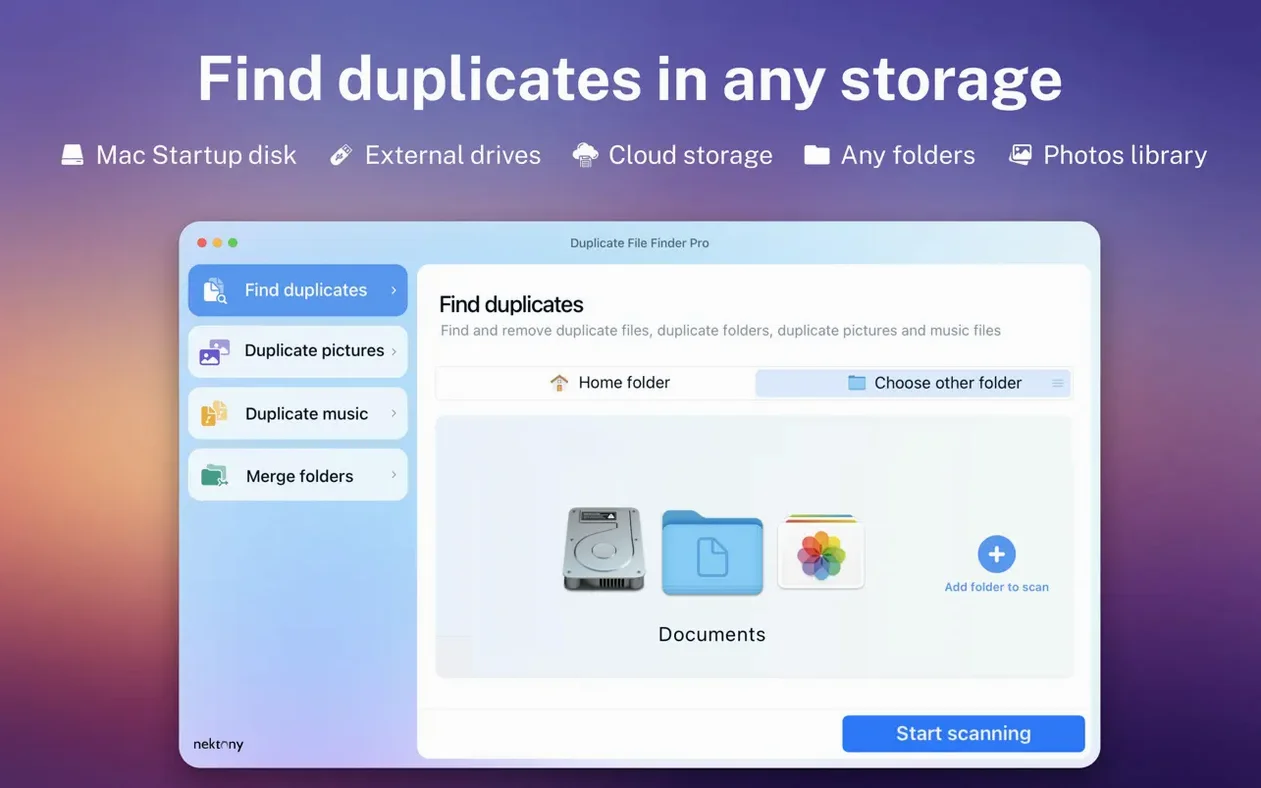
Think of Finder’s search as a starting point. It finds files you name. Duplicate File Finder Pro finds files you forgot you copied three times over. It scans by content, not just filename, and surfaces exact matches across your Mac, external drives, and even network folders.
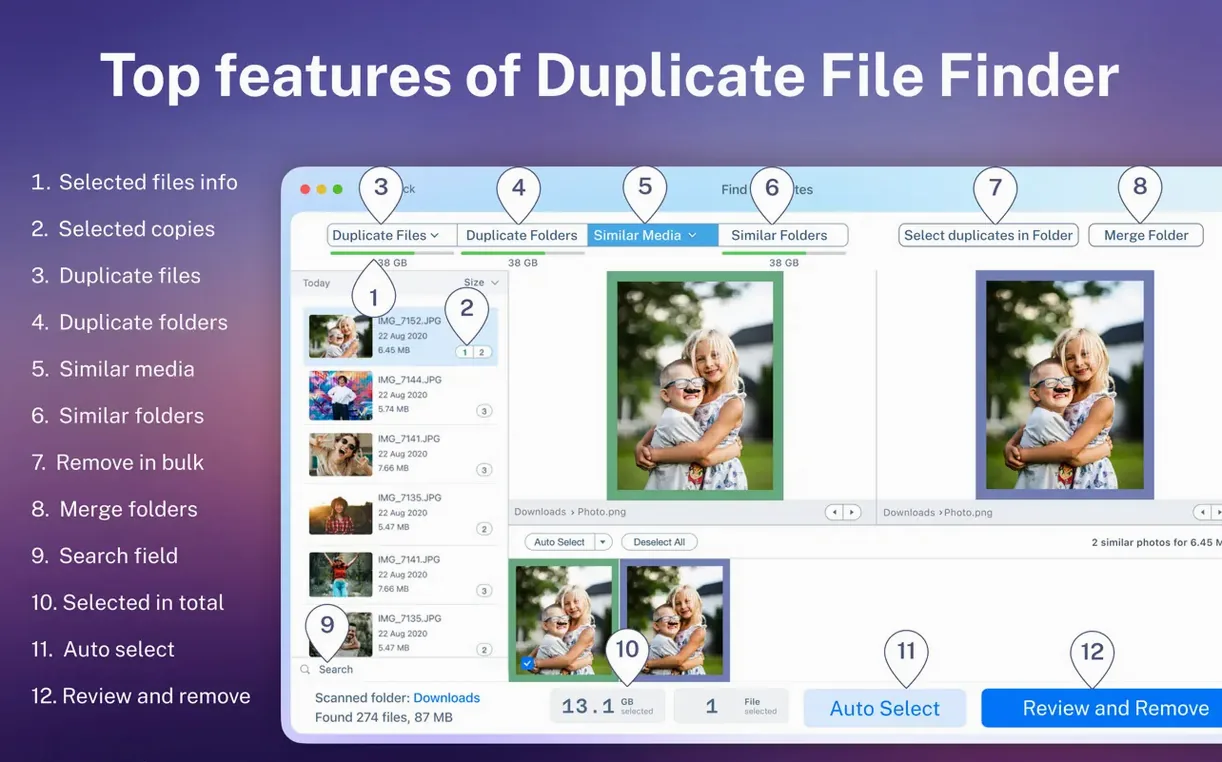
The scan results break down by category—images, video, music, archives, documents—so you see what’s eating space at a glance. A visual report maps the clutter, and the duplicate list lets you select groups with one button instead of clicking each file. You can preview anything before you commit to deletion.
Beyond single files, the app finds duplicate folders and similar folders. The folder merge feature is the logical next step: instead of deleting, you combine scattered versions of a project into one clean directory. It also reaches into hidden folders, the places where old backups and cache copies tend to pile up unnoticed.
A Concrete Workflow: Cleaning a Decade-Old Photo Archive
External drives become time capsules. This one holds family photos, client projects, and three rounds of “I’ll sort this later” dragged in bulk.
- Plug in the drive and launch Duplicate File Finder Pro. Drag the drive’s icon into the scan area. Before clicking Scan, set the mode to Images so the scan ignores everything else. Tick the option to include hidden folders—old Lightroom previews often hide there.
- The visual report loads. The left sidebar groups duplicates by size cluster. A 22 MB TIFF appears 11 times across five folders. Click the group to see each copy’s location. One sits in
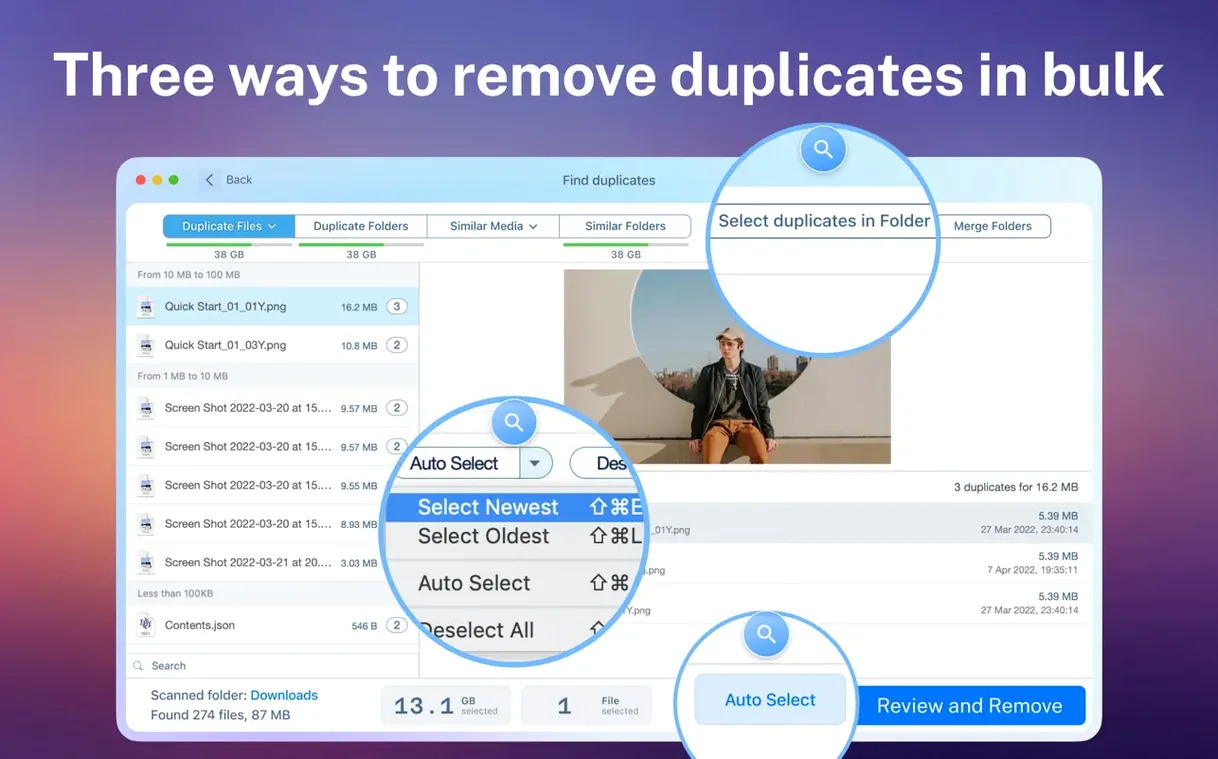
/RAW_originals, another in/Exports_2016, a third inside a buried.tmpfolder. - Use the smart-selection button to keep the oldest copy (the one in
RAW_originals) and mark the rest for removal. The preview panel confirms the file content matches before you act. - Switch to the Duplicate Folders view. Three folders named “Wedding_Edits” sit in different locations, each with partial contents. Select all three, choose Merge Folders, and point the output to a new
/Archives/Wedding_Masterdirectory. Duplicate File Finder Pro consolidates unique files and flags the overlap. - Move the marked duplicates to Trash, review the merged folder, and eject the drive. Space reclaimed: 47 GB in under eight minutes.
A Built-in Preview Panel That Keepers Lacks
Gemini 2
Gemini 2 leans into visual simplicity. Its scan is fast, and the duplicate-picking interface uses large thumbnails. Where it falls short is network and hidden-folder access—Gemini 2’s scope stays closer to the user’s home folder. Duplicate File Finder Pro’s folder merge and similar-folder detection address a broader cleanup job that Gemini 2 doesn’t attempt.
dupeGuru
dupeGuru runs on multiple platforms and offers fuzzy matching for filenames and tags, which helps with music collections. But it hasn’t seen a major update in years, and its interface shows the age. Duplicate File Finder Pro gives you a modern, category-aware scan report with previews built in—something dupeGuru handles through external file-launching. For a user who wants to add Dropbox to Mac Finder or add OneDrive to Finder Mac locations for scanning, the Nektony app treats those mounted cloud folders as first-class citizens; dupeGuru requires manual path configuration.
CleanMyMac X (Duplicate Finder module)
CleanMyMac X packages duplicate finding inside a larger suite. The module works well for surface-level cleanup of Photos libraries and iTunes folders. It doesn’t dig into duplicate folder structures or offer merging. Anyone who just wants a duplicate file finder pro full version free download for dedicated deduplication—not a system-wide maintenance kit—gets a more focused tool here. Duplicate File Finder Pro also lets you add folder to Finder favorites right from the scan results, tying the cleanup directly into how you navigate the Mac day to day.
Version 9.2.1 is out with the developer's latest fixes and improvements.
- macOS 10.13 or later
- Apple Silicon or Intel 64-bit
Questions I get before install
Can Duplicate File Finder Pro merge folders instead of deleting duplicates?
Yes. The folder merge feature lets you combine the contents of duplicate or similar folders into one location, which is useful for consolidating scattered project files.
Comments 0
Sign in to leave a comment.Sign inCreate an account
No comments yet. If a step is still there after you install it, say so.
More in Mac Apps
All in Mac Apps Dropover
Stages scattered files on a floating shelf until you reach the destination folder.
8 steps saved
 DriveDx
Reads full drive-health diagnostics and warns you before a disk fails silently.
6 steps saved
 DxO PhotoLab
Corrects lens flaws and noise with lab-measured profiles built into the raw editor.
18 steps saved
 Drama
Turns a static screen design into a clickable prototype on a single canvas.
4 steps saved
 Dynamic Wallpaper Engine
Replaces a static desktop with live wallpapers you switch via hotkey.
11 steps saved
 DynamicLake Pro
Surfaces your next meeting and local weather in a glanceable menu-bar strip.
17 steps saved
 Eagle
Finds similar images in large reference libraries so you stay focused on design, not file wrangling.
11 steps saved
 Dorico Pro
Engraves scores and parts with the precision a professional publisher expects.