
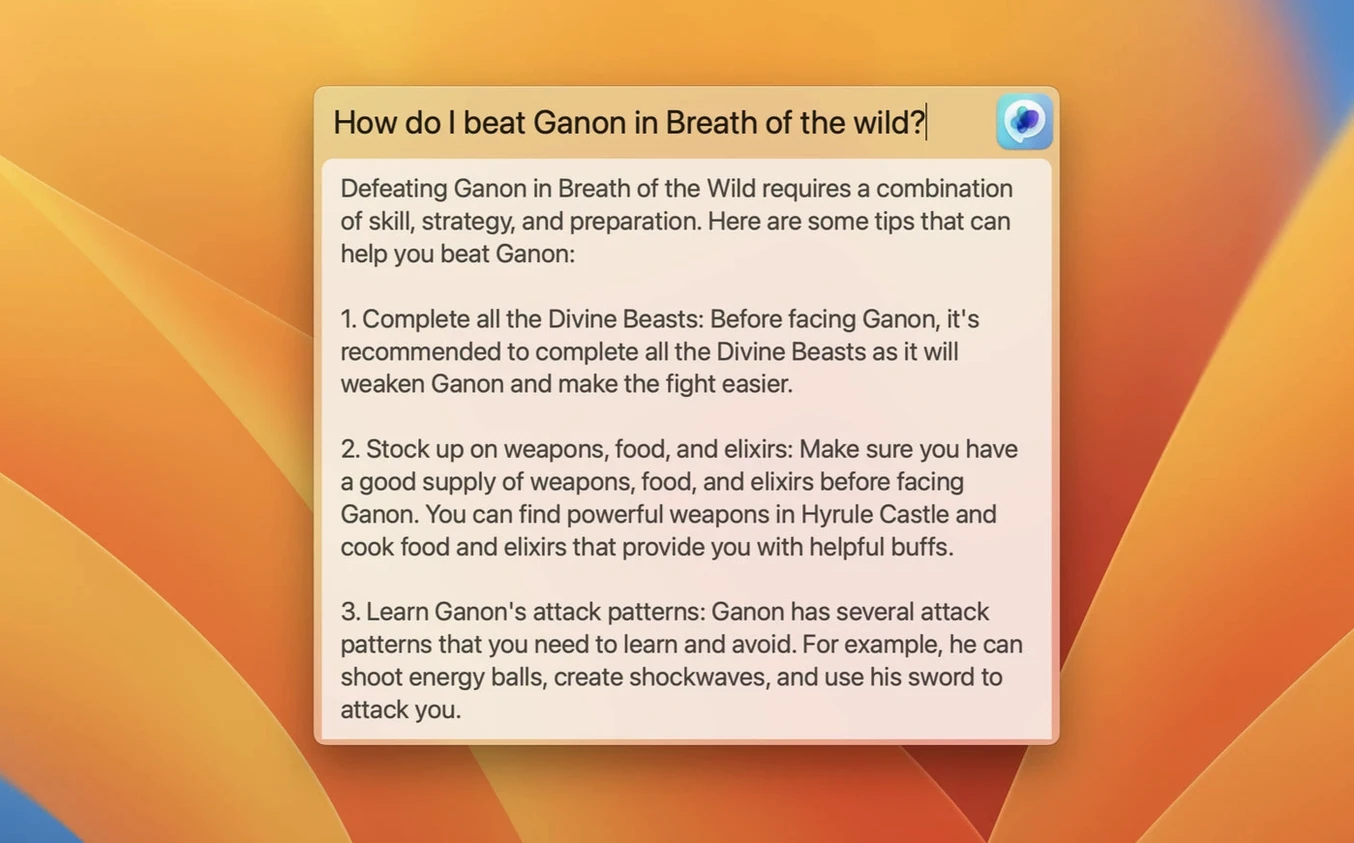
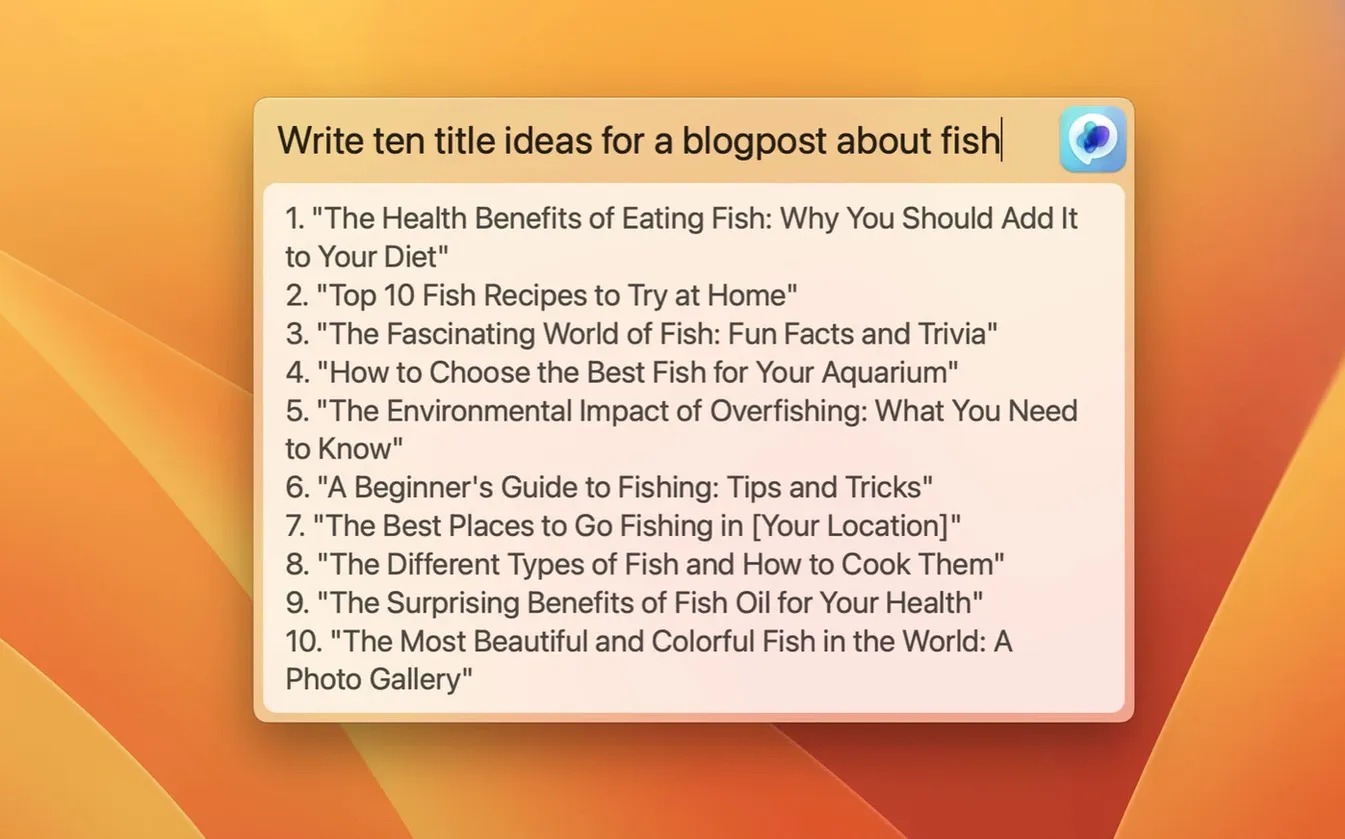
The Global feature is a centred text field that appears with a keyboard shortcut, ready for a ChatGPT prompt. It never leaves the app you are working in.
Check the system requirements
The app requires macOS 12 Monterey or newer and runs on Intel and Apple Silicon Macs.
Add your OpenAI credentials
Connect your OpenAI account or paste an API key. The app will show a clear error if the key is not configured correctly.
Send a prompt from any text field
A copywriter's morning, start to finish
A freelance copywriter opens a brief from a client selling outdoor gear. Three product descriptions are due by noon. She keeps Safari, Notes and MacGPT running. The menu bar stays quiet until she highlights a technical term in the brief — "hydrostatic head" — and triggers Inline. The answer appears inside her Notes draft without switching windows. She tweaks the tone, summons Global for a variant headline list, and pastes the best one. By 10:30 the batch is done. No tabs piled up, no login screen, no context lost.
Draft in Bear, Refine with a Keystroke
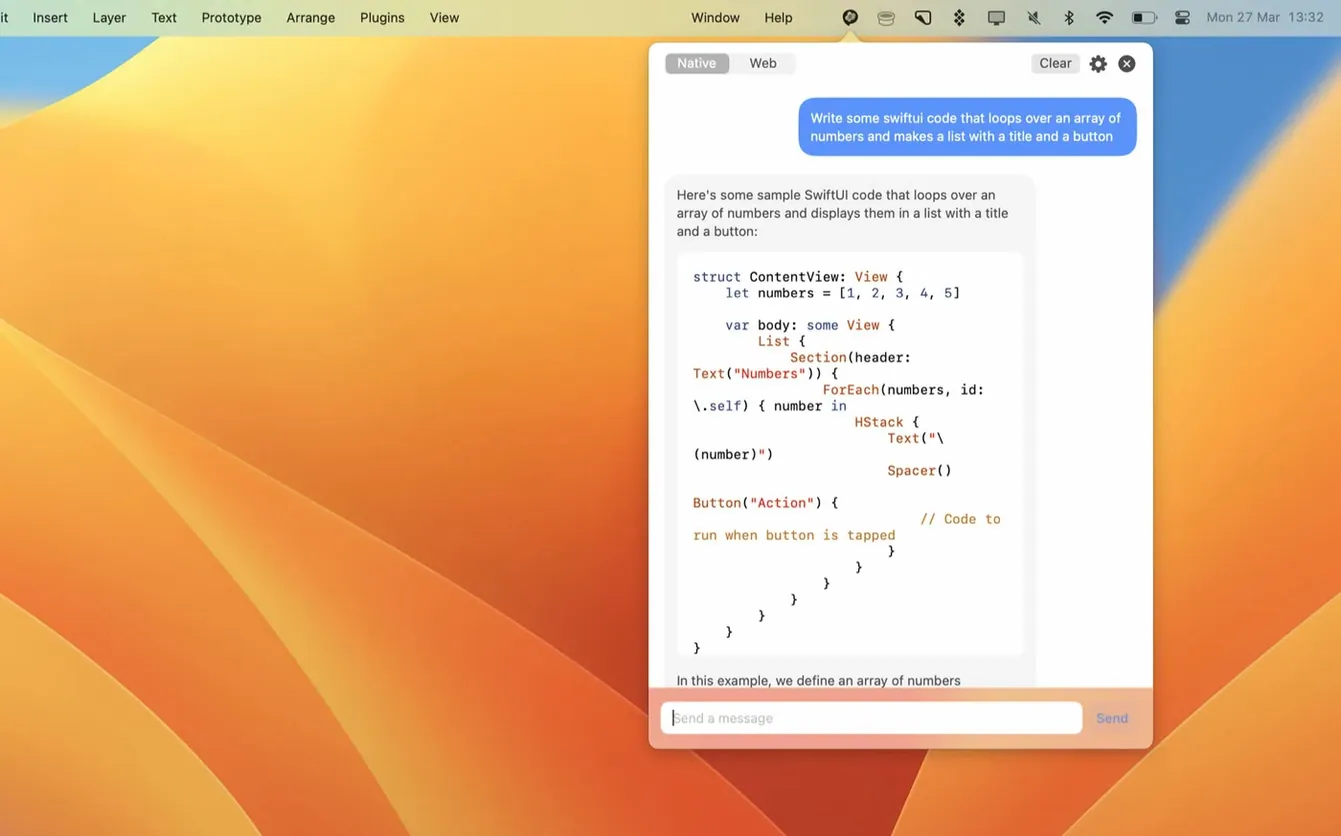
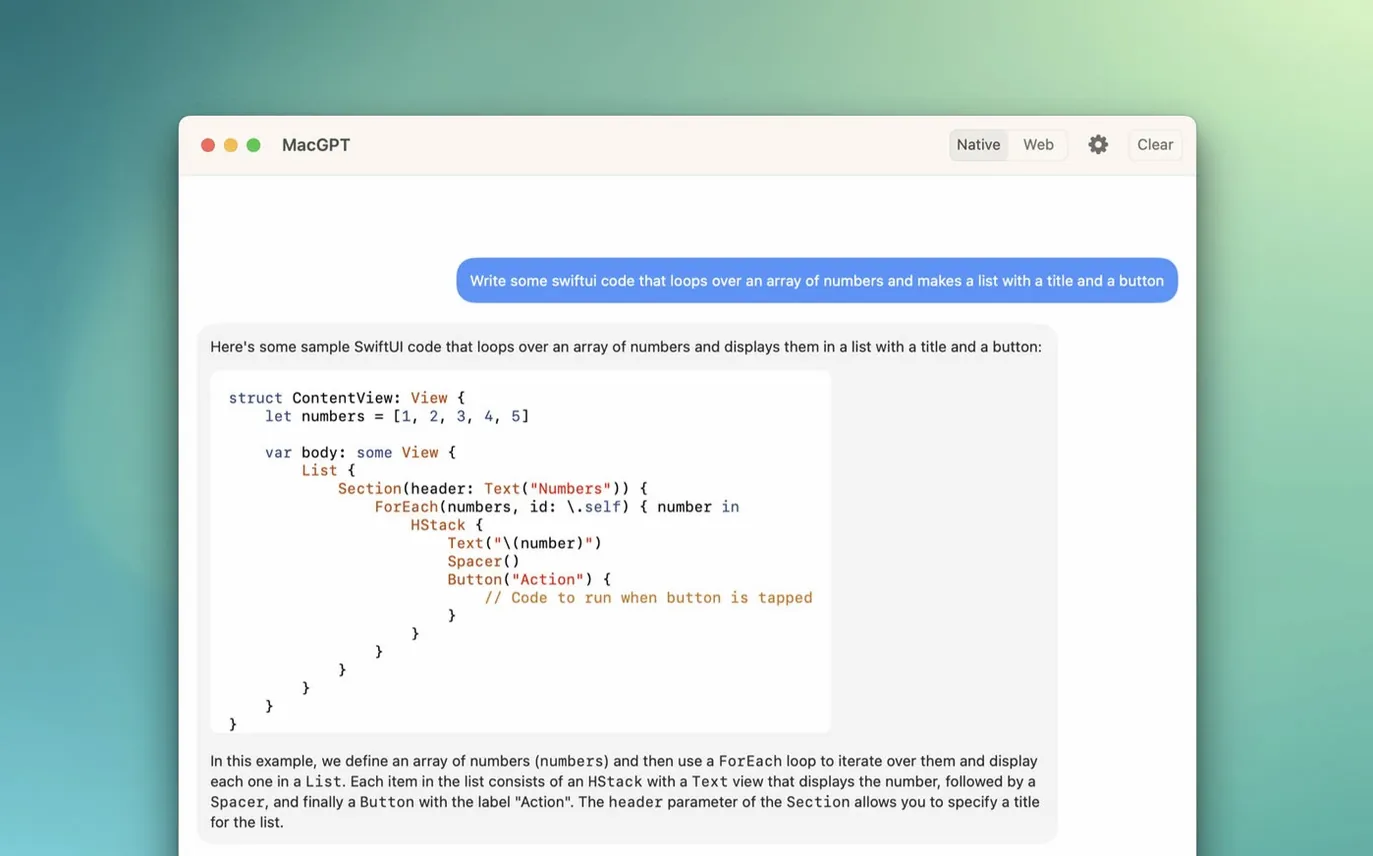
- Click the menu bar icon and choose Web Mode to sign in with OpenAI credentials. The ChatGPT interface loads in a compact window.
- Draft a rough paragraph in Bear, then highlight a sentence that feels flat. Press the assigned keyboard shortcut for Inline and type rewrite for a product page, warmer tone, keep under 40 words.
- Watch MacGPT replace the original text inside Bear. No copy-paste, no window juggling.
- Open Global with a second shortcut. A centred overlay appears. Type five SEO-friendly subheadings for a waterproof jacket roundup. Pick two, close the overlay, keep writing.
- Check the menu bar. A small badge shows the session is still active. Right-click to switch to API mode when you need faster, token-counted replies during a batch task.
Multimodal Prompts Now Feel Snappier
The update added gpt-4o support. In daily use, that means the model picker now includes the newer option alongside earlier GPT-4 variants. Switching models takes two clicks from the menu bar dropdown. Responses feel snappier for image-heavy or multimodal prompts, and the Global overlay handles longer back-and-forth threads without the window stalling — a noticeable difference on an M1 MacBook Air during a research session.
Error messaging also improved. Earlier versions would silently fail when the API key was missing. Now a short, readable alert tells you exactly what to fix. That cuts setup friction when moving between web mode and API mode on a shared machine.
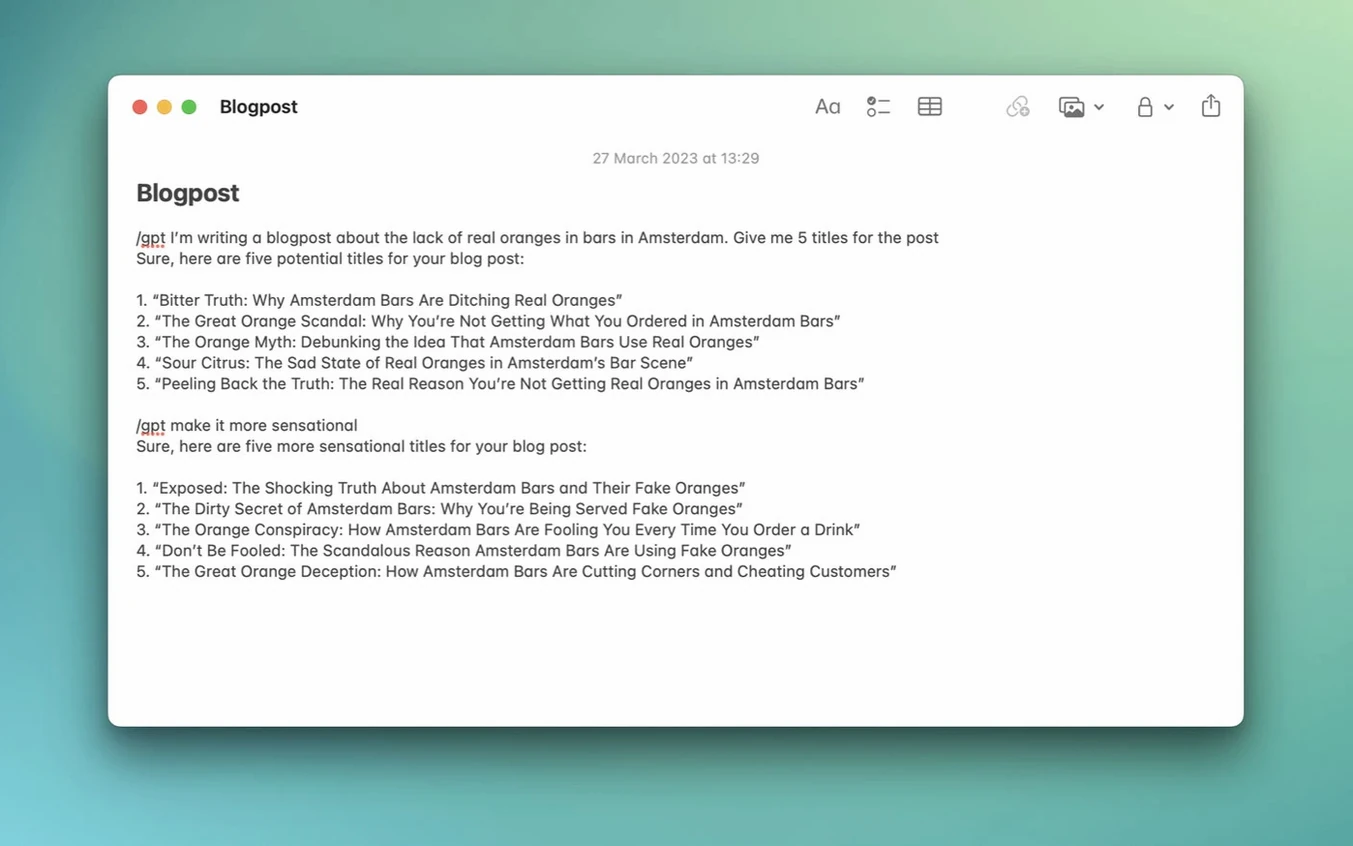
The Inline feature lets you invoke ChatGPT directly inside another app's text box. Select the command and the AI responds in place.
- New — Added support for gpt-4o.
- macOS 12 Monterey or newer
- Runs natively on Intel and Apple Silicon
- Requires an OpenAI account or API key
Questions I get before install
Which macOS versions does MacGPT support?
It runs on macOS 12 Monterey and macOS 13 Ventura. Older systems are not supported.
Can I assign a keyboard shortcut to open MacGPT?
Yes. A global keyboard shortcut can be configured in the app's settings for quick access.
What does the gpt-4o update add?
Version 3.21 adds support for the gpt-4o model.
Comments 0
Sign in to leave a comment.Sign inCreate an account
No comments yet. If a step is still there after you install it, say so.
More in AI Tools
All in AI Tools Luminar AI
Edits photos with AI templates for sky, skin and light in a few clicks.
4 steps saved
 Updated
MacWhisper
Transcribes meetings and separates speakers without sending audio off your Mac.
11 steps saved
 djay Pro
Separates any track into drums, bass, and vocals for live remixing on the fly.
6 steps saved
 Updated
superwhisper
Transcribes speech locally into any text field without a cloud round-trip.
23 steps saved
 BoltAI
Wraps AI chat in a project-aware workspace with assistants, shortcuts, and inline commands.
4 steps saved
 Updated
Topaz Gigapixel AI
Enlarges low-resolution shots while adding believable texture locally.
10 steps saved
 Topaz Photo AI
Rescues noisy or soft images with face-aware filters on your own Mac.
20 steps saved
 AI Transcription
Turns recorded speech into searchable, editable text right on your own machine.