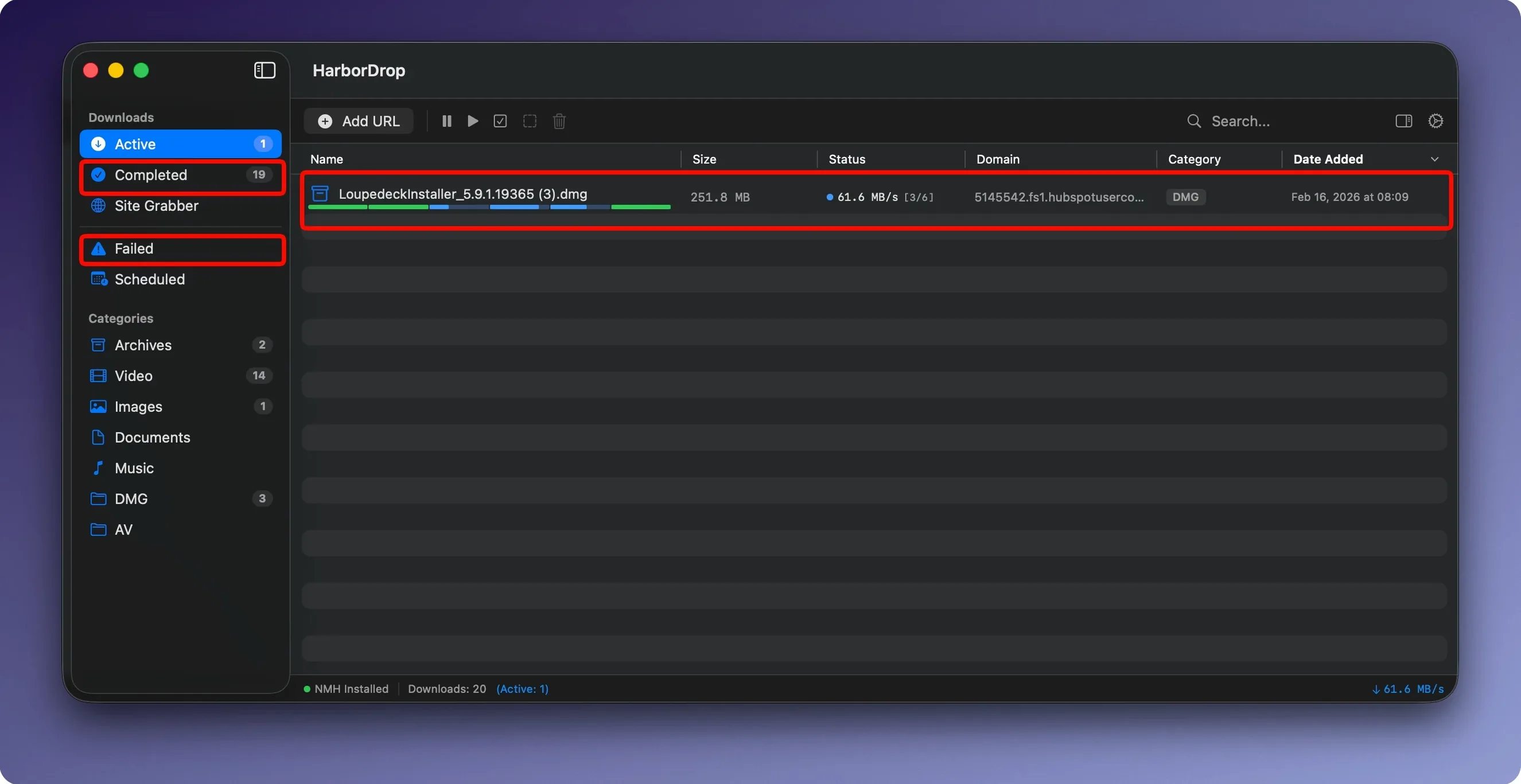
Basic browser downloads stall on large files, give you no control over connection limits, and vanish into a single thread. HarborDrop splits the work across configurable segments so a dropped packet doesn't scrap the whole transfer.
Grab a batch of links
The Site Grabber crawls a page at your chosen depth and collects every downloadable link into a single list. Set the crawl level, filter by type, and queue the lot.
Control the connection count
Segment count is yours to set per download. Fewer segments keep overhead low; more segments accelerate large files and HLS streams.
Trigger actions after a download
Run an AppleScript or JavaScript the moment a file lands. Move it to a watched folder, unpack an archive, or notify a team channel without touching the keyboard.
Segmented HTTP automation, not an all-in-one download kitchen sink
Most download managers on macOS chase a single idea. Free Download Manager leans heavily on torrent support. JDownloader lives for hoster plugins. Folx splits itself across a Pro tier. HarborDrop picks a narrower lane: segmented HTTP downloads with automation at the tail end.
Free Download Manager
FDM handles torrents, magnet links, and even builds a simple media converter into the package. That breadth costs focus. Its browser capture works but feels bolted on, and post-download scripting is absent entirely. If you work with torrents daily, FDM earns its place. If you just want reliable, multi-part HTTP transfers that hand off finished files to a script, HarborDrop fits tighter.
Neat Download Manager
Neat is the lightweight contender. It parses HLS streams, splits connections, and has a clean browser extension for Chromium and Firefox. It lacks a site grabber and any automation layer. No AppleScript, no shell hooks. HarborDrop adds those two pieces: bulk link collection and the ability to chain a download into a workflow. For raw throughput on a single link, both apps perform similarly. For organising what happens after, HarborDrop pulls ahead.
Folx
Folx splits downloads into threads, tags files, and includes a torrent client in the paid tier. Its scheduling is more granular than HarborDrop's, and it has a dedicated YouTube helper. What Folx doesn't offer is script execution or a configurable site crawler. Choosing between them comes down to whether you value scheduling and torrents or automation and bulk link harvesting.
Domain-based sorting rules you enable once then forget
A handful of behaviours in HarborDrop are easy to overlook during the first few runs. Knowing they exist saves minor friction later.
- Domain-based sorting rules — The auto-sort feature categorises downloads by site domain or file extension. Configure it once in Preferences, and a PDF from a work portal lands in a different folder than a ZIP from a vendor site. No manual dragging.
- Right-click a single link in the extension — The browser icon sends the whole page’s clickable media at once. But if you right-click a single link, the extension offers to send only that item. Good for cherry-picking one file from a page of results.
- Finder reveal shortcut — A completed download row has a small folder icon. Click it to open the enclosing directory in Finder. The same action is available from the context menu if you prefer the keyboard.
- Segment count is per-download — The global default sits at 6, but you can override it in the "Add Download" dialogue or while a transfer is paused. A single large ISO might benefit from 12 segments; a batch of small PDFs works fine with 2.
- Shell scripts inherit the download path — A shell script set as a post-download action receives the completed file’s full path as an argument. A one-line
mv "$1" ~/Archive/script replaces the auto-sort for edge cases.
Browser extension won’t send links until HarborDrop launches first
Every download manager hits edge cases. These are the most common ones with HarborDrop and the steps that fix them.
- Browser extension claims it is installed, but links do not appear
- HarborDrop must be running before you open the browser. Quit the app, launch it fresh, then reload the browser tab. On Chrome-based browsers, pin the extension so the Helper is always accessible; the icon greys out when communication drops.
- HLS stream starts then stops at 99%
- Some servers serve a variant playlist that changes bitrate mid-stream. Pause the download, reduce the segment count to 2, and resume. Lower concurrency avoids the decoder losing track of which segment is current.
- Site Grabber returns no links
- Single-page applications load content via JavaScript after the initial HTML. The grabber won't see links injected dynamically. Use the browser extension’s "Send all media" button instead; it reads the rendered DOM.
- Post-download script fails silently
- HarborDrop suppresses script output by default. Wrap your AppleScript or shell script with a simple logger —
echo "$(date): $1 processed" >> ~/harbordrop.log— and check the log after the next download. Permissions are the next usual culprit: the script must be executable (chmod +x) and not blocked by System Preferences privacy controls. - Downloaded filename is a random string
- Certain CDNs serve content-disposition headers without a clear filename. HarborDrop follows the server’s header. In those cases, rename the file after download using a post-download AppleScript that reads the original URL from the app’s metadata and constructs a sensible name.
A quick test download of a known file confirms that harbor drop mac handles segment negotiation correctly on your network. If throughput looks off, drop the segment count to 4 and measure again — aggressive splitting sometimes triggers ISP throttling patterns that a single-threaded download sidesteps.
- macOS 12 or later
- Apple Silicon or Intel Mac
- Activation not required
Questions I get before install
Which browsers does the HarborDrop extension support?
The extension works with Chrome and Firefox, letting you send downloads directly from the browser.
Can HarborDrop handle streaming video?
Yes, it supports HLS streams and m3u8 playlists, so you can download segmented video content.
What can I automate after a download finishes?
You can configure HarborDrop to run custom AppleScript or JavaScript, which is useful for filing, processing, or notifications.
Comments 0
Sign in to leave a comment.Sign inCreate an account
No comments yet. If a step is still there after you install it, say so.
More in Video Downloaders
All in Video Downloaders iDownerGo
Captures streaming media in the background without hunting for a download link.
7 steps saved
 Folx Pro
Splits downloads into parallel threads to reduce wait times.
10 steps saved
 iTubeGo
Grabs entire playlists at speed and converts each file in the background queue.
17 steps saved
 Downie
Downloads a video from any major site to your desktop after you paste the link.
20 steps saved
 Musify
Downloads full playlists from music sites and saves them as MP3 files.
16 steps saved
 AmpliTube
Stacks amps, cabs, and stompboxes into a record-ready guitar rig on your Mac.
5 steps saved
 PullTube
Saves online video and audio in the quality you pick, with trimming built in.
4 steps saved
 4K YouTube to MP3
Pulls clean audio from video links so you can listen without the screen.