
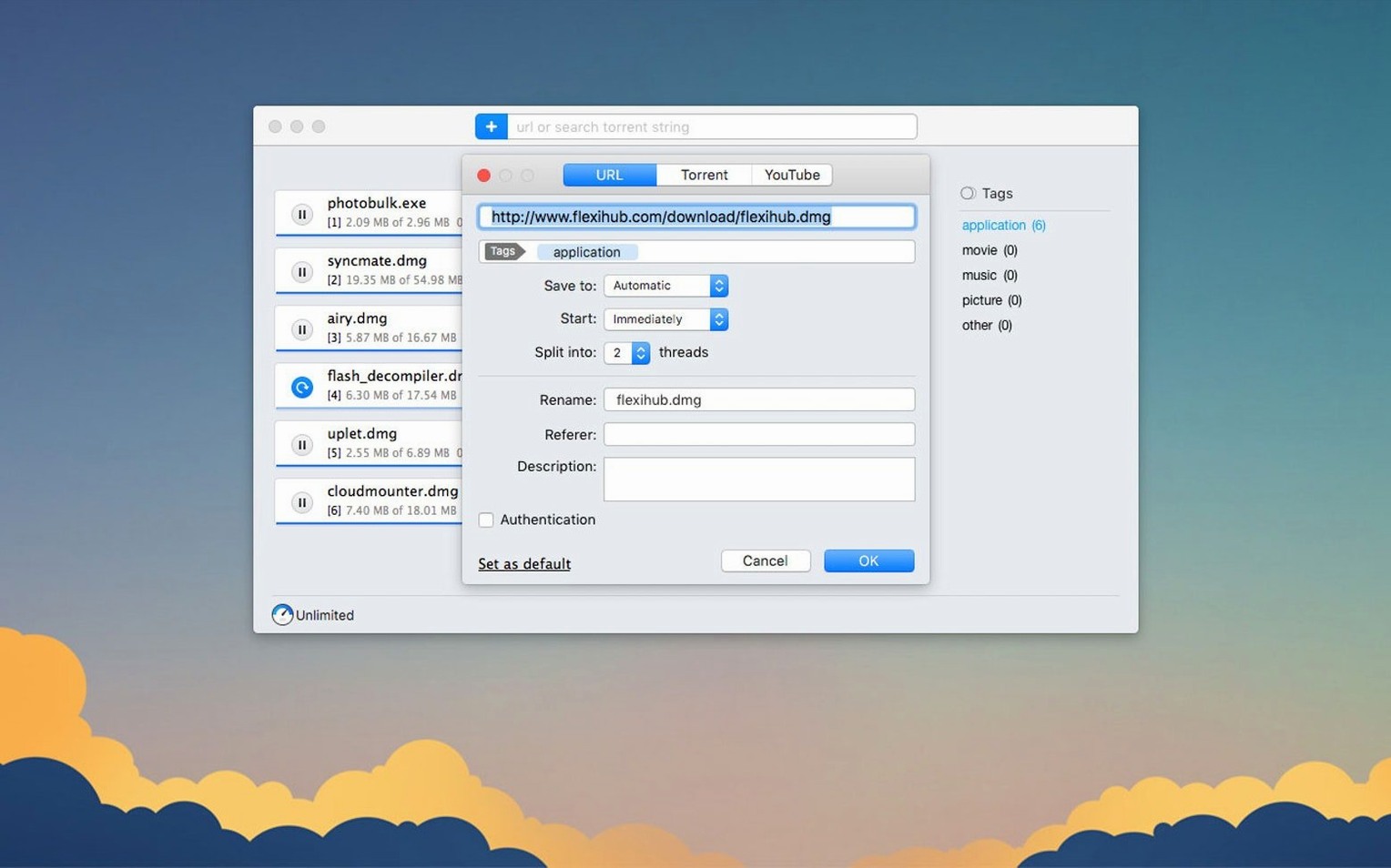
Folx Pro splits a single download into up to 20 parallel threads. That detail matters when you're pulling large files on a fast connection — fewer stalls, shorter waits.
Catch and sort torrents
Built-in torrent search means you locate files without switching to a browser. Sort results by seed count to pick the healthiest swarm, then add the magnet link or torrent file directly.
Save video by quality
When a YouTube link lands in Folx, you pick the resolution before the download begins. The app remembers site logins too, so password-gated content queues up without repeated prompts.
Manage what's inside a torrent
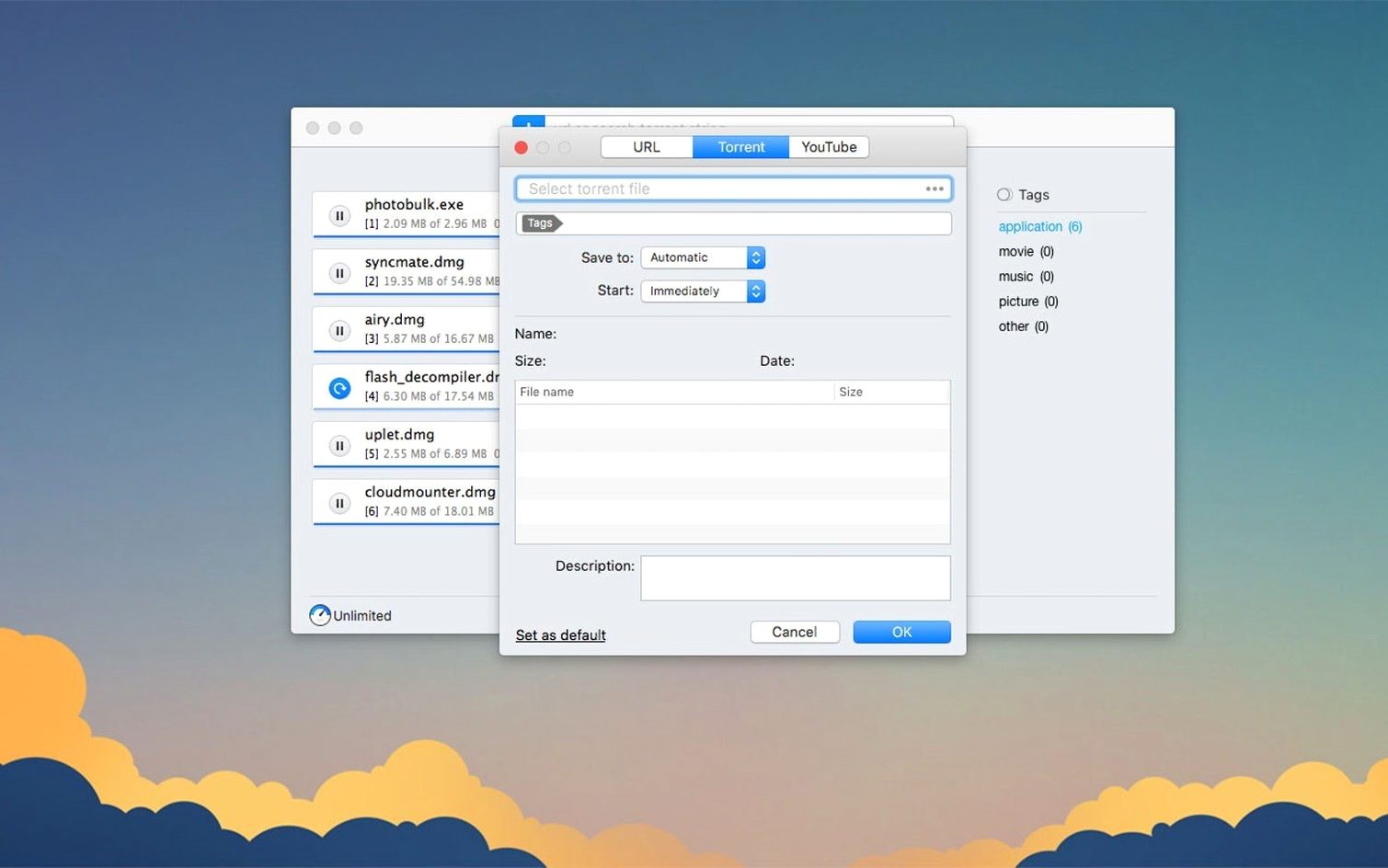
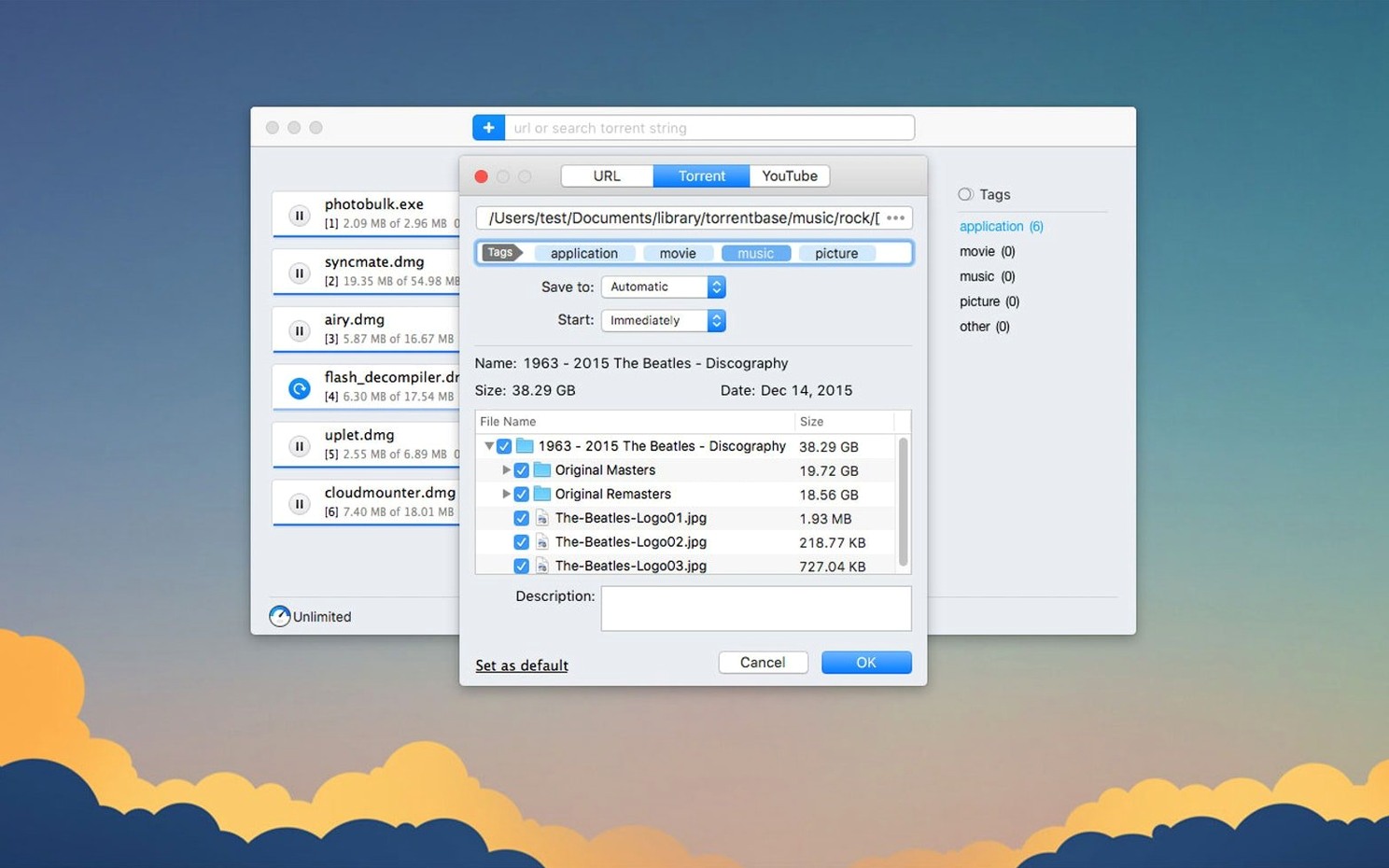
Selective downloading lets you tick only the files you need from a torrent — skip the sample clips, grab the main file. Proxy-enabled sessions work better in 5.34, and adding certain magnet links no longer crashes the app.
Fits the Mac you already run
Folx Pro works alongside the tools you use every day. Drag a URL from Safari and the app picks it up as a new task. Copy a magnet link anywhere on the Mac and the clipboard watcher offers to add it. Downloads land in a folder you choose, so they stay visible to Finder, Spotlight, and any backup routine already pointed at that location.
Browser extensions are not required for basic use. The app registers itself as a handler for torrent files and magnet links after the first launch. From then on, clicking a torrent link in any browser routes it straight to Folx. Tags you assign inside the app are visible as Finder tags too, which keeps large media libraries sortable outside the app.
Threaded Splitting for Direct Downloads, Selective Picking for Torrents
Does it handle both regular downloads and torrents? Yes. Direct downloads use threaded splitting for speed; torrents use the built-in client with selective file picking and seed sorting.
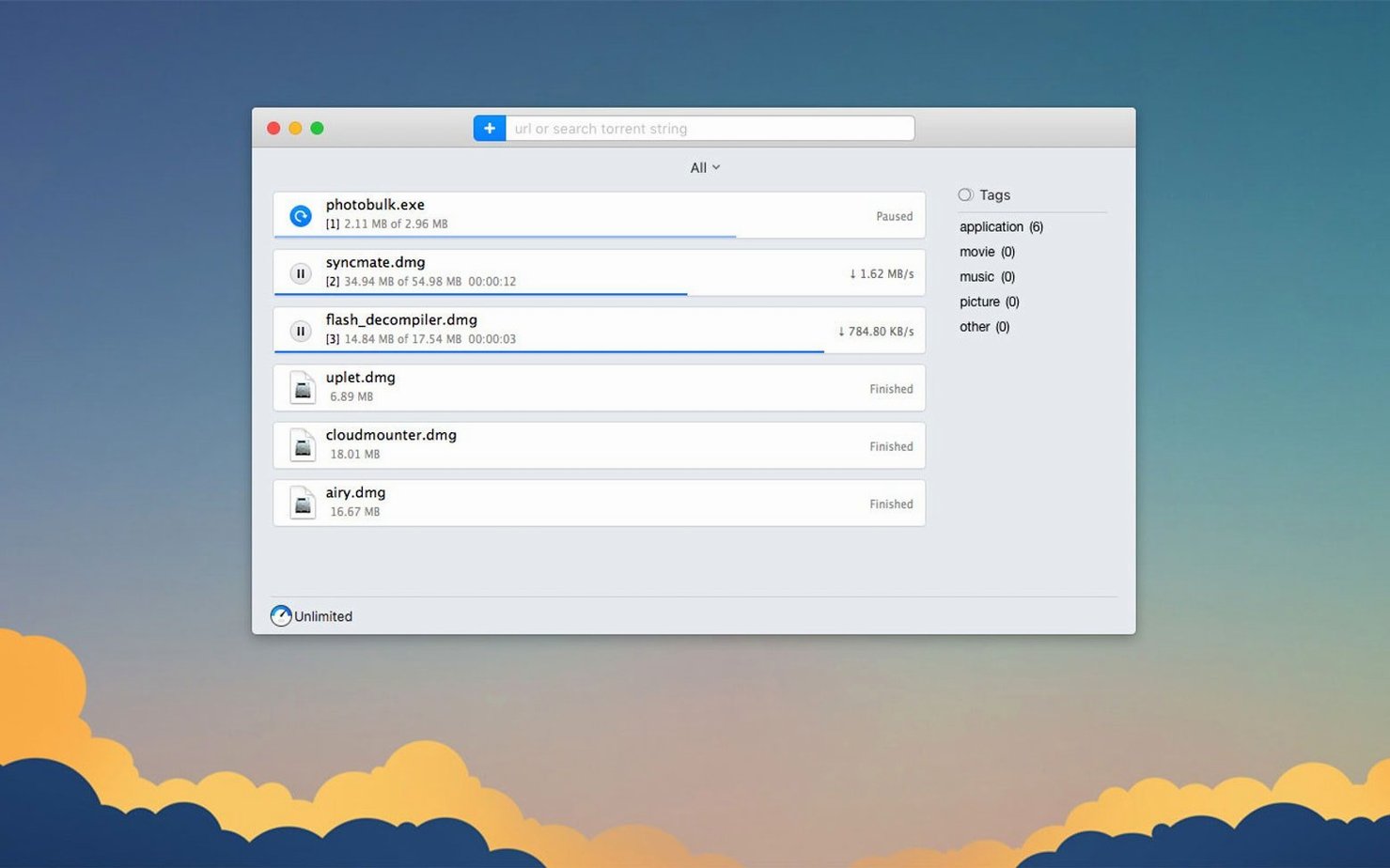
Will it slow down my Mac while seeding? You control bandwidth per task. Cap upload speed, pause seeding after a ratio you set, or stop the task entirely from the main list.
What if a site needs a login? Folx stores credentials for password-protected pages. Enter them once per domain and queued files from that site download without another prompt.
Does the YouTube downloader keep the original file name? You can rename the output file before saving. Quality choice appears when the source offers more than one resolution.
Is macOS 10.13 really enough? Version 5.34 runs on macOS 10.13 and later, on both Apple Silicon and 64-bit Intel Macs. If Folx is not downloading on Mac, the usual fix is a proxy setting or a stalled task that needs a restart from the queue.
One working session, step by step
You open Folx around nine. A link from a colleague is waiting in the clipboard: a large project archive behind a team login. Folx sees the URL, you confirm the task, and the thread count jumps to 10 as the file starts pulling.
While that runs, you paste a magnet link for a Linux ISO. The torrent search pane is already open from yesterday, so you sort by seeds and pick a mirror with an active swarm. Selective downloading lets you skip the checksum text files and fetch only the disk image.
Mid-morning, you drop a YouTube tutorial link into the app. Folx offers 1080p and 720p; you pick 720p, set the file name, and it queues behind the archive.
By lunch, everything sits in the same folder: archive unpacked, ISO ready for a boot stick, video renamed and filed. Nothing required a browser tab left open, and no task needed a second attempt.
- New — Minimum macOS requirement raised to 10.13 or later.
- Improved — Torrent downloading stability, storage of completed torrent tasks, and proxy-enabled functionality. Selective file downloading within torrents is more reliable.
- Fixed — Crashes when adding certain magnet links and during torrent search.
- macOS — 10.13 or later
- Architecture — Apple Silicon and 64‑bit Intel
Questions I get before install
Which macOS does Folx Pro 5.34 need?
macOS 10.13 or later — version 5.34 raised the minimum. It runs natively on Apple Silicon and 64-bit Intel Macs.
Can I download only some files from a torrent?
Yes. Selective downloading lets you tick just the files you need, and 5.34 makes it more reliable.
Comments 0
Sign in to leave a comment.Sign inCreate an account
No comments yet. If a step is still there after you install it, say so.
More in Video Downloaders
All in Video Downloaders HarborDrop
Resumes partial downloads so a dropped packet doesn't scrap the whole file.
4 steps saved
 iDownerGo
Captures streaming media in the background without hunting for a download link.
17 steps saved
 Downie
Downloads a video from any major site to your desktop after you paste the link.
10 steps saved
 iTubeGo
Grabs entire playlists at speed and converts each file in the background queue.
20 steps saved
 Musify
Downloads full playlists from music sites and saves them as MP3 files.
16 steps saved
 AmpliTube
Stacks amps, cabs, and stompboxes into a record-ready guitar rig on your Mac.
4 steps saved
 4K YouTube to MP3
Pulls clean audio from video links so you can listen without the screen.
19 steps saved
 4K Video Downloader
Saves online videos, playlists and channels as local files for offline work.