
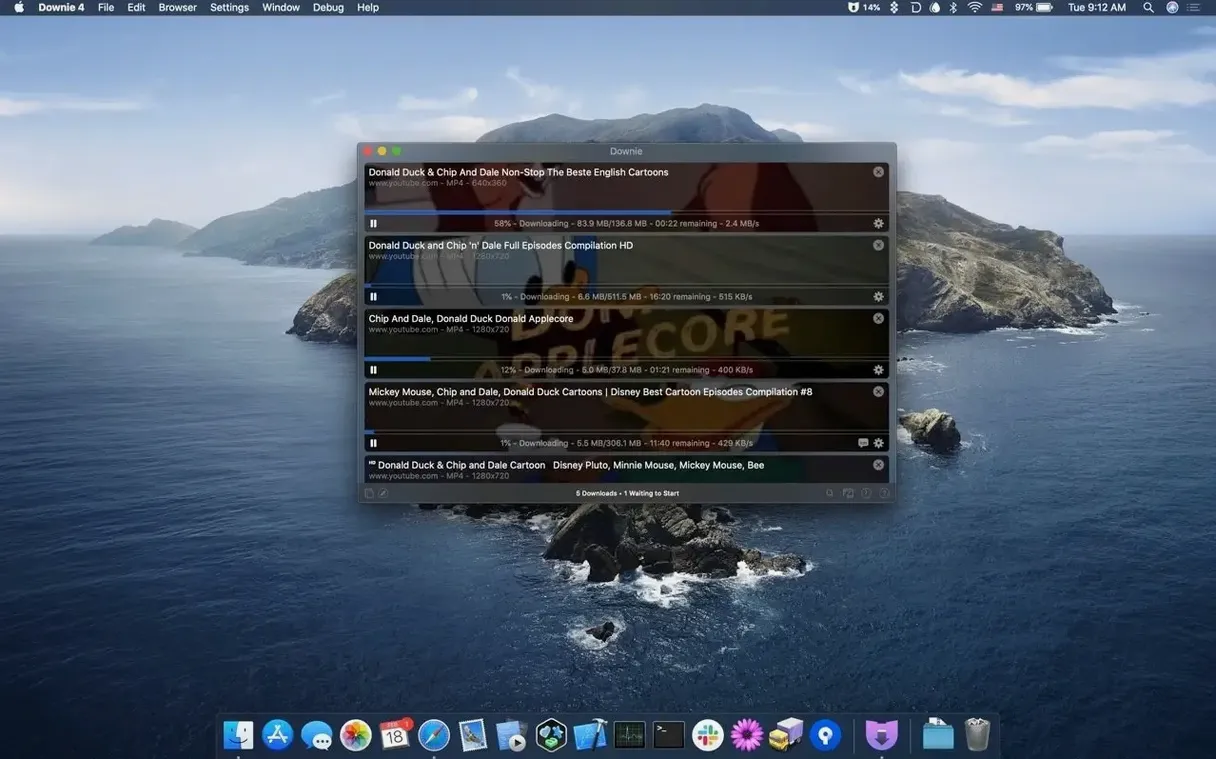
Downie is a Mac app that downloads online videos so you can watch them offline. Paste a link, drag a URL, or use the browser extension—the file lands on your desktop a few seconds later.
Is it just for YouTube?
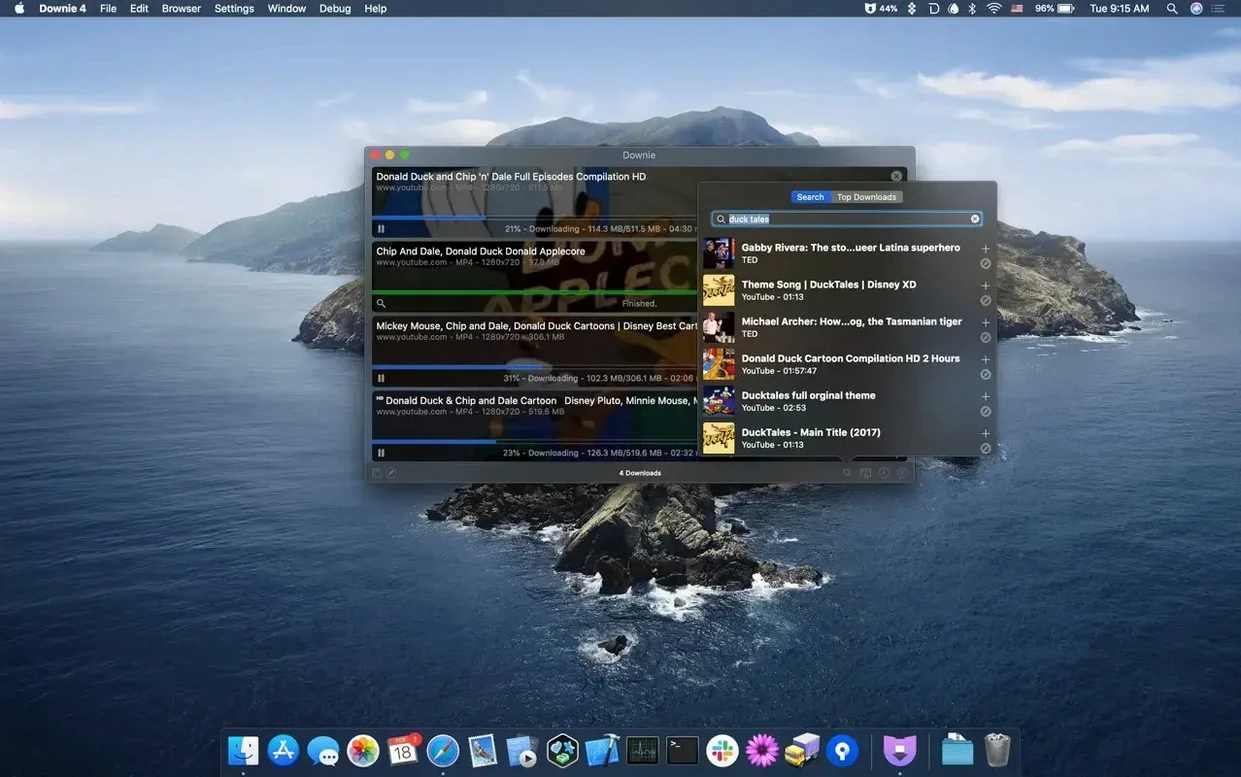
No. Downie pulls video from YouTube, Vimeo, Facebook, Instagram, and more than 1,200 other websites. It saves YouTube in 4K and can strip out the audio track if you only need the sound. You can search for content directly inside the app or import a batch of URLs from a CSV or XML file with custom titles already set.
macOS 11+, Apple Silicon, and 30+ Language Sites
You run it on a Mac with macOS 11 or later, Apple Silicon or Intel. The browser extensions handle the link-sending, and the app does the heavy lifting. It speaks over 30 languages—from Russian and Korean to Hindi and Swedish—so the interface fits how you work.
One-Click Safari Handoff to Parsed Video
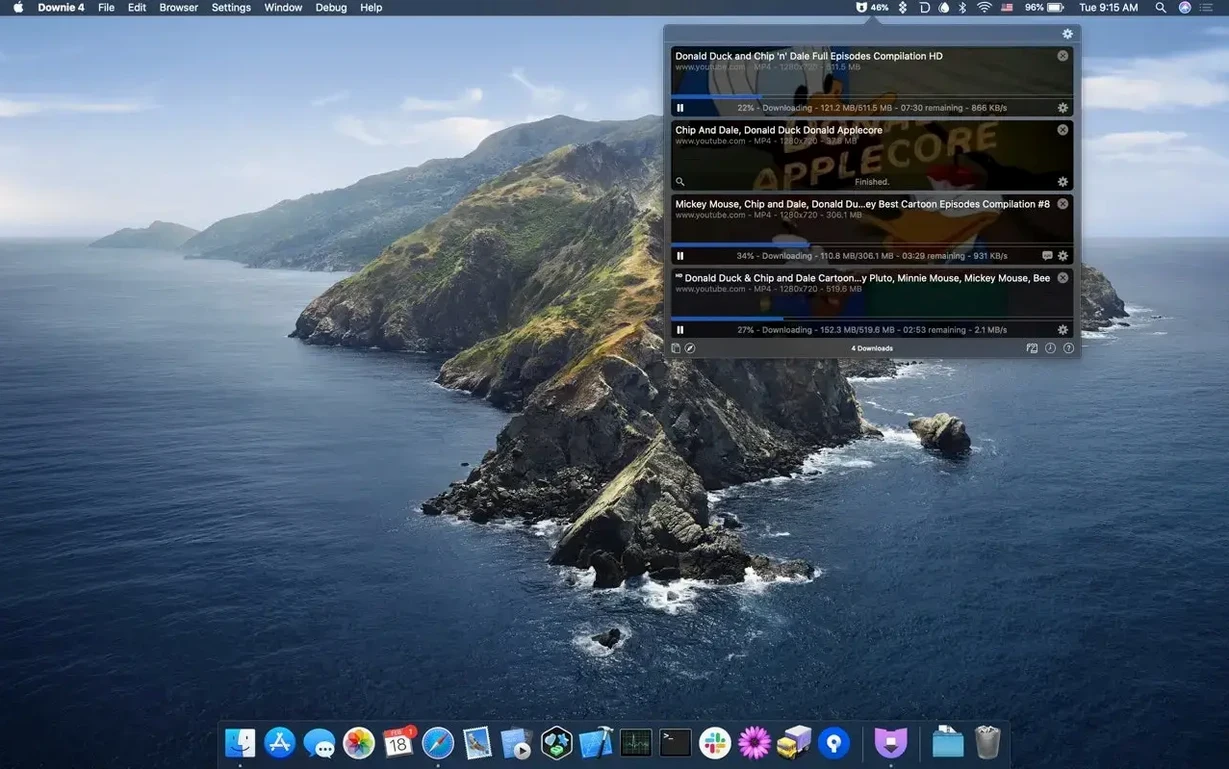
You spot a tutorial you want to keep. The URL is sitting in Safari. You click the Downie extension icon in the toolbar—a single click sends the link to the app. Downie wakes up, parses the page, and shows a compact popover with the video title and available formats.
You pick 1080p MP4. The download starts immediately. A progress ring fills in the menu bar while you carry on reading. Thirty seconds later, the file is in your Movies folder, named cleanly, ready to play. No dialogs, no extra clicks.
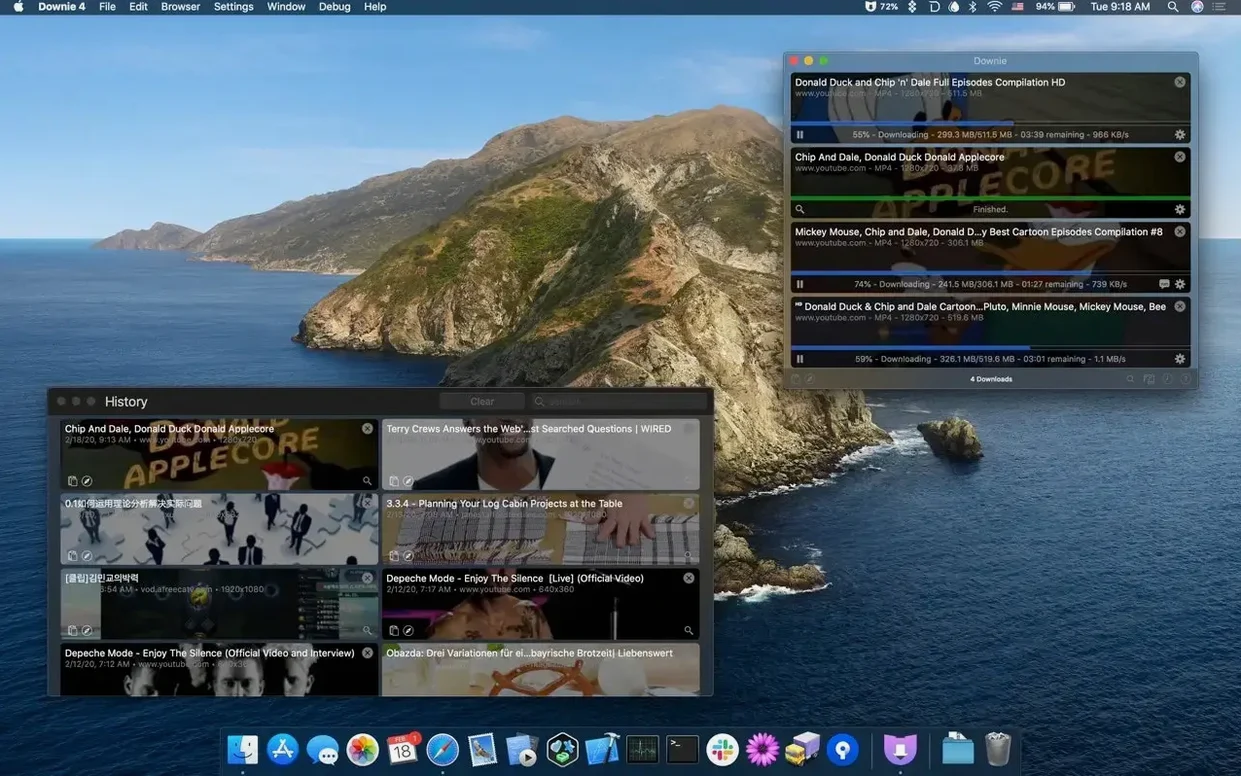
Next, you remember three more videos from a playlist. Instead of sending them one by one, you copy all three URLs, switch to Downie, and press ⌘V. The app queues them. You drag the third one to the top of the queue because you need it first. Downie processes the list without slowing your network to a crawl—it respects the bandwidth cap you set last week.
One of the videos you only need as audio. You right-click its entry in the queue, choose Extract Audio Only, and pick AAC. The stripped track appears alongside the video files a moment later. You drop it into your podcast player. Done.
Clipboard Watching Grabs Links Mid-Copy
- Clipboard watching — Turn it on in Preferences, and Downie grabs any copied video URL automatically. You copy a link, glance at the menu bar icon, and the download is already halfway there.
- Permute handoff — If you own Permute, Downie can send completed downloads straight to it for format conversion or stitching split video parts into one file. A checkbox in Preferences activates the link.
- Custom naming in batch imports — CSV and XML imports let you define the output filename per entry. Useful when archiving conference talks with speaker names and dates baked into the file.
- Menu bar mini-mode — The menu bar icon shows active downloads at a glance. Click it for a compact list you can pause or cancel without opening the main window.
- Site-specific login — Downie can store credentials for sites that require a login, such as a private Vimeo group or a membership-based platform. The session stays inside the app’s sandboxed browser instance.
Force 4K MP4 When It Grabs Low-Res Streams
Downie grabs the wrong format. This happens when a site serves multiple streams and the default setting picks a low-res one. Open Preferences > Post-processing and set a preferred resolution and format. For YouTube, you can force 4K MP4 and Downie will skip the 720p webm next time.
A site isn’t recognized. Downie supports over 1,200 sites, but smaller platforms sometimes change their structure. If a paste does nothing, try dragging the URL directly onto the app window instead of pasting. Still nothing? Use the User-Guided Extraction option: Downie opens its internal browser, you navigate to the page and play the video, and the app captures the stream manually.
Downloads are slow. Check the Speed Limit slider in Preferences. It defaults to unlimited, but a previous session might have set a cap. Also, some hosts throttle connections per IP; pausing other downloads helps.
The browser extension stops working. After a macOS update, Safari extensions occasionally need re-enabling. Go to Safari > Settings > Extensions, find Downie, and tick the box. The extension itself rarely needs an update—it just passes URLs to the app.
Audio extraction fails on a specific video. Certain sites serve audio and video as a single multiplexed stream. The workaround: download the video normally, then drag the resulting file onto Permute (if you have it) or use Downie’s built-in converter to re-extract the audio track post-download.
- macOS 11 or later
- Apple Silicon or Intel processor
Questions I get before install
Can I download just the audio from a video?
Yes. Downie can save only the audio track, skipping the video entirely.
Comments 0
Sign in to leave a comment.Sign inCreate an account
No comments yet. If a step is still there after you install it, say so.
More in Video Downloaders
All in Video Downloaders Folx Pro
Splits downloads into parallel threads to reduce wait times.
5 steps saved
 HarborDrop
Resumes partial downloads so a dropped packet doesn't scrap the whole file.
4 steps saved
 iDownerGo
Captures streaming media in the background without hunting for a download link.
10 steps saved
 iTubeGo
Grabs entire playlists at speed and converts each file in the background queue.
16 steps saved
 AmpliTube
Stacks amps, cabs, and stompboxes into a record-ready guitar rig on your Mac.
4 steps saved
 4K YouTube to MP3
Pulls clean audio from video links so you can listen without the screen.
19 steps saved
 4K Video Downloader
Saves online videos, playlists and channels as local files for offline work.
20 steps saved
 Musify
Downloads full playlists from music sites and saves them as MP3 files.