
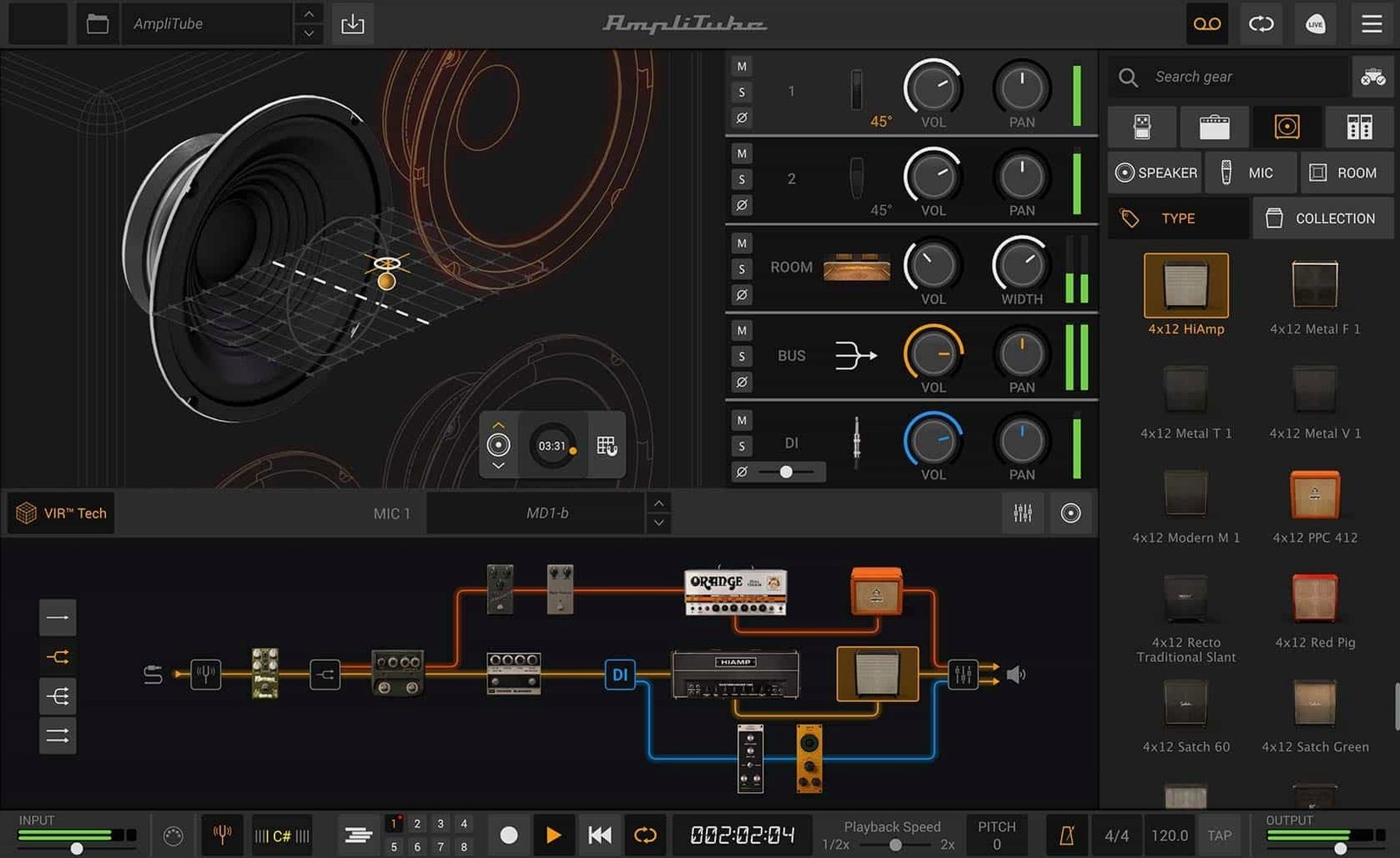
Recording a real tube amp at home means noise complaints, expensive microphones, and a room that fights you at every frequency. AmpliTube gives you a collection of amplifiers, cabinets, stompboxes and rack effects inside your Mac, so you can dial in a record-ready tone without waking the neighbours.
Good for
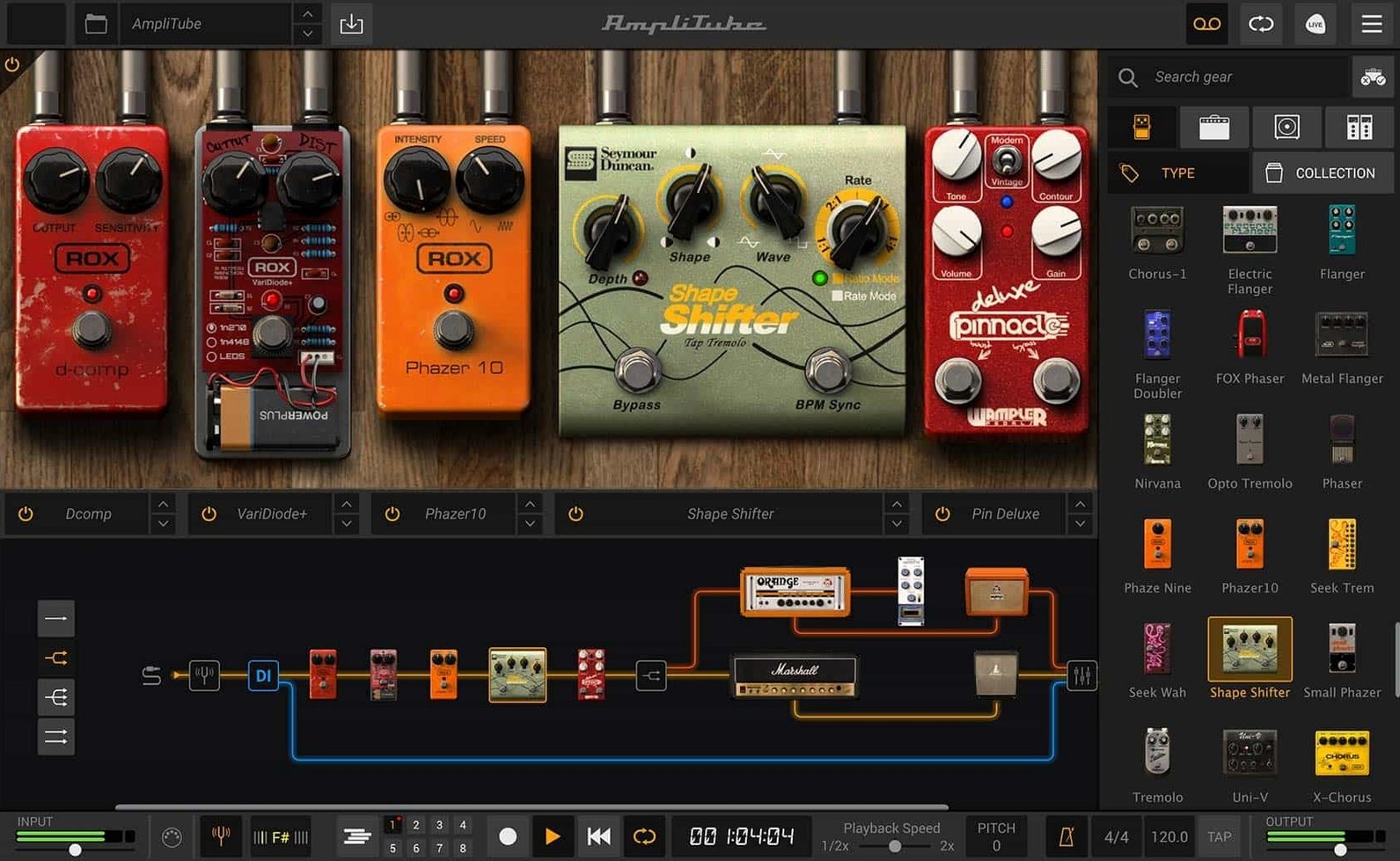
- Building complex rigs with up to 57 simultaneous models in series or parallel.
- Tracking a dry DI signal while monitoring through a full amp and effects chain.
- Opening the same session in any DAW that hosts AAX, VST, or AU plug-ins.
Keep in mind
- The release lists more than 130 new models and 2 new rooms.
- Requires macOS 10.15 or newer on a 64-bit Intel or Apple Silicon Mac.
A working scenario
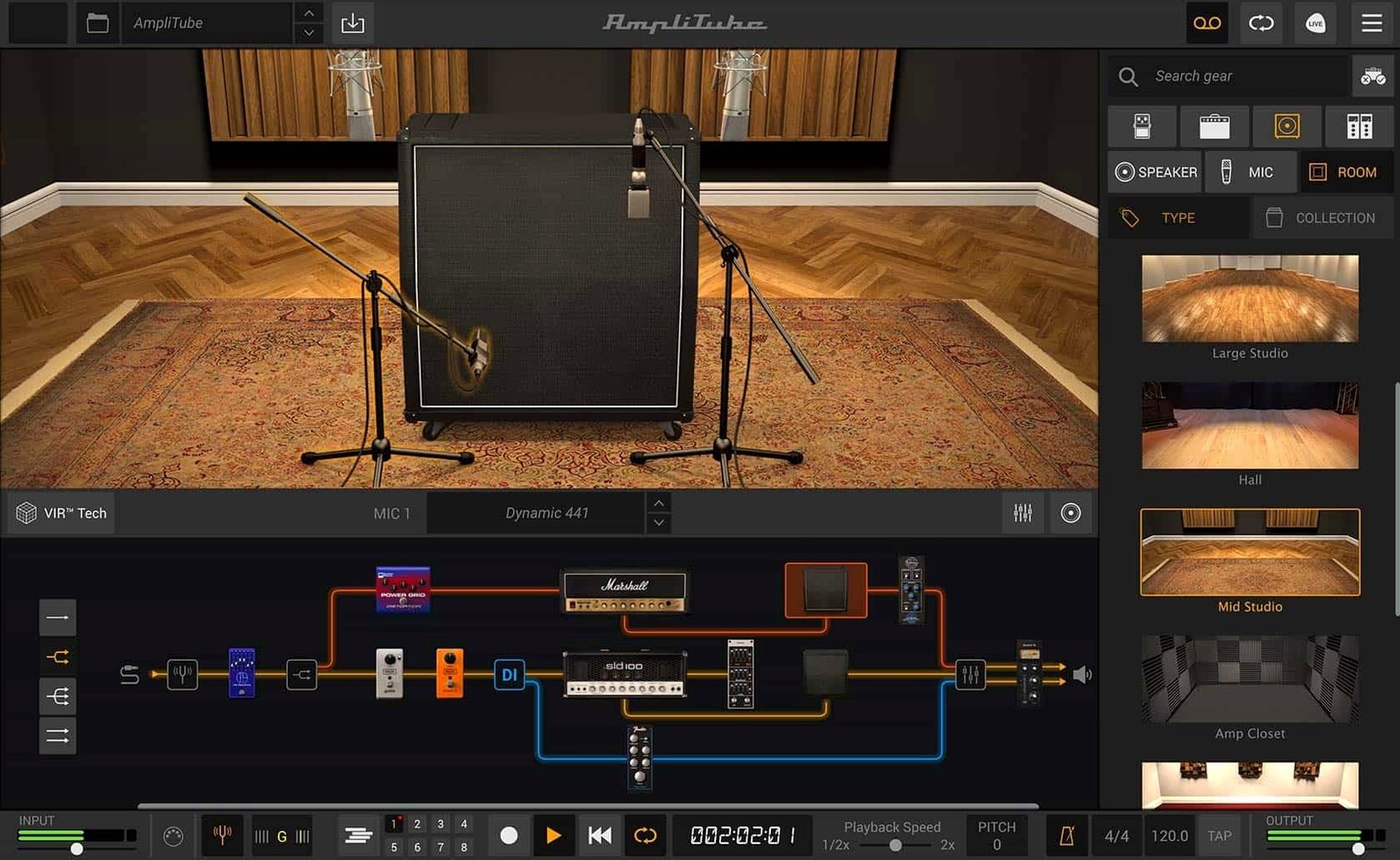
A home-studio bass player wants a clean DI take and a gritty amp tone on separate tracks. In AmpliTube, they split the input right after the tuner: one path runs dry to the audio interface, the other hits a bass amp model, a compressor, and a 4x10 cabinet. Both signals record at once. Later, they blend the two tracks and add a room impulse response to the amped path only. No re-amping, no second take.
Why Too Many Gain Stages Turn Tone to Mud
Most early frustration comes from routing, not tone. Three patterns show up often:
- Stacking too many gain stages. An overdrive pedal into a high-gain amp into a boosted rack EQ turns into mud quickly. Start with one amp, one cabinet, and add one pedal at a time.
- Ignoring the input level. A clipped input makes every model sound harsh. Set the input gain so the loudest playing stays just below the red, then leave it alone.
- Using the wrong cabinet for the amp. A British-style head through a 1x12 open-back cabinet sounds nothing like the intended 4x12. Try the matched cabinet first, then swap IRs deliberately, not randomly.
Standalone Practice vs. Plug‑In Recording Workflow
AmpliTube runs as a standalone app or inside any DAW that loads AU, VST, or AAX plug-ins. The standalone app suits quick practice and preset browsing. The plug-in version belongs inside a recording session, where the DI and processed signals stay aligned on separate tracks.
On macOS, the app works with any Core Audio interface. A simple two-channel interface is enough for a mono guitar or bass. Users who want the mixed DI signal route the dry track to one output and monitor the modelled chain through headphones or monitors. Keyboard shortcuts in the host DAW handle bypass, preset changes, and track arming, while AmpliTube stays focused on the signal chain.
For players who record ideas outside a DAW, the standalone app can sit beside QuickTime or Voice Memos. Route the Mac's audio output into the recording app with a virtual device, or simply capture the room sound. The amp models and IR loader do the heavy lifting either way.
Apple Silicon Support and CS vs. MAX Differences
Does it run natively on Apple Silicon? Yes. The current build supports both Intel and Apple Silicon Macs, so no Rosetta workaround is needed on M-series machines.
What is the difference between AmpliTube 5 CS and MAX? CS starts with 42 free gear models. MAX bundles more than 400 models across 11 brand and artist collections. The core engine, routing, and cabinet section behave the same in both.
Can it load my own impulse responses? Yes. The cabinet section accepts custom IR files, which means a favourite cab pack or a personally captured room can replace the built-in cabinets.
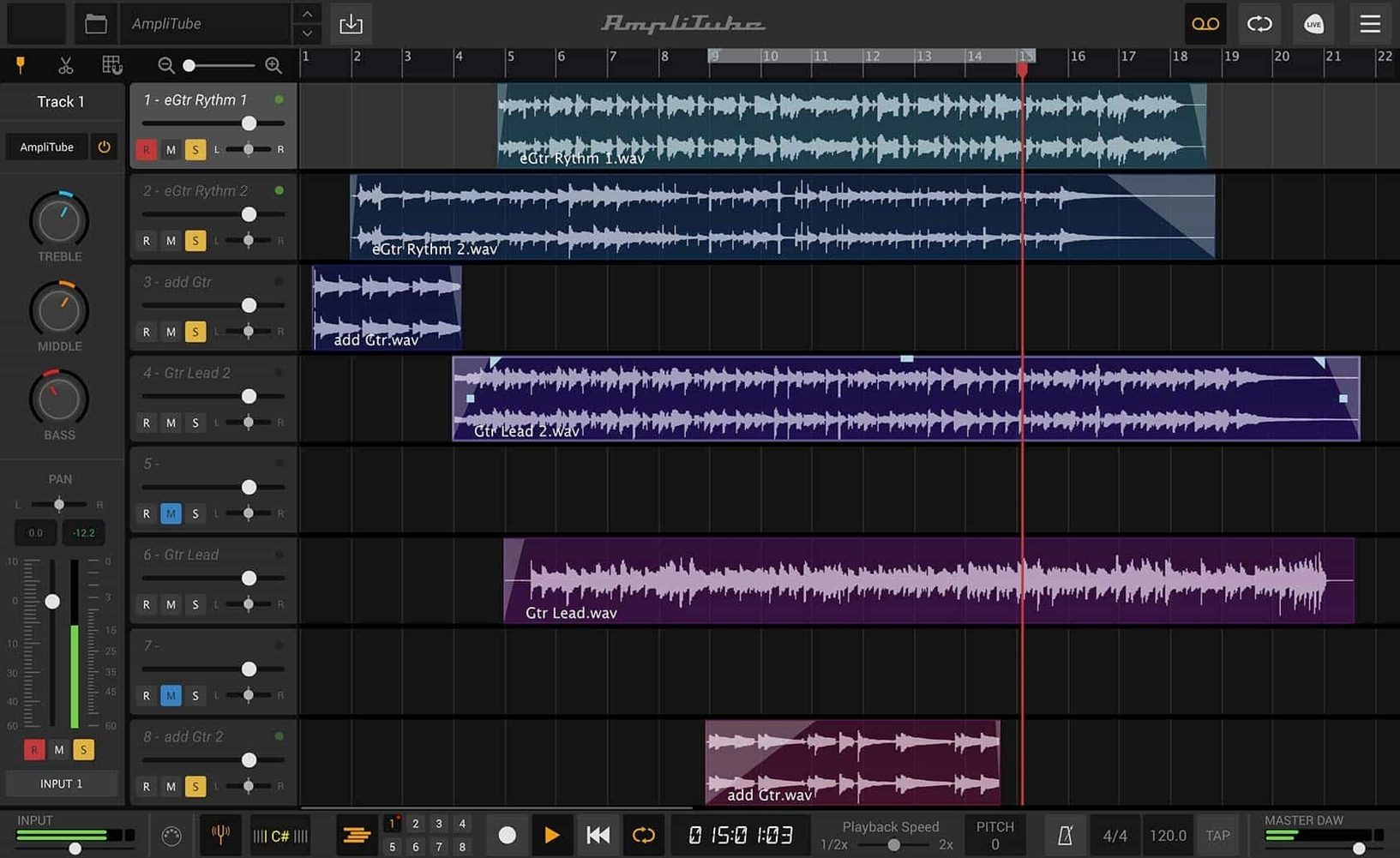
Does the standalone app record audio? No. Use it for practice, preset design, and live monitoring. Recording happens in a DAW with the plug-in loaded on a track.
Will one instance handle a full band? A single instance models one instrument chain at a time. For multiple guitar and bass parts, run separate instances on separate tracks. The 57-model limit applies within one signal chain, not across the whole project.
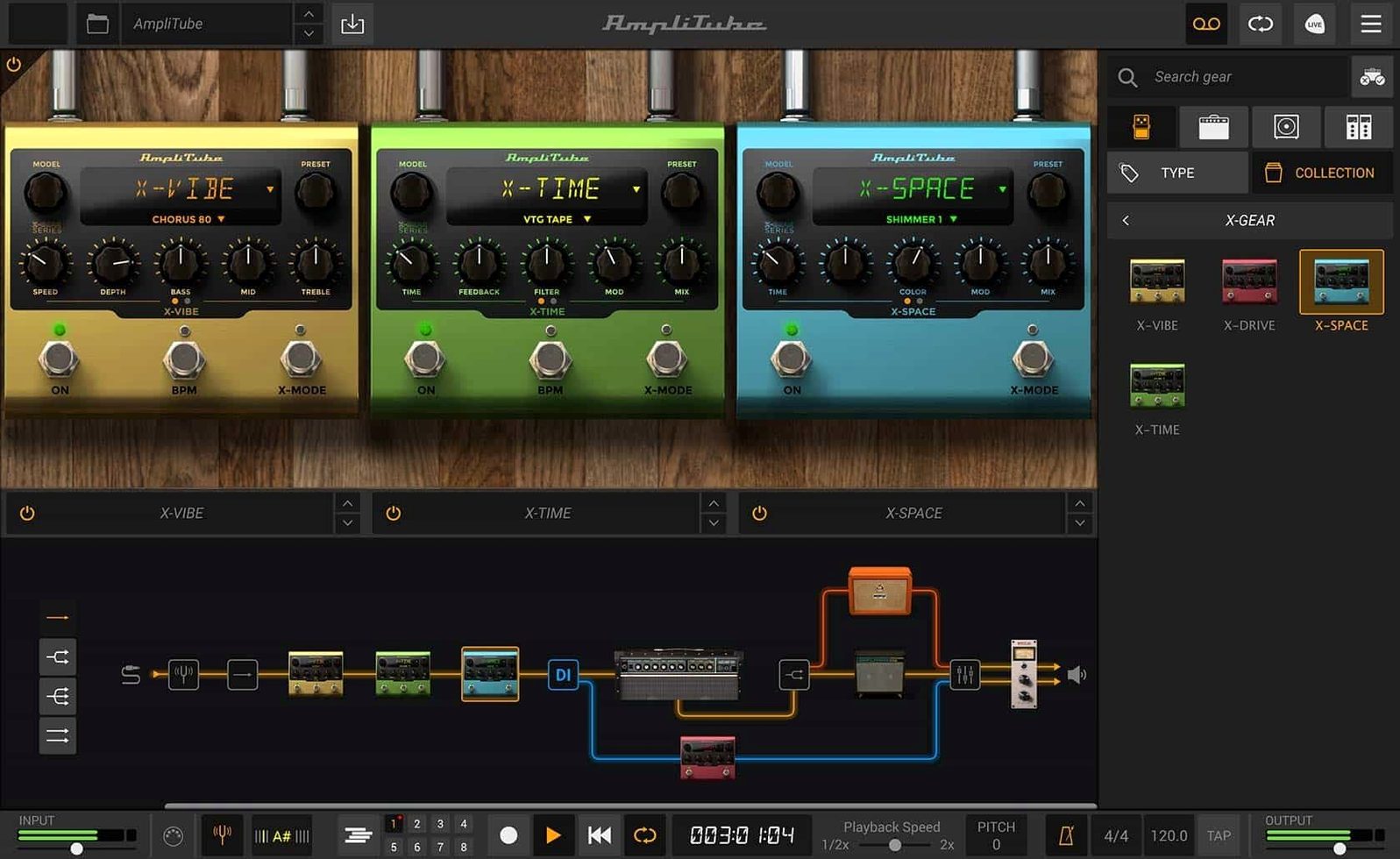
- New — Signal chain with drag-and-drop routing and mixed DI signal handling.
- New — Cabinet section powered by VIR technology for more realistic speaker response.
- Improved — Redesigned mixer with built-in effects for faster level balancing.
- macOS 10.15 or newer
- Intel or Apple Silicon Mac
- 64-bit application
Questions I get before install
Can I use AmpliTube without a DAW?
Yes, it runs as a standalone application for direct practice or tone shaping, in addition to working as a plug-in.
How many simultaneous gear models can I run?
The software supports up to 57 simultaneous amplifier, cabinet, and effects models with series and parallel routing.
Comments 0
Sign in to leave a comment.Sign inCreate an account
No comments yet. If a step is still there after you install it, say so.
More in Video Downloaders
All in Video Downloaders 4K YouTube to MP3
Pulls clean audio from video links so you can listen without the screen.
19 steps saved
 4K Video Downloader
Saves online videos, playlists and channels as local files for offline work.
17 steps saved
 Downie
Downloads a video from any major site to your desktop after you paste the link.
7 steps saved
 Folx Pro
Splits downloads into parallel threads to reduce wait times.
5 steps saved
 HarborDrop
Resumes partial downloads so a dropped packet doesn't scrap the whole file.
4 steps saved
 iDownerGo
Captures streaming media in the background without hunting for a download link.
10 steps saved
 iTubeGo
Grabs entire playlists at speed and converts each file in the background queue.
20 steps saved
 Musify
Downloads full playlists from music sites and saves them as MP3 files.