
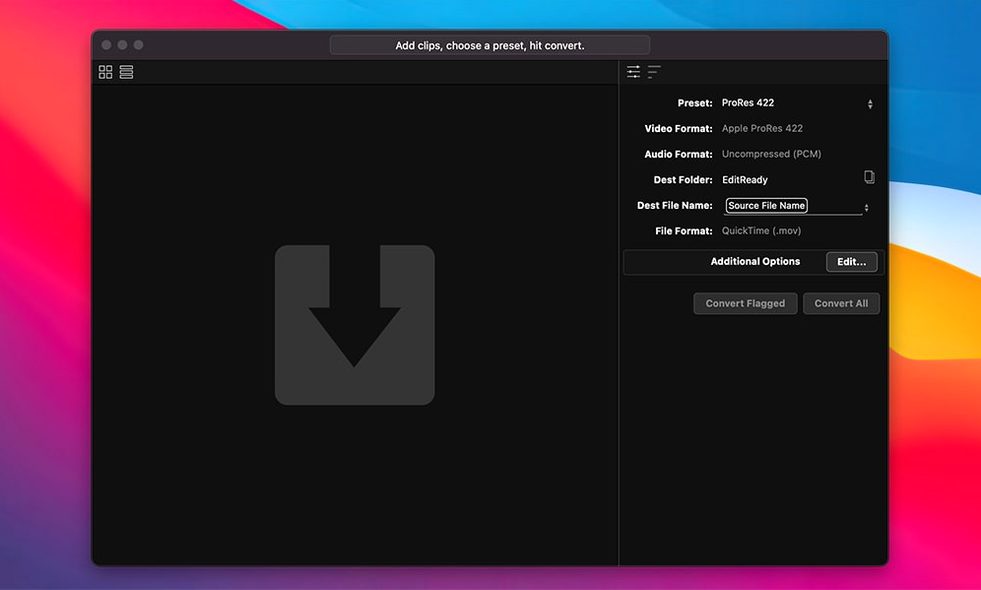
EditReady needs macOS 10.15 or later; this build is Intel (x86 64-bit) and runs on Apple silicon through Rosetta 2. It’s built to make camera footage ready for your timeline without the clutter of a general-purpose converter.
A good starting workflow:
- Drop an MXF or Blackmagic RAW clip into the window.
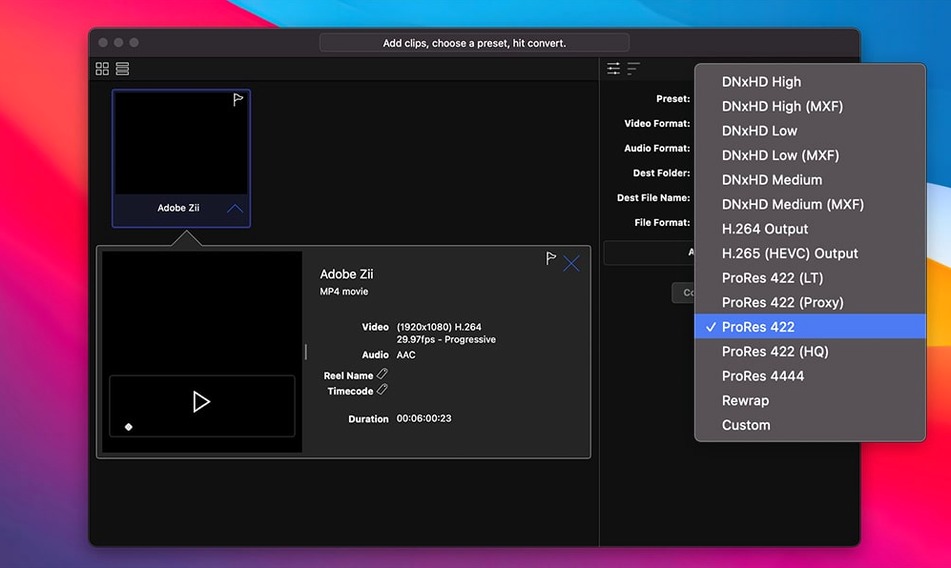
- Choose a target format—ProRes for Final Cut Pro, DNxHD/HR for Avid Media Composer, or H.264 for a quick preview.
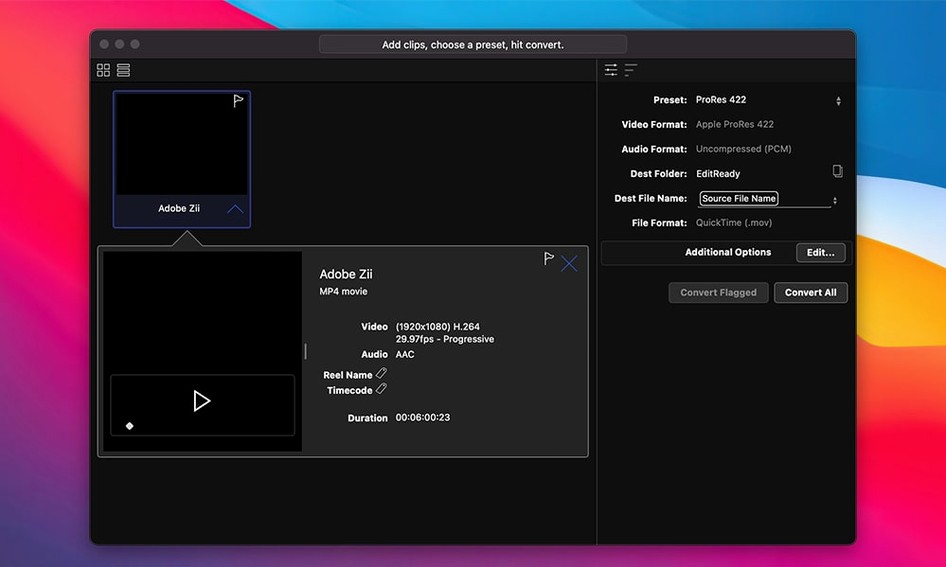
- Inspect and edit metadata if the file needs a reel name or timecode adjustment.
- Transcode. Metadata and timecode are preserved through the conversion.
Breezing Through Raw, MXF, and QuickTime Conversions
- Converting MXF, M2T, MTS, Blackmagic RAW, and QuickTime files.
- Outputting ProRes, DNxHD/HR, or hardware-accelerated H.264.
- Prepping footage for Final Cut Pro, Adobe Premiere Pro, Avid Media Composer, or Apple iMovie.
- Quick metadata edits before transcoding.
Hardware-Accelerated H.264 Only, with an English-Only Interface
- Hardware processing is available for H.264 output; other codecs rely on software encoding.
- The interface is English only.
Point Your First Transcode to a Fast, Dedicated Folder
EditReady works out of the box, but a few preferences shape how it behaves on set or in the suite.
- Default output location — set it to a dedicated transcodes folder on a fast drive. Keeps camera originals separate from deliverables.
- Hardware acceleration for H.264 — enable it before overnight renders. The Intel build uses the GPU for noticeably shorter encode times on H.264 jobs.
- Metadata handling — switch from preserve to override only when reel names or timecode need correction. Leaving it on preserve avoids accidental changes.
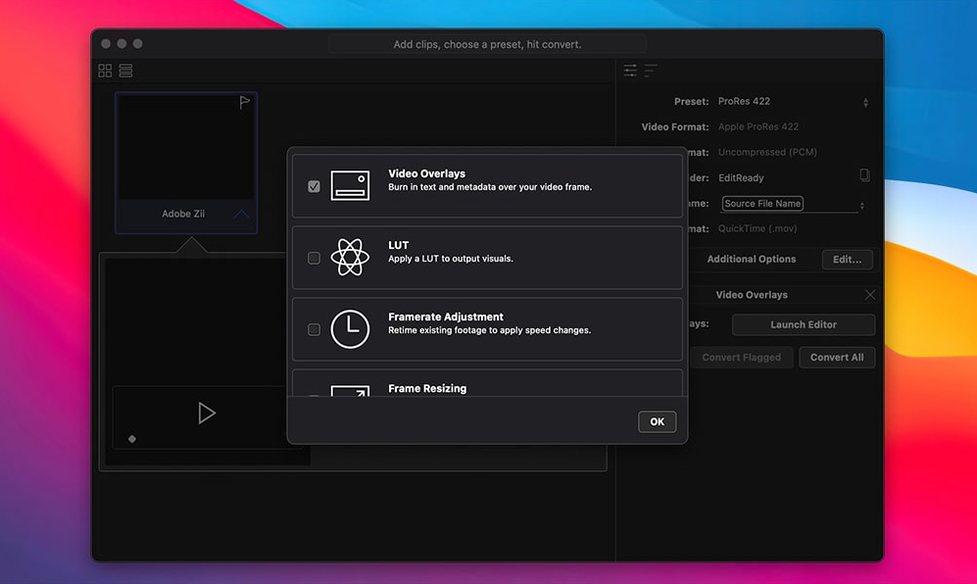
- LUT preview — load a monitoring LUT early if you are checking log footage. It applies during inspection without baking into the transcode unless you choose to.
Sony BURANO Version 3.0 Files Now Drop Right In
The 2026-06-23 release added support for Sony BURANO Version 3.0 files. In everyday use that means clips from the updated camera firmware drop into EditReady without a prior conversion step, and the metadata survives the trip into ProRes or DNxHD/HR.
For teams cutting BURANO footage alongside MXF or QuickTime sources, the change removes a manual workaround: no more extracting or rewrapping before the actual transcode. The rest of the app’s behaviour — codec choices, metadata editing, GoPro and AVCHD range detection — carries over unchanged from the previous release. If your camera stays on an older BURANO firmware, expect the same handling as before; version 26.2 simply widens what arrives ready to convert.
- New — Support for Sony BURANO Version 3.0 footage.
- macOS 10.15 or later
- Intel Mac (Rosetta 2 on Apple silicon)
Questions I get before install
Which camera formats does EditReady accept?
It converts MXF, M2T, MTS, Blackmagic RAW, and QuickTime files, including support for Sony BURANO Version 3.0 footage.
Does EditReady preserve metadata during conversion?
Yes—timecode, reel names, and other metadata survive the transcode, and you can edit metadata before converting.
Comments 0
Sign in to leave a comment.Sign inCreate an account
No comments yet. If a step is still there after you install it, say so.
More in Video Converters
All in Video Converters DVDFab
Copies, rips, or converts a protected disc to a playable file for any screen.
8 steps saved
 dBpoweramp Music Converter
Converts audio batches between formats while writing consistent metadata to every file.
14 steps saved
 Compressor
Queues a batch and hands encoding to the Mac’s hardware encoders.
19 steps saved
 Macxvideo AI
Upscales and cleans up footage while handling format conversions in one go.
9 steps saved
 Adobe Media Encoder
Queues exports from Premiere or After Effects so you keep editing without waiting.
9 steps saved
 Movavi Video Converter
Reshapes video, audio, and image files for a different screen or editor.
11 steps saved
 Permute
Converts batches of media files to one format without repeated prompts.
15 steps saved
 VideoByte BD-DVD Ripper
Converts a Blu-ray disc into a compact MP4 ready for Plex or a tablet.