WhatCable Pro is a macOS utility that decodes the hidden capabilities stored inside a USB-C cable's e-marker chip.
Power Monitor — live voltage, current, and wattage with mismatch flags when a charger under-delivers.
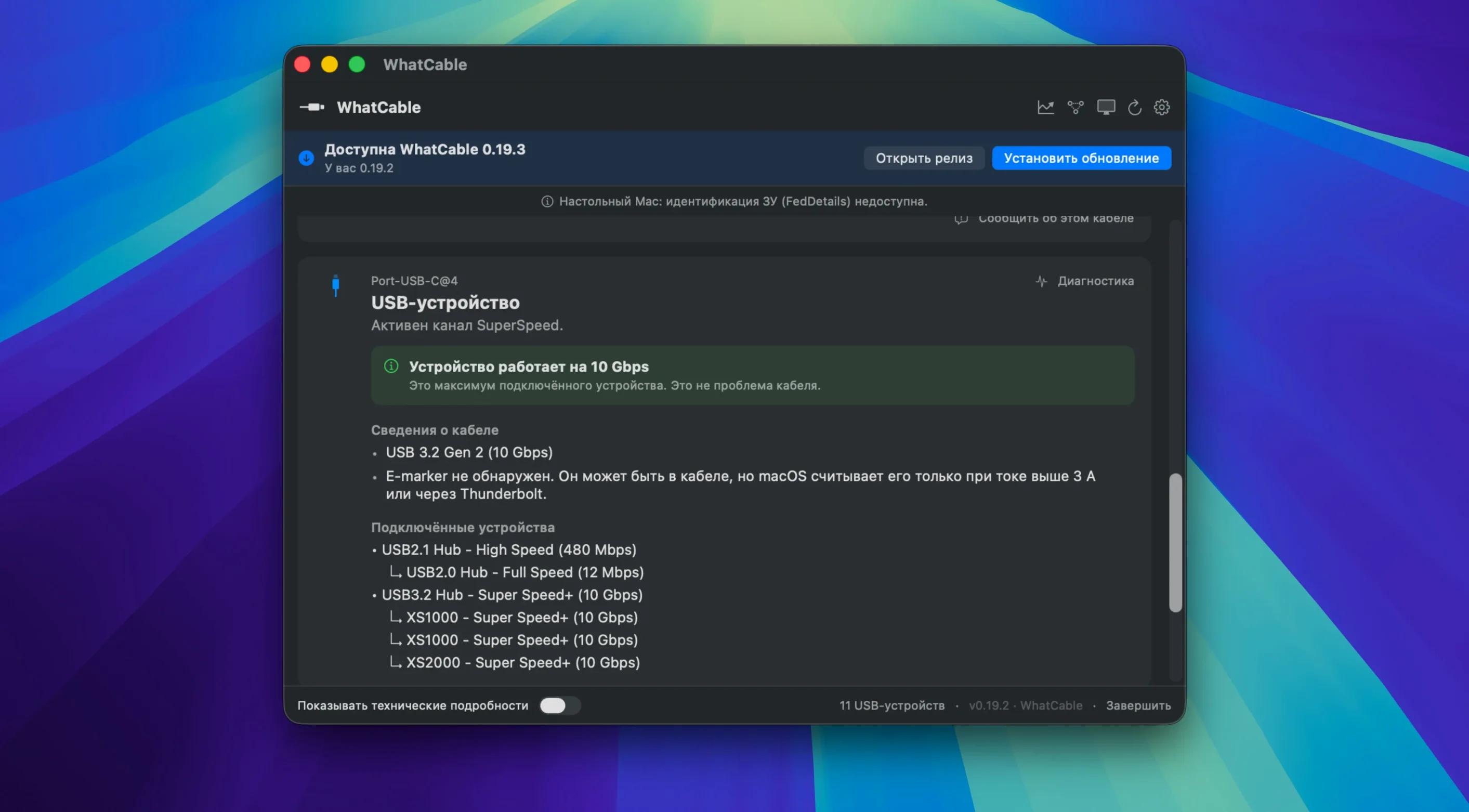
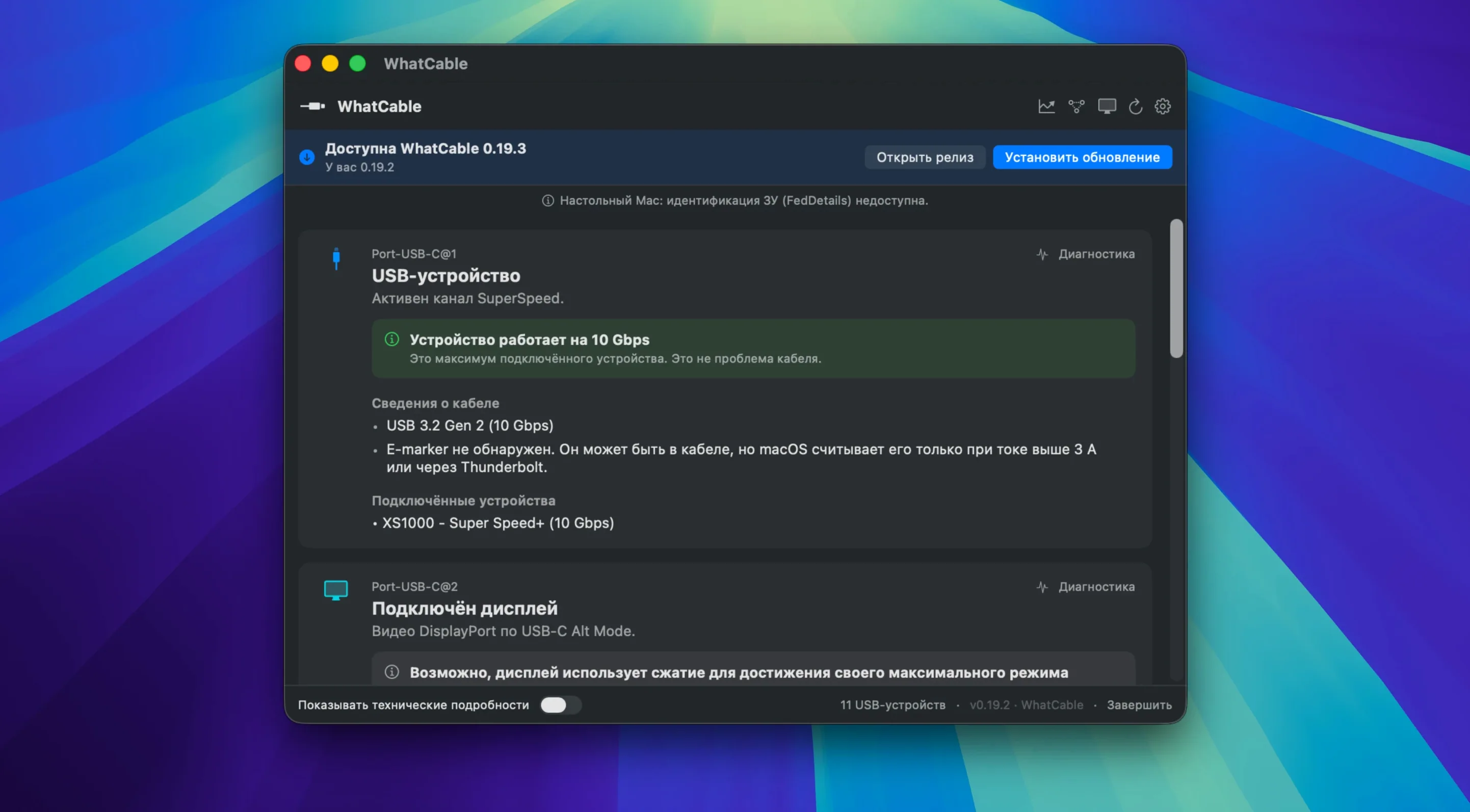
Speed Check — reports which device is attached to which port and the exact data rate it negotiated.
Bottleneck Finder — identifies whether the Mac, the cable, or the connected device is limiting the connection.
PD Contract Inspector — lists PDOs, active voltage, and flags mismatches between what the charger offers and what the cable can carry.
E-Marker Validation — checks e-marker data against USB-IF specifications and flags suspicious values.
Raw VDO Data — exposes the full Vendor Defined Objects for developers and advanced users who need to verify firmware claims.
Negotiation Diagnostics — a side-by-side comparison of Mac, cable, and device support, including charging and video signal compatibility.
How WhatCable Pro compares
WhatCable Pro vs. System Information — Apple's built-in System Information shows you the negotiated speed of a connected USB device, but it stops there. It cannot decode e-marker data, map Power Delivery profiles, or flag a cable that quietly caps your charger. Think of System Information as a label reader and WhatCable Pro as a full inspection report. Both have their place. Only one answers why a connection is slow.
WhatCable Pro vs. USB-C hardware testers — dedicated USB-C testers from brands like ChargerLab or FNIRSI decode e-marker chips and measure voltage and current. WhatCable Pro covers the same ground from the menu bar, no extra hardware required. A hardware tester works with any device; the Mac app works only with what your Mac can see. For most Mac users, that is enough. You get live measurements, PD contract details, and cable validation without carrying another gadget.
WhatCable Pro vs. IORegistryExplorer — Apple's developer tool exposes raw USB and Thunderbolt data, including some VDOs. That approach suits engineers who enjoy reading hex dumps. WhatCable Pro translates the same raw data into readable fields, adds validation against USB-IF specs, and includes a --watch mode for testing cables as you swap them. If you already know how to parse IORegistry, the app's command-line interface and JSON output still save time.
When a 4K Monitor Stubbornly Drops to 30 Hz
The app earns its place on a few specific desks.
- Mac users with docks and multi-display setups — when a 4K monitor refuses to run at 120 Hz or drops to USB 2.0 speeds, WhatCable Pro shows whether the cable, the dock, or the Mac negotiated the lower spec.
- Field technicians and IT support staff — fault-finding a charger or cable becomes a two-minute read instead of trial and error. The JSON output fits into existing diagnostic scripts.
- Power users with a cable drawer — many people own ten USB-C cables and trust none of them. Saved Cables lets you label and compare e-marker data so the 60 W cable stops going into the travel bag with a 100 W charger.
- Developers and hardware reviewers — raw VDO data and PD contract details make it easier to verify what a cable actually advertises, not what the packaging claims.
If your USB-C problems are rare and simple — one Mac, one charger, one cable — the free features of macOS may be enough. Once you start juggling docks, monitors, chargers, and external drives from different brands, a tool that reads the cable itself saves real time. That is where the download WhatCable Pro for Mac option becomes the practical choice rather than a curiosity.
- macOS 14 or later
- Apple Silicon or Intel 64-bit
Questions I get before install
What does the Pro version add over the free app?
Pro unlocks the Power Monitor, Negotiation Diagnostics, Display Diagnostics, and Saved Cables screens for detailed troubleshooting.
Can it tell if a cable supports video?
Yes, the Display Diagnostics and Negotiation Diagnostics screens report video signal support and flag when a cable is the limiting factor.
Which macOS version does it require?
WhatCable Pro requires macOS 14 Sonoma or later and runs natively on both Intel and Apple Silicon Macs.
Comments 0
Sign in to leave a comment.Sign inCreate an account
No comments yet. If a step is still there after you install it, say so.
More in Mac Apps
All in Mac Apps WidgetWall
Adds a collection of functional widgets and stickers right onto your desktop.
10 steps saved
 Winclone Pro
Backs up only the blocks that changed in your Windows partition for faster, smaller snapshots.
4 steps saved
 Updated
Wins
Arranges and snaps application windows into layouts without dragging edges pixel by pixel.
19 steps saved
 WALTR PRO
Converts and places any media file into the right Apple app on the target device.
19 steps saved
 WinZip Mac Pro
Shrinks files, locks them with encryption, and gets them where they need to go.
5 steps saved
 Wipr
Strips ads, trackers, and cookie popups from Safari pages before they download.
23 steps saved
 Wallspace
Replaces static desktop images with a catalogue of live 4K wallpapers.
4 steps saved
 Updated
Wirecast Pro
Replaces a hardware switcher with a software control room for live video production.