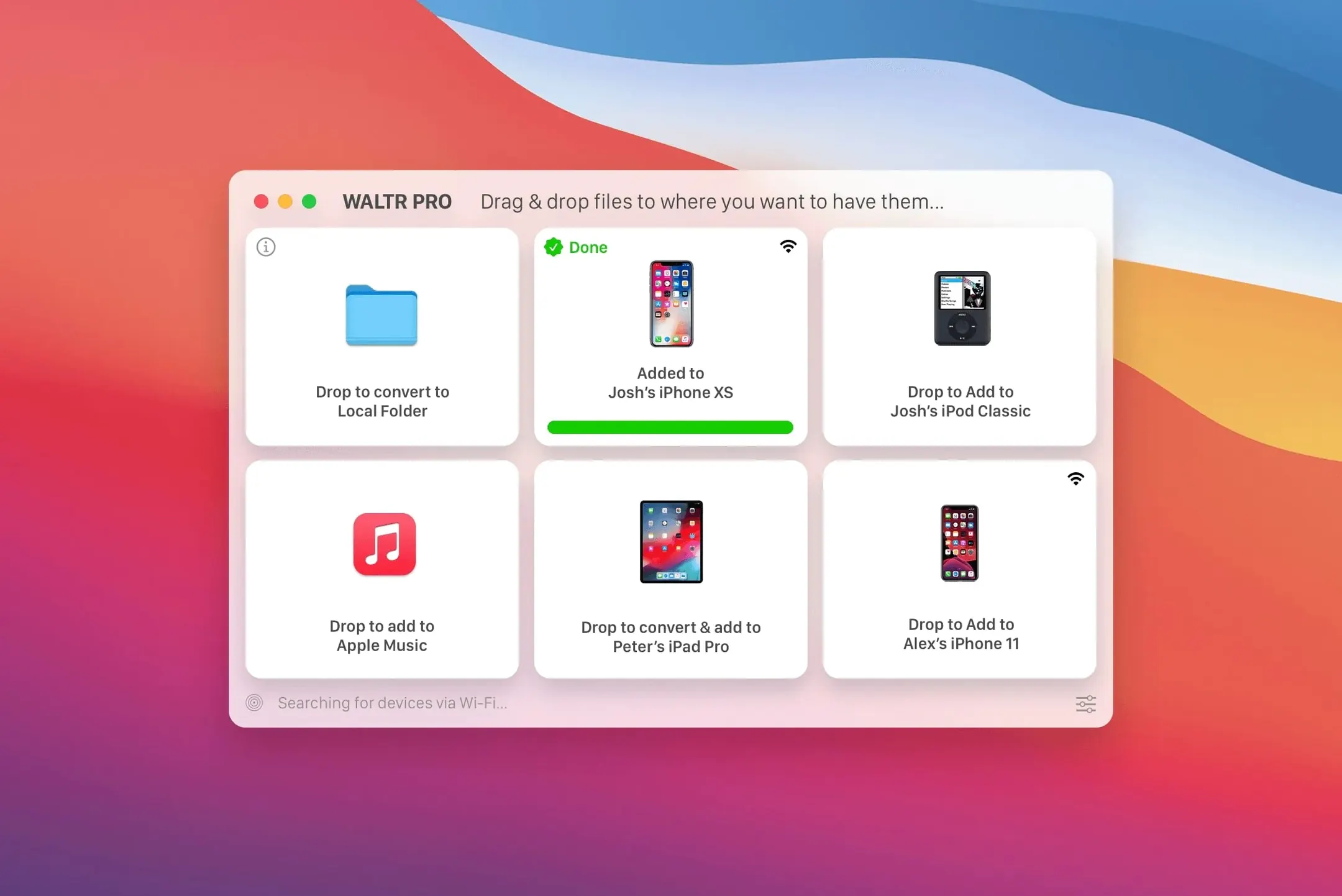
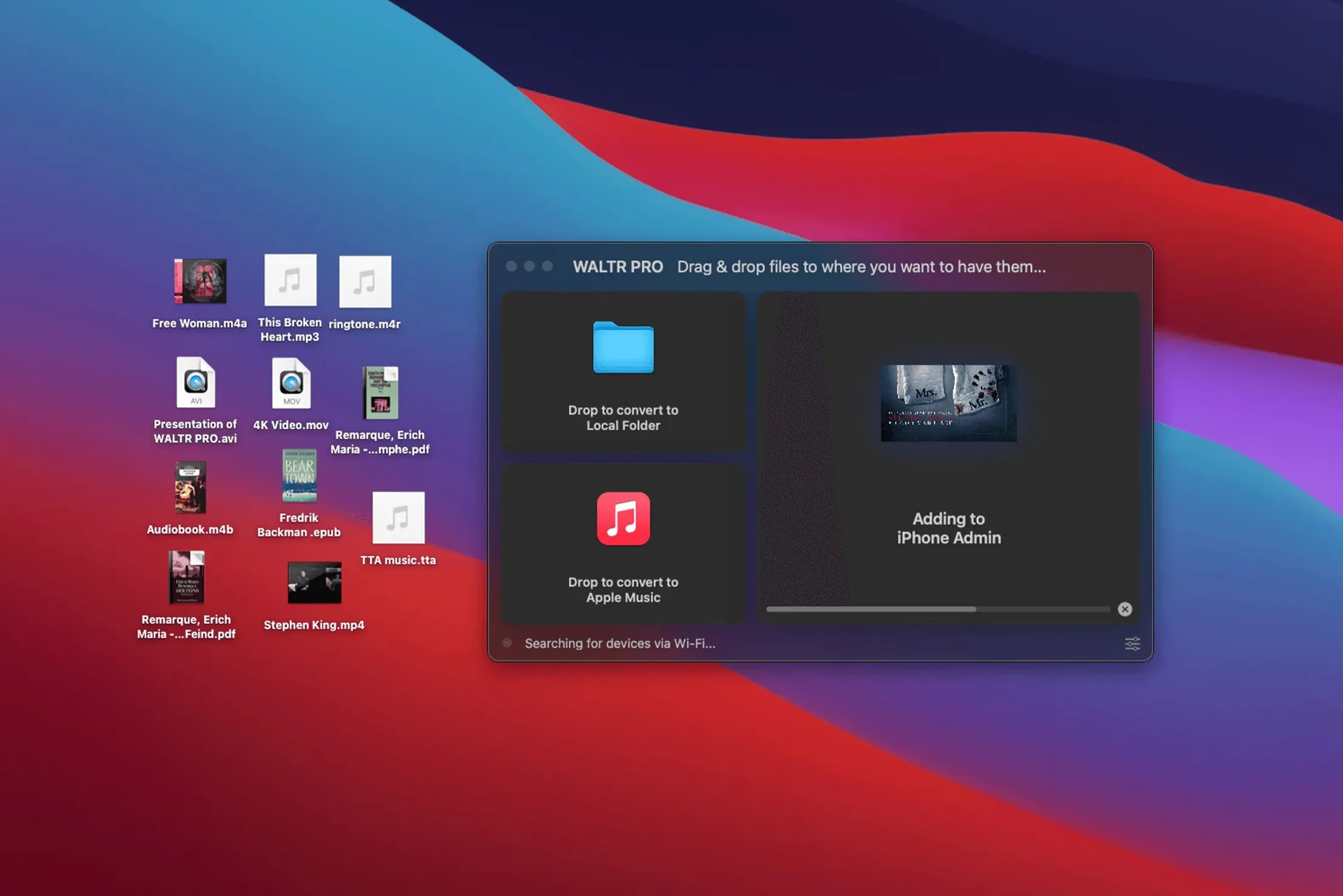
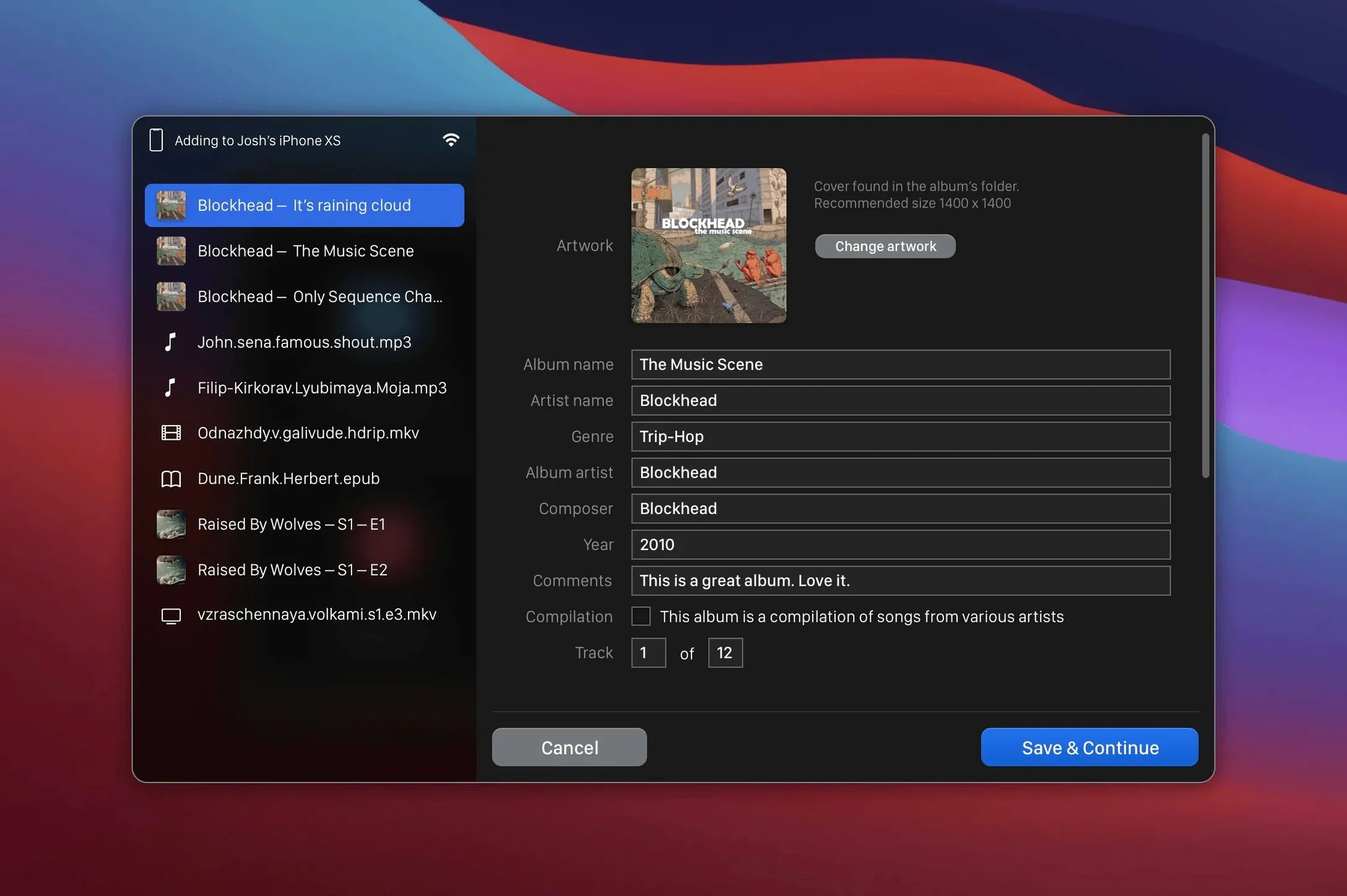
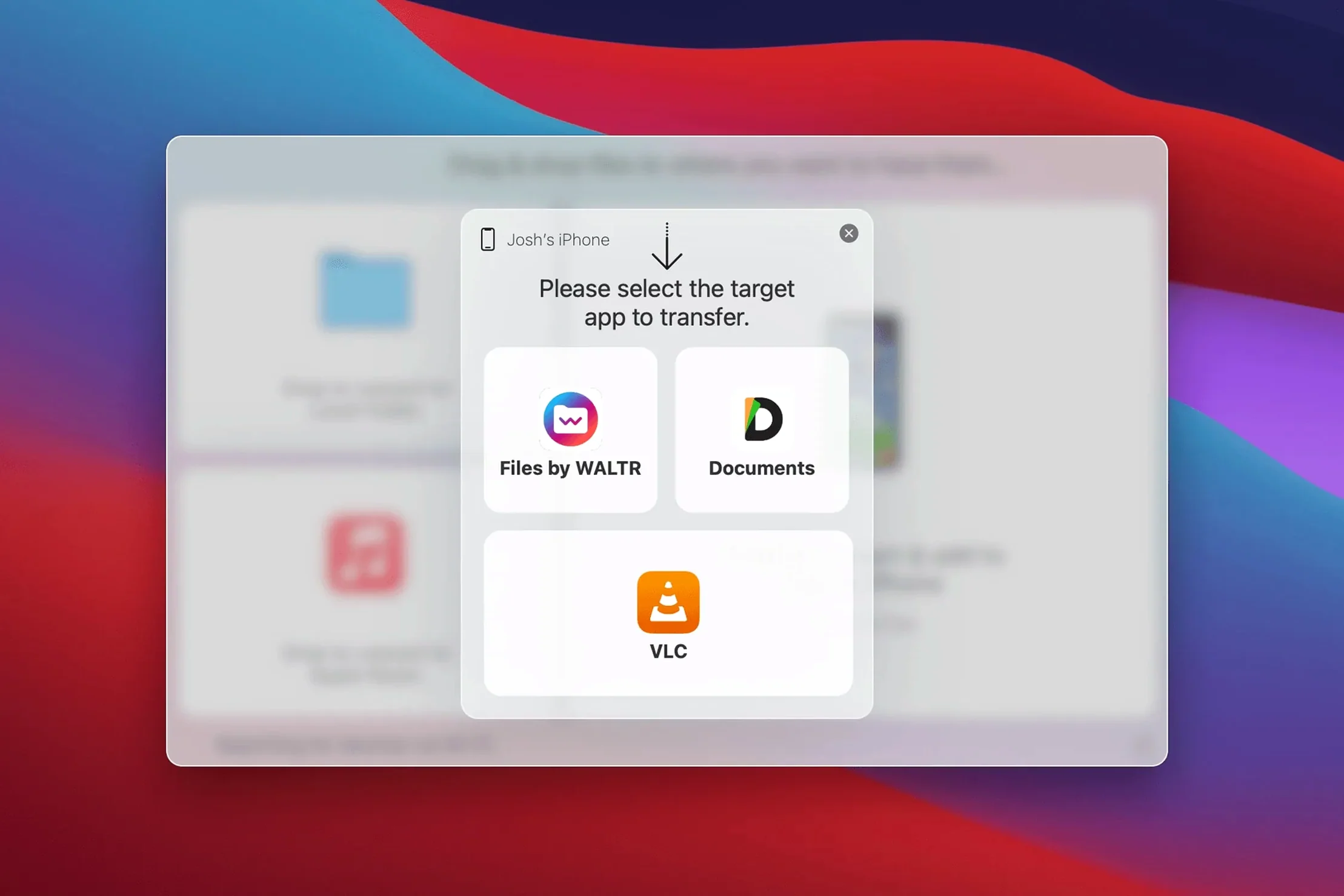
Automatic content recognition kicks in the moment you drop a file onto the target device. You drag a folder of FLACs, a stray MKV, or a ringtone you trimmed in another app, and WALTR PRO sorts out the format, converts what needs converting, and places the result straight into the Music or Movies app on the connected iPhone or iPad—no manual format picking, no iTunes sync.
- Wireless transfer to iOS devices over Wi-Fi; cable-free once set up
- Pushes music and video into the stock Music and Movies apps where playback just works
- Recognizes practically any audio or video container and transcodes on the fly
- Supports the full hardware line-up, from the original iPod Classic to the latest iPhone
The transfer logic hasn't changed—the app still converts and hands off the file—but the current build keeps the focus narrow. No cloud queues, no library management. Just a direct pipe from a Mac folder to an Apple device's media shelf.
Collectors, DJs & Offline Archivists Find Their Missing Pipe
Not every Mac user needs a dedicated media pipe. The ones who do tend to fall into a few clear camps.
Collectors with deep, mixed-format libraries. If your music folder spans FLAC album rips, old WMA downloads, and CUE-backed live sets, WALTR PRO spares you the batch-conversion grind. Drop a folder, walk away, and everything lands on the iPhone ready to play in the stock Music app. The same logic applies to video—MKV and AVI collections that would otherwise need handbraking before a sync suddenly become drag-and-drop simple.
People who trim their own ringtones. An M4R file is fussy about length and format. WALTR PRO recognises it, converts it if needed, and places it directly into the iPhone's ringtone list without iTunes or GarageBand in the middle. That removes a surprising amount of friction for someone who swaps ringtones often.
Anyone still syncing with an older iPod. Support for the original iPod Classic isn't a marketing line—it works. For the user keeping a click-wheel iPod in a dock, this app bridges the gap between modern macOS and a device Apple stopped thinking about years ago.
A Single-Purpose Media Bridge vs. Full-Device Managers
Three other tools come up in the same conversation. Each takes a different cut at the problem.
iMazing treats the iPhone as a full device manager—backups, messages, app data, the works. Media transfer is one feature among many. WALTR PRO does one thing: get a file onto the device and into the right stock app. If you want a Swiss Army knife, iMazing is the broader pick. If you want a dedicated chute for music and video, WALTR PRO is leaner.
AnyTrans sits somewhere in the middle. It handles media, contacts, and messages, and it offers a cloud-based transfer option. WALTR PRO stays local, works over Wi-Fi, and skips the extra management layers. For someone who already organises files in the Finder and just wants playback on the phone, that local-only design keeps things predictable.
Finder sync (macOS Catalina and later) does wired transfer of compatible formats with zero extra software. The moment your library includes FLAC, MKV, or a ringtone, Finder bows out. WALTR PRO picks up exactly where the built-in tool stops—handling the formats Apple never added and doing it wirelessly.
Dropping Finished Edits as the Final Link in Your Audio Chain
WALTR PRO works best as the final link in a chain, not the whole workshop. A typical flow: you trim a ringtone in Fission or Audacity, export it as M4R to a Desktop folder, then drop that folder onto the iPhone inside WALTR PRO. The app handles the handoff; your audio editor handles the craft.
For video, the pairing is similarly straightforward. Pull a file from Downie or Permute, drop it onto the target device, and playback lands in the TV app (or Movies, on older iOS). No intermediate library, no duplicate copies cluttering the Mac.
On the macOS side, Gatekeeper raises a flag on first launch because the app isn't notarised. The install involves mounting the disk image, running the Open Gatekeeper friendly script, pressing Enter in Terminal, then dragging the app to Applications. After that one-time step, the app behaves like any other.
Wi-Fi transfer means WALTR PRO slots neatly alongside AirDrop for the subset of tasks AirDrop can't handle—sending an MKV that needs transcoding, or pushing a FLAC album straight into the Music app instead of landing in Files where it can't play. The two aren't competitors; they handle different legs of the same journey.
For users who search for waltr pro mac or look up waltr pro download, the value sits in how little it asks you to change. Your folders stay where they are. Your playback stays in the apps you already use. The app just removes the format barrier between them and the device.
- macOS 10.13 or later
- 64-bit Intel processor
Questions I get before install
Does WALTR PRO work with the original iPod Classic?
Yes. It supports all iPhones, iPads, and iPods, including the original iPod Classic.
Comments 0
Sign in to leave a comment.Sign inCreate an account
No comments yet. If a step is still there after you install it, say so.
More in Mac Apps
All in Mac Apps Wallspace
Replaces static desktop images with a catalogue of live 4K wallpapers.
7 steps saved
 VMware Fusion Pro
Runs Windows and Linux virtual machines in a window beside macOS.
6 steps saved
 Updated
WhatCable Pro
Decodes a USB-C cable's hidden speed and power ratings from its e-marker chip.
5 steps saved
 WidgetWall
Adds a collection of functional widgets and stickers right onto your desktop.
10 steps saved
 Winclone Pro
Backs up only the blocks that changed in your Windows partition for faster, smaller snapshots.
4 steps saved
 Updated
Wins
Arranges and snaps application windows into layouts without dragging edges pixel by pixel.
16 steps saved
 Updated
Vibe Island
Lets you approve agent actions from the Mac notch while coding.
18 steps saved
 Viaduct
Converts an unpacked Chrome extension into a signed Safari extension.