A designer opens a blank artboard and needs a button component that scales. A few rectangles, a text label, and a pinch-to-resize later, the symbol is ready to reuse across twenty screens. That is the kind of direct workflow Sketch is built for — moving from wireframe ideas to production assets without the tool getting in the way.
Where do I set up my first artboard?
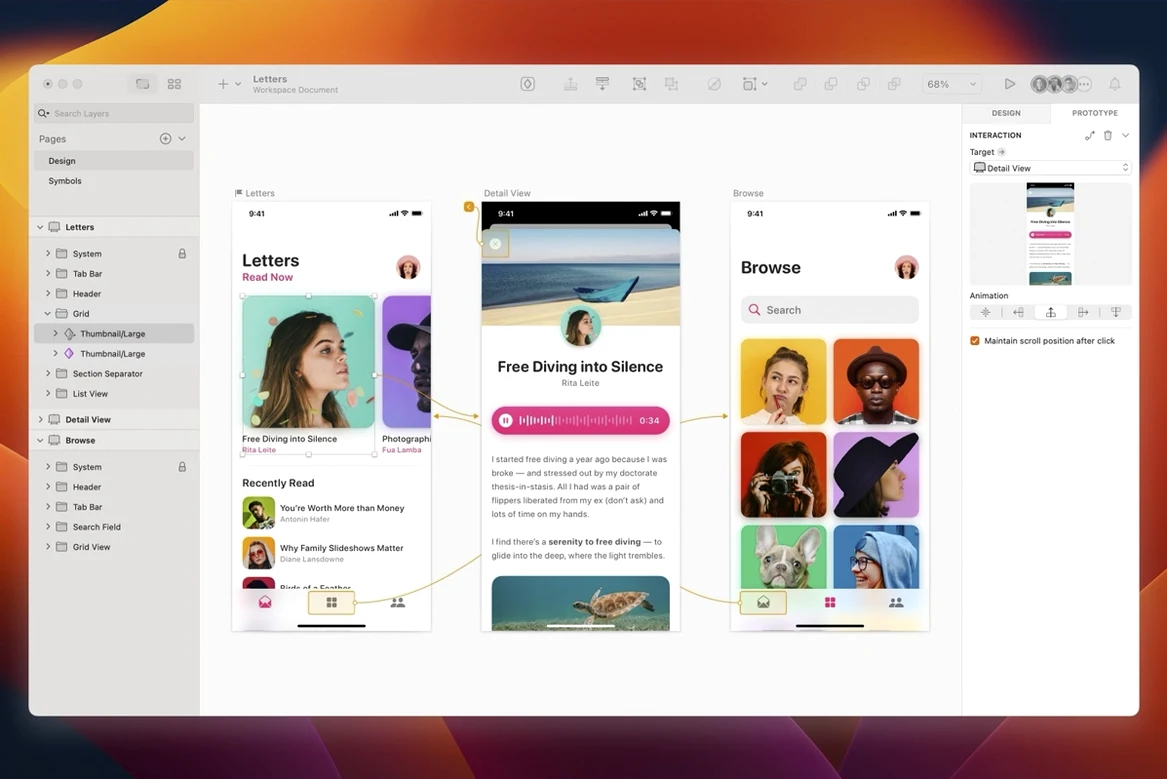
Press A and pick a preset from the Inspector — iPhone, web banner, desktop frame. Artboards keep each screen self-contained and let you export slices cleanly later.
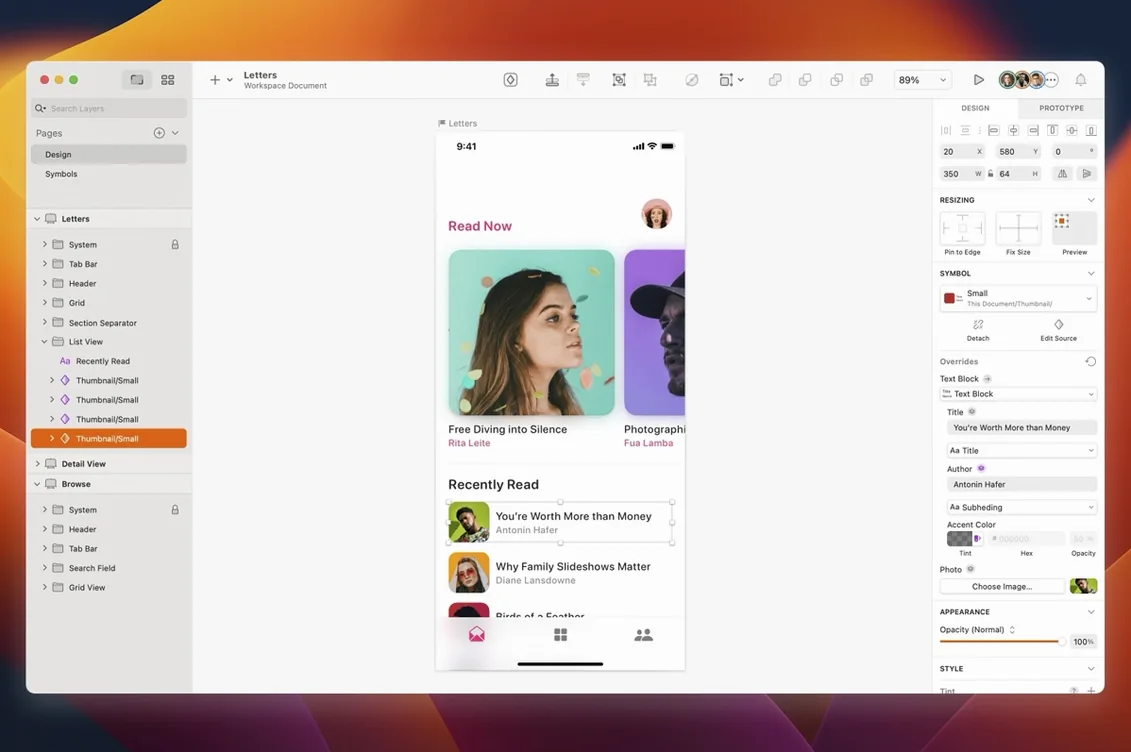
Create a master from any group and push text swaps live across instances
Group your layers, hit Create Symbol in the toolbar, and give it a name. Insert it anywhere; edit the master and every instance updates. Overrides let you swap text or images without detaching.
What is the fastest way to export assets?
Mark any layer or artboard as exportable in the Inspector, choose scale and format, then drag the preview thumbnail straight to Finder. No export wizard needed.
How do I hand off specs to a developer?
Share a link from the File > Share menu. The web view displays measurements, colours, and copyable CSS values — no redlining by hand.
Forty artboards stay smooth on pan and zoom with Metal rendering
Sketch holds its own as a native Mac app. Launch a file with forty artboards and the canvas stays responsive during pan and zoom. The app leans on Metal for rendering, so complex vectors with multiple fills, shadows and blurs rarely cause frame drops on Apple Silicon machines. On an Intel Mac, large symbol libraries trigger a slight pause on first expand — noticeable, not disruptive.
Memory use lands around 400–600 MB for a typical UI project with fifty mid-weight screens. That figure climbs when third-party plugins are active, though Sketch isolates plugin processes so a runaway script stalls its own panel rather than the whole app. Stability in daily work is solid: crashes are uncommon outside of early point releases, and autosave recovers the exact canvas state after a restart.
Collaboration handshakes with the web app add a small sync tax. Saving to the workspace feels a beat slower than a local save, but it never blocks input. For solo design work, the app operates with the immediacy you expect from software that shares the system vocabulary of macOS.
Offline native vectors and text rendering versus Figma’s browser multiplayer
Figma — Figma runs in the browser and thrives on real-time multiplayer. Sketch is a single-player canvas at heart, with collaboration layered on via shared workspaces. For pixel-precise vector editing and offline work, Sketch’s native text rendering and color management deliver results that feel sharper than a WebGL canvas. Figma wins on cross-platform access; Sketch wins on system-native polish.
Affinity Designer — Affinity targets illustration and print alongside screen design. Its vector toolset is deeper, with true vector brushes and advanced path operations. Sketch strips that down to what a UI designer actually uses: boolean shapes, text styles, symbols. The trade-off is focus versus range. Choose Sketch when the output is always a screen. Choose Affinity when one file must flex between web, print, and illustration.
Framer — Framer leans heavily into interactive prototypes with code-backed logic. Sketch stays closer to static screen design with click-through hotspots. Framer imports Sketch files for animation work, so the two often sit side by side rather than compete directly.
Open yesterday’s twelve onboarding screens straight from the web dashboard
9:15 am. You open a design file from the workspace — no Finder hunt, just double-click in the web dashboard and Sketch pulls it down. The canvas populates with yesterday’s twelve onboarding screens.
You press A, add a blank artboard for the new password-reset flow, and drag in the header symbol from the Components panel. A few T presses drop in text layers; the Inspector updates font, weight, and colour in two clicks. You copy a button instance from the library, override its label, and align the stack with the Smart Distribute handles.
By 9:35, four new screens sit in the page list. You select the artboards, tick the exportable checkbox for 2× PNG, and drag the thumbnails into a Slack thread for the front-end developer. A quick File > Share link goes to the product manager for a click-through review. No file attachments, no export wizard, no context switch — the thread of work stays in one window.
- New — Document windows adopt the system corner radius for a cleaner look on macOS Golden Gate.
- Fixed — Stack layout no longer misreads the minimum width of a text layer.
- Improved — The Florence release features alongside targeted refinements for macOS 27 Golden Gate.
- macOS 14 or later
- Apple Silicon or Intel Mac
Comments 0
Sign in to leave a comment.Sign inCreate an account
No comments yet. If a step is still there after you install it, say so.
More in Mac Apps
All in Mac Apps SlapMac
Triggers a custom action when you tap your MacBook with a set sensitivity.
19 steps saved
 Shottr
Floats a fast, local markup tool over your screen without switching contexts.
19 steps saved
 Shadowrocket
Routes your Mac's network requests through different proxies based on custom rules.
17 steps saved
 Slidepad
Keeps web apps accessible in a slide-over panel that hides at the screen edge.
17 steps saved
 Serato Studio
Turns a DJ workflow into a beat-making environment built around stems and cue points.
18 steps saved
 Updated
Smooze Pro
Customizes scrolling behaviour and button assignments for any application.
18 steps saved
 Updated
Serato DJ Pro
Mixes tracks live with controllers, effects and smart key matching.
10 steps saved
 Sensei
Monitors hardware health, performance, and storage directly from the menu bar.