
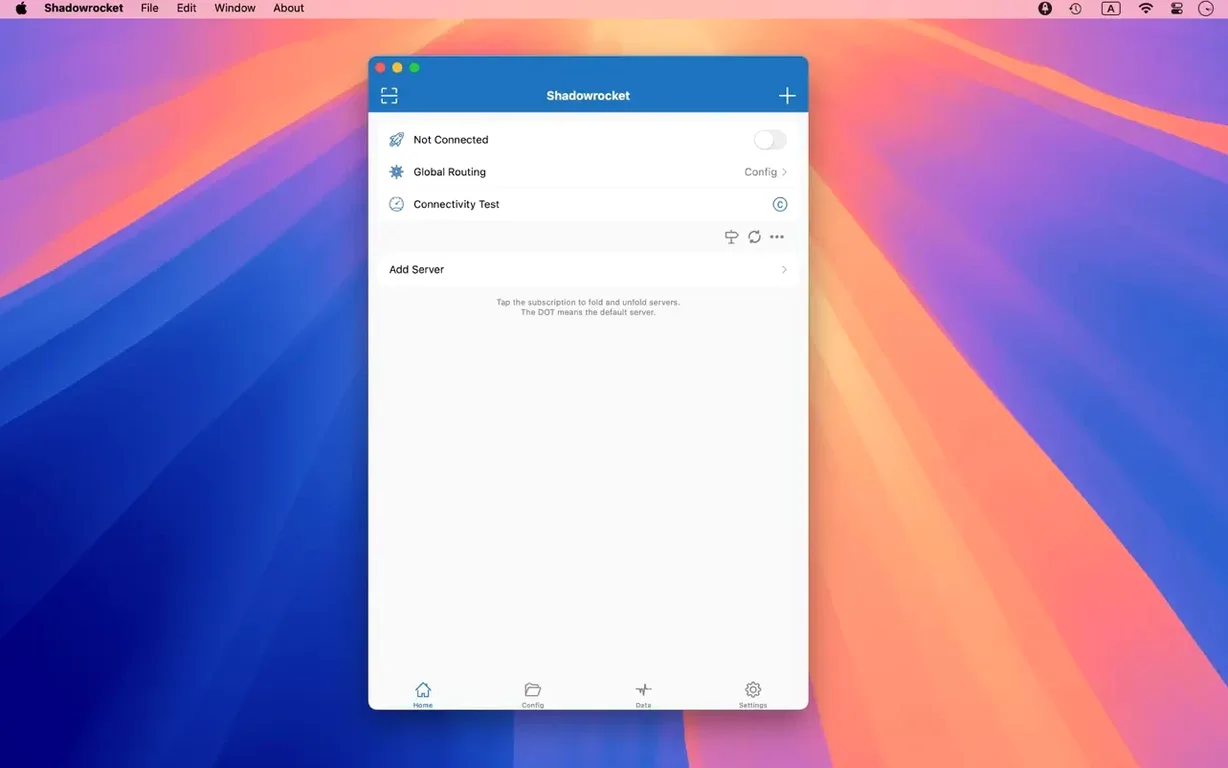
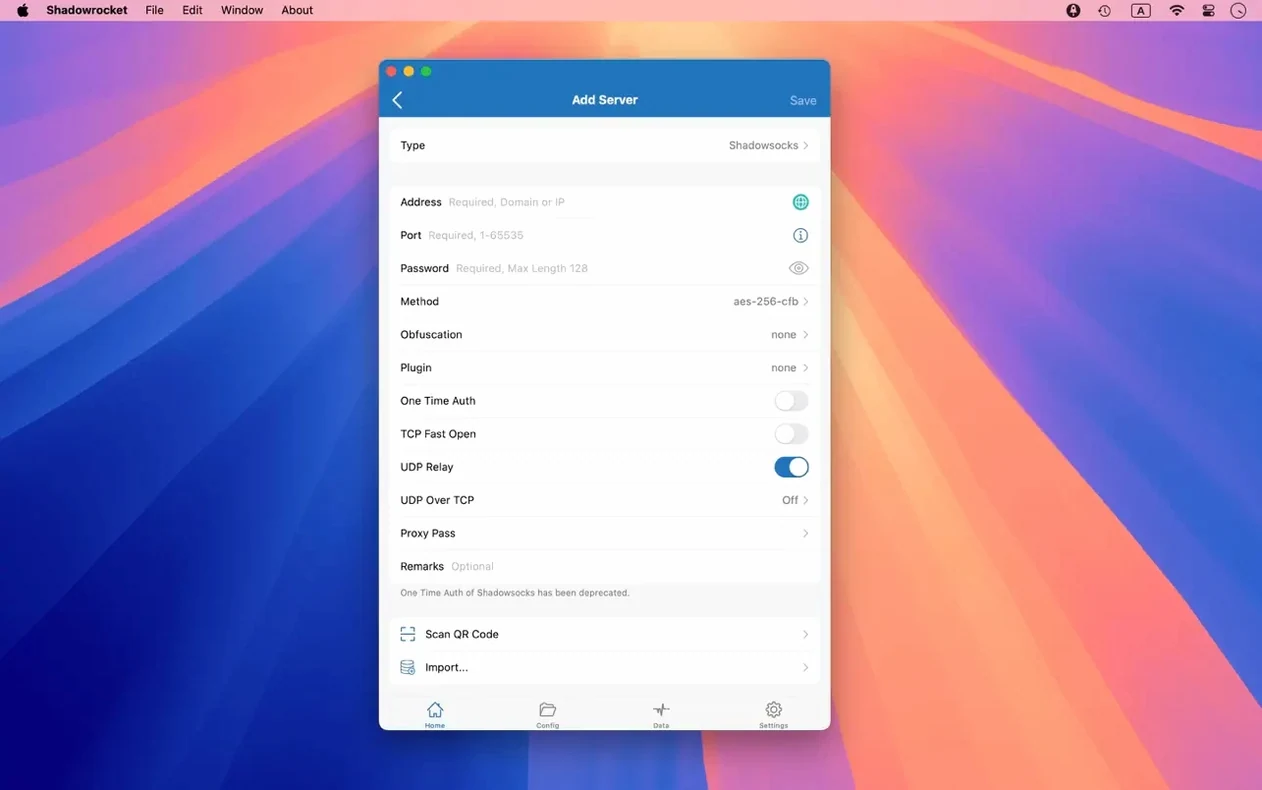
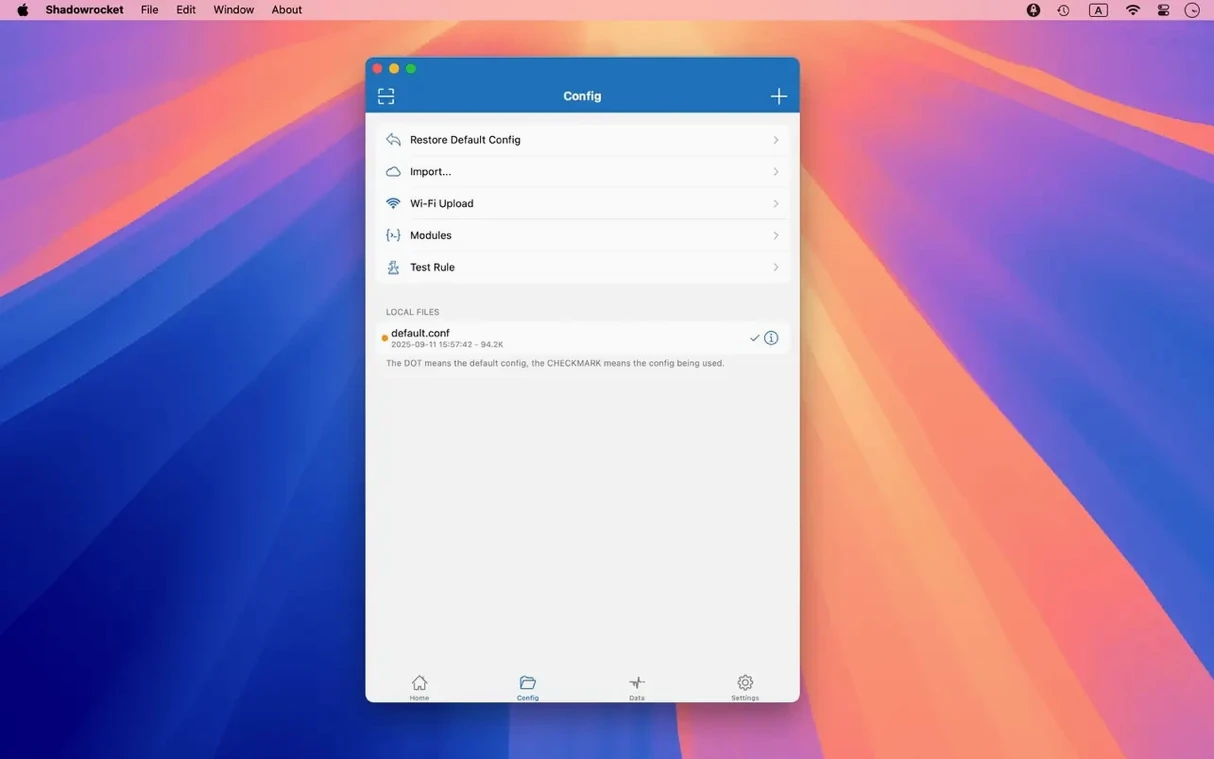
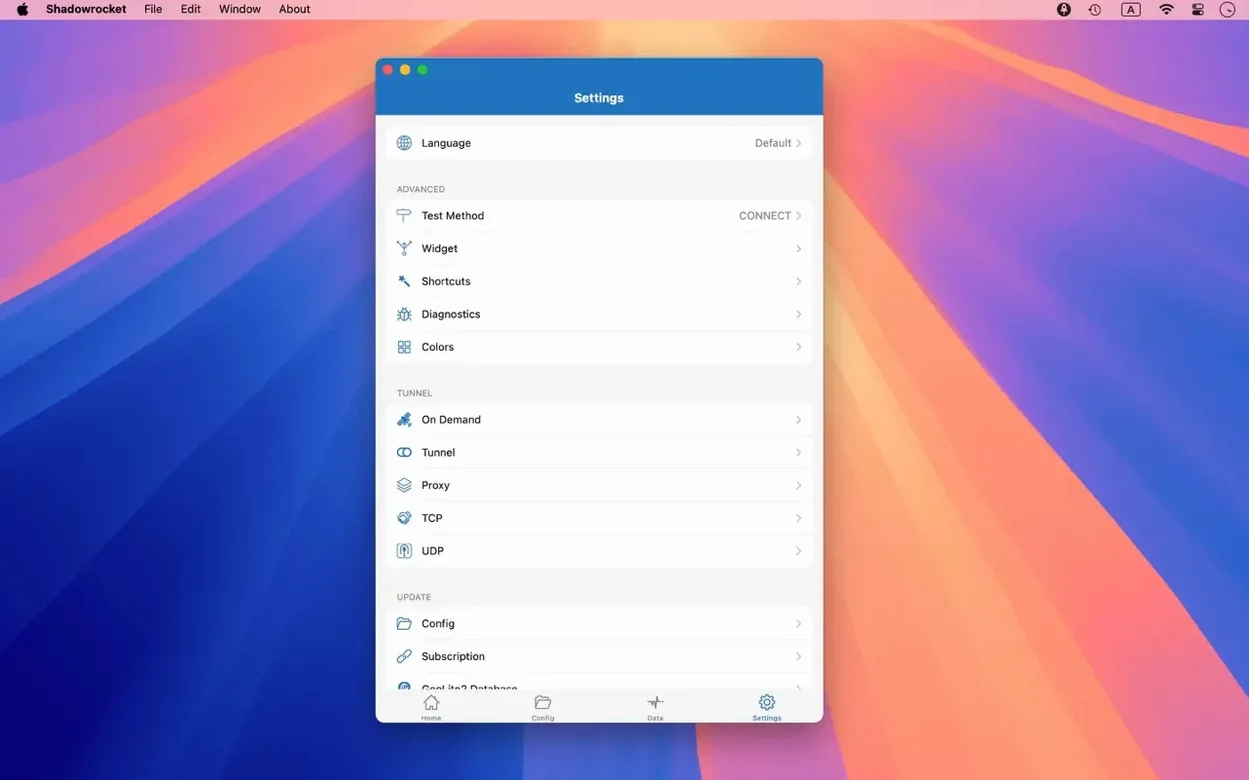
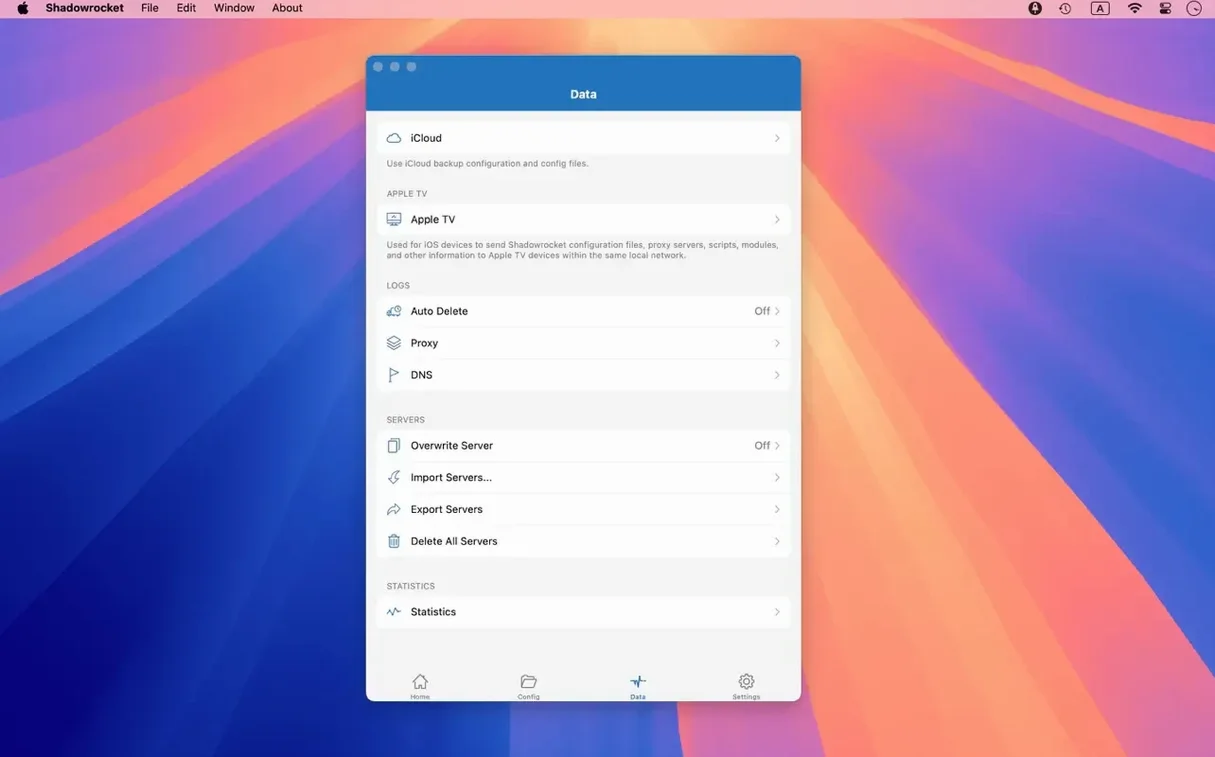
Shadowrocket is for people who need precise, programmable control over their Mac's network traffic. It captures requests from your apps and forwards them based on rules you define.
Rule-based routing — traffic is matched against rules you import or write, then sent to different proxy servers or a direct connection.
Protocol support — works with Shadowsocks, V2Ray, and SOCKS5. Multi-level proxy chaining is built in.
Traffic interception — captures HTTP, HTTPS, and TCP requests from any app on the device and redirects them through your chosen proxy.
HTTPS decryption — decrypts secure traffic for inspection when needed.
DNS control — supports DNS over HTTPS, DNS over TLS, DNS over QUIC, and local DNS mapping.
Script filters — lets you run scripts to modify or filter requests on the fly.
Request logging — records and displays HTTP, HTTPS, and DNS requests from your macOS devices.
Rule import — pulls rule files from a URL or iCloud Drive.
IPv6 — full support throughout.
Turn On Launch at Login Before Your First Route
Out of the box, Shadowrocket works, but a few switches make it feel like your own. Open Preferences right after the first launch.
- General → Launch at Login — toggle this on so you never start a session without coverage. The menu bar icon confirms it is running.
- General → Menu Bar Icon — choose the traffic-graph style. The numeric speed readout is more useful than the plain rocket if you watch throughput.
- DNS → DNS over HTTPS — pick a provider here. The default system DNS leaks queries before your proxy tunnel takes over. Setting DoH inside Shadowrocket closes that gap.
- Rules → Update Rule on Launch — if you import a remote rule set, enable this. Stale rules let trackers through.
- Advanced → Exclude Simple Hostnames — leave this on. Local .lan and .local names should never hit a remote proxy.
A workflow: inspecting an app’s background calls
Say a task manager app makes network calls you do not recognise. Here is how to trace them with Shadowrocket in under five minutes.
- Open Shadowrocket and switch to the Data tab. Clear the log with Cmd-K so you start with a blank slate.
- On the Home tab, confirm your proxy is connected — the status badge reads Running.
- Launch the task manager app and let it sit for thirty seconds. Do not interact with it; just let it phone home.
- Return to the Data tab. Sort by the Process column. Scroll to the app’s name. Every domain it touched is listed — analytics endpoints, update checks, CDN pulls.
- Tap a row to inspect headers, response codes, and timing. If something looks unnecessary, long-press the domain and choose Add to Block List.
- Create a rule from the blocked entry: DOMAIN-SUFFIX, telemetry.example.com, REJECT. Future sessions stay quiet.
Repeat this for any app before you trust it with a network connection. The log does not lie.
Small conveniences worth memorising
Shadowrocket packs several shortcuts that are easy to miss because nothing flashes at you. Use them for a day and they become muscle memory.
- Rule testing on the fly — from the Rules tab, swipe left on any rule and tap Test. Type a domain; Shadowrocket tells you which rule catches it. No guessing.
- Speed widget — the menu bar icon shows real-time throughput when you select the graph style. Hover to see separate up/down numbers. Click the icon to pause all routing instantly.
- Server latency sort — on the Servers tab, pull down to trigger a latency check against every configured node. Results sort from fastest to slowest. Useful when a relay feels sluggish.
- URL rewrite — under Settings → Rewrite, you can redirect one domain to another silently. Developers use it to point staging APIs at production endpoints without changing code.
- Proxy chaining order — drag server entries in the chain list to reorder them. The topmost reachable server becomes the entry node. Right-click any server and select Check Connectivity to verify it before trusting the chain.
The shadowrocket dmg install is straightforward — mount the disk image, drag the app to Applications, launch from Launchpad — but the power comes from these details. A shadowrocket mac setup rewards people who explore the preferences and the Data tab equally. Whether you grabbed the shadowrocket mac dmg for the first time or have kept shadowrocket for mac across several macOS releases, the same rule holds: learn the shortcuts and the log, and you control every packet.
- Fixed — UI bugs in server tables, the menu bar, and the Dock icon.
- macOS 10.15 or later
- Apple Silicon and Intel
Comments 0
Sign in to leave a comment.Sign inCreate an account
No comments yet. If a step is still there after you install it, say so.
More in Mac Apps
All in Mac Apps Shottr
Floats a fast, local markup tool over your screen without switching contexts.
17 steps saved
 Serato Studio
Turns a DJ workflow into a beat-making environment built around stems and cue points.
15 steps saved
 Sketch
Moves a design from a blank artboard to reusable, scalable components.
15 steps saved
 SlapMac
Triggers a custom action when you tap your MacBook with a set sensitivity.
18 steps saved
 Updated
Serato DJ Pro
Mixes tracks live with controllers, effects and smart key matching.
10 steps saved
 Sensei
Monitors hardware health, performance, and storage directly from the menu bar.
22 steps saved
 Updated
Screens 5
Lets you reach and arrange remote screens through Siri, Shortcuts, or the menu bar.
5 steps saved
 ScreenFlow
Records the screen and supplies editing tools to turn a raw take into a finished video.