
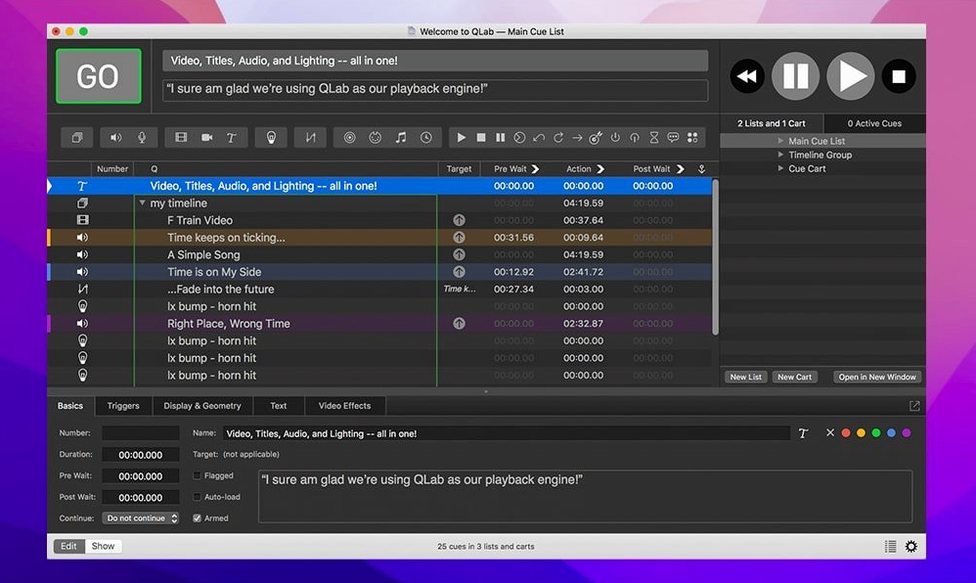
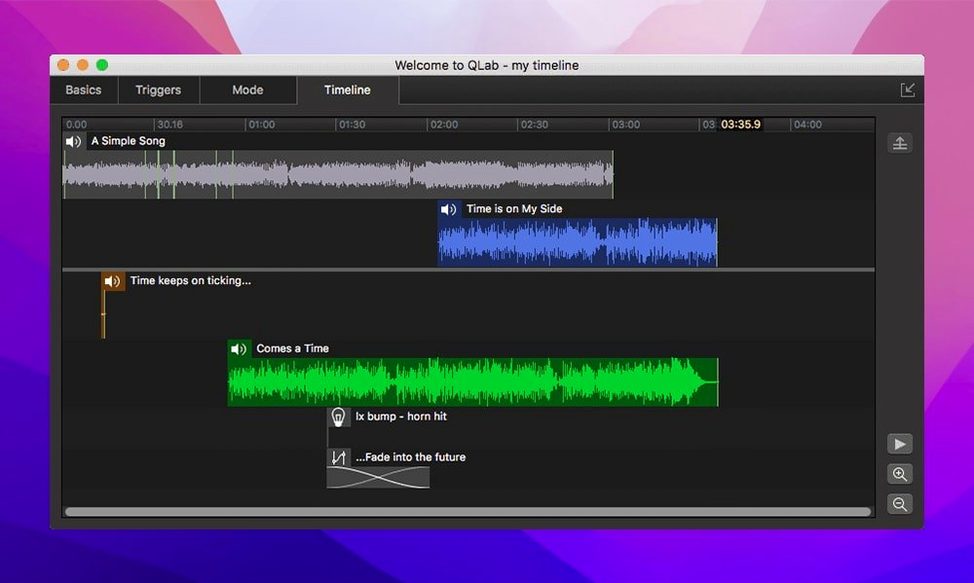
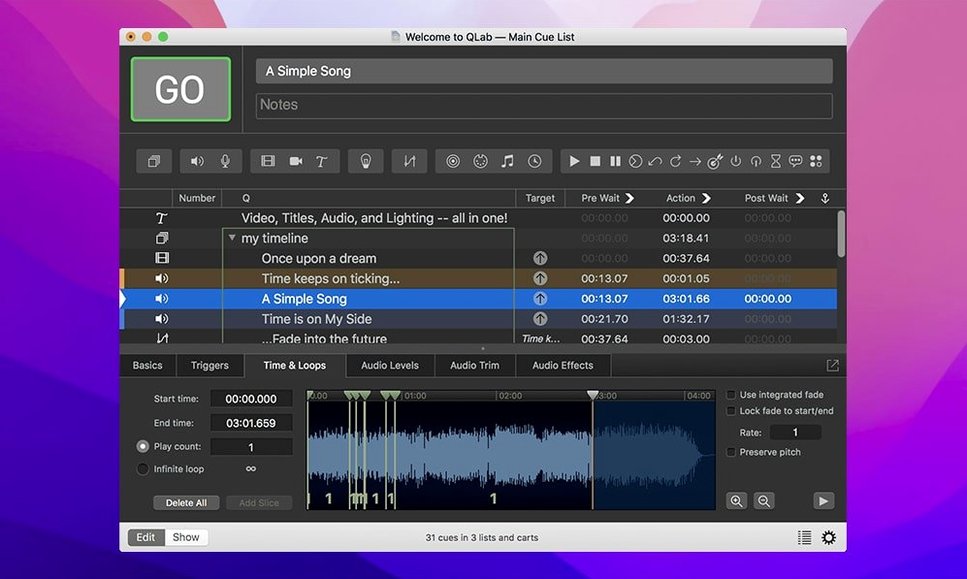
Running a live show with separate apps for audio, video, and lighting creates a tangle of conflicting hotkeys and missed cues. A single misfired light or delayed sound effect breaks the illusion. QLab puts every cue type under one roof so the operator sees one timeline, not three.
What it controls
- Multi-channel audio — route up to 48 outputs and pull in 24 live inputs
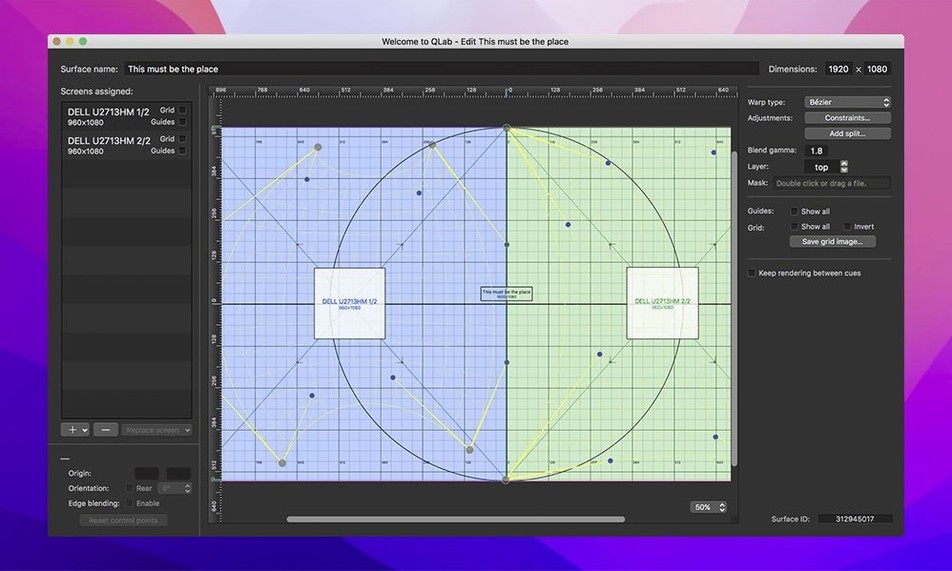
- Video surfaces — send mapped, warped, and corner-pinned video to projectors and LED walls
- Live cameras — accept feeds from Blackmagic devices and share them via Syphon
- Lighting — build instrument definitions and catch misconfigured rows with colour alerts
- Show machinery — fire MIDI and OSC commands to mixers, dimmers, and automation
Projection that fits the surface
Not every screen sits square to the projector. QLab includes keystone correction and corner pinning to align output to irregular surfaces without external processors. Reverse and centre controls let you flip the image optically when rear-projecting or re-frame content on the fly. The same workspace that triggers the video also dims the house lights and unmutes the handheld mic.
One operator running sound, video, and lights from a single Mac
Small theatre companies, touring bands, and church production teams see the biggest payoff. These groups rarely have a dedicated video engineer, a separate lighting op, and a sound tech for every service or show night. One operator handles everything from a single MacBook. QLab shrinks the crew requirement without shrinking what the show can do.
Installation artists and museum technicians use it differently. A cue list can run for days on a loop, firing ambient audio, dimming LED strips, and switching projector inputs based on time-of-day triggers. The same workspace that runs a 90-minute musical runs a 12-hour gallery piece.
Users who outgrow QLab tend to be the ones who need real-time generative video or sample-accurate DAW-style editing. For cue-based playback and show control, it holds up.
Cue firing stays frame-tight even through marathon rehearsals
On a well-configured Mac, cue firing feels immediate. Audio starts on the beat, video follows within a frame or two, and MIDI commands land before the performer finishes the line. The interface keeps up during long rehearsals without accumulating lag.
Memory use stays modest for what it juggles. A workspace with dozens of video cues and a few live camera inputs runs comfortably on Apple Silicon and older Intel machines alike. The 5.6.3 release fixed a rare crash tied to stopping video playback, which removes one of the few stability complaints users had reported mid-run.
Resource spikes show up when you stack heavy effects on 4K video or run many simultaneous audio fades. Planning cue groups and preloading large files ahead of time keeps things smooth. The app rewards operators who think a scene ahead.
One Sunday morning
A volunteer tech at a 200-seat church arrives at 8:40. The worship set, sermon slides, and closing video are all cued in one workspace from the night before. She plugs in a Blackmagic capture card for the live camera feed, checks that the projector is centred with the corner-pin preset, and runs a quick sound check through two of the 24 audio inputs.
During the service she triggers lyrics, lower-thirds, and house-light dimmers from the same list. The pastor goes off-script and asks for a song again. She scrolls up, fires the cue, and the band starts without hunting through folders. Afterward she saves the workspace for next week, changes the date in the title overlay cue, and goes home. Nothing needed a second computer, a second operator, or a workaround.
Version 5.6.5 is available now, with specifics detailed on the developer's release page.
- macOS 11 or later
- Apple Silicon or Intel 64-bit
Questions I get before install
Can QLab handle a live camera feed during a performance?
Yes, it accepts live video input from Blackmagic devices and can share that feed with other apps through Syphon integration.
Comments 0
Sign in to leave a comment.Sign inCreate an account
No comments yet. If a step is still there after you install it, say so.
More in Mac Apps
All in Mac Apps PyCharm
Catches type errors and syntax problems before you run the script.
16 steps saved
 QuarkXPress
Sets automatic layout rules that respond as you type.
22 steps saved
 ProPresenter
Runs multi-layer slides, video, and audio for venues where the show cannot stop.
18 steps saved
 Radio Silence
Cuts off internet access for the apps you select, then stays quiet.
13 steps saved
 Prizmo Pro
Captures, cleans, and recognizes text in scans with curved-page correction.
17 steps saved
 Principle
Turns static Figma or Sketch mockups into clickable, scrollable prototypes.
6 steps saved
 RapidWeaver 9
Builds websites visually with themes and add-ons, no coding required.
10 steps saved
 RAR Extractor
Unpacks multiple password-protected archives into the folders you choose.