
MP4 files accept decimal BPM values without truncation. That level of precision signals who this app is for.
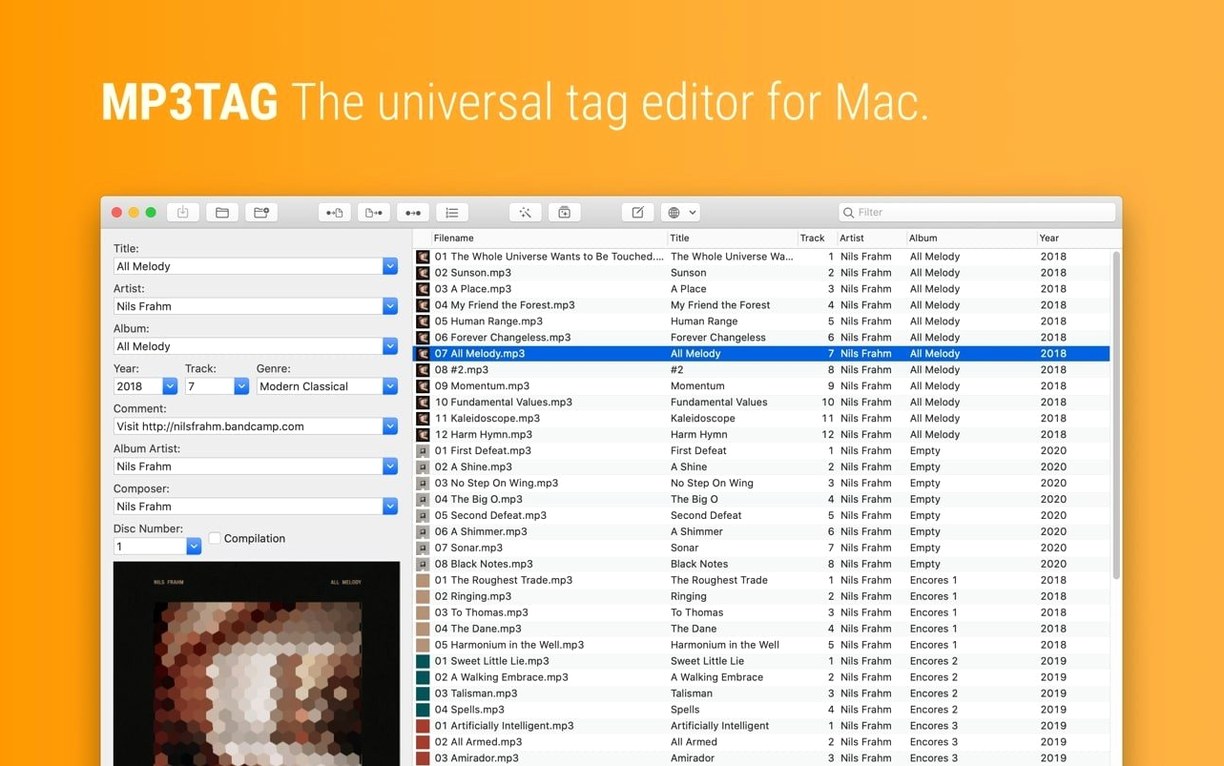
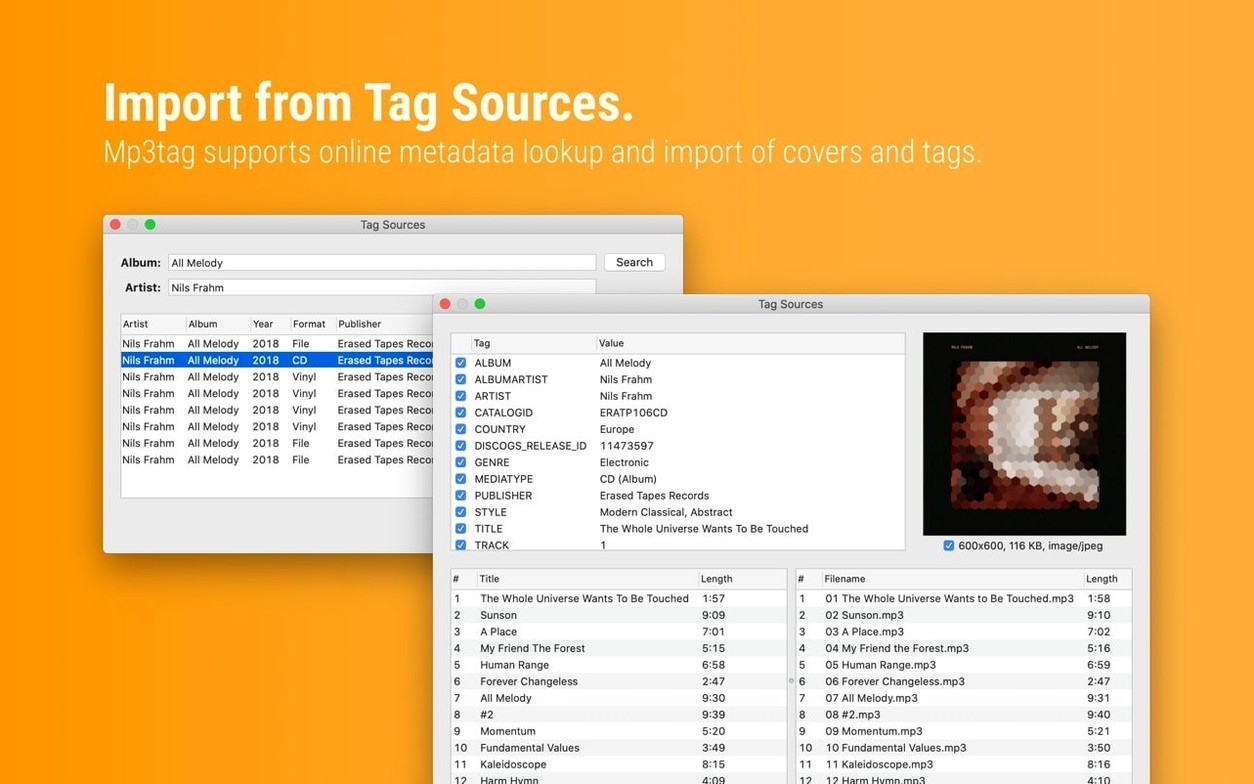
Mp3tag is the macOS version of Florian Heidenreich’s universal tag editor, built for people who see metadata as a craft, not a chore. It connects to Discogs and MusicBrainz to pull structured tag data and cover art, then lets you reshape that information before it touches your library.
Format-string batch renaming and cover resizing
- Batch file renaming — rebuild directory structures from tag fields with format strings.
- Embedded cover control — adjust image dimensions and file format across an entire selection without external scripts.
- Tag sources — query online databases, inspect the results, and write only the fields you approve.
- Actions and converters — chain tag-to-tag transformations, case changes, and conditional logic for repetitive cleanup.
Why it holds up for heavy libraries
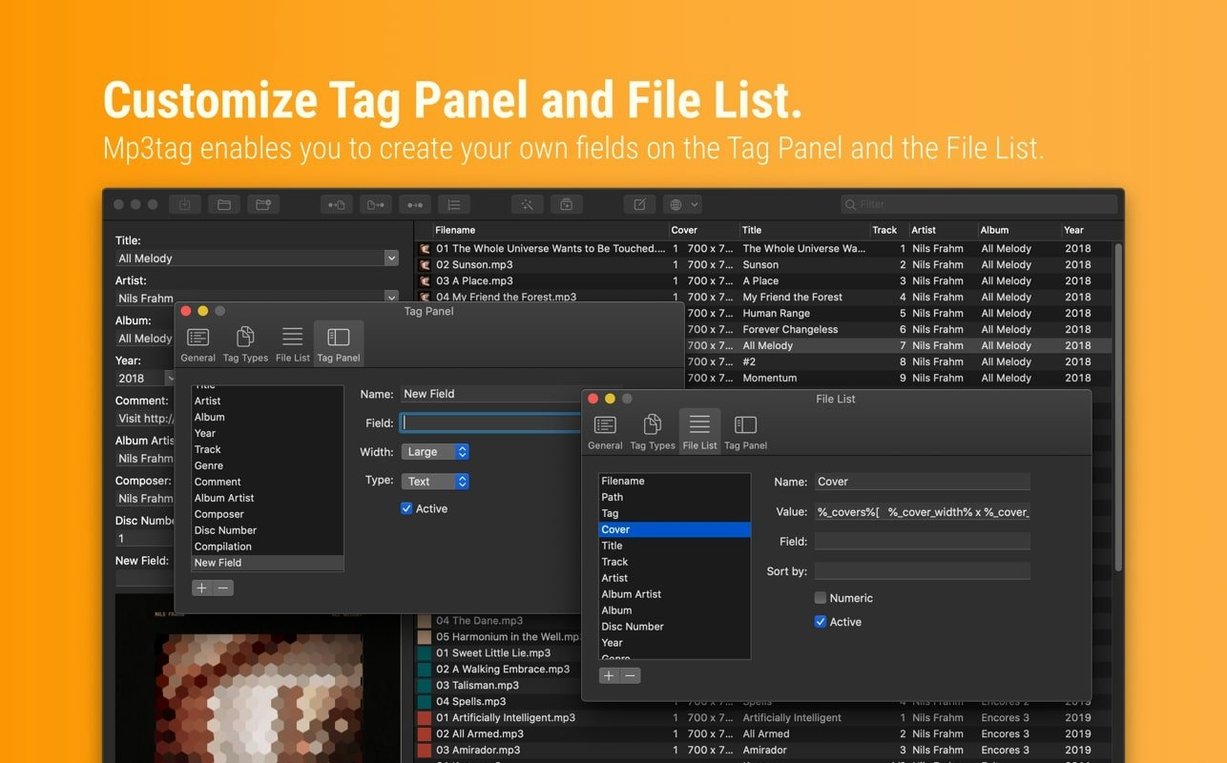
Actions Groups let you save multi-step transformations and reapply them later. The Tag Panel holds unsaved changes independently from the file, so you can combine manual edits with automated lookups before committing. Native Apple Silicon support keeps bulk operations responsive, even across tens of thousands of tracks.
How Mp3tag fits alongside other tag editors
On macOS, three names surface when you search for mp3tag mac alternatives: Metadatics, Kid3, and Yate. Each takes a different approach, and the right pick depends on how you work.
Metadatics shares Mp3tag's batch-first mindset. It handles a similar range of audio formats and offers regex-powered renaming. The difference is depth. Metadatics leans on a spreadsheet-style grid for inline editing, which feels fast for spot corrections. Mp3tag's Actions Groups, by contrast, let you encode a repeatable sequence — rename, reformat covers, swap fields — and trigger it with a shortcut. For a library that grows every week, saved actions beat manual grids.
Kid3 is the cross-platform contender. It runs on Linux and Windows too, which matters if your collection moves between machines. Its tag source integration is less polished; you get MusicBrainz lookups but no Discogs connection. Mp3tag's dual-source search, pulling cover art and credits from both catalogues, shortens the research step. Kid3 compensates with scripting support, but most Mac users will find Mp3tag's action system more direct.
Yate targets the obsessive end of the spectrum — classical music collectors, audiobook curators. It offers field-level scripting and deep customisation that Mp3tag doesn't attempt. The trade-off is complexity. Where Yate demands you configure a workspace, Mp3tag presents a focused set of tools that handle the common 90% without setup. Many people keep both: Yate for intricate tagging projects, Mp3tag for fast weekday cleanups.
Tag Panel cover edits no longer vanish
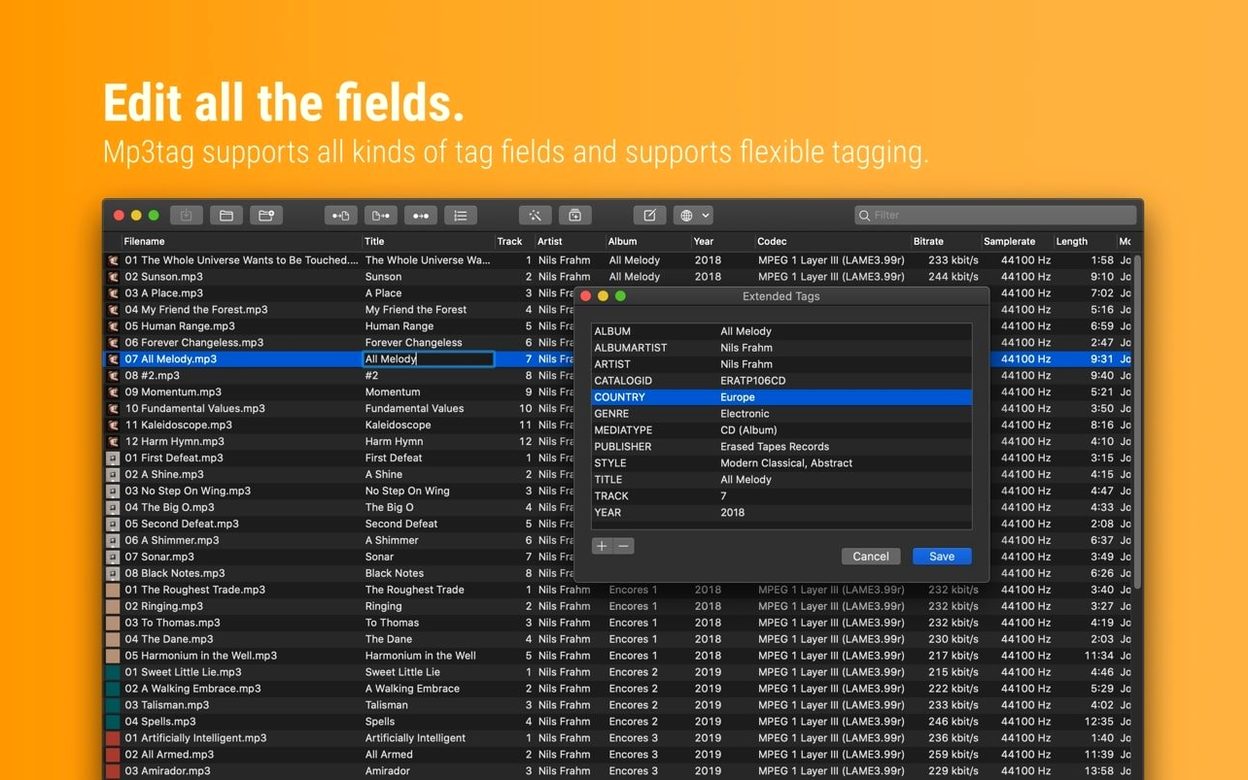
Version 1.14.1 addressed a handful of data-loss scenarios that power users ran into when layering operations. The Tag Panel now holds cover art changes even when you open Extended Tags before saving — previously, those edits could vanish. The same fix protects unsaved panel work during Cover Search, Tag Sources lookups, and Converter runs. You can queue several information sources without worrying about the sequence.
One fix worth noting for electronic music collectors: decimal BPM values survive the MP4 write process. Earlier builds truncated them to whole numbers, which broke beat grids for DJ software that reads fractional tempos. If you use Traktor, rekordbox, or Serato with MP4 libraries, that single change eliminates a manual correction step.
The crash that occurred when adding action groups on macOS 27 is also resolved — relevant if you build complex action chains across large libraries.
Where Mp3tag fits in a Mac workflow
Mp3tag works best as the metadata node between Finder and your playback tools. A common setup: rename and tag a batch of WAV stems before dragging them into Ableton Live, where clean filenames prevent clip-scramble. For DJ libraries, you can pull Discogs data into FLAC files, adjust embedded covers, then let rekordbox or Serato read the finished tags without further editing.
Spotlight indexes the fields Mp3tag writes, so searching by album or artist in Finder works immediately after saving. Automator and Shortcuts can't trigger Mp3tag actions directly, but the app's watched-folder behaviour — combined with its action-group shortcuts — lets you drop files into a hot folder, apply a preset transformation, and move tagged files to an output directory.
The Quick Look integration deserves a mention: embedded cover art written by Mp3tag appears in Finder previews and the column-view thumbnail. That small visual cue makes browsing a tagged library feel substantially more organised.
- macOS 10.14 or later
- Intel 64-bit processor
Questions I get before install
Can Mp3tag rename my audio files using the tags?
Yes. You can construct naming patterns from any tag field — artist, album, track number — and apply them to entire folders in one pass.
Comments 0
Sign in to leave a comment.Sign inCreate an account
No comments yet. If a step is still there after you install it, say so.
More in Mac Apps
All in Mac Apps Updated
Movist Pro
Plays obscure video formats with hardware decoding and rich subtitle controls.
9 steps saved
 m’s HalfTone
Applies halftone dot patterns to footage directly within the layer stack.
20 steps saved
 Movavi Video Suite
Combines rough cuts, format conversion, and screen capture in one Mac app.
22 steps saved
 MuMu Player Pro
Runs a full Android environment on macOS with keyboard and mouse control.
5 steps saved
 Movavi Video Editor
Trims raw footage and adds missing audio or visual pieces on a simple timeline.
9 steps saved
 My Metronome - Tempo Keeper
Combines a metronome, BPM detector, and guitar tuner for practice sessions.
21 steps saved
 Movavi Screen Recorder
Captures screen, audio, webcam, and stills in a single recording utility.
8 steps saved
 Updated
MouseBoost Pro
Replaces several small right-click utilities with one organized Finder menu.