
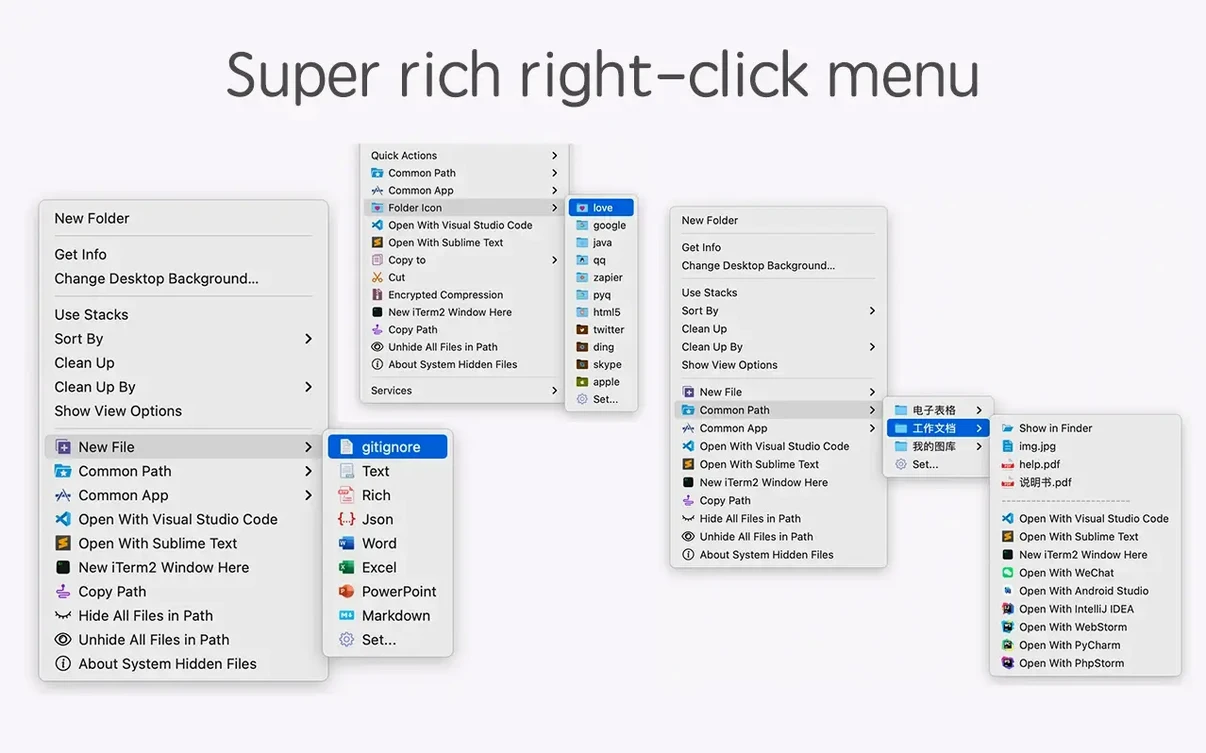
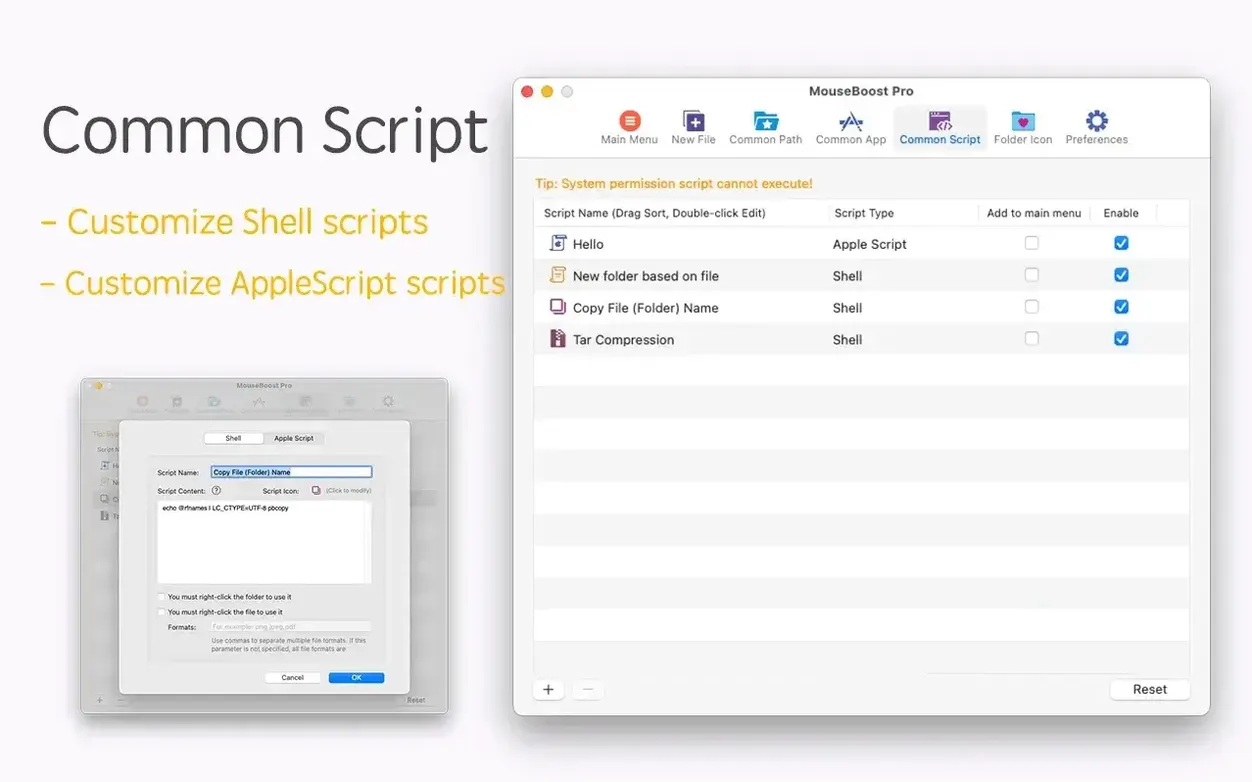
If you already lean on the right-click menu of a tool like iRightMouse, MouseBoost Pro is the upgrade that replaces a handful of small utilities with one well-organized set.
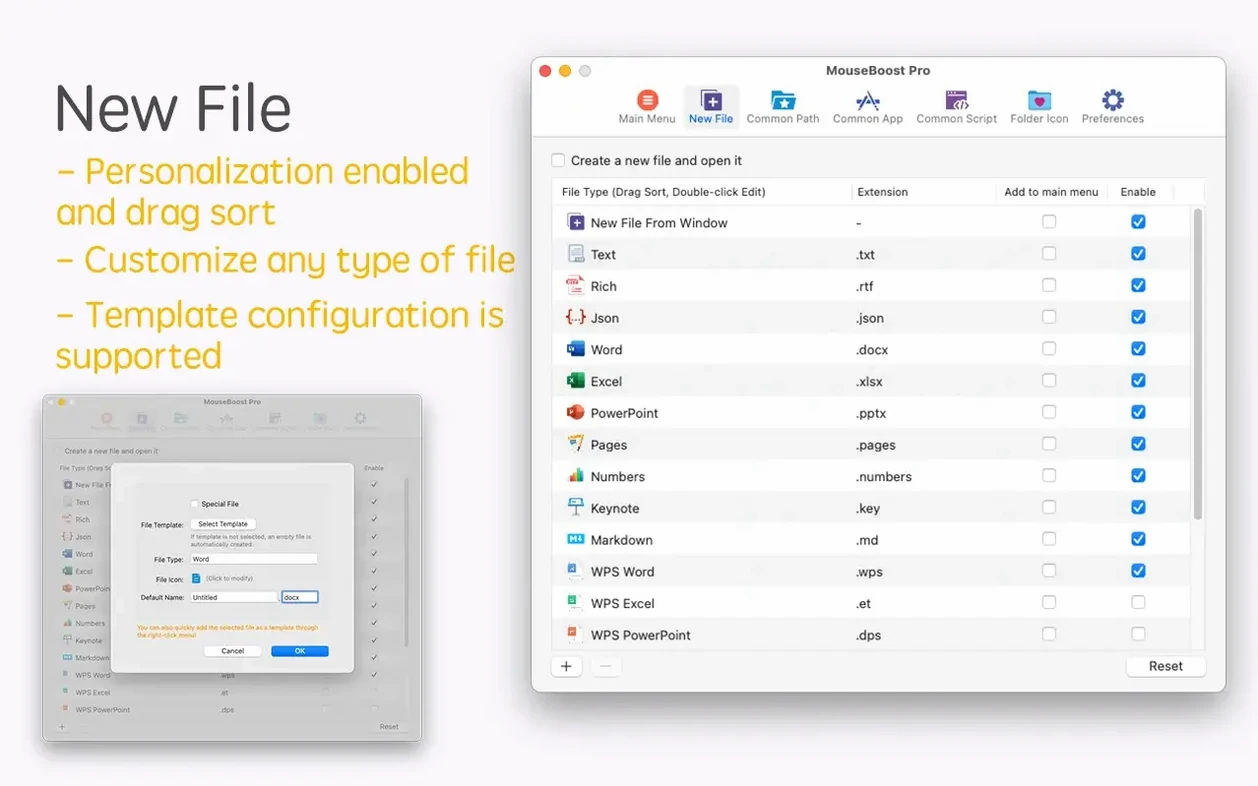
New File menu — create custom file types (TXT, Markdown, JSX, whatever you define) from the Finder right-click, no templates to manage.
Copy Path & Terminal — copy a clean POSIX path, or fling the current directory straight into iTerm2.
Checksums & File Info — calculate MD5, SHA1, SHA256, and more without launching a separate hashing app.
Batch Rename Engine — insert text at a specific position, or feed in a list of names for precise, sequenced renaming.
Compression — create encrypted archives from the context menu.
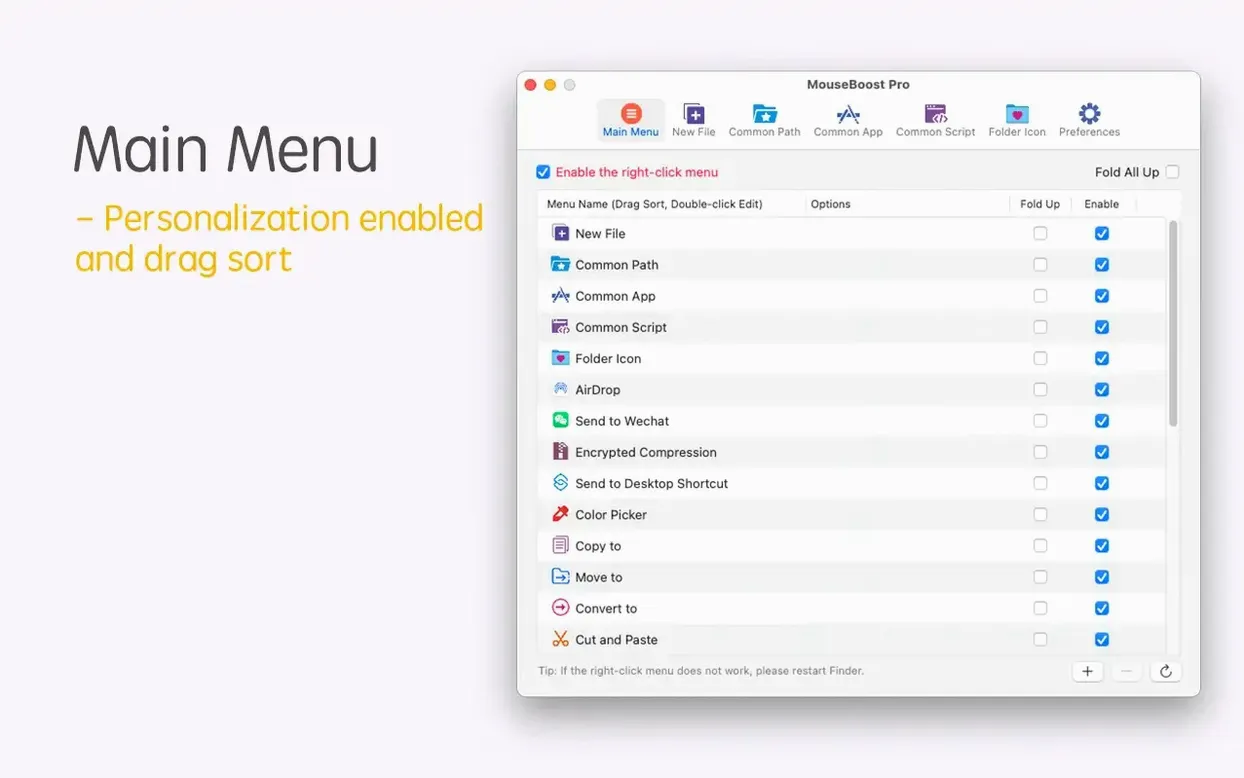
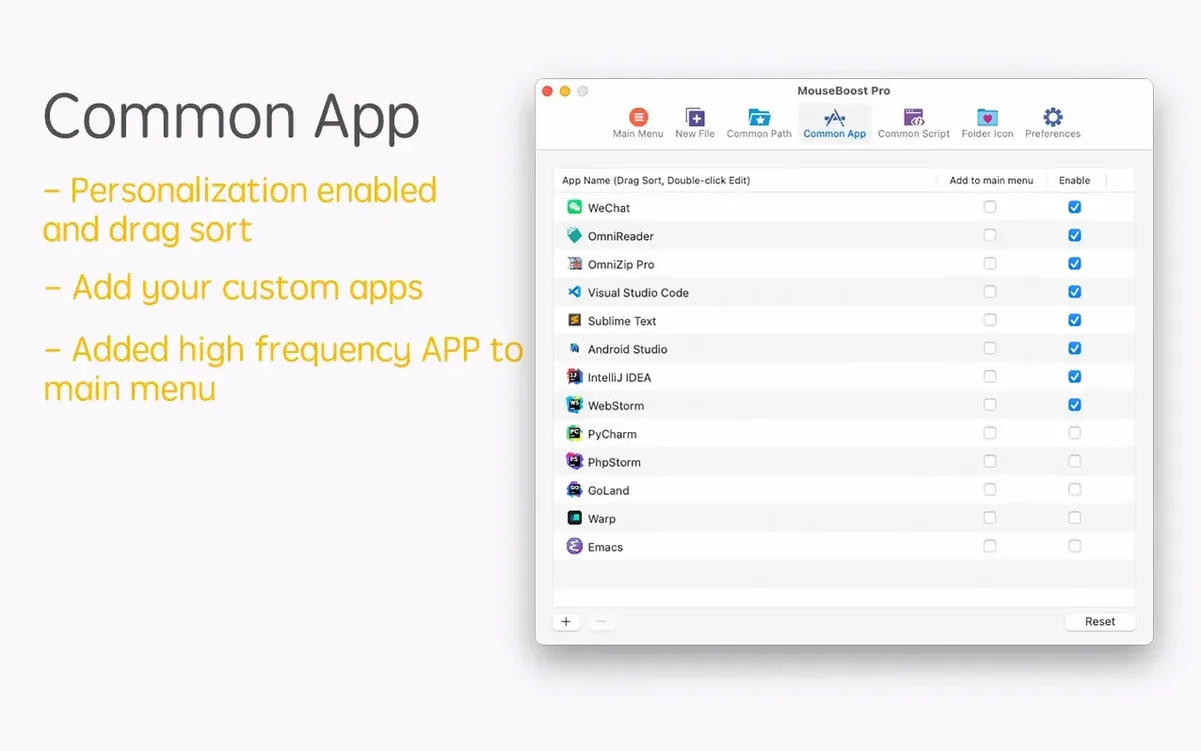
Menu Control — sort every submenu yourself so the tools you use most sit at the top.
Right-click, then keep moving: a typical session
You land in a project folder with fifteen screenshots that need sensible names, a folder icon that still shows the default blue, and a path you need to send a colleague. Here is how the next ninety seconds play out.
- Select the screenshots. Right-click, choose Batch Rename from the MouseBoost Pro submenu. The panel opens. You pick Insert Text at Position, type
onboarding-v2-at position 0, and apply. All fifteen files rename in one pass. - Still in the same folder, right-click an empty area. New File > Markdown. A fresh
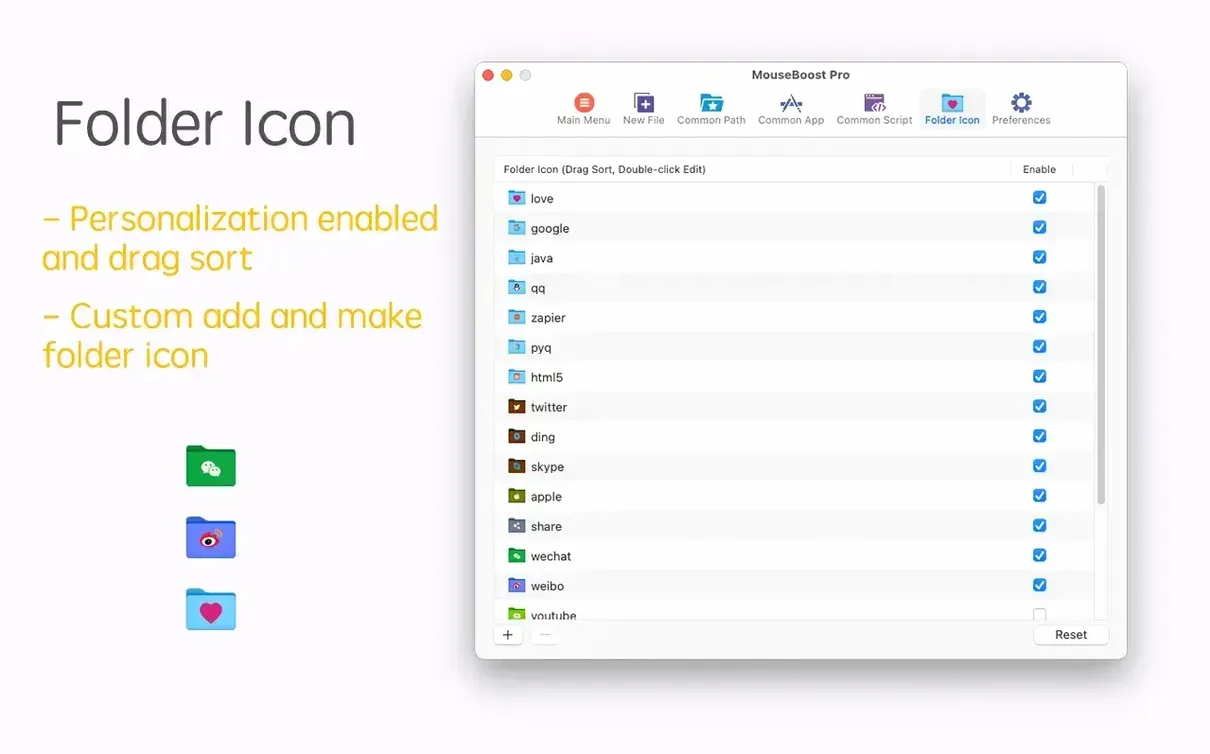
.mdfile appears, ready for notes. No template dialogue, no Finder lag. - Need the folder icon changed? Right-click the folder itself, pick Change Folder Icon, drop the PNG you prepared. Done.
- Copy the path. Right-click the folder again, hit Copy Path. You paste a clean
/Users/priya/Projects/onboarding-assetsinto Slack. - Jump into code. Right-click, Open in VSCode. The workspace opens with the folder already loaded. No dragging, no
code .typed by hand.
You never left the Finder, and you never opened a separate launcher, hashing tool, or batch utility. That is the rhythm MouseBoost Pro aims for: right-click, act, continue.
Build custom file templates that live in your right-click menu
A few conveniences in mouse boost pro sit one layer deeper than the obvious right-click tools. They surface once you settle into daily use.
- Custom file type creation. The New File submenu ships with sensible defaults, but the real value shows when you add your own entries—Python scripts,
.envstubs, Tailwind CSS files. Define the extension once, and it appears in every Finder window. - Menu sorting. Long-press or drag any item in the preferences panel to reorder the entire right-click tree. If you rarely checksum files but zip them constantly, put Compress (Encrypted) near the top and let the hashing tools sit lower.
- Hidden file toggle. Show or hide dotfiles with one menu pick. Useful when you need a quick glance at
.gitignoreor.envwithout flipping a Finder-wide preference. - Folder tree preview. New in 5.2.8: right-click a directory, and a tree view pops open showing structure down to a depth you set. It is a fast alternative to
treein Terminal when you just need a visual check. - OCR copy during capture. Another 5.2.8 addition: when you use the screenshot tool, text recognition runs silently and dumps the result onto your clipboard. No separate OCR step.
None of these shout for attention. They sit quietly in the menu, waiting for the moment you need them.
Idles at 0% CPU and under 80 MB RAM on Apple Silicon
MouseBoost Pro runs as a lightweight Finder extension, not a background service that hoards CPU cycles. On an Apple Silicon machine, the helper process idles near zero percent CPU and rarely crosses 80 MB of RAM even when batch-renaming fifty files. Intel Macs see similar restraint; the app has been stable on everything from a 2015 MacBook Air running El Capitan to current M3 hardware.
Checksum calculation on large files—think 4 GB ISOs—spikes one core briefly, then releases it. The encrypted compression tool leans on macOS-native zip routines, so throughput matches what you would get from the command line. No beachballs, no Finder freezes, no mysterious slowdowns when the extension loads.
The app has survived macOS upgrades across several major versions without breaking its right-click hooks. The TNT build runs cleanly once Gatekeeper is satisfied, and preferences persist across relaunches without corruption. For a utility that patches itself into the Finder's context menu, MouseBoost Pro Mac torrent earns its keep with quiet reliability rather than flash.
- New — Grid layouts for image stitching. Control how many images sit in each row and add or remove items on the fly.
- New — Mouse-wheel zoom for pinned screenshots. Quick size check without unpinning.
- New — AVIF image support. SVG conversion now preserves the original aspect ratio — no more squashed output.
- Improved — macOS 27 compatibility and interface rendering.
- OS X 10.11 or later; macOS 12.3 or later
- Apple Silicon or Intel 64-bit Mac
Comments 0
Sign in to leave a comment.Sign inCreate an account
No comments yet. If a step is still there after you install it, say so.
More in Mac Apps
All in Mac Apps Mountain Duck
Mounts remote servers as standard Finder volumes for direct file browsing.
21 steps saved
 Movavi Screen Recorder
Captures screen, audio, webcam, and stills in a single recording utility.
18 steps saved
 Motionvfx - mTitle Cinematic
Adds fifty cinematic titles that keep a consistent horizontal framing across cuts.
12 steps saved
 MotionVFX mModules
Drops 60 pre-built motion titles and accents into your Final Cut Pro timeline.
5 steps saved
 Movavi Video Editor
Trims raw footage and adds missing audio or visual pieces on a simple timeline.
11 steps saved
 MotionVFX - mLowers Universal for FCP
Adds news-style lower thirds and social handles directly inside Final Cut Pro.
20 steps saved
 Movavi Video Suite
Combines rough cuts, format conversion, and screen capture in one Mac app.
7 steps saved
 MotionVFX mKBHD
Applies glitch transitions and modern overlays to fast-turnaround edits.