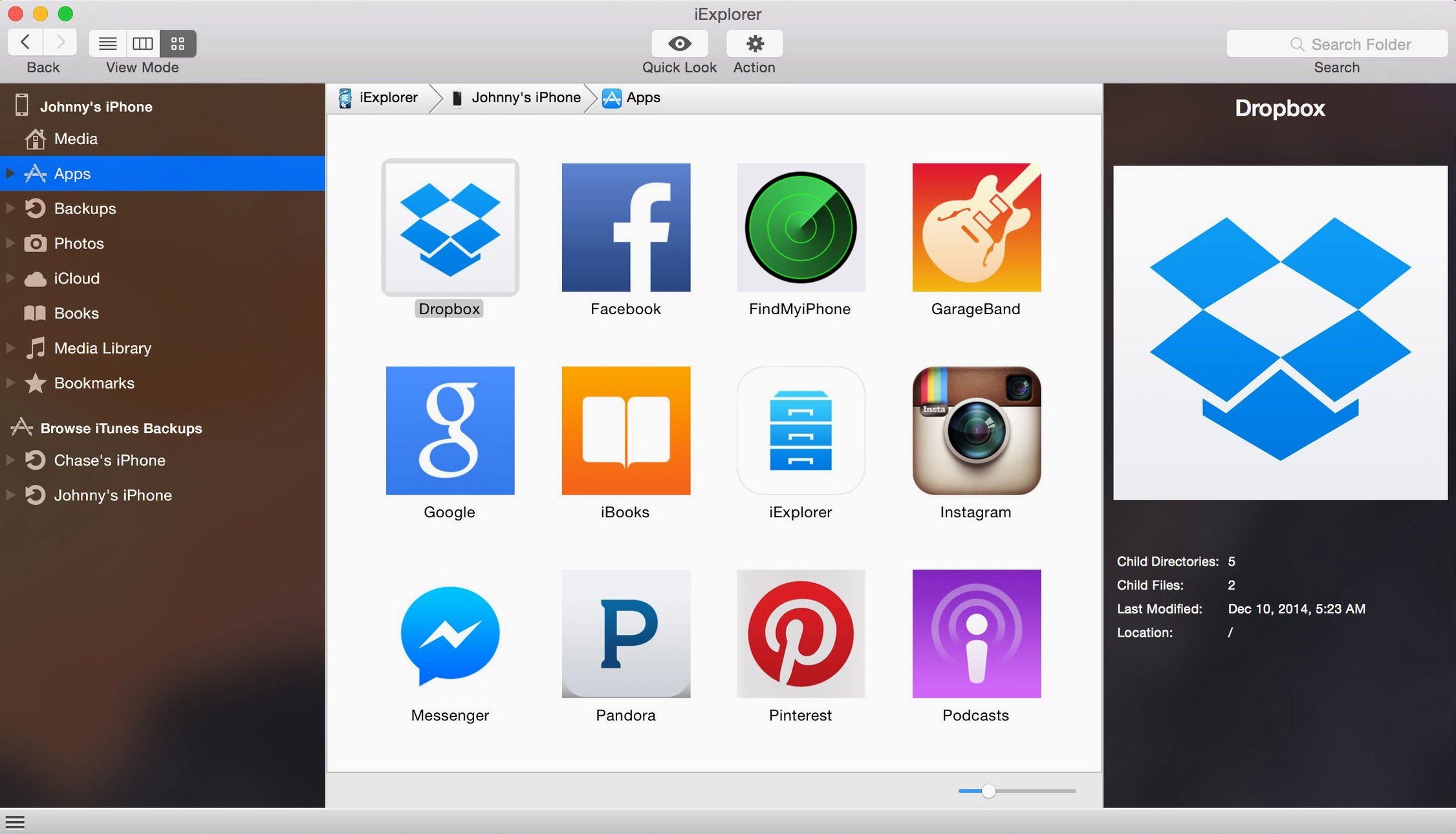
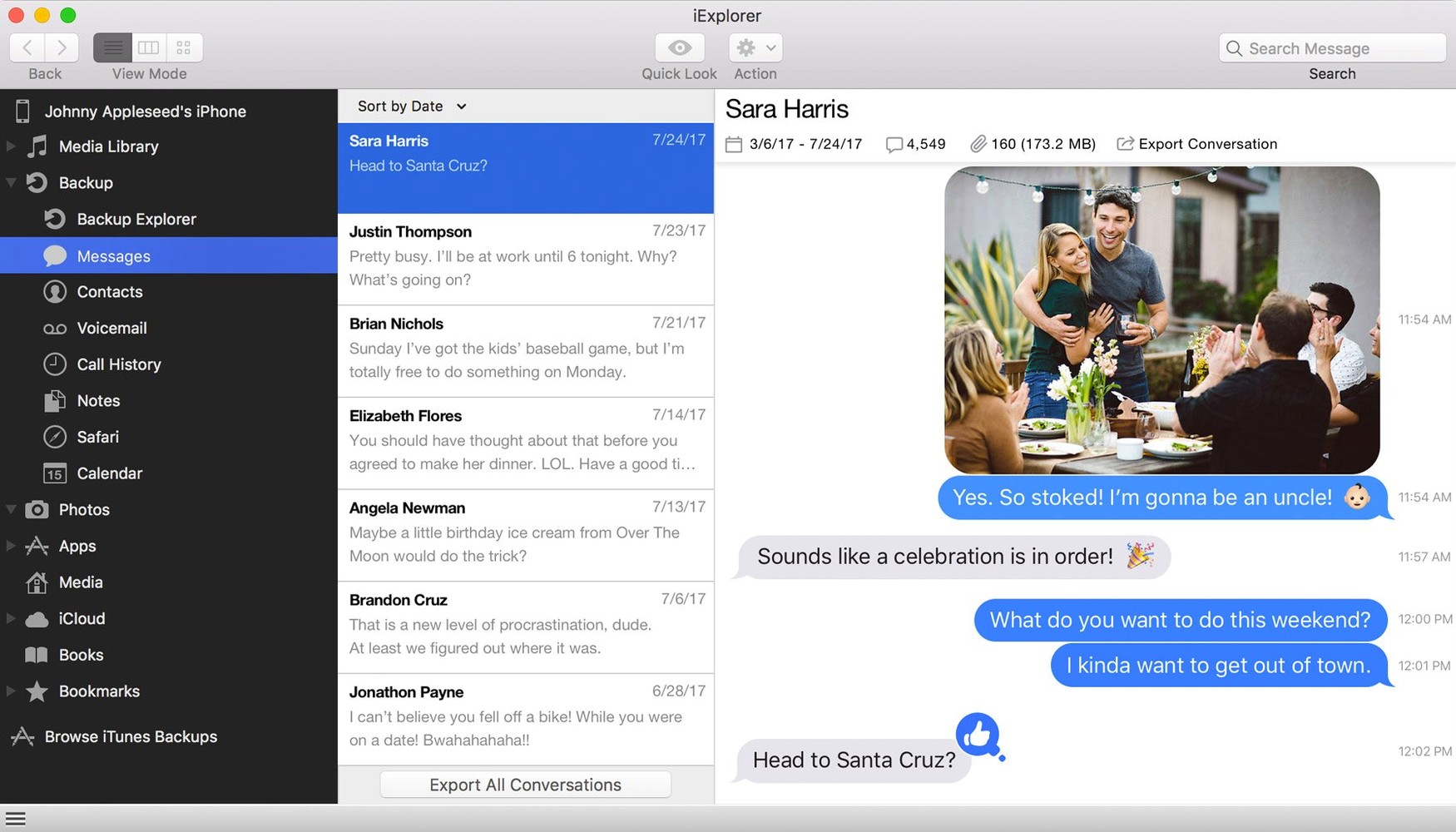
iExplorer runs on any Intel Mac with macOS 10.10 or later and a copy of iTunes. Apple Silicon Macs get there through Rosetta. Connect an iPhone, iPad, or iPod and the utility mounts its contents for browsing—no jailbreak required. The current version, 4.6.0, refines compatibility with iOS 16 while keeping the core workflow the same: direct desktop access to what sits on the device and in its backups.
Export Messages and Call History
Pull text conversations, contacts, notes, and recent call logs straight into a folder on the Mac. The export preserves the original format so nothing gets reshuffled.
Transfer Music to iTunes
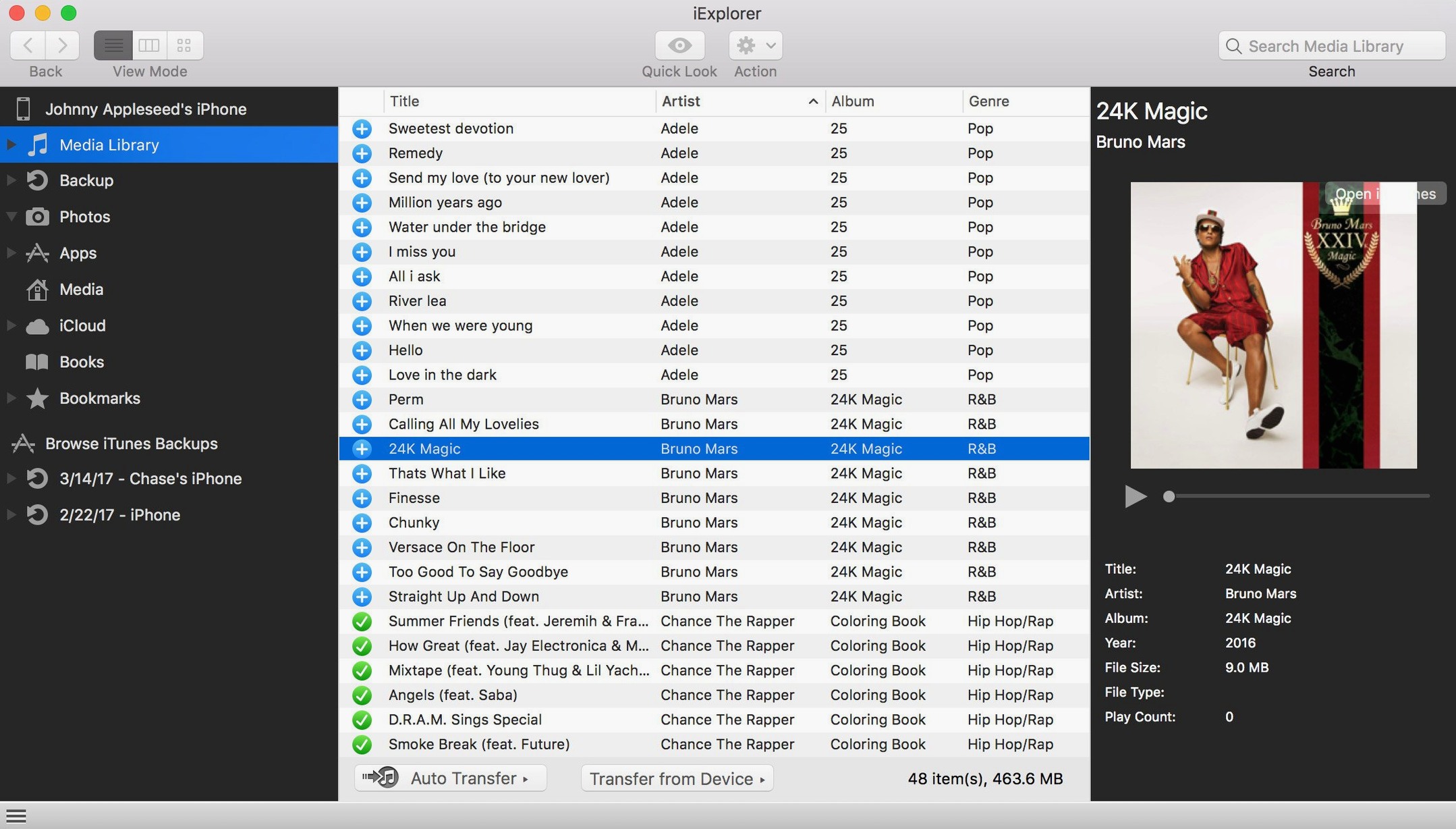
Rebuild a library by dragging playlists and tracks from an old iPod or iPhone into iTunes. The transfer keeps metadata intact and skips duplicate files automatically.
Browse Photos and App Data
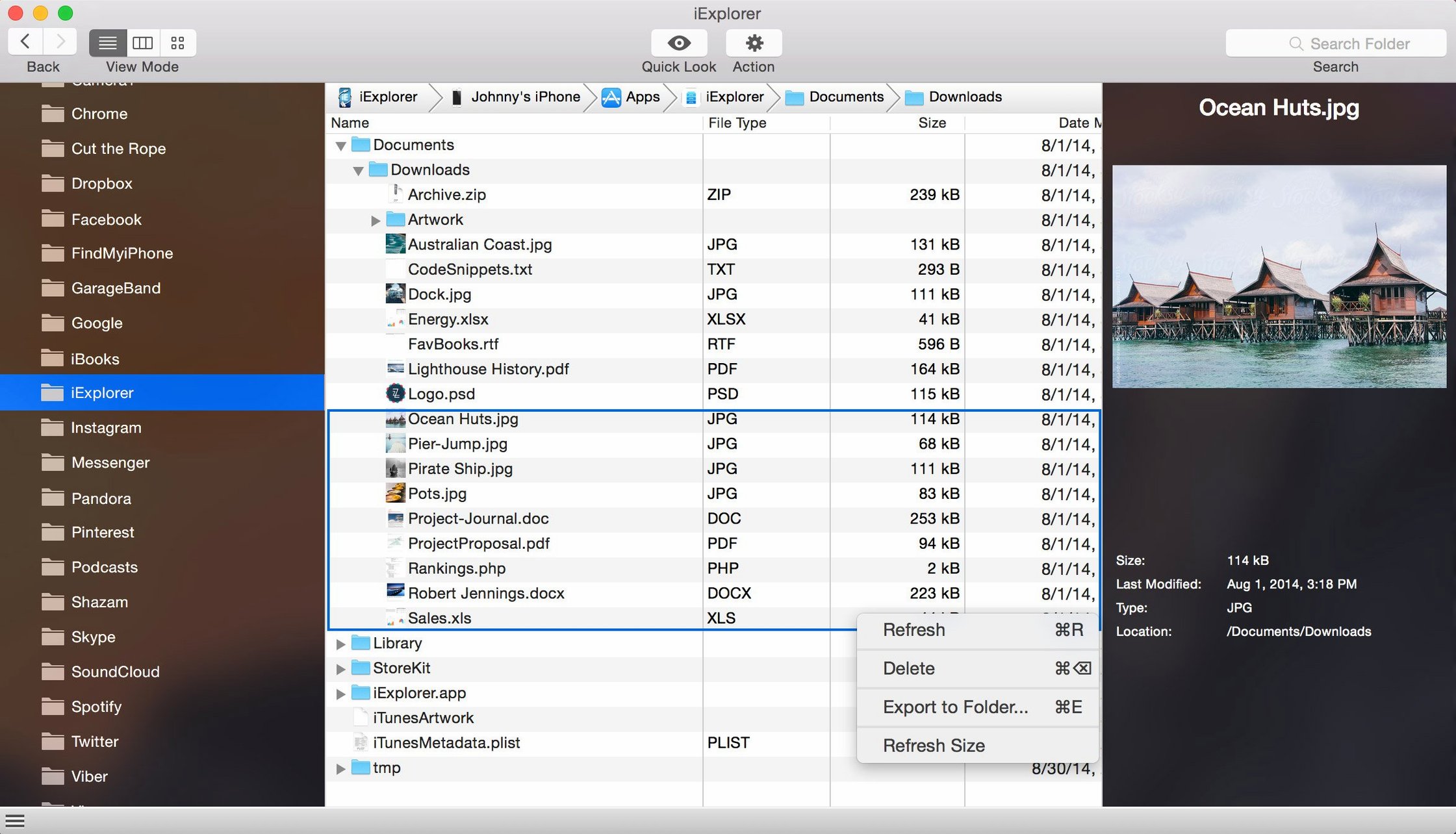
Dig into the camera roll, photo albums, and app file containers the way you would a USB drive. Back up the device locally or pull individual files without touching iCloud settings.
Recover a Photo Library Without iCloud
A clean export from an older iPhone works like this. Plug the device into the Mac, wait for it to appear in the sidebar, then open the Photos section. Select the albums that matter, choose a destination folder, and let the transfer run. The files land with their original names and timestamps. After that, point Photos or Lightroom at the folder and import as usual.
The same path applies to voice memos, recordings from third-party apps, and documents saved inside app containers. Nothing routes through iCloud, and nothing gets re-encoded.
Scenario: One Mac, Three Family Devices
A household with a shared iMac and a mix of iPhones and an old iPod touch often ends up with scattered libraries. One person wants call history archived before upgrading. Another wants a playlist that exists only on an iPod. A third needs photos copied off for a school project.
iExplorer handles all three jobs from the same install. Each device mounts under its own name, so there is no confusion about which library is active. The transfers run one at a time but require no separate accounts, no cloud uploads, and no waiting for syncs to finish.
No Jailbreak, Just iTunes Drivers
Does it need a jailbreak? No. The utility reads standard device backups and mounted data, so a stock iPhone, iPad, or iPod works fine.
Why does it require iTunes? iTunes supplies the device drivers and some of the backup plumbing. Keep a current copy installed and signed in, even if you never open it manually.
Can it open old backups from another Mac? Yes. Point the app at an existing backup folder and it will list messages, notes, call history, and photos stored inside.
People searching for an iexplorer full workflow usually want one thing: a direct view of the device without going through Finder sync. That is the default behaviour here. A search for iExplorer torrent or iExplorer Mac crack often starts from the same need, and the app is a regular Mac utility—install it, connect the device, and browse.
- Improved – iOS 16 compatibility.
- macOS 10.10 or later
- Intel 64-bit processor (Apple Silicon via Rosetta)
- iTunes installed
Questions I get before install
Does iExplorer require jailbreaking the device?
No—it reads an iPhone, iPad, or iPod through a standard USB connection without any modification.
What types of data can iExplorer copy from an iPhone?
Contacts, text messages, notes, call history, photos, music, playlists, app files, and device backups.
Comments 0
Sign in to leave a comment.Sign inCreate an account
No comments yet. If a step is still there after you install it, say so.
More in Mac Apps
All in Mac Apps Imagenomic Plugin Suite
Consolidates skin retouching, noise reduction, and resizing under one installer.
19 steps saved
 Imagenomic Portraiture
Replaces manual skin retouching with an automated mask-based smoothing engine.
15 steps saved
 IDA Pro
Picks apart executables with a guided disassembler, decompiler, and debugger.
4 steps saved
 iMazing
Backs up, browses and moves iPhone and iPad data without iTunes.
17 steps saved
 Infuse Pro
Plays nearly any video format natively across Mac, iPhone, iPad, and Apple TV.
16 steps saved
 iReal Pro
Generates a backing band from chord charts so you can rehearse like a full ensemble.
17 steps saved
 Updated
Hopper Disassembler
Disassembles and decompiles binaries so you can trace logic or audit code.
6 steps saved
 iStat Menus
Puts CPU, memory, and network graphs in your menu bar to catch issues early.