Runs on any Mac with macOS 11 (Big Sur) or later, including Apple Silicon and Intel machines.
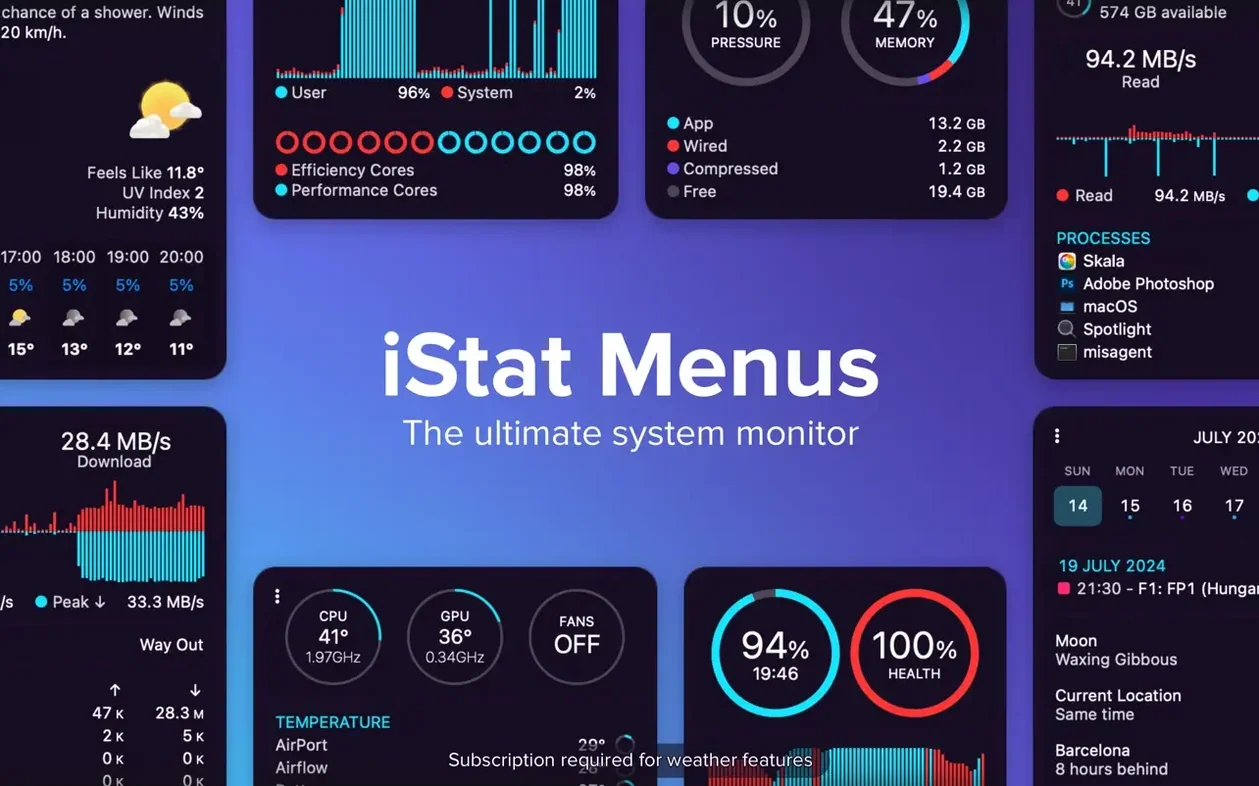
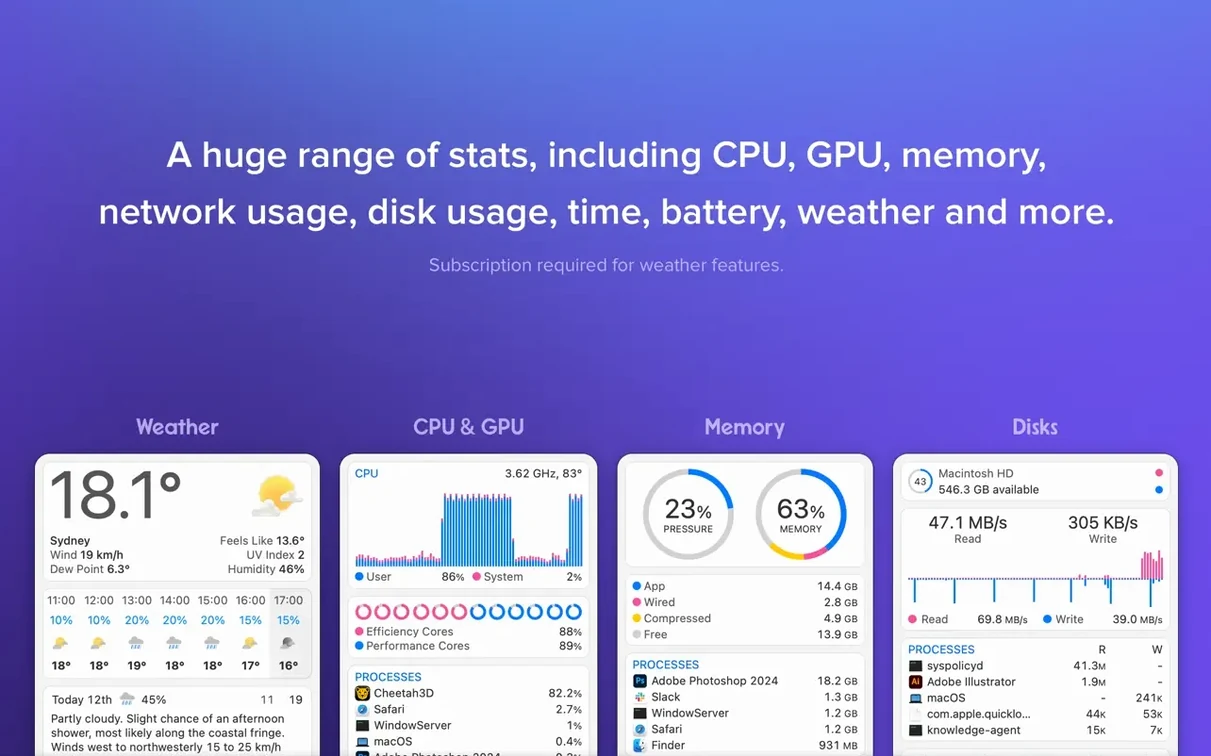
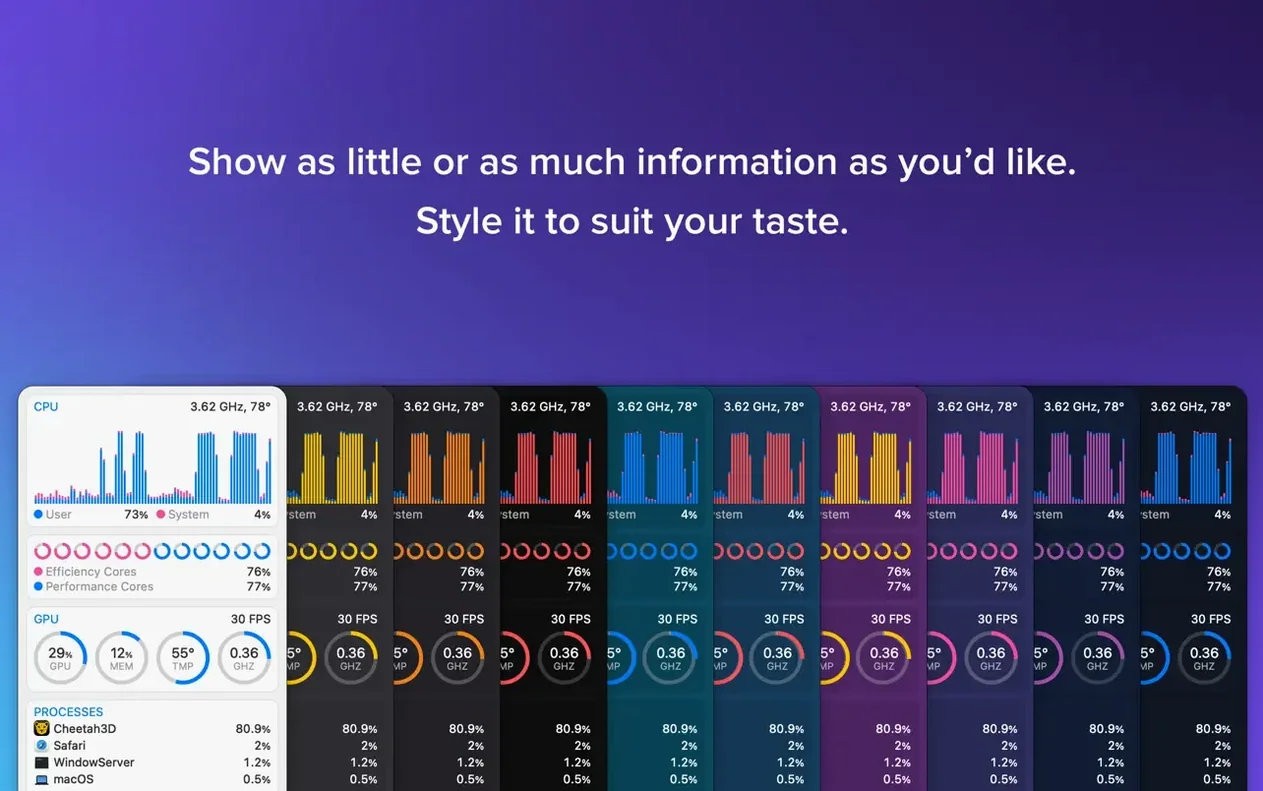
CPU & GPU — A compact graph showing current load. Hover for per-core breakdowns or GPU memory usage.
Memory — Pie or line chart of pressure, used, cached, and swap. Spot a memory leak before the beachball appears.
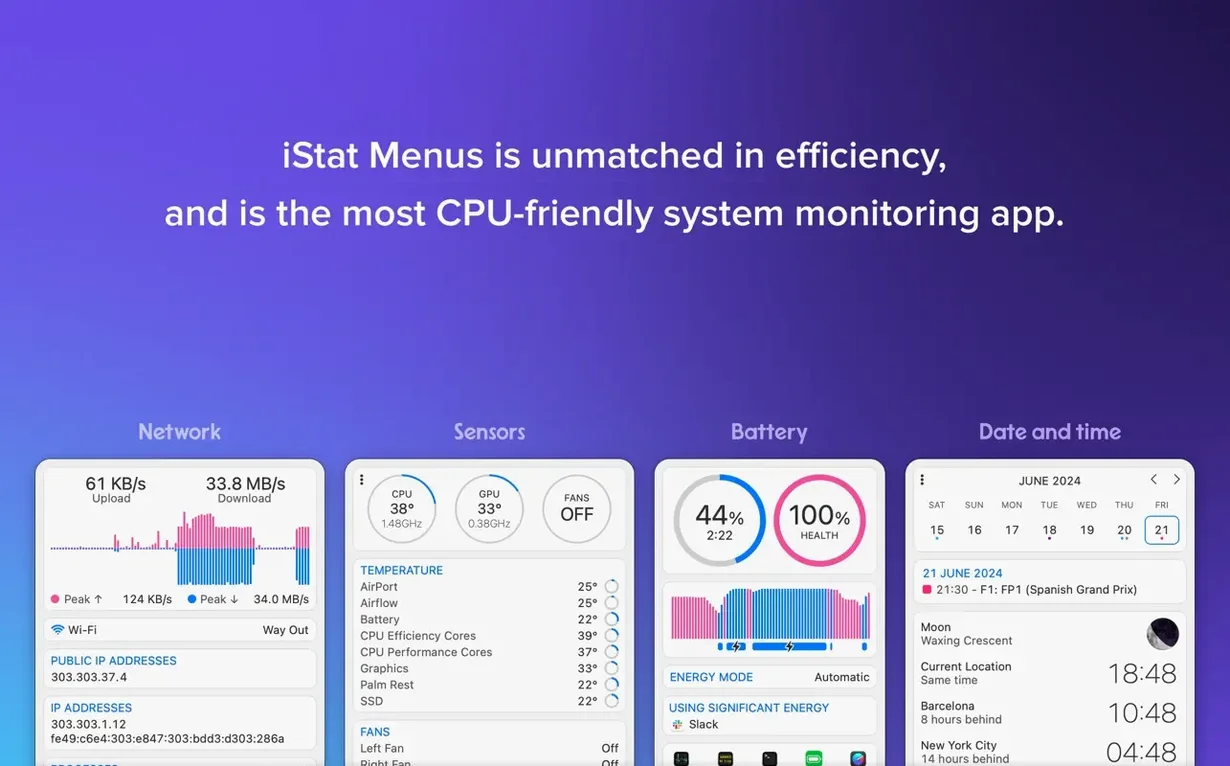
Network — Upload and download speed in the menu bar. Click for interface details, external IP, and total data sent or received this session.
Disk — Read/write throughput, space used, and S.M.A.R.T. health status. Configurable fan-speed rules apply when the Mac is on battery.
Sensors — Temperatures, fan speeds, voltage, and current. The optional helper component reads these directly from your Mac’s controllers.
Weather — Current conditions, seven-day forecast, wind speed, dew point, and moon phase. Version 7.5 adds astronomy seeing, transparency, and cloud cover forecasts for stargazers.
Time — World clocks, sunrise and sunset, and a customizable date display. Dark Mode support keeps everything readable at night.
Get the layout right in the first hour
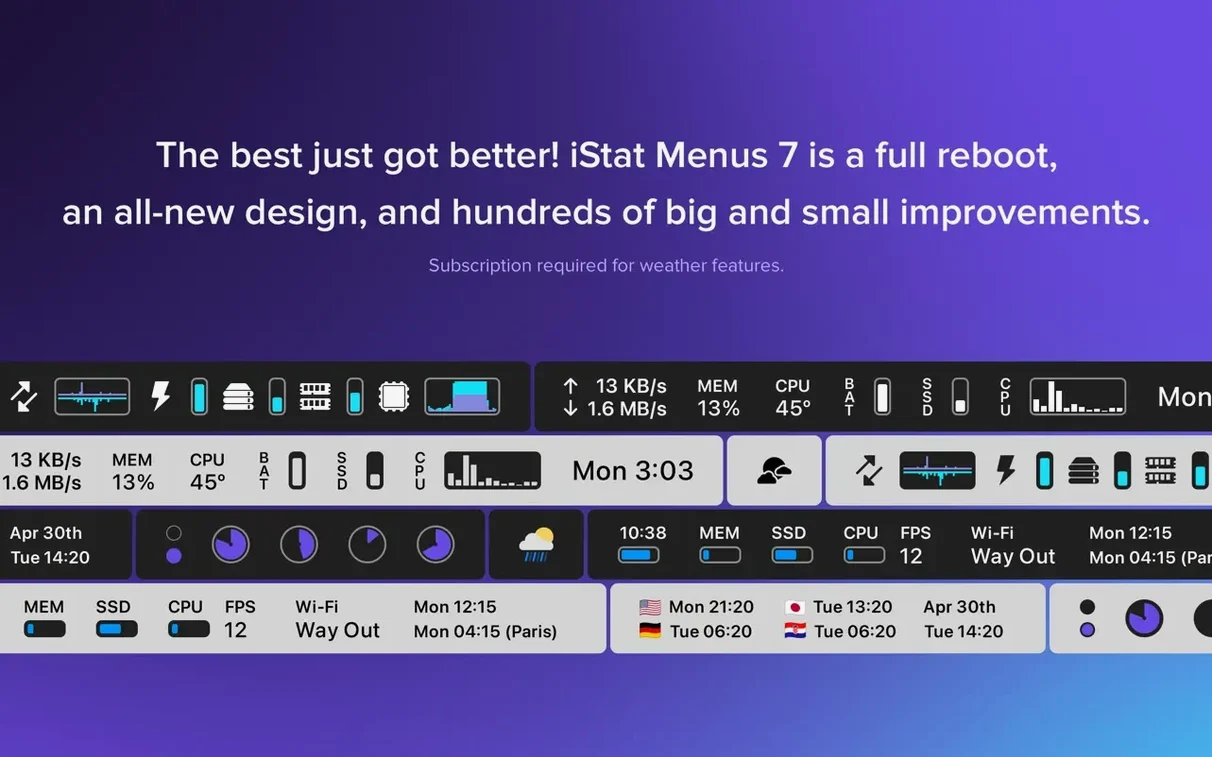
Resist the urge to enable everything at once. A crowded menu bar works against quick scanning. Start with three items — CPU, network, and memory — and use them for a full workday before adding more.
Position items so the ones that change most often sit on the left, closest to your focus. If you glance at upload speed twenty times a day, move the network widget left of the time display. Drag items directly in the iStat Menus settings panel; the menu bar reorders instantly.
Set a global hotkey for the combined dropdown. The default is Option+click on any iStat Menus item, but you can assign a dedicated shortcut under Global Settings. One keystroke brings up every sensor, chart, and process list at once — useful when you hear the fans spin up and want a diagnosis fast.
Sensor dashes? Just reinstall the helper
Temperature or fan readings show dashes. The helper component isn't loaded. Open iStat Menus, go to the Sensors tab, and click Install Helper. Enter your admin password when prompted. The readings appear within seconds.
Weather stays blank or shows old data. The app pulls from a weather service that requires location access. Check System Settings > Privacy & Security > Location Services and confirm iStat Menus is toggled on. Then open the Weather item in the app and click the refresh arrow. If you're behind a VPN, the geolocation lookup can time out — disconnect briefly to get the initial fix.
Menu bar runs out of space. On MacBooks with a notch, iStat Menus can push icons into an overflow area hidden by the camera housing. In the app's Combined settings, enable Use more compact layout. Also consider switching from graph to text-only for the CPU item; a tiny percentage readout uses far less width than a sparkline chart.
Disk activity seems stuck at zero. The default view excludes Time Machine snapshots or low-level I/O. In the Disk item preferences, tick Show all disk activity to capture backup daemons and Spotlight indexing. The readout often jumps during the first hour after enabling — that's normal, it's catching previously invisible work.
Barely touches Apple Silicon CPU
On an Apple Silicon Mac, iStat Menus hovers between 0.2% and 0.8% CPU when six or seven items are active with default polling intervals. The helper process, which reads sensors, adds another tenth of a percent and wakes the CPU briefly every few seconds. Intel machines show slightly higher numbers — typically 1% to 1.5% — because the helper polls the SMC controller more aggressively.
Memory use settles around 60 to 90 MB for the main process and 10 to 15 MB for the helper. That figure stays flat across days of uptime. No gradual creep, no swap pressure from the app itself. If you're chasing an istat menus 6 download from an older build, you'll find version 7.50 measurably leaner on Apple Silicon; the older version ran under Rosetta 2, while the current universal binary runs natively.
Battery impact is negligible. The sensors and network counters read system registers, not the disk, so the app doesn't prevent idle sleep. If you're using an iStat Menus crack Mac build, check that the helper's polling intervals match the defaults—this keeps fans quiet and battery life steady. A clean install with default intervals keeps the helper quiet.
Rare crash scenarios involve third-party menu bar managers that forcibly rearrange items. If iStat Menus vanishes after a Bartender or Hidden Bar refresh, quit the menu manager first, then relaunch iStat Menus. The items return to their saved positions. No data is lost — all preferences sit in a single plist inside your Library folder.
- New — Astronomy item for observing conditions.
- New — Forecasts for seeing, transparency, and cloud cover.
- macOS 11 or later
- Apple Silicon or Intel processor
Questions I get before install
What is the helper component for?
The optional helper reads temperature and fan-speed data directly from your Mac's hardware controllers.
Can I control fan speeds while on battery?
Yes, iStat Menus lets you set fan-speed rules that activate specifically when your Mac is running on battery power.
Comments 0
Sign in to leave a comment.Sign inCreate an account
No comments yet. If a step is still there after you install it, say so.
More in Mac Apps
All in Mac Apps iReal Pro
Generates a backing band from chord charts so you can rehearse like a full ensemble.
17 steps saved
 Infuse Pro
Plays nearly any video format natively across Mac, iPhone, iPad, and Apple TV.
4 steps saved
 iMazing
Backs up, browses and moves iPhone and iPad data without iTunes.
23 steps saved
 iZotope Ozone
Reshapes a mix into a finished master using genre-specific tonal targets.
19 steps saved
 Imagenomic Portraiture
Replaces manual skin retouching with an automated mask-based smoothing engine.
8 steps saved
 Imagenomic Plugin Suite
Consolidates skin retouching, noise reduction, and resizing under one installer.
9 steps saved
 iExplorer
Mounts an iPhone or iPad on your Mac for direct file browsing without a jailbreak.
12 steps saved
 Juicy: Battery Alerts & Health
Surfaces battery health and cycle count in the menu bar before the service warning appears.