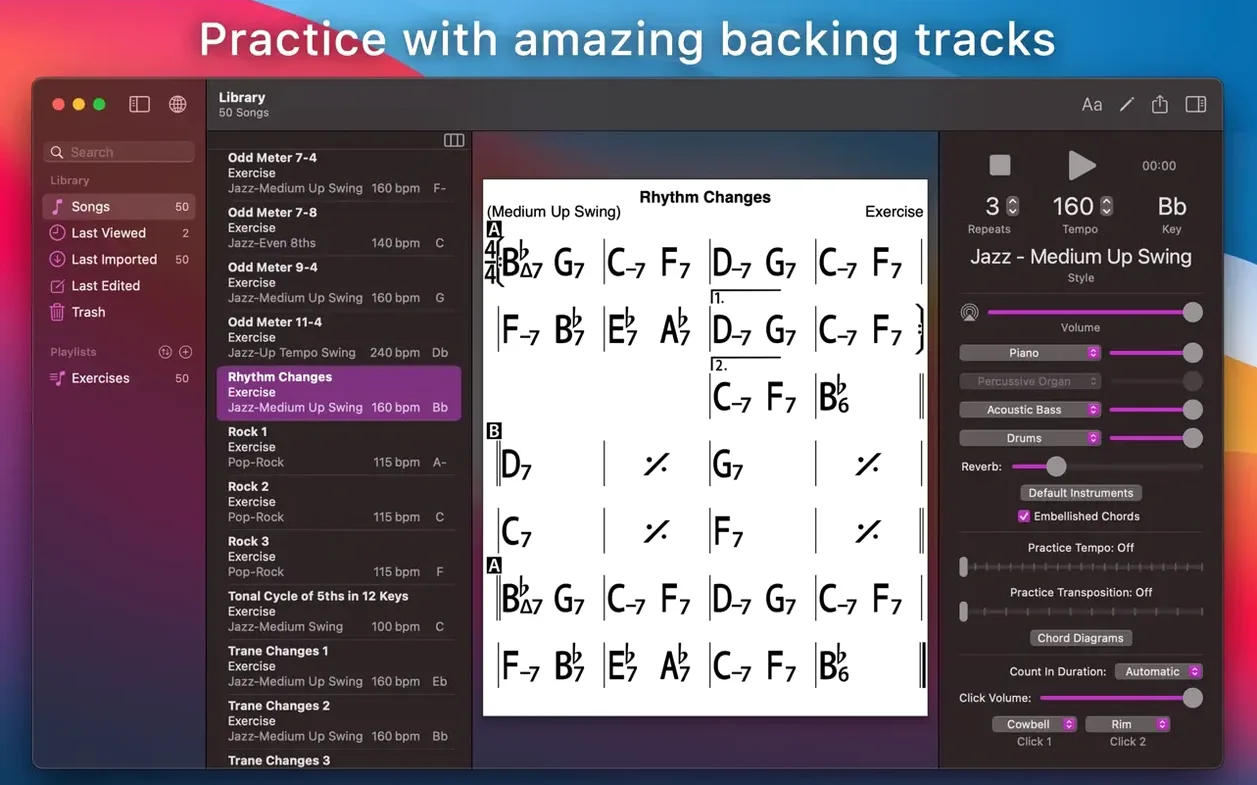
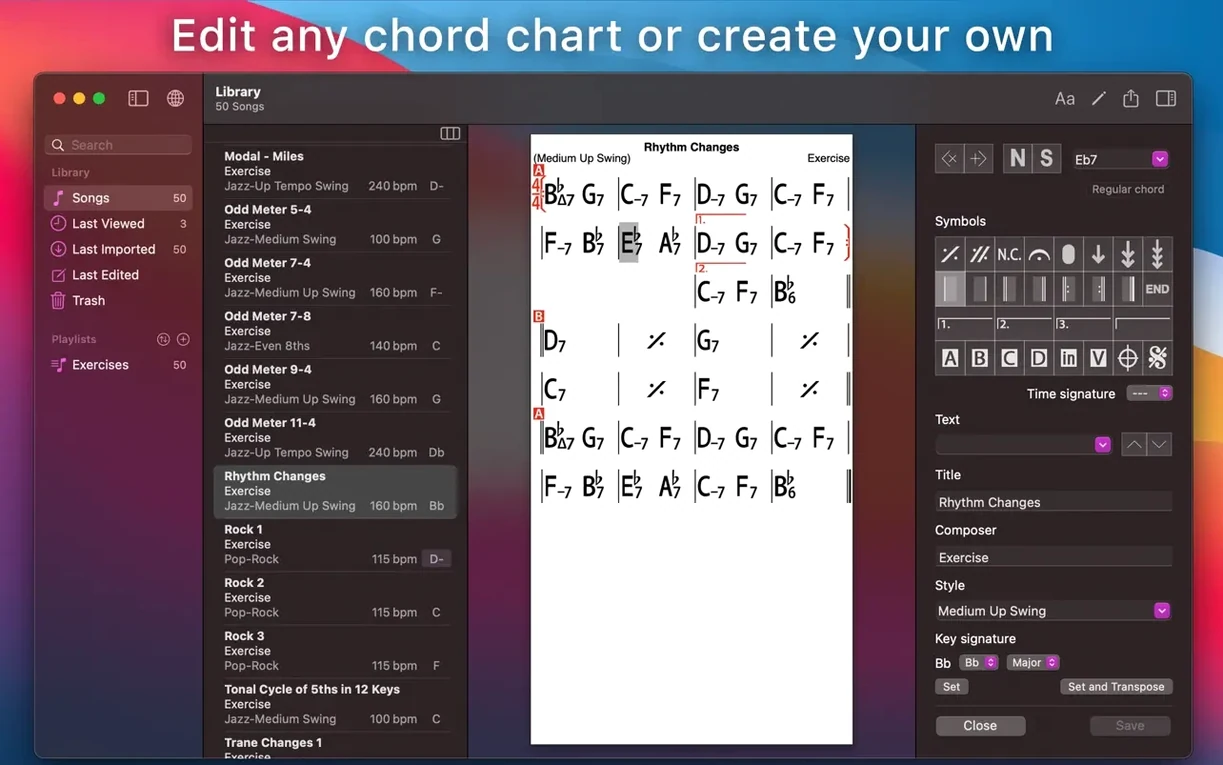
A guitarist cues up a new standard at a jam session, glancing at a clean chord chart on a MacBook. The app plays a soft brush drum beat, walks a bass line, and comps piano, turning a solo practice into a full-band rehearsal.
What does iReal Pro actually do?
It generates a real-sounding backing band from a chord chart. Pick from 51 accompaniment styles—jazz, bossa nova, pop, funk—and the app supplies piano or guitar, bass, and drums that follow your changes. You can record your playing or vocals over the top and export the result as WAV, AAC, or MIDI. For ear training, 50 built-in exercises run through common chord progressions in every key.
Can I use songs others have made?
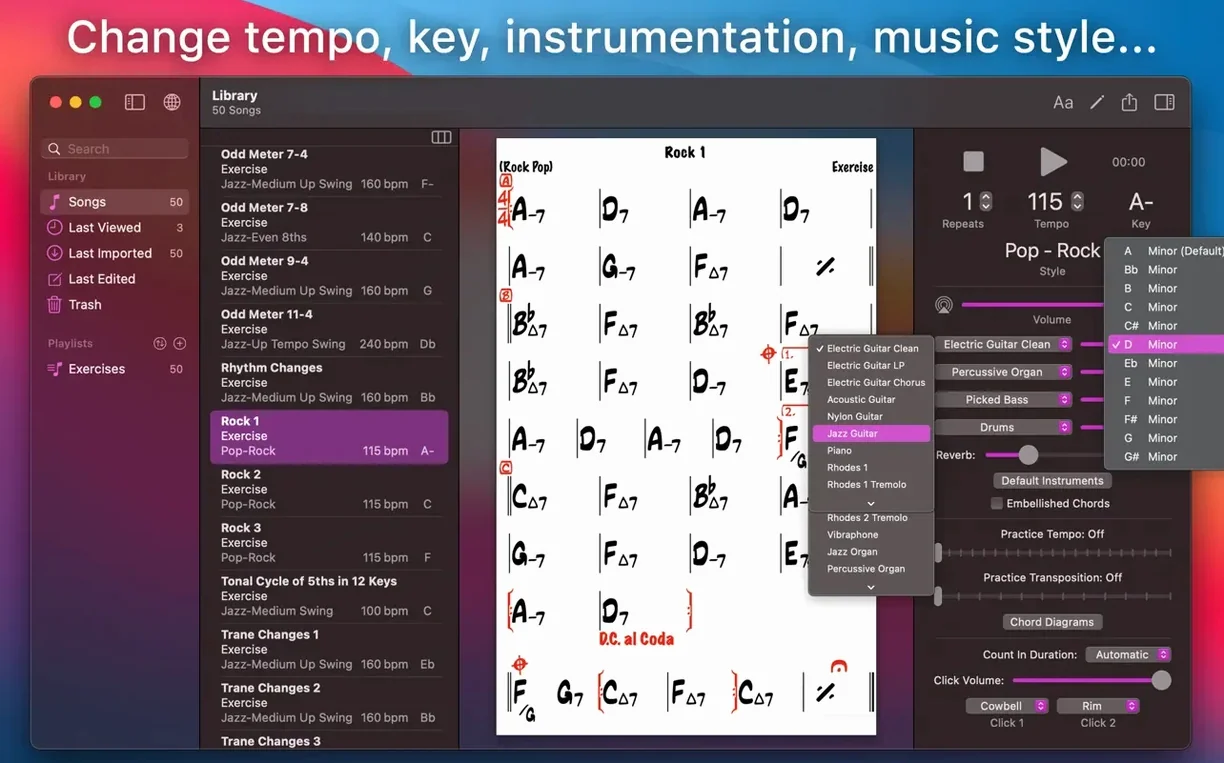
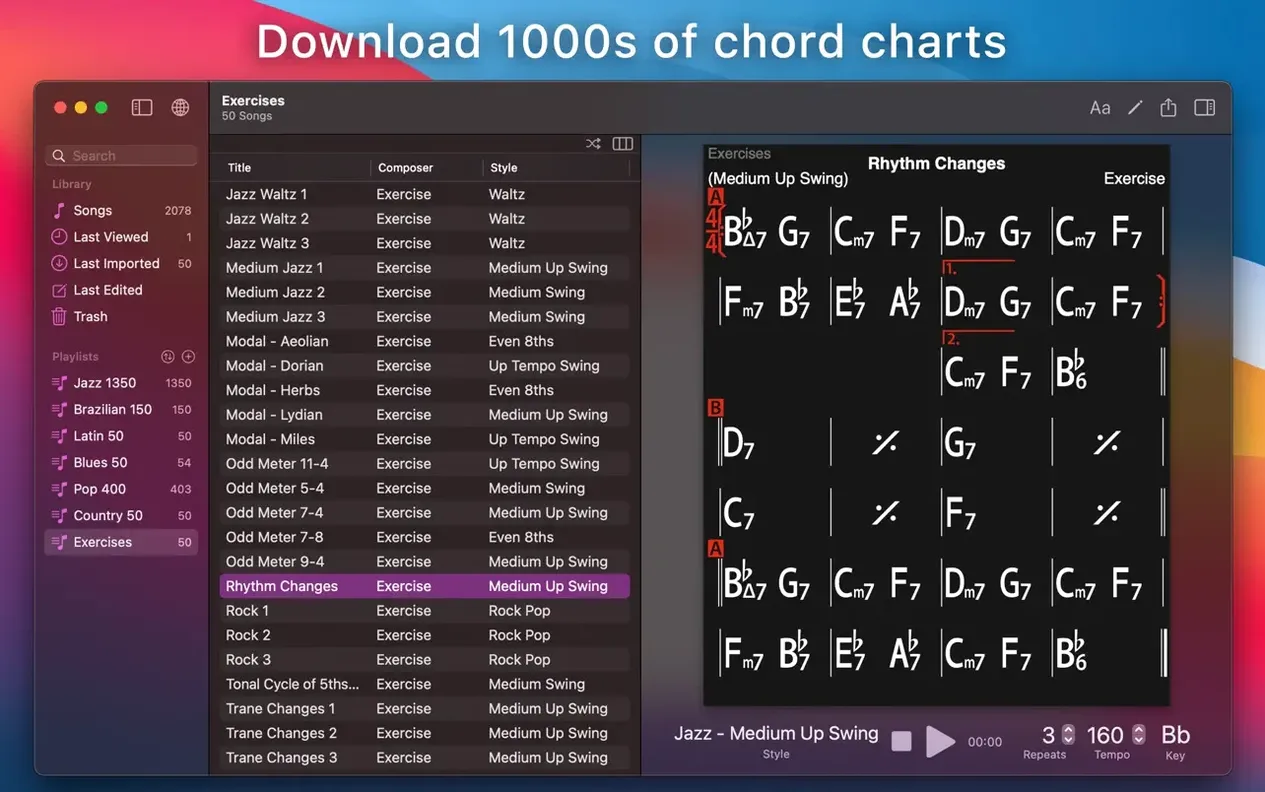
Yes. The app imports user-created charts shared on community forums, and you can organize everything into editable playlists. The player adjusts tempo, key, and feel on the fly, so a downloaded chart works for your voice or instrument without rewriting a single chord.
Instant Playback Without a Beachball
Open the app on a MacBook Air and the main window appears in under two seconds. Playback starts instantly—no count-in lag, no beachball while the rhythm section loads.
Memory use sits around 180 MB with a full playlist loaded. CPU barely registers during playback, even with three instruments running at a brisk 220 bpm. The app stays responsive while it plays: drag a tempo slider mid-chorus and the band follows without a stutter. Transpose a chart while the drums are still ringing and the piano re-voices immediately.
On an older Intel machine, the same session uses roughly 220 MB. No crashes across a three-hour practice block with constant chart switching. Exporting a five-minute WAV takes about eight seconds. MIDI export is near-instant.
The mixer panel keeps things simple—one fader each for piano, bass, and drums. Pull the piano down and the bass and drums carry the tune without glitching. The app never tries to reconnect to a cloud service mid-session or pop up a notification. It sits quietly in the background until you hit play.
A single-chart workflow, start to finish
Take a new chart for "All the Things You Are" that someone posted on the forum. Download the file, double-click it, and iReal Pro adds it to the library. Open the chart and the lead sheet fills the screen—chord symbols in a clean, monospaced grid.
- Set the style to Jazz — Medium Swing and tempo to 140 bpm. Hit the spacebar. Piano, bass, and drums lock into a walking groove.
- Transpose up a minor third for an alto sax student using the key selector. The chart redraws. Chords update. The band shifts key without missing a beat.
- Loop the bridge by dragging the repeat brackets over measures 17 through 24. Practice the ii-V-I lines over those eight bars until the changes feel automatic.
- Turn on Scale Suggestions from the practice menu. The app shows which scales sit over each chord—Dorian over the minor seventh, Mixolydian over the dominant. Leave it on or hide it with a toggle.
- Record a take. Press the red button, play along, and stop. The recording saves inside the app. Export it as WAV to share with a teacher or drop into a DAW for further editing.
- Print the chart as a PDF for a rehearsal binder. Choose the number of columns, font size, and whether to include guitar diagrams. Hit Print, save to disk.
The whole sequence—from blank chart folder to printed lead sheet and recorded take—runs under ten minutes.
Offline Band and All 51 Styles
Does it work offline? Yes. The backing band, the editor, the mixer, and all 51 styles run without a connection. The forums and song-sharing require internet, but practice and recording do not. You can load a playlist on a plane and play along for hours.
Will it read my old Band-in-a-Box files? No. iReal Pro uses its own chart format and does not import BIAB, MusicXML as input, or MIDI chord progressions directly. You create or download charts inside the app ecosystem. You can, however, export MIDI and MusicXML out to notation software or a DAW.
Is the Mac version the same as the iPad one? Functionally, yes. The Mac interface uses a single window with a resizable sidebar instead of a full-screen mobile layout. Charts sync via iCloud between the two, but the licence is platform-specific. A Mac install is separate from an iOS install.
What if I need a crack or torrent to try it first? People search for an iReal Pro crack or an iReal Pro Mac torrent when they want to evaluate before committing. Others look for an iReal Pro torrent or an iReal Pro Mac crack to test macOS compatibility. A direct iReal Pro Mac download gets the app onto a MacBook quickly without a storefront.
- macOS 12.4 or later
- Intel and Apple Silicon Macs
- Interface: English, French, German, Italian, Japanese, Korean, Portuguese, Russian, Simplified Chinese, Spanish
Comments 0
Sign in to leave a comment.Sign inCreate an account
No comments yet. If a step is still there after you install it, say so.
More in Mac Apps
All in Mac Apps iStat Menus
Puts CPU, memory, and network graphs in your menu bar to catch issues early.
17 steps saved
 Infuse Pro
Plays nearly any video format natively across Mac, iPhone, iPad, and Apple TV.
4 steps saved
 iMazing
Backs up, browses and moves iPhone and iPad data without iTunes.
19 steps saved
 Imagenomic Portraiture
Replaces manual skin retouching with an automated mask-based smoothing engine.
8 steps saved
 Imagenomic Plugin Suite
Consolidates skin retouching, noise reduction, and resizing under one installer.
23 steps saved
 iZotope Ozone
Reshapes a mix into a finished master using genre-specific tonal targets.
9 steps saved
 iExplorer
Mounts an iPhone or iPad on your Mac for direct file browsing without a jailbreak.
15 steps saved
 IDA Pro
Picks apart executables with a guided disassembler, decompiler, and debugger.