
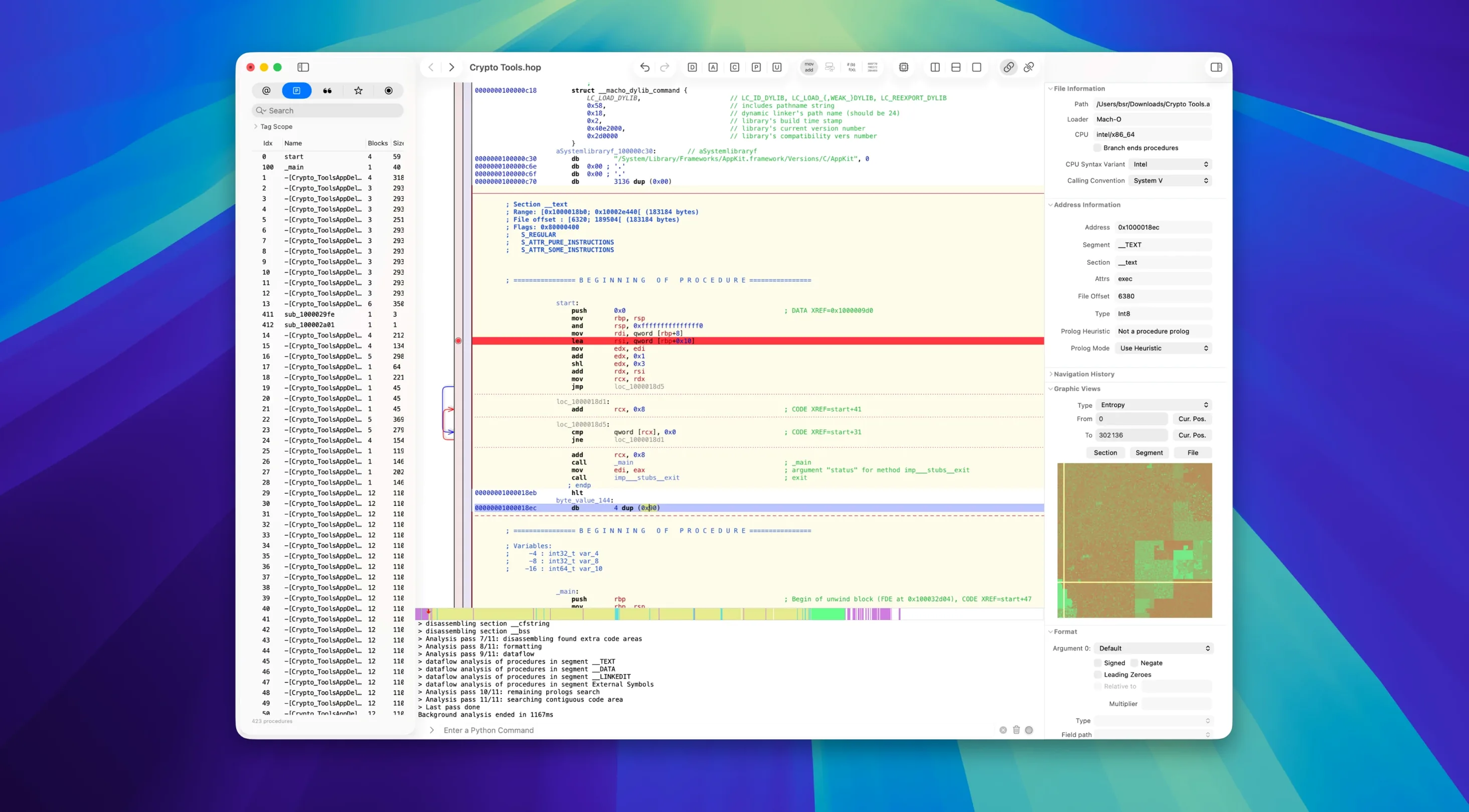
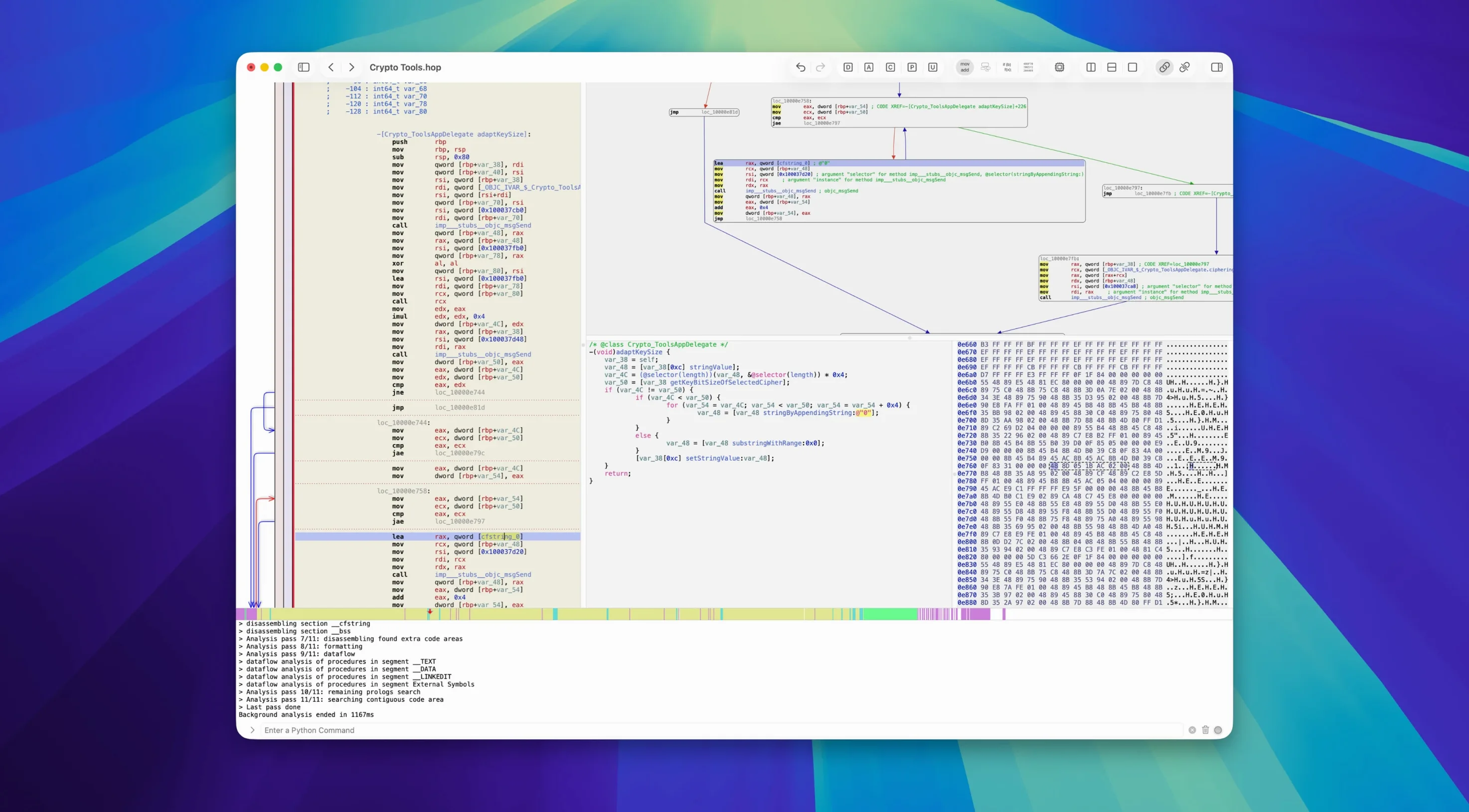
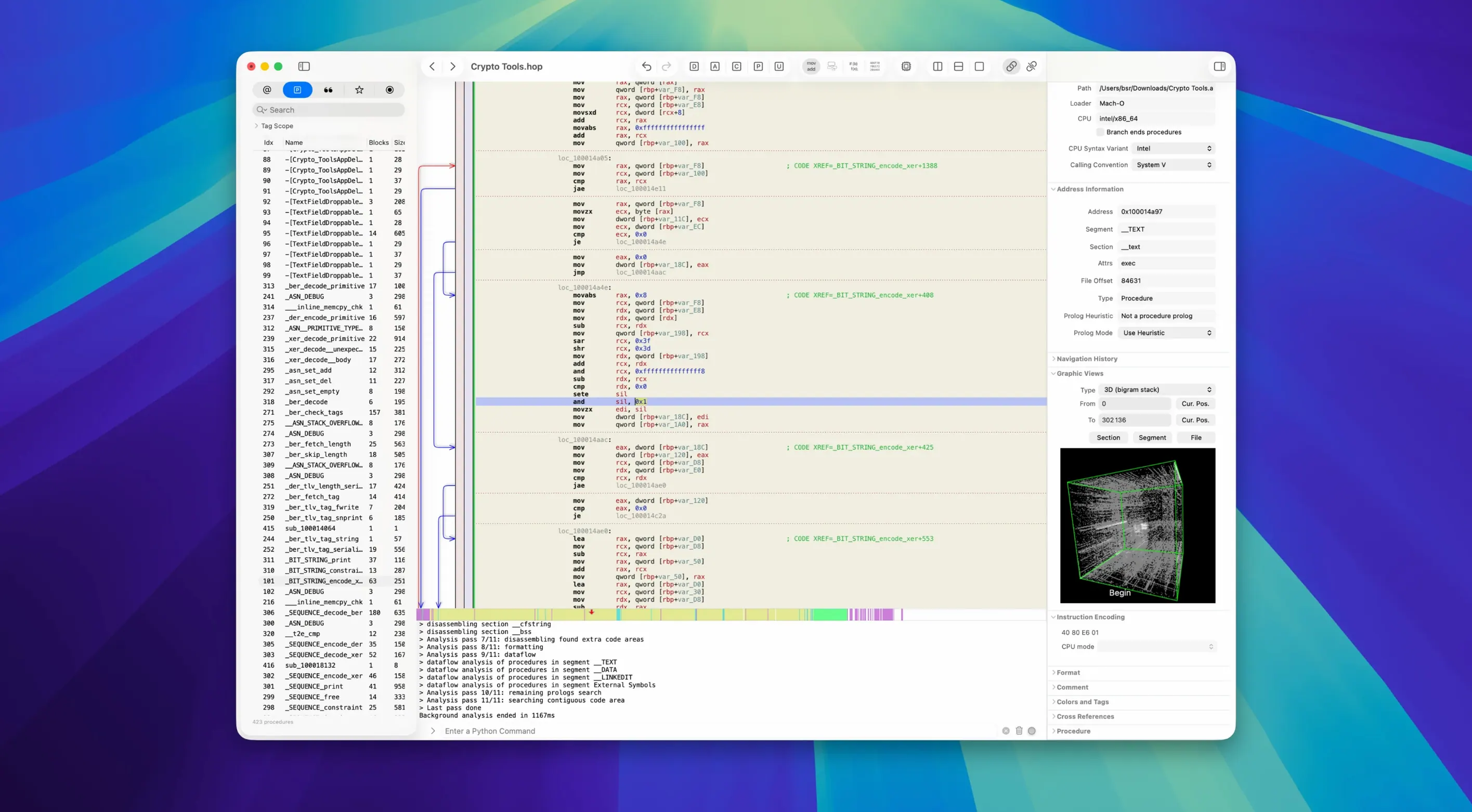
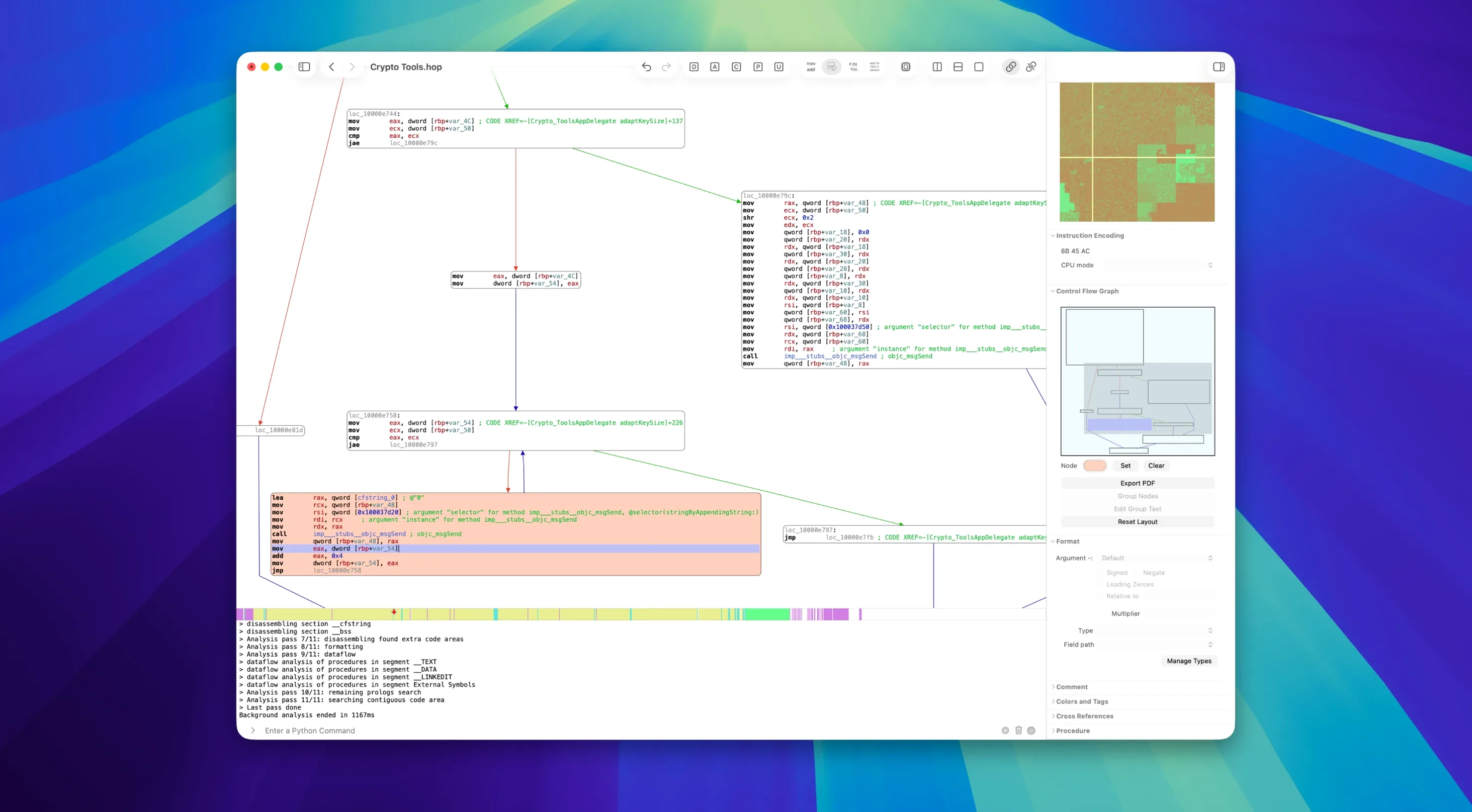
Version 5.15.4 stays current with macOS 11 and runs natively on Apple Silicon. No new feature bulletins this cycle — the focus is keeping the toolchain solid on modern Mac hardware.
| Detail | Value |
|---|---|
| Version | 5.15.4 |
| macOS | 11 or later |
| Architecture | Apple Silicon native |
| Languages | English |
What you get is a focused reverse-engineering workbench. It disassembles x64 and ARM code, then decompiles it into readable pseudocode. The control-flow graph gives you a visual map of procedure logic, while function prologue analysis extracts local variables automatically. Binary formats covered include Mach-O, ELF, and Win32. For runtime work, GDB integration handles debugging. It is a single tool that covers the three core tasks — disassembly, decompilation, and debugging — without bolting on unrelated utilities.
A workflow: tracing an unknown Mach-O binary
Start with a binary you did not build. Drag it into Hopper and let the initial pass finish. The left sidebar fills with procedures, strings, and segments. Filter strings first — names, error messages, file paths usually point at the interesting code.
- Open the Strings panel and sort by length.
- Pick a suspicious string and use References to to jump to the code that touches it.
- Switch to pseudocode mode for that procedure.
- Rename variables and arguments as you understand them — Hopper propagates the names.
- Open the control-flow graph when a branch looks wrong or too clever.
- Annotate the procedure with a comment, then move to the next caller.
By the fourth or fifth procedure, the binary starts to read like a story. The decompiler output is not source, but it is close enough to follow logic without fighting raw assembly on every line.
Landing in an unnamed procedure and switching to pseudocode
Tuesday afternoon, a crash report mentions a function you have never seen. You open the binary in Hopper, search for the symbol, and land in a procedure with no names — just offsets and registers.
You switch to pseudocode. Three local variables appear as var_18, var_20, var_28. You rename them to buffer, length, and error_ptr after checking the stack layout. The decompiler picks up the names on the next refresh.
The control-flow graph shows two loops and a suspicious early exit. You add a comment on the exit condition. Then you mark the procedure with a colour tag so it stands out in the navigation list.
Twenty-five minutes in, the mystery function has a name, three named locals, two comments, and a clear call path. You export the pseudocode as text, paste it into your notes, and move on. Hopper did the heavy lifting; you did the thinking.
Version 6.1.0-demo is available now. The full release notes are published on the developer's site.
- macOS 12.4 or later
- Apple Silicon
Questions I get before install
Can Hopper Disassembler decompile ARM code?
Yes, version 5.15.4 handles both x64 and ARM decompilation, which is essential for analyzing modern Apple Silicon binaries.
What binary formats does Hopper Disassembler support?
It works with Mach-O, ELF, and Win32 formats, covering macOS, Linux, and Windows executable analysis from a single Mac app.
Comments 0
Sign in to leave a comment.Sign inCreate an account
No comments yet. If a step is still there after you install it, say so.
More in Mac Apps
All in Mac Apps HitPaw Watermark Remover
Traces and removes unwanted objects or watermarks from a single video frame.
10 steps saved
 HitPaw Video Converter
Transcodes files like HandBrake, then adds download, edit, and reframe tools.
18 steps saved
 HitPaw Univd
Converts media between formats and pulls video from over 10,000 sites.
22 steps saved
 HitPaw Edimakor
Pairs a standard timeline with AI tools so you can cut video without a steep learning curve.
15 steps saved
 IDA Pro
Picks apart executables with a guided disassembler, decompiler, and debugger.
9 steps saved
 iExplorer
Mounts an iPhone or iPad on your Mac for direct file browsing without a jailbreak.
8 steps saved
 Imagenomic Plugin Suite
Consolidates skin retouching, noise reduction, and resizing under one installer.
19 steps saved
 Imagenomic Portraiture
Replaces manual skin retouching with an automated mask-based smoothing engine.