
macOS lets apps phone home without asking. Firewall Scudo fixes that by putting you back in charge of inbound and outbound connections.
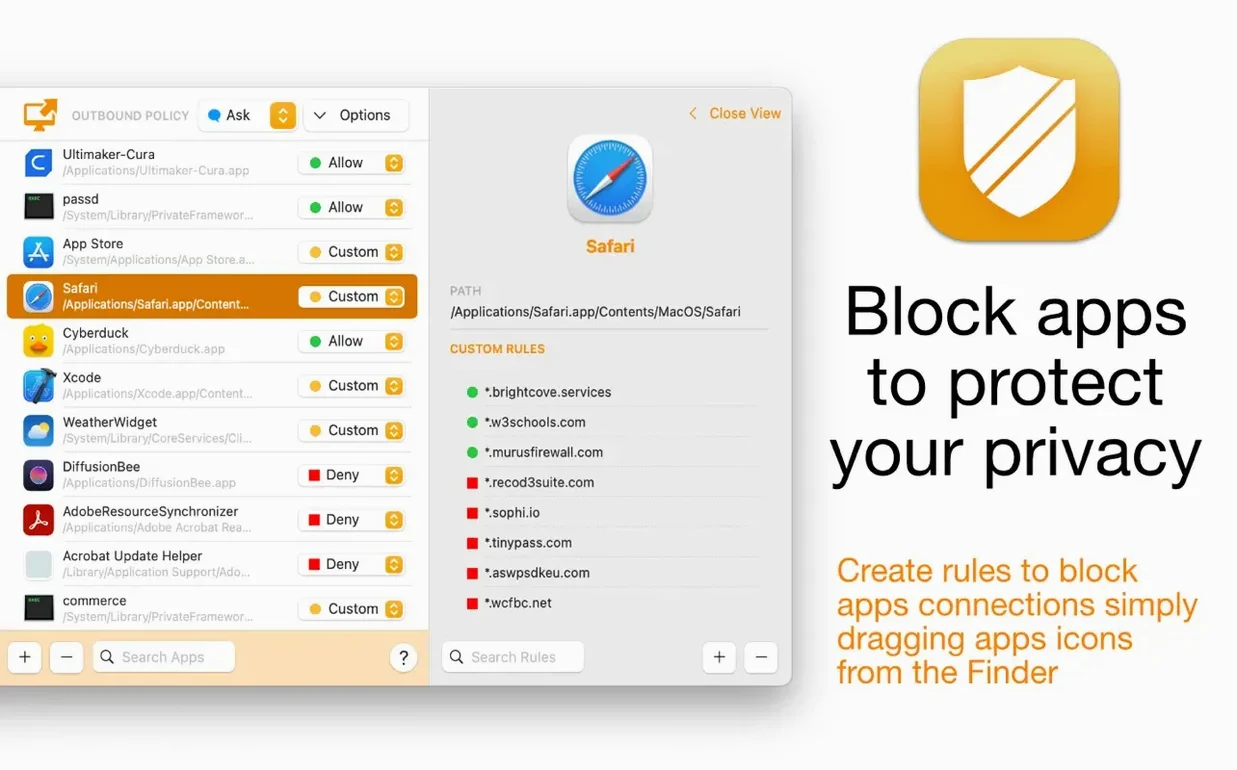
One-tap allow or block on first app connection
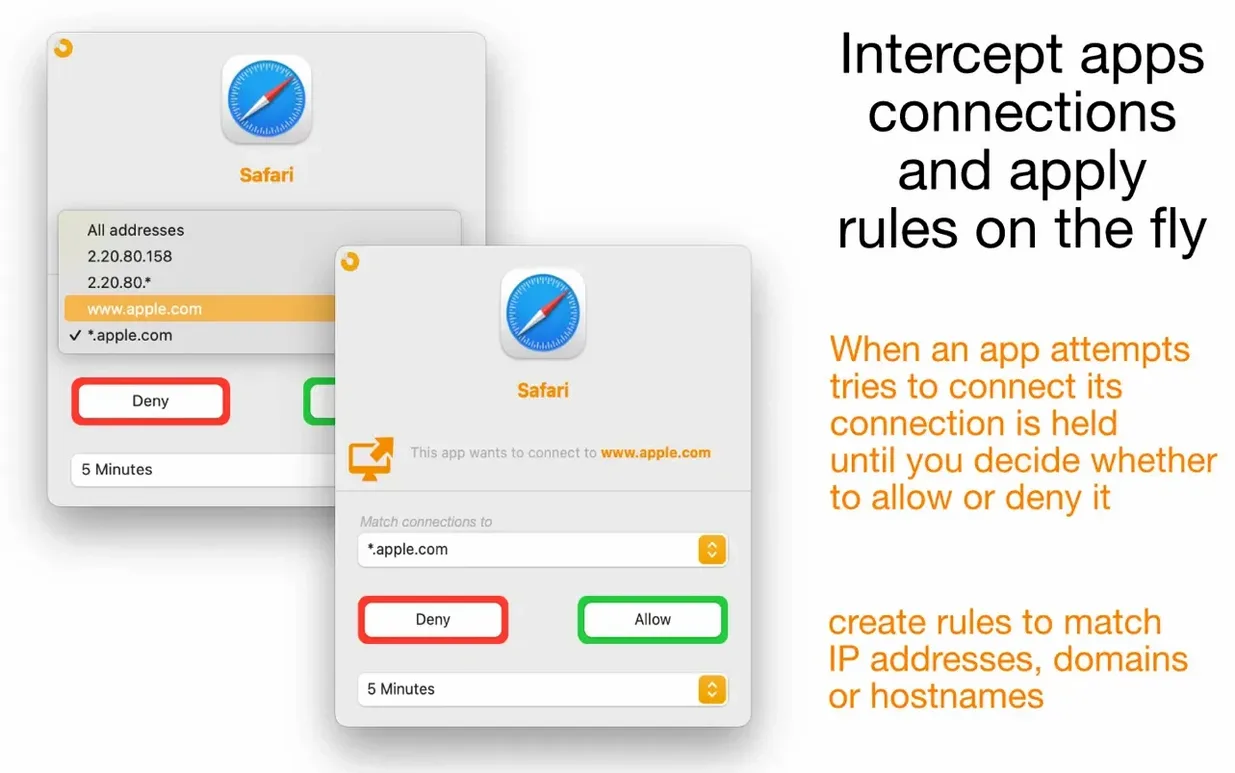
The moment an app tries to reach the network, Scudo shows a notification. You allow or block access right there, and decide if the rule sticks permanently or expires.
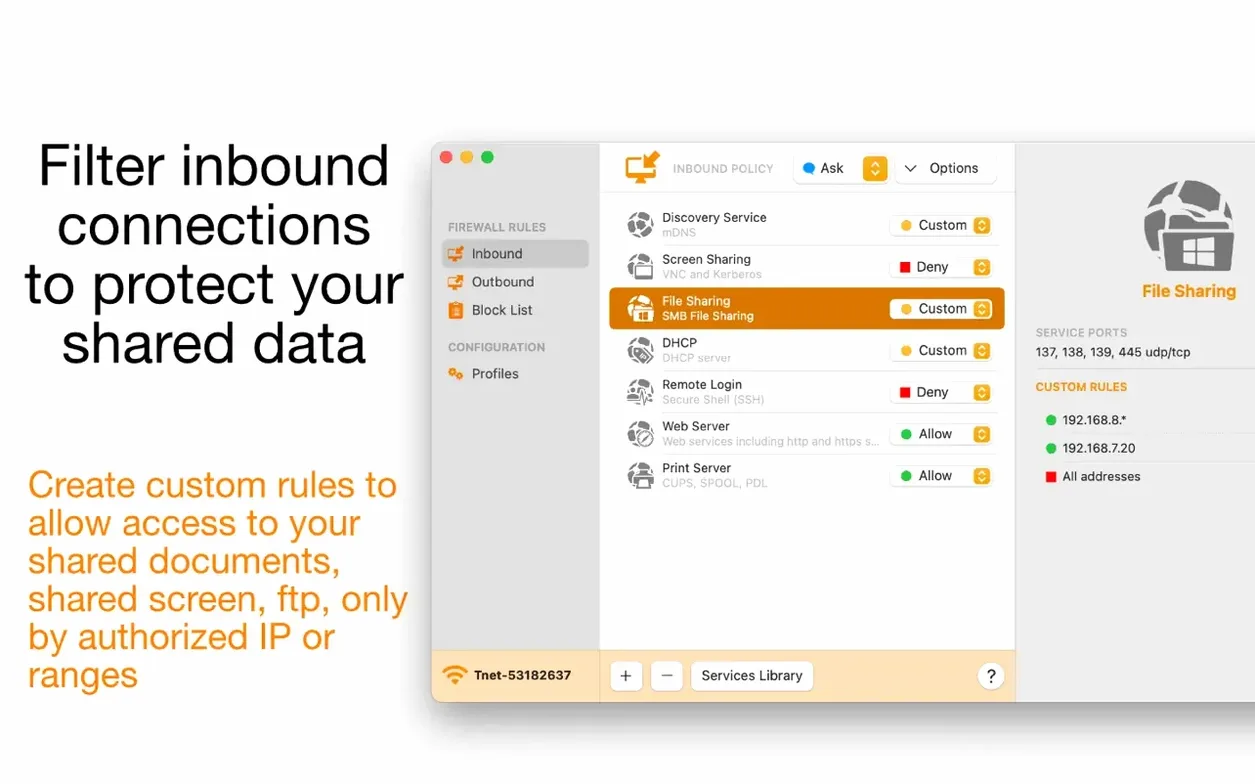
What about incoming connections?
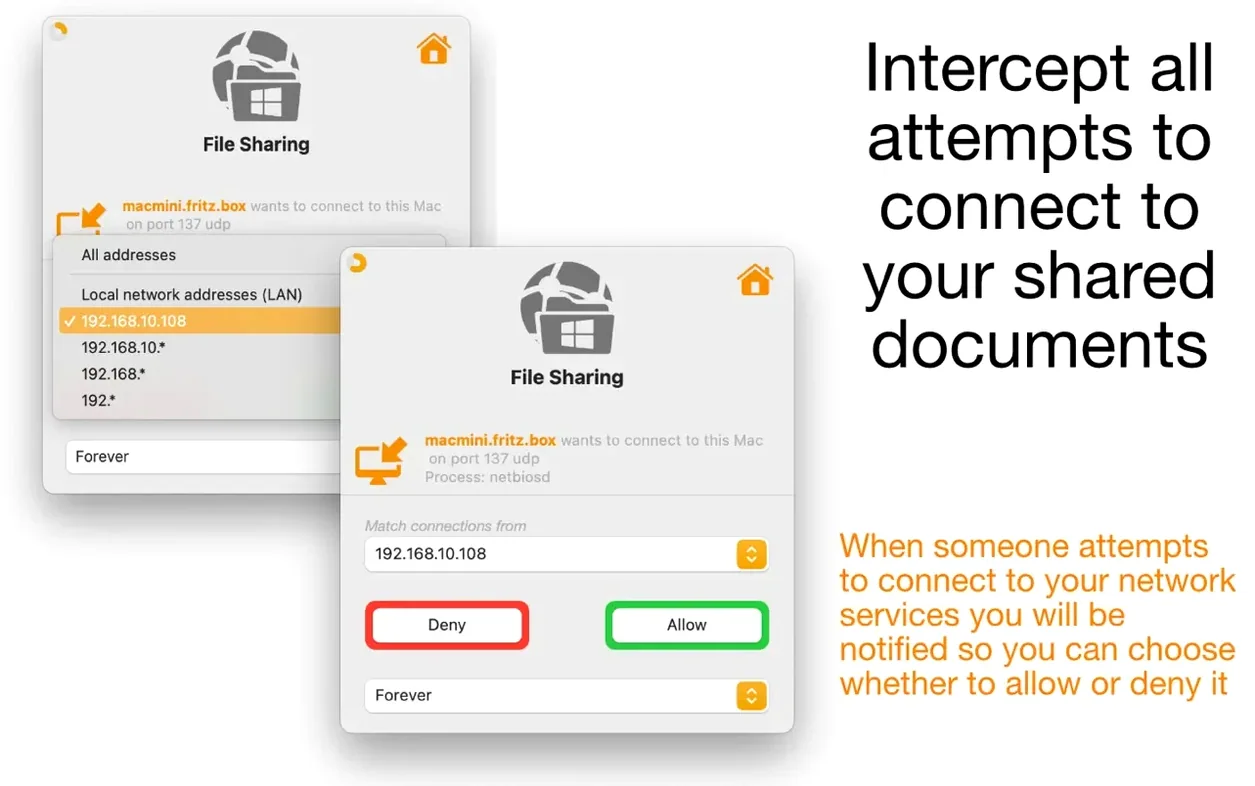
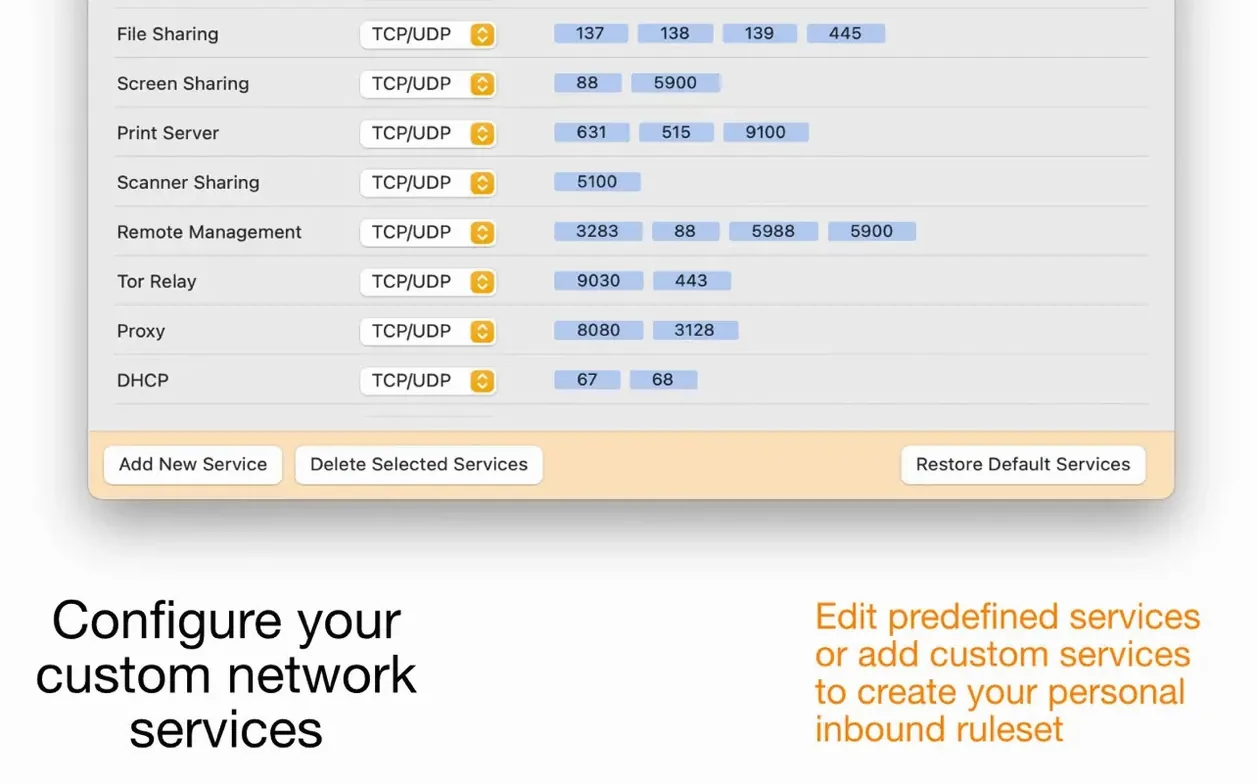
When a remote computer probes a local service, Scudo alerts you. Its built-in library of service rules gives you a starting point, and you can reorder custom rules to set priority.
Can I manage something like a database port?
Create a custom rule for the specific network service. Set it to allow traffic on that port and apply it to the managed app. The rule stays sandboxed to that one process.
Menu bar pause and active rule glance
The menu bar icon does more than open the main window. A click shows active rules at a glance, and a right-click reveals quick toggles for the firewall state. You can pause filtering for a few minutes without digging through settings.
Two details save real time:
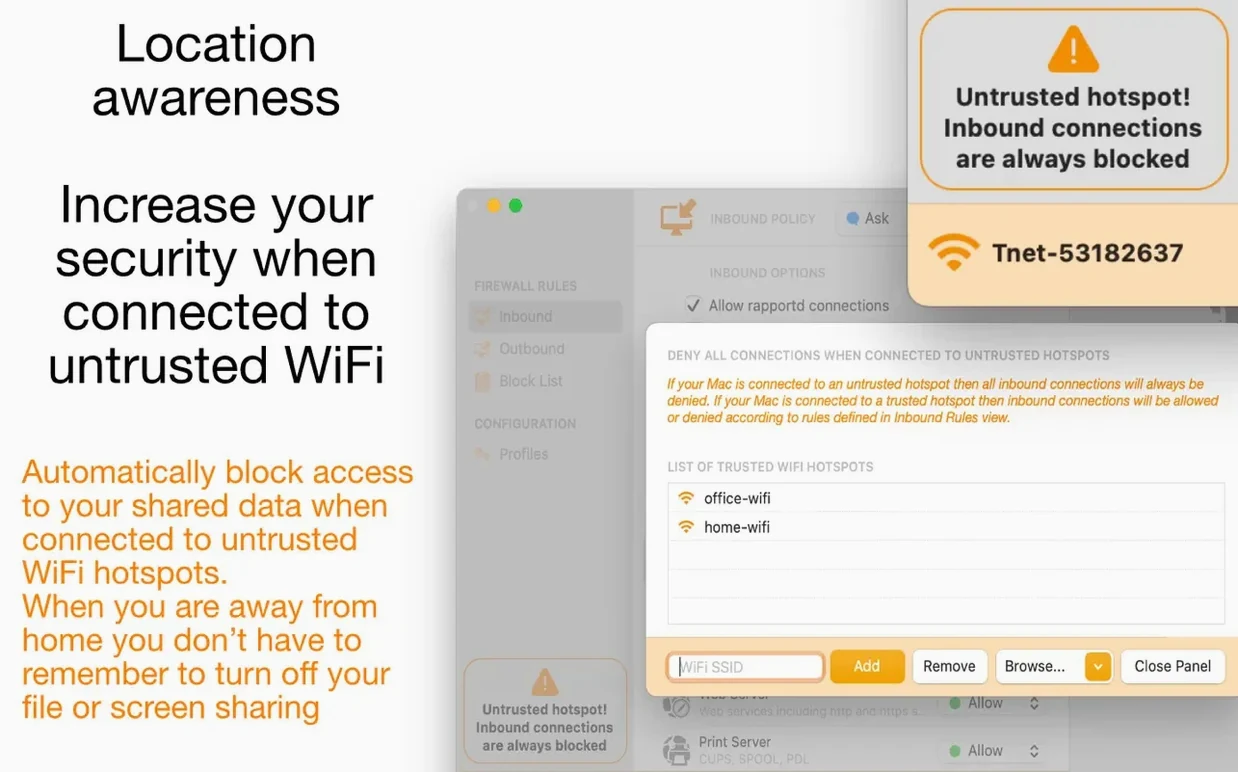
- Location awareness — Scudo tightens inbound rules automatically when you join an untrusted Wi-Fi hotspot. File sharing stays off on café networks without you touching a thing.
- Profile switching — Save a configuration profile for home, one for travel, one for client sites. One click swaps the entire ruleset.
Notifications also show the process name, not just a vague “app wants to connect.” That makes a difference when a helper process from a larger suite tries to reach out.
Layered alongside Little Snitch without AirDrop breakage
Scudo plays well with macOS features you already use. Because it works at the network and application layers, it complements Little Snitch–style monitoring rather than fighting it. File sharing services respond to inbound rules without breaking AirDrop or Handoff.
It also respects the sandbox. Block an app’s outbound connection and the app still works locally — no broken launch, no missing files. For anyone who runs local development servers, allowing a port for one process while blocking it for others keeps things tidy.
Looking to replace a heavy firewall setup built in pf? Scudo gives you the same control without editing config files by hand. Download firewall Scudo for Mac and start with the built-in service library.
- macOS 11.3 or later
- Apple Silicon or Intel
Questions I get before install
How is Scudo different from the built-in macOS firewall?
Scudo is a hybrid firewall that controls both inbound and outbound traffic at the application level, while the built-in firewall handles only incoming connections and lacks per-app outbound rules.
What is a managed app rule?
A custom rule tied to a specific application. Scudo 3 lets you define network access for managed apps so the rule applies only when that particular program is running.
Comments 0
Sign in to leave a comment.Sign inCreate an account
No comments yet. If a step is still there after you install it, say so.
More in Mac Apps
All in Mac Apps Find Any File
Searches the whole disk for files Spotlight misses, including hidden items and package contents.
10 steps saved
 FL Studio
Builds beats in the pattern playlist and piano roll, from the first loop to the mixdown.
6 steps saved
 Updated
Final Cut Pro
Handles editing from a single angle to a 64-angle multicam shoot inside a magnetic timeline.
23 steps saved
 Flicker Free
Removes rolling light-source flicker from any camera's footage.
4 steps saved
 FileMaker Pro
Builds custom databases and business apps with forms, layouts and scripts.
7 steps saved
 Folder Preview Pro
Lets you peek inside any folder or archive without opening it.
20 steps saved
 Fig Player - play mp4 mkv mp3
Plays formats like mkv and flac that macOS won't open, without a cluttered interface.
19 steps saved
 Folder Quick Look
Adds folders to the Space bar Quick Look workflow on macOS.