
Insert Embedding is the new script step that pushes this low-code platform deeper into AI-assisted workflows.
Configure AI Account — set up your model connection once, then reuse it across scripts
Insert Embedding — convert text into vector embeddings for semantic operations
Perform Semantic Find — search your data by meaning, not just keyword matching
Add-ons — ready-made charts, calendars, Kanban boards, and activity graphs you drop into a layout
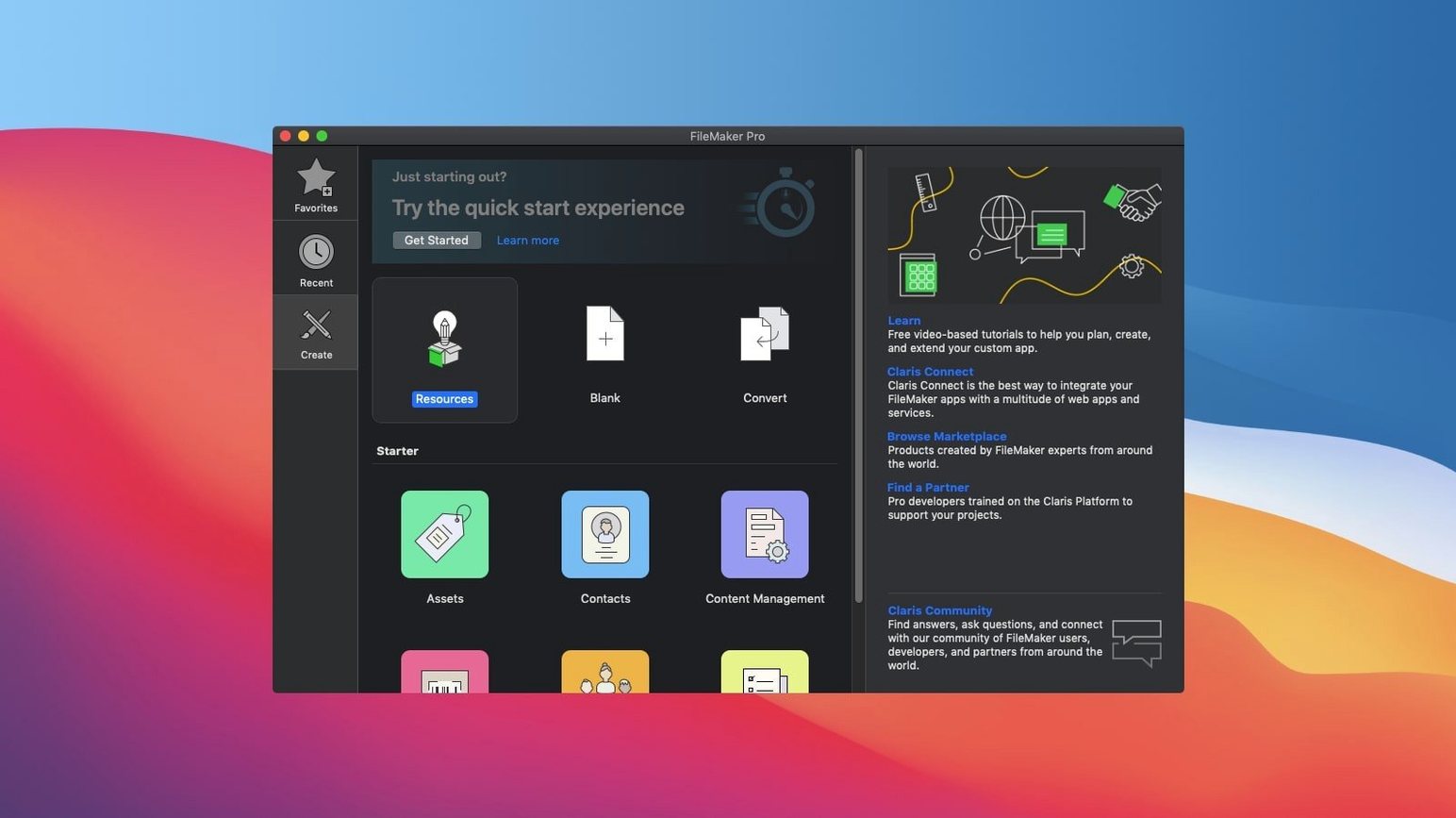
Templates — drag-and-drop starting points for CRM, content libraries, and asset management
The drag-and-drop design tools and template library remain the core of the build experience. What shifts in version 21 is the addition of script steps that let a custom app understand context, not just match records.
Linking Clients, Projects, and Notes into one tracker
Start with a blank custom app. Name it Client Intake, then add three tables: Clients, Projects, and Notes. Link Clients to Projects with a one-to-many relationship. Link Notes to Clients the same way.
Next, open the layout for Clients and switch to the Form view. Drag fields for name, contact information, and intake date onto the body. Add a portal row for Projects and another for Notes. Save the layout and switch to a Table view for Projects, with a status field set to a dropdown of Open, On Hold, and Closed.
Create a script called Log Intake. It creates a new client record, sets the intake date to the current date, and opens the Clients layout in Form view. Attach the script to a button on the main menu. Now a team member can add a client in two clicks.
For the AI side, highlight the Notes field and run Insert Embedding in Found Set on your existing note records. The embeddings are stored alongside the text. From the search layout, add a button that triggers Perform Semantic Find. A user types a phrase like “client asked about pricing for annual plan,” and FileMaker Pro 21 returns notes that carry the same intent, even when the exact words differ.
Publish the app to FileMaker Server or let colleagues open it on their Macs. The whole build takes under an afternoon, and no one on the team touches a line of code.
Consolidating scattered jobs and invoices into one app
Small operations with messy, multi-step records see the biggest gain. A three-person studio tracking jobs, invoices, and client notes in three different places can consolidate all of it into one custom app. The built-in templates give them a starting point, and the drag-and-drop tools let them adjust fields without waiting on a developer.
Teams that already run their business on spreadsheets benefit next. A spreadsheet stores data; FileMaker Pro turns that data into actions. A project manager can build a layout with a Kanban add-on, link it to a Projects table, and move cards between statuses while the underlying records update automatically.
Mac users who work in mixed environments get the most flexibility. The same custom app runs on a desktop Mac, a MacBook, and an iPhone, and it opens locally, over a network, or in the cloud. If your office has one Mac and two Windows machines, the file format travels between them without a rewrite.
People who build small tools for internal use — office managers, researchers, inventory clerks — will find version 21's AI script steps useful without needing a machine-learning background. Configure AI Account handles the connection; the script steps do the heavy lifting.
Harvesting fields and layout ideas from three starter templates
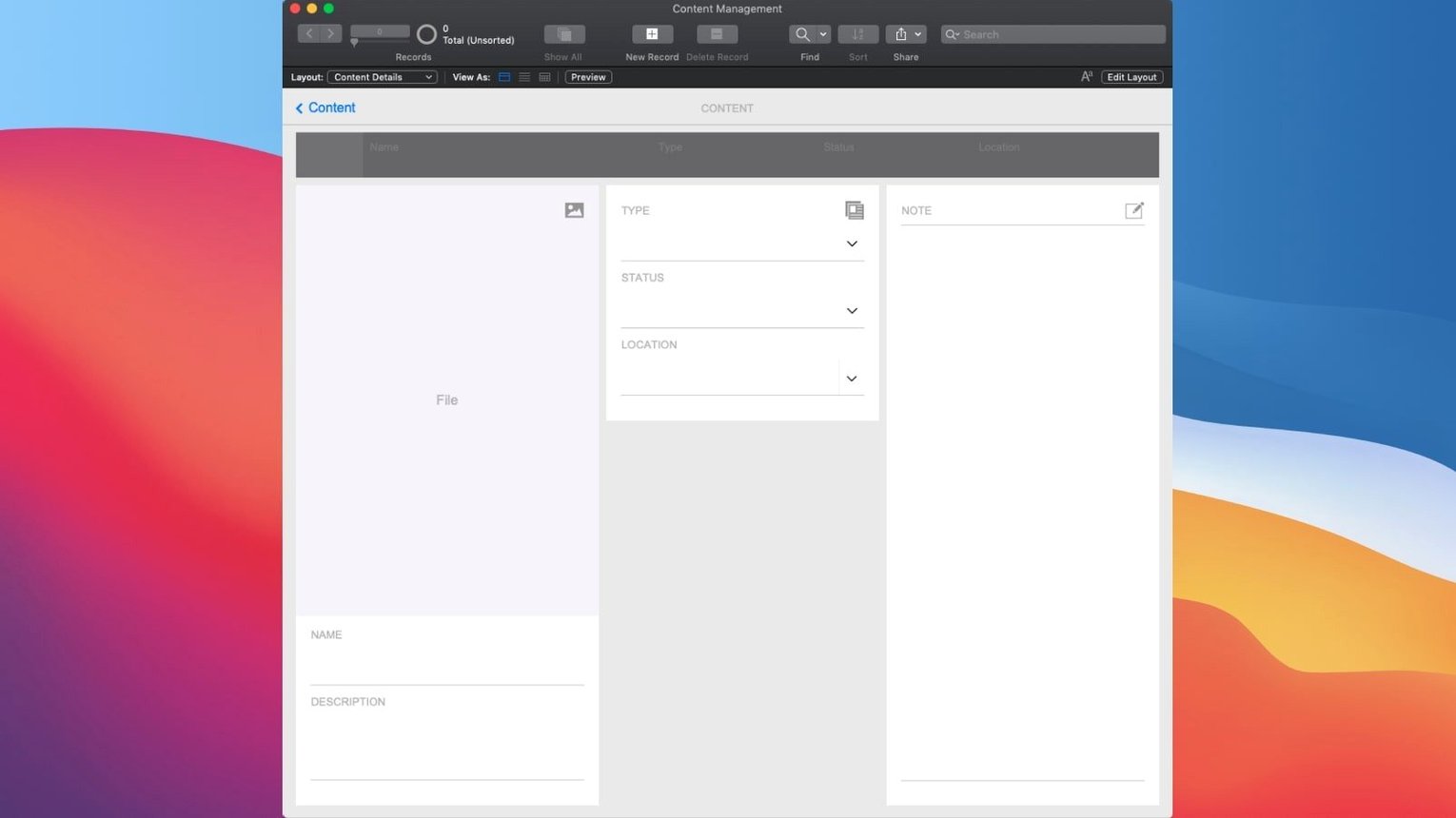
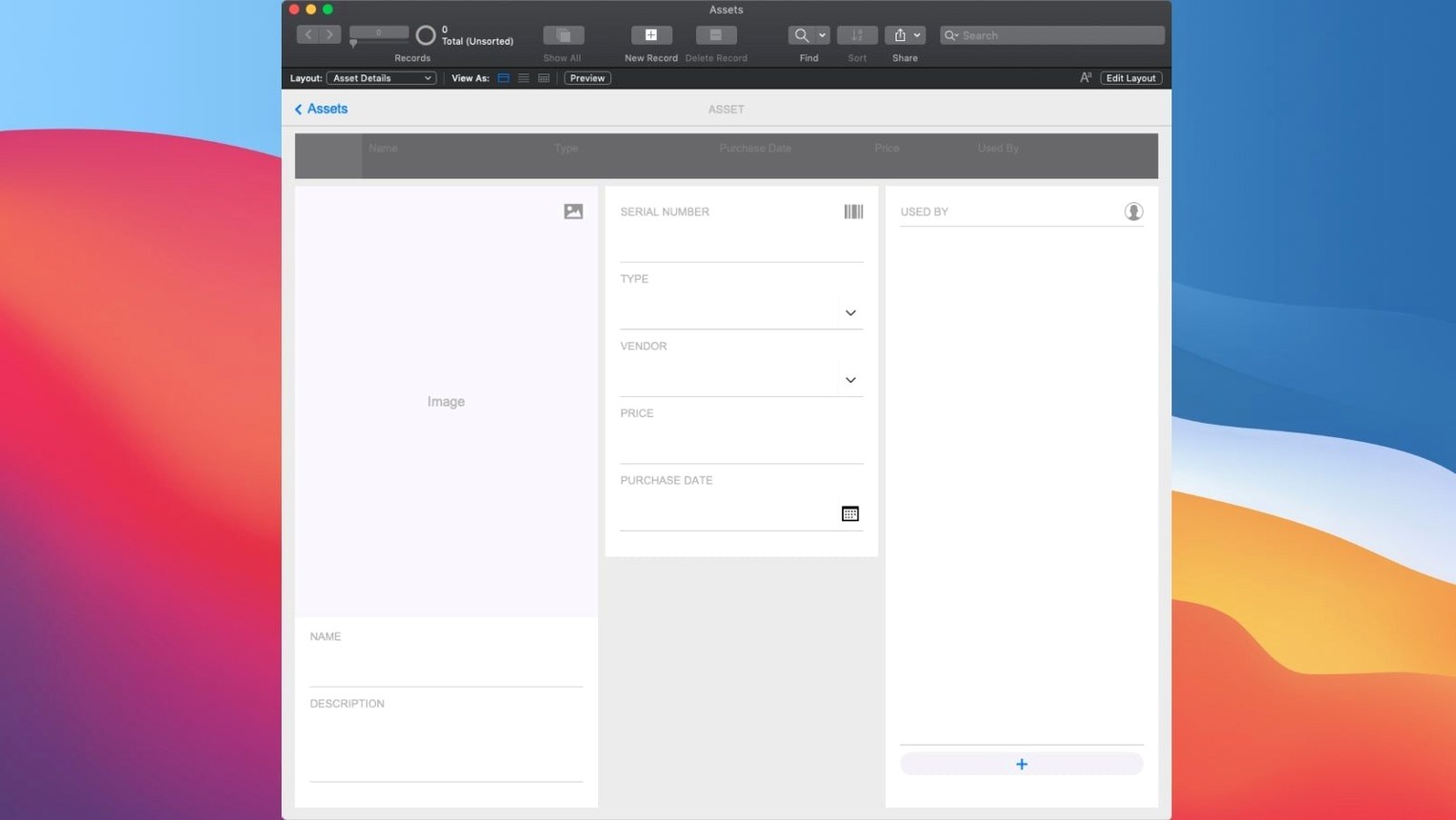
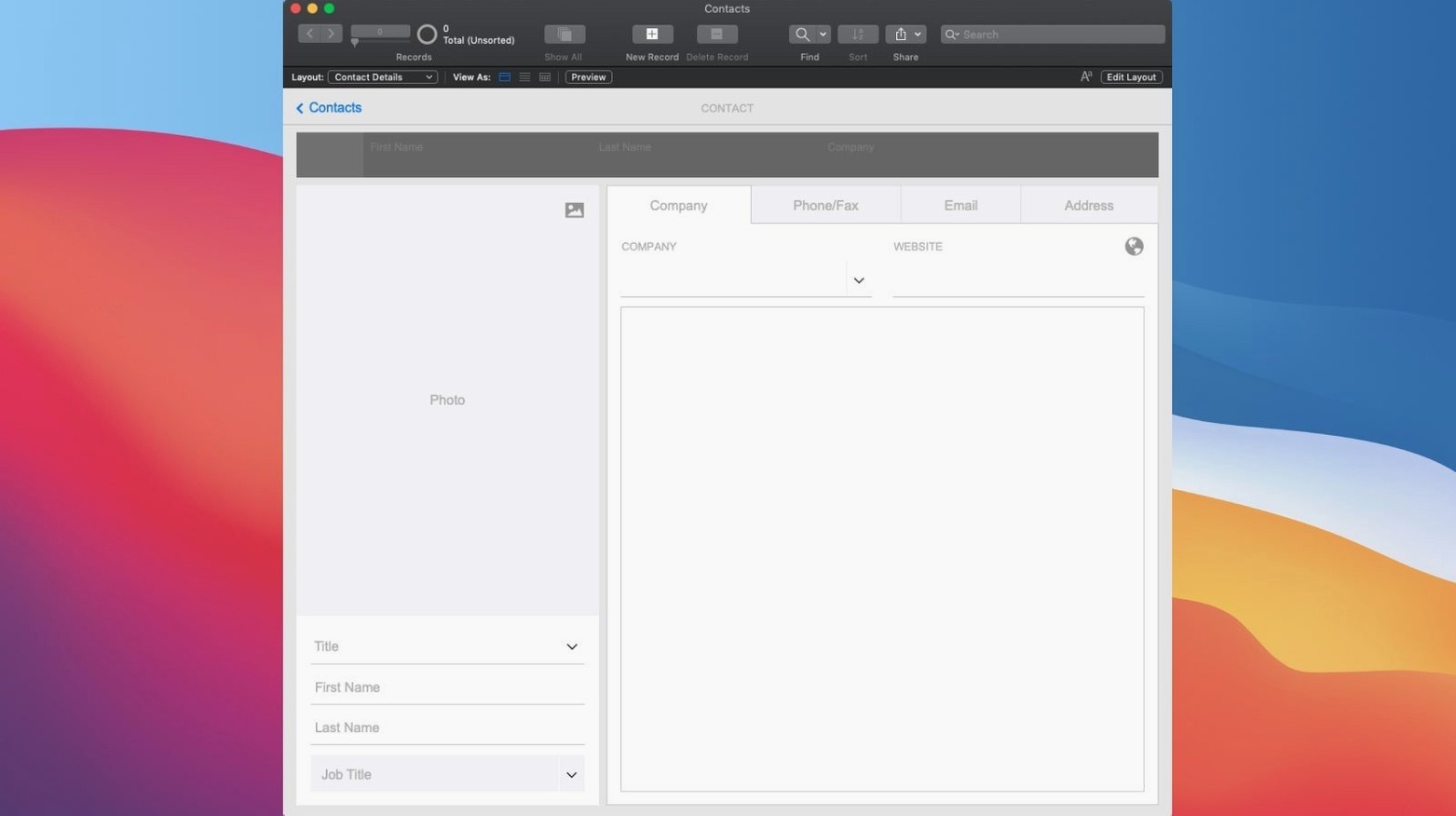
Before building anything, open three of the included templates: Contacts, Content Management, and Asset Management. Copy fields and layout ideas from each into a scratch file. You will learn more from the templates than from a blank canvas.
Set up Configure AI Account on day one, even if you do not plan to use embeddings right away. The connection details are stored once and referenced by script steps later. When you do want semantic search, the setup is already done.
Create a small test file with ten records and run Insert Embedding on them. Then try Perform Semantic Find with a few different phrases. This small experiment teaches you how the feature behaves with your own wording before you commit it to a live app.
Finally, duplicate your working file before making structural changes. Duplicates are cheap; rebuilding a broken relationship map is not.
- New — Configure AI Account for setting up a model connection.
- New — Insert Embedding script step to generate vector embeddings.
- New — Insert Embedding in Found Set to process multiple records.
- New — Perform Semantic Find for meaning-based searches.
- New — Set AI Call Logging to monitor AI operations.
- macOS 10.14 or later
- Intel and Apple Silicon Macs
Questions I get before install
What can I build with FileMaker Pro?
You can build custom apps for CRM, project management, content libraries, and asset management using built-in templates and a drag-and-drop design surface.
Comments 0
Sign in to leave a comment.Sign inCreate an account
No comments yet. If a step is still there after you install it, say so.
More in Mac Apps
All in Mac Apps Fig Player - play mp4 mkv mp3
Plays formats like mkv and flac that macOS won't open, without a cluttered interface.
6 steps saved
 Updated
Final Cut Pro
Handles editing from a single angle to a 64-angle multicam shoot inside a magnetic timeline.
14 steps saved
 Festivitas
Adds a string of holiday lights to your Dock and menu bar on launch.
7 steps saved
 Find Any File
Searches the whole disk for files Spotlight misses, including hidden items and package contents.
12 steps saved
 Fender Studio Pro
Records, edits, and mixes inside one window, with tools to split a mixed track into stems.
12 steps saved
 Firewall Scudo
Lets you allow or block an app's network access the moment it first tries to connect.
10 steps saved
 FL Studio
Builds beats in the pattern playlist and piano roll, from the first loop to the mixdown.
23 steps saved
 Flicker Free
Removes rolling light-source flicker from any camera's footage.