DaisyDisk runs on any Mac with macOS 10.13 or later, on both Apple Silicon and 64-bit Intel hardware. It reads your mounted disks in real time and renders the result as an interactive sunburst map tuned for Retina screens.
Scan a cluttered drive
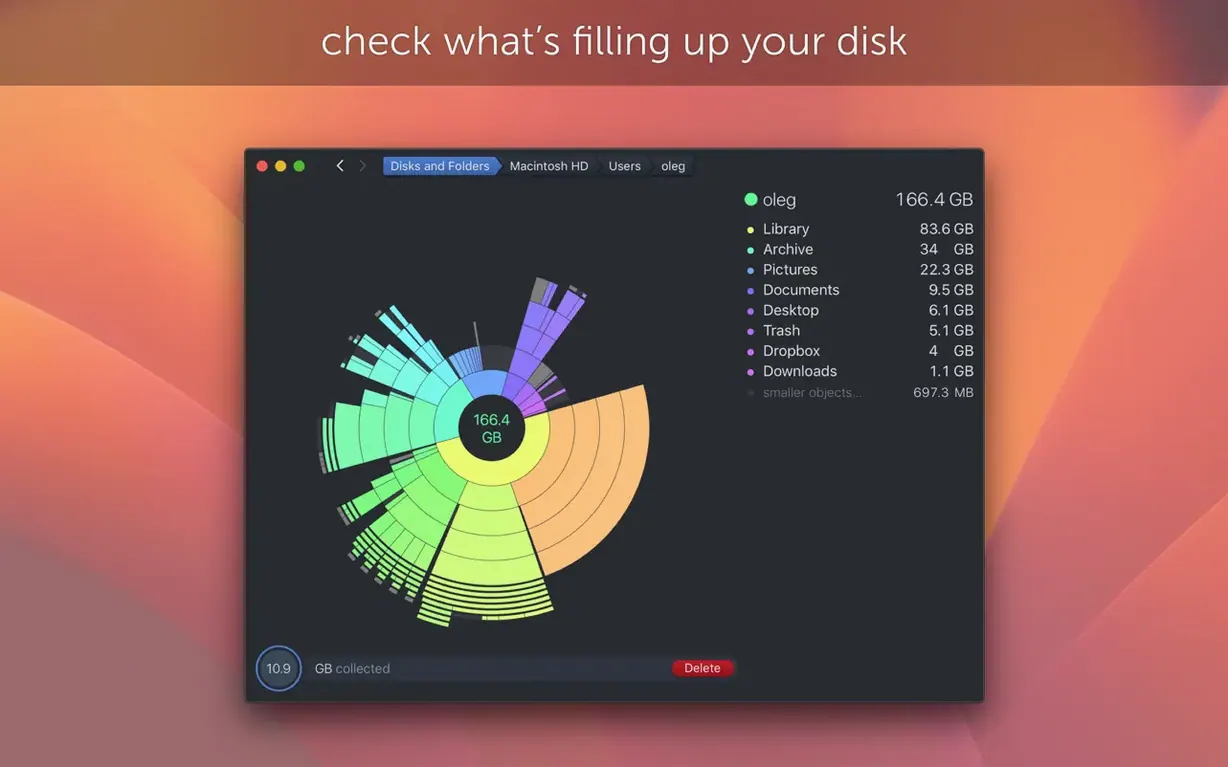
Pick a volume and let DaisyDisk build its map. The coloured arcs represent folders; the larger the arc, the more space it consumes.
Identify what's eating space
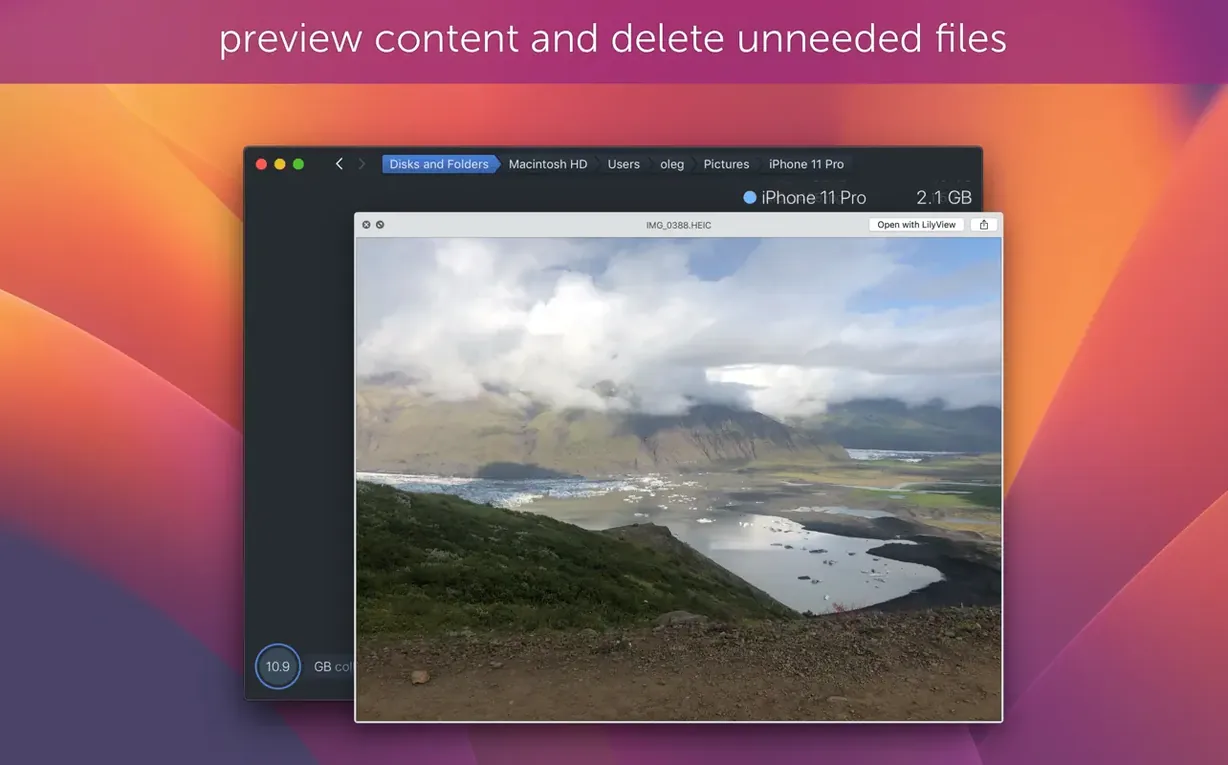
Hover over any segment to see its name and size instantly. Press Space for a Quick Look preview of the actual file before you decide what to do with it.
Remove the dead weight
Drag any file or folder straight out of the map and drop it onto the Trash. The view refreshes immediately so you see the freed-up space in context.
Frees more space than a week of manual cleanup
Photographers and video editors who keep multiple cuts of a project. One afternoon spent hunting forgotten scratch folders and render caches often frees more space than a whole week of manual cleanup. DaisyDisk shows them exactly which project folder bloated to 400 GB without them noticing.
Developers with bloated ~/Library trees. Xcode simulators, old iOS device support files, Homebrew leftovers and stale Docker images all show up as unmistakably large arcs. The map doesn’t care what’s inside — it cares about size, and it surfaces offenders that command-line tools bury in lists.
Mac users who keep running into the mysterious “Other” category in About This Mac. DaisyDisk reads sectors the system overview skips, so Time Machine local snapshots, hidden cache directories and orphaned virtual memory files finally become visible — and deletable.
Anyone who shares a Mac with family and wants to see which user account ballooned without scrolling through a dozen nested folders. One scan, sorted by user, and the conversation moves from “the disk is full” to “the disk is full because of this.”
Split view shows percentages alongside the map
Out of the box, DaisyDisk works with its defaults. A few adjustments make it faster and more personal.
- Switch to list view alongside the map. The split layout puts percentages and absolute sizes in a column while the sunburst stays on screen. It is the quickest way to connect a large arc with an actual folder name.
- Enable scan-in-background. This lets you keep working while DaisyDisk builds the map on a secondary drive. The scan throttles itself so it never beaches the Finder.
- Add the Trash size to scans. The preference is off by default. Turn it on and the map includes files sitting in the Trash, which often hides tens of gigabytes nobody remembers deleting.
- Adjust the colour palette. The default scheme is functional, but swapping to the high-contrast palette makes neighbouring arcs easier to tell apart on 13-inch screens. The setting lives under View > Color Scheme.
- Hide the sidebar when you don’t need it. On a laptop, reclaiming that horizontal space makes the map larger and labels more readable without zooming.
APFS snapshots appear as a distinct space consumer
Does DaisyDisk see APFS snapshots? Since version 4.34, yes. It identifies APFS clones and counts only the first occurrence in used-space calculations. Local Time Machine snapshots appear as a distinct space consumer, so you’re not left guessing why your reported free space doesn’t match Finder’s number.
Will it interfere with other cleanup utilities? No. DaisyDisk only reads the file system and writes changes when you deliberately drag something to the Trash. It does not run background daemons, schedule maintenance or alter system caches on its own.
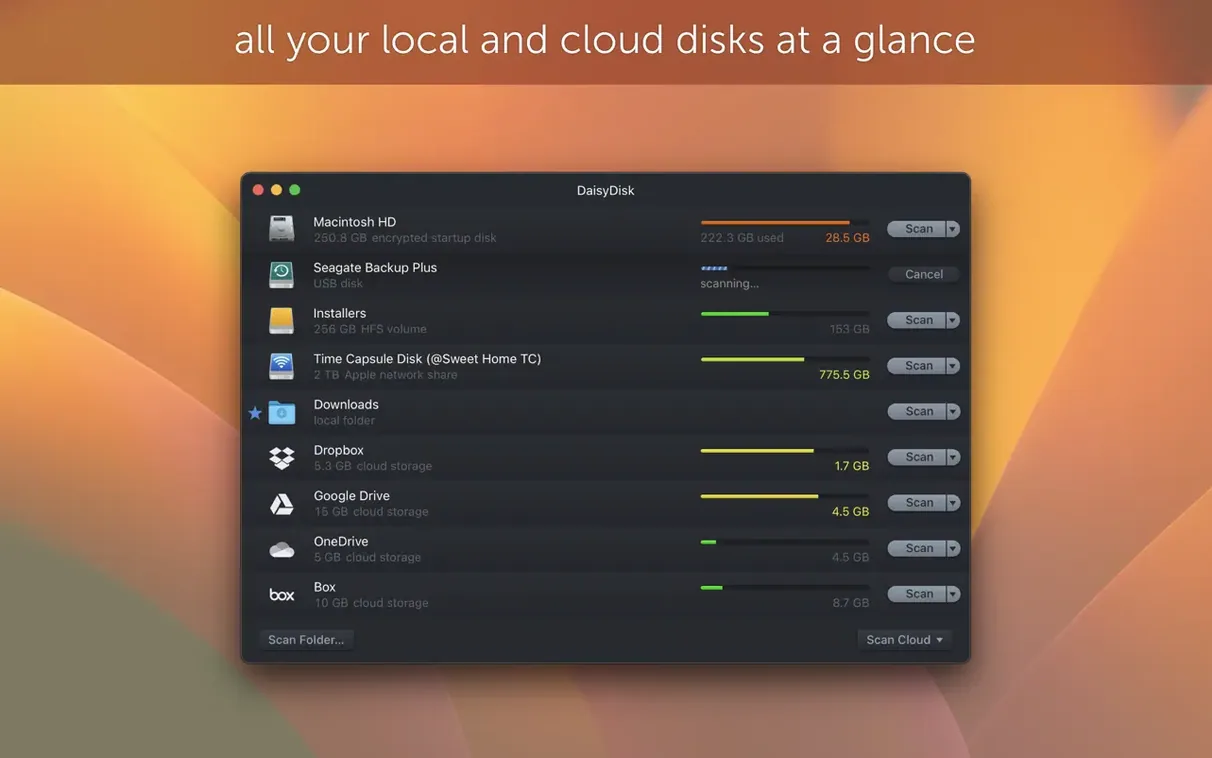
Can I scan multiple disks at once? Yes. Start a scan on your internal drive and queue another on an external SSD. They run in parallel, and each map opens in its own tab. This is especially useful when you’re deciding which drive to offload large media libraries to.
What about the “daisydisk crack” or “daisydisk torrent” searches floating around? Those queries come from people looking for a daisydisk mac download free or a DaisyDisk Mac torrent rather than a regular install. The TNT release installs cleanly: mount the disk image, let Terminal bypass Gatekeeper, drag the app to Applications and you’re done. No patching, no host-file edits.
Is it safe to delete files directly from the map? Only if you know what the file does. The Quick Look integration is there for a reason — preview first, drag second. The map itself is just a view; it never hides system protections or lets you delete files SIP guards require a restart to remove.
- New — APFS clone awareness. DaisyDisk now identifies APFS clones and counts only the first instance in used-space totals.
- Fixed — A bug that could affect scan results in certain edge cases.
- macOS 10.13 or later
- Apple Silicon or 64-bit Intel processor
Questions I get before install
Does DaisyDisk handle APFS clone files correctly?
Yes, starting with version 4.34 DaisyDisk accounts for APFS clones and counts only the first occurrence of each clone in used-space calculations.
Can I preview a file before deleting it?
You can. DaisyDisk integrates with Quick Look — select any file in the map and press Space to preview its contents.
Which file systems does version 4.33.2 improve size estimation for?
Version 4.33.2 fixed a flaw that produced wrong size estimates on FAT32 and exFAT file systems and also improved hidden-space estimation.
Comments 0
Sign in to leave a comment.Sign inCreate an account
No comments yet. If a step is still there after you install it, say so.
More in Mac Apps
All in Mac Apps Updated
Dash
Gives developers instant offline access to API docs and code snippet libraries.
4 steps saved
 Cycling '74 Max
Patches together custom audio, MIDI and visual tools from connectable objects.
22 steps saved
 Updated
DataGrip
Reads your database schema and catches query mistakes before you run them.
21 steps saved
 Cursor Pro
Magnifies the pointer so a room follows your walkthrough without squinting.
11 steps saved
 DataSpell
Combines notebooks, datasets, and a Python console for focused data exploration.
9 steps saved
 DaVinci Resolve Studio
Covers editing, colour, effects, and audio post-production inside a single application.
21 steps saved
 Updated
Cubase
Records, arranges and mixes music with deep MIDI editing and scoring tools.
4 steps saved
 Updated
CrossOver
Translates Windows commands so a game or launcher runs on your Mac.