
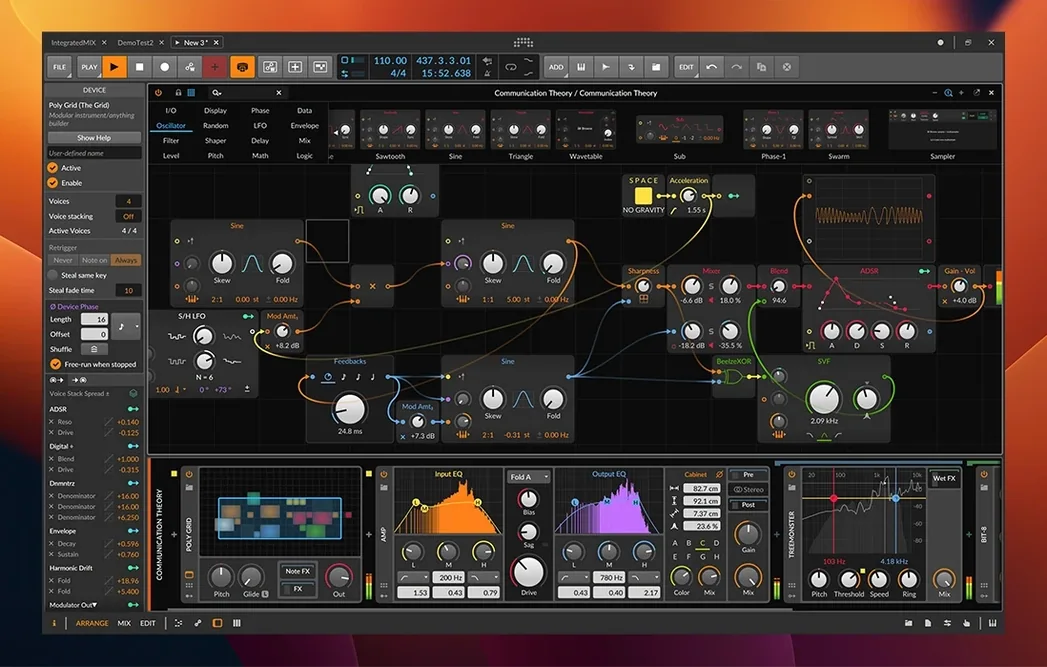
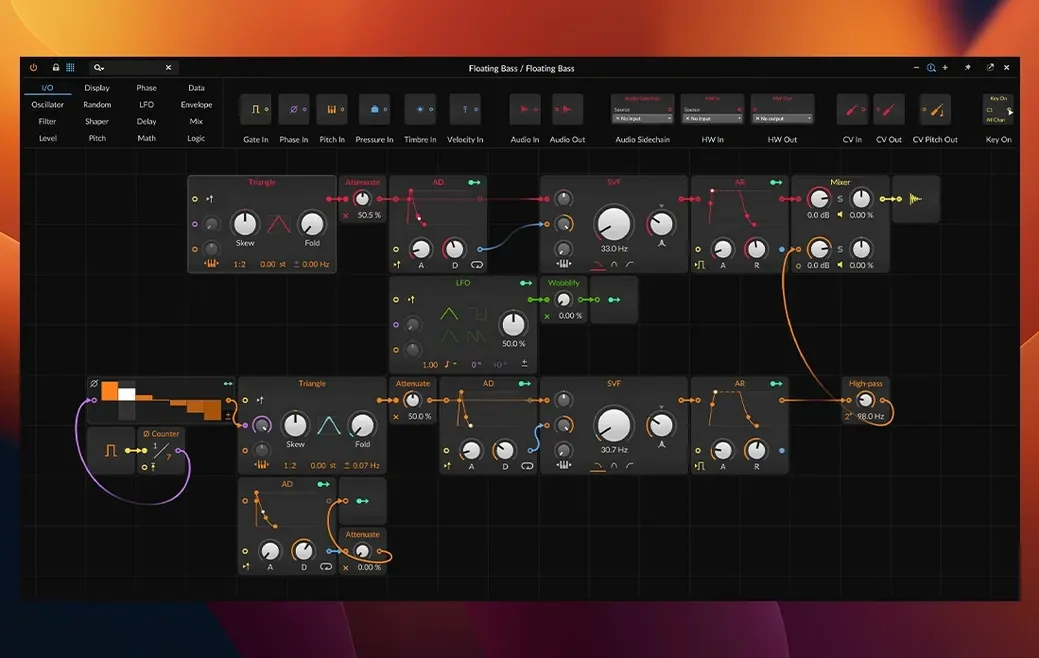
Bitwig Studio 6.1 requires macOS 12 Monterey or later and runs natively on both Intel and Apple Silicon Macs. It is a digital audio workstation designed equally for the studio and the stage, combining traditional recording with a modular sound design environment.
Deep synthesis and live clip launching
- Electronic music producers — The Grid and a deep collection of native devices make complex synthesis and sound design a core part of the workflow, not an afterthought.
- Live performers — Launch clips and scenes from the Clip Launcher while simultaneously recording and arranging on the timeline. The engine stays rock-solid under heavy modulation.
- Sound designers who think in CV — Plugins and modulators speak CV, Gate, and Clock natively, turning the DAW into a giant virtual modular system.
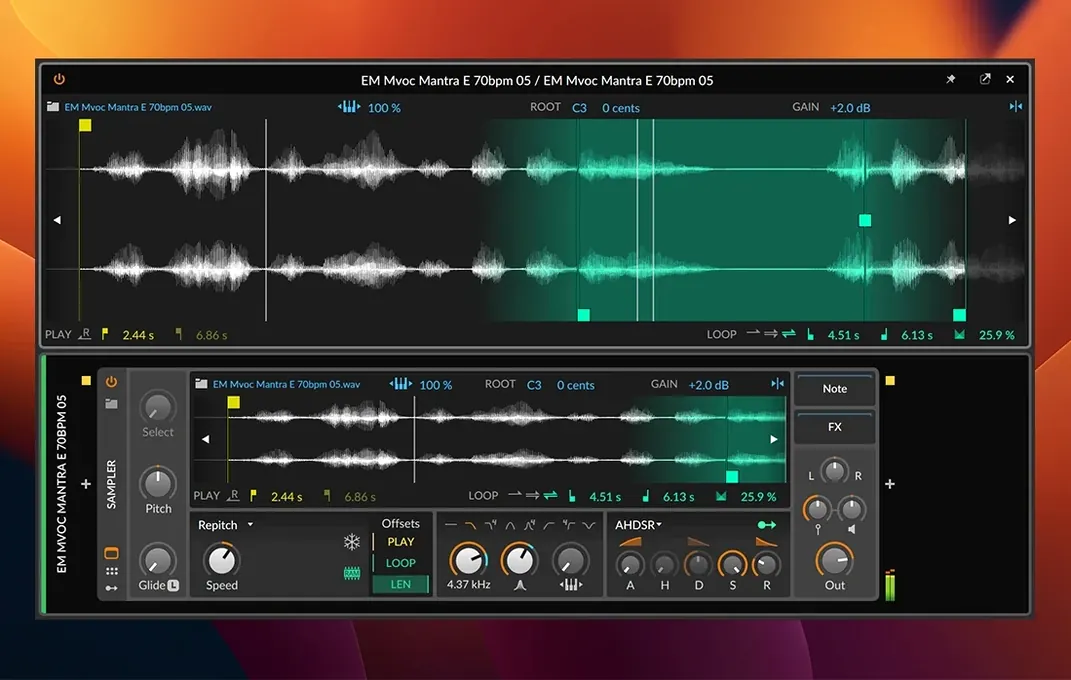
- Hybrid recording setups — Record audio and MIDI, slice it instantly in the updated Sampler, and build arrangements without stopping playback.
Modular panels instead of a fixed console
- No linear tape-machine mindset — The interface organizes tools into Arrange, Mix, and Edit panels. It rewards a modular windowing approach rather than a single fixed console view.
- Microtonal editing is available — You can work with non-standard tuning systems directly in the Detail Editor, which handles nondestructive per-clip editing of Velocity, Gain, Pan, Timbre, and Pressure.
Drums first with the updated Sampler
I open a fresh project and the Clip Launcher fills one screen while the Arrange timeline sits on another. Drums come first. I drop four one-shot samples onto audio tracks, then drag a Kick into the updated Sampler. It auto-detects the tempo and pitch — no manual trimming required. I switch the play mode to Spectral and pull the formant slider a quarter of the way left. The transient stays tight; the tail turns glassy.
Three minutes in, I have an eight-bar groove. I group the drum tracks, drop a Tool device on the group, and map a macro knob to decay and pitch — a single twist now scatters the pattern into something half-broken. That knob gets an LFO modulator set to random, synced to quarter notes. Already the loop breathes.
Bass next. I load Polymer, grab two wavetable oscillators, detune them nine cents apart, and route a slow envelope to the filter cutoff. The Clip Launcher records a MIDI pass. I double-click the clip, open the Detail Editor, and manually redraw Velocity for the off-beat notes — they soften, the line gains shape. I tap my ROLI Seaboard to add a lead part with per-note Pressure, bending pitch with finger weight. MPE data lands in the clip without a single menu dive.
Around minute twenty, the arrangement starts. I drag a few scenes from the Launcher into the timeline, then layer a long field recording underneath. The time-stretching engine handles a 20 BPM gap without artefacts. I assign a crossfader to a Delay-2 feedback loop and record its movement in real time on the Mix panel. Nothing stops. The transport runs while I slice a vocal into the Sampler's Fragments mode, where eight grains per second turn a spoken phrase into a rhythmic pad.
An hour in, I save three versions of the arrangement as clips and pull them back into the Launcher for a performance — same project, no export, no stop. Everything stays editable.
Lock in your sample rate for time-stretching
- Audio engine defaults — Under Dashboard > Settings > Audio, set the default sample rate and buffer size to match your interface. Bitwig's time-stretching algorithms react differently at 44.1 kHz versus 96 kHz, so lock in your working rate early.
- Grid behaviour — In Settings > Behaviour, enable "Open Grid with Auto-routing." Every time you drop a module into The Grid, Bitwig wires ins and outs automatically. Saves dozens of clicks per patch.
- Modulator smoothing — Navigate to Settings > User Interface and lower the default modulator display rate from 30 Hz to 15 Hz. Reduces GPU load on integrated graphics, especially when 40 modulators run simultaneously.
- Clip Launcher quantisation — Switch the global launch quantise from 1 bar to 1/4. Better for fast scene triggering during live sets. You can override per clip later.
- Sampler analysis prefs — In Settings > Locations, point the file cache to an external SSD. The new Spectral and Fragments modes generate analysis files; keeping them off the system drive avoids filling up your main disk.
- New — Spectral and Fragments play modes in a radically updated Sampler with new slicing tools. Automatic pitch and tempo detection from audio clips.
- macOS 12 Monterey or later
- Intel or Apple Silicon processor
Comments 0
Sign in to leave a comment.Sign inCreate an account
No comments yet. If a step is still there after you install it, say so.
More in Mac Apps
All in Mac Apps Binary Ninja
Lets you disassemble and decompile binaries to understand what compiled code actually does.
6 steps saved
 Blocs
Builds responsive websites visually while keeping clean, class-based code under the hood.
13 steps saved
 Updated
Bloom
Sorts a messy folder of mixed assets into subfolders by file type or creation date.
5 steps saved
 Updated
BetterZip
Lets you preview an archive’s contents without extracting it first.
19 steps saved
 BetterTouchTool
Maps unused trackpad gestures and key sequences to the commands you repeat daily.
12 steps saved
 BetterDisplay Pro
Overrides the factory EDID so your screen matches the brightness and resolution you need.
13 steps saved
 Boom 3D
Fine-tunes system-wide output with a 31-band equalizer and volume boost.
14 steps saved
 Beauty Box Photo
Smooths skin texture automatically while keeping eyes and hair sharp.