
Runs on macOS 13.5+ as a Universal Binary
BetterZip runs on any Mac that can install macOS 13.5 or later. It is a universal app with native support for both Intel and Apple Silicon processors.
Preview and Edit Archives Without Extracting
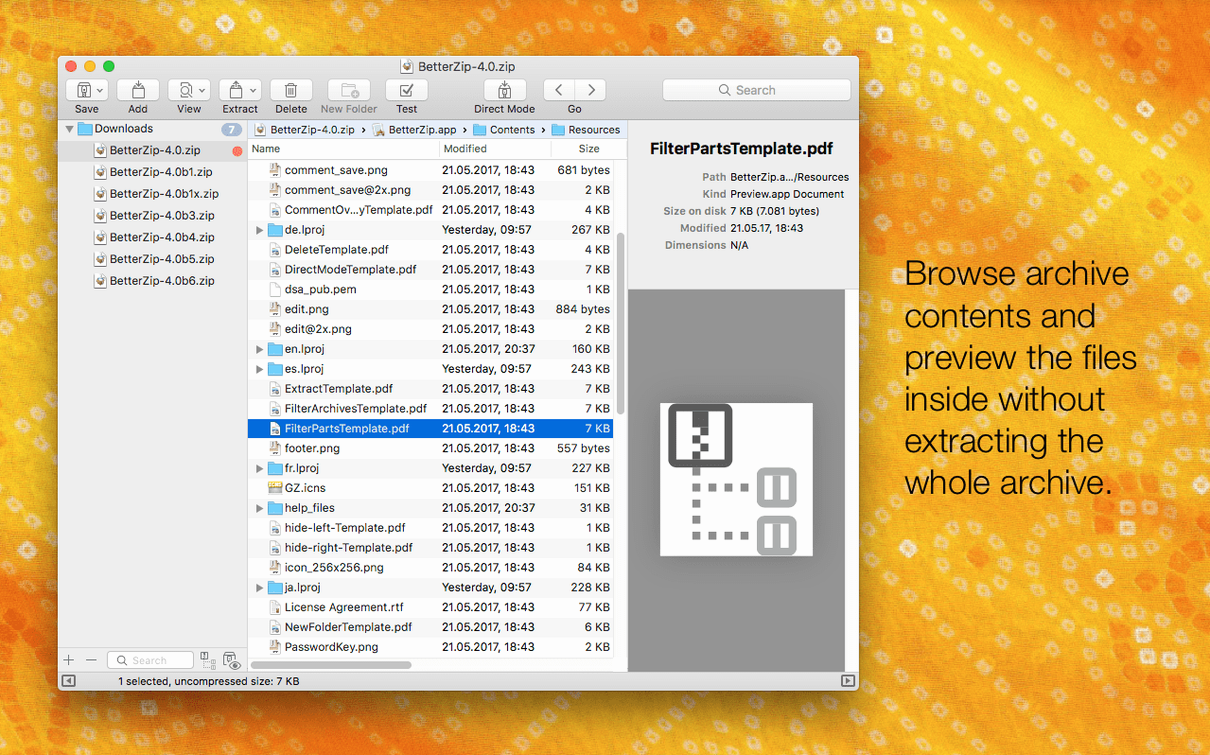
- Open without extracting. Double-click any archive to preview its contents directly in BetterZip. You can browse folders, rename files, or add a comment to a ZIP or RAR archive without repacking the whole thing.
- Edit in place. Drag a document out of the archive, edit it, and save. BetterZip updates the archive automatically. You can also move files between folders inside the archive window.
- Secure it. Apply AES-256 encryption to a new archive. Use the built-in password generator to create a strong key, then save.
- Extract what you need. Select a few files or extract everything. BetterZip handles ZIP, RAR, 7z, and ISO disk images. Use the Finder extension or right-click a file to extract without opening the main window.
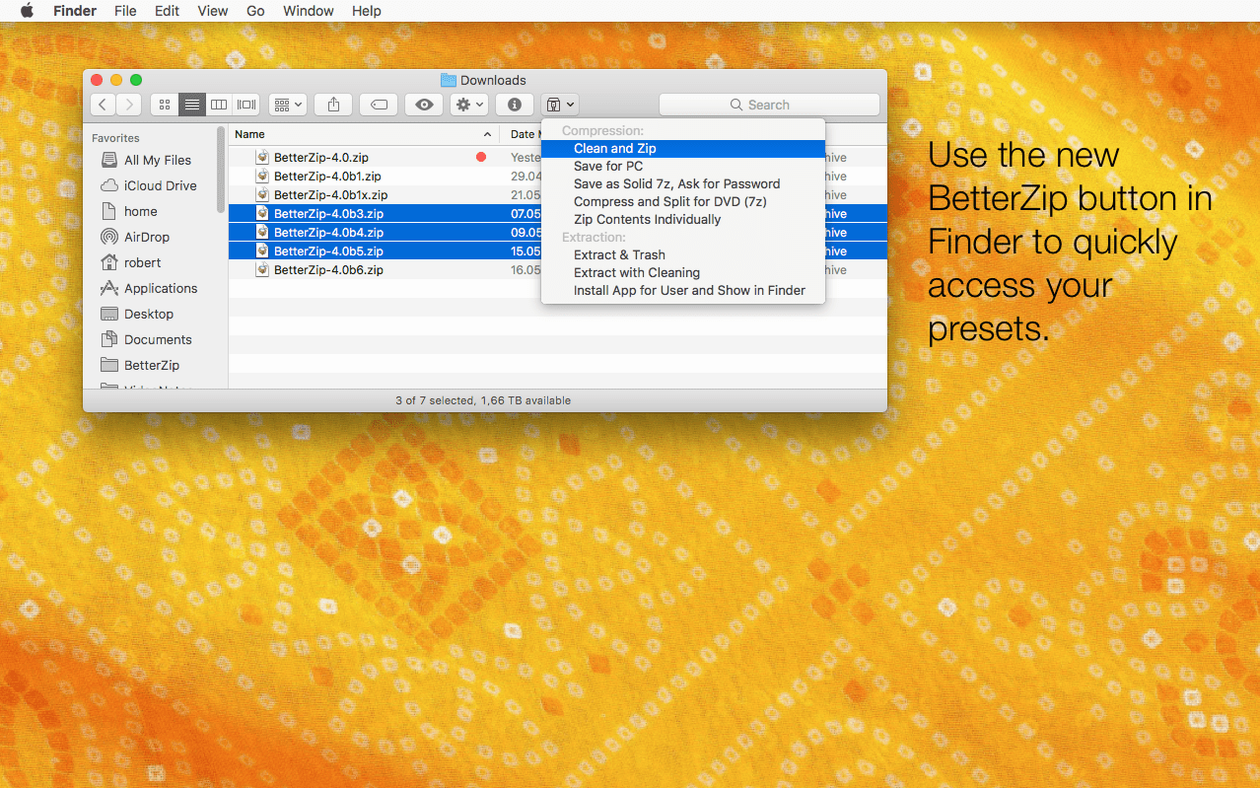
- Compress and share. Select a group of files in the Finder, right-click, and create a clean ZIP archive through the contextual menu.
BetterZip is for people who treat archives as working folders, not dead storage. It replaces the round-trip of unpack, edit, and repack with direct manipulation, and it keeps encryption and strong compression formats within easy reach.
Finder Extension and Right-Click Presets
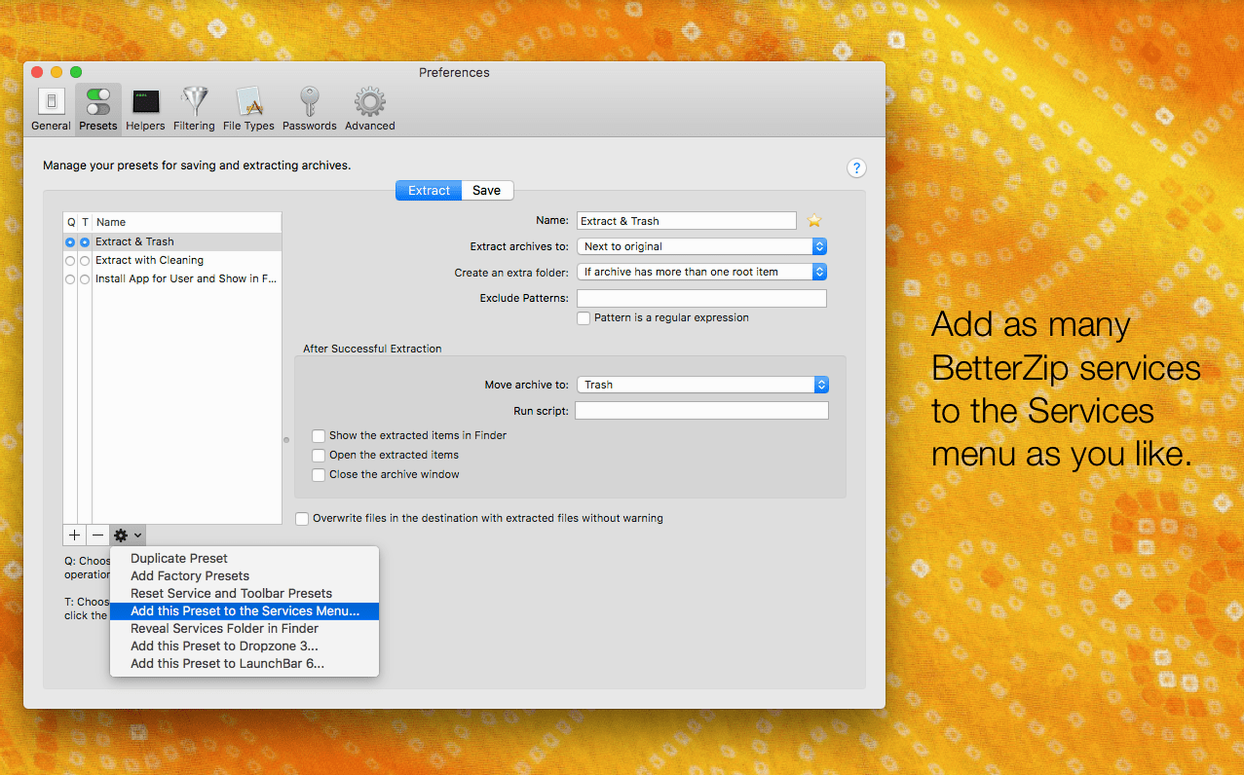
BetterZip sits in the Mac ecosystem as a specialized middleman, not a silo. It connects to the Finder through a system extension and a contextual menu, so archive operations feel native—right-click, pick a preset, and move on. No separate window required for quick extraction or compression.
The app also speaks to macOS Quick Look. Highlight a file inside an archive and tap the Space bar. BetterZip renders the preview without extracting, which means you can read a PDF or scan a spreadsheet before deciding to pull it out.
For teams that rely on automation, BetterZip exposes its engine through AppleScript. A script can compress a daily report folder, encrypt it with AES-256, and drop the archive into a shared location—all triggered by a calendar event or a folder action. The operations queue handles batches silently, so you can line up a dozen extractions or compressions and let them finish while you work elsewhere.
Version 6.0.6 also adds a language override. If your Mac runs in English but you prefer the interface in German or Japanese, set it once in preferences. The app respects the choice without a restart.
A Clean Extraction Workflow
Suppose a client sends you a project bundle—a 7z archive full of design assets, fonts, and a layered Sketch file. You need the fonts and one specific icon set, not the entire 200 MB package.
- Double-click the 7z file. BetterZip opens it in a single window, folder tree intact.
- Tap the Space bar on the Sketch file to confirm it is the correct version. Quick Look shows the artboard.
- Select only the Fonts folder and the Icons/SVG subfolder. Hold Command for non-contiguous selections.
- Drag the selection to your project folder on the Desktop. BetterZip extracts just those items. The rest stays packed.
- With the extraction complete, add a comment to the archive: “Fonts & SVG icons extracted 12 Apr.” The note travels with the file, visible next time anyone opens it in BetterZip.
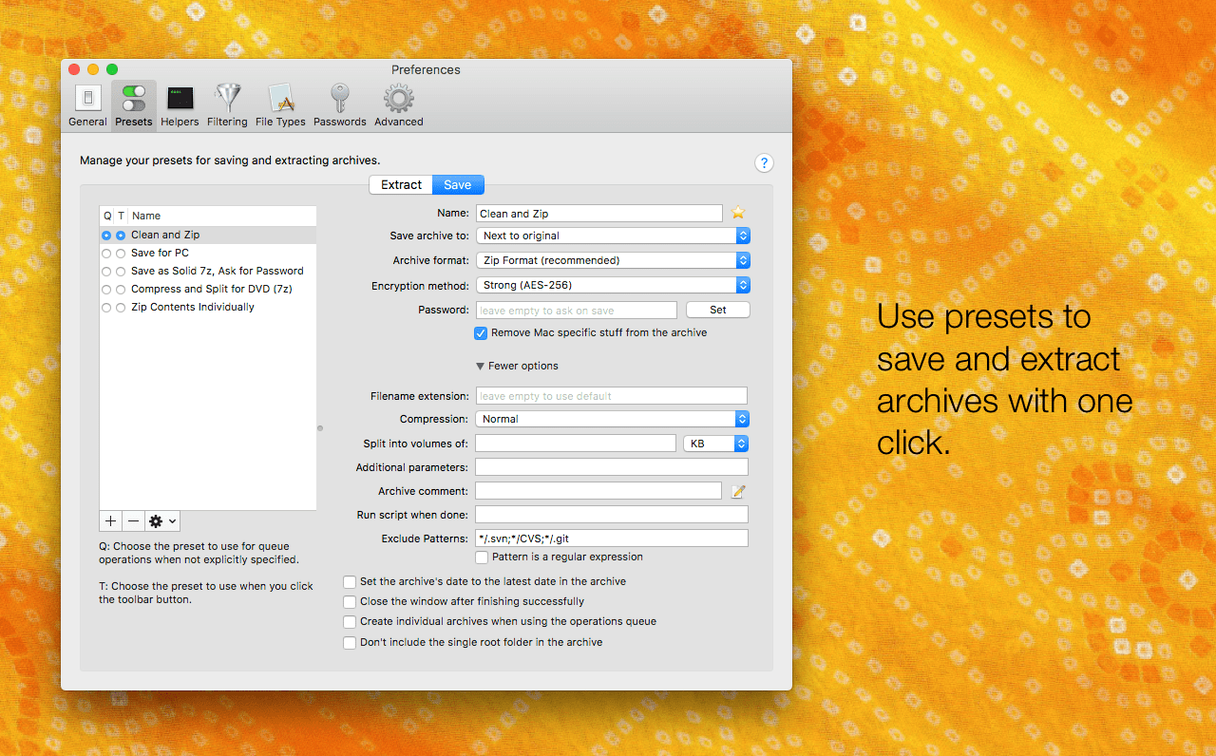
The Finder extension makes this even shorter. Right-click the archive, choose Extract with BetterZip, and pick a preset that skips macOS metadata restoration—an option new in 6.0.6 that keeps extracted folders clean of ._ resource fork files when sharing with Windows or Linux colleagues.
Version 6.1 refines archive handling and brings macOS 15 Sequoia compatibility. New: a toolbar toggle for Quick Look thumbnails in the archive window; a ‘Skip all’ option during extraction conflicts; an option to preserve ‘.lzma’ inside ‘.zip’ archives. Improved: RAR extraction speed and password-list processing. Fixed: several crashes, including one triggered by large password dictionaries and another when pasting files into a password-protected archive.
- macOS 13.5 or later
- Apple Silicon or Intel 64-bit Mac
Questions I get before install
Can BetterZip extract RAR files on a Mac?
Yes. BetterZip uses an up-to-date unrar library and can extract RAR archives, including those with comments.
Comments 0
Sign in to leave a comment.Sign inCreate an account
No comments yet. If a step is still there after you install it, say so.
More in Mac Apps
All in Mac Apps BetterTouchTool
Maps unused trackpad gestures and key sequences to the commands you repeat daily.
12 steps saved
 BetterDisplay Pro
Overrides the factory EDID so your screen matches the brightness and resolution you need.
20 steps saved
 Binary Ninja
Lets you disassemble and decompile binaries to understand what compiled code actually does.
20 steps saved
 Bitwig Studio
Combines linear recording with a modular sound design sandbox in a single workstation.
14 steps saved
 Beauty Box Photo
Smooths skin texture automatically while keeping eyes and hair sharp.
5 steps saved
 BBEdit
Opens massive plain-text files and lets you edit them without a lag spike.
6 steps saved
 Blocs
Builds responsive websites visually while keeping clean, class-based code under the hood.
13 steps saved
 Updated
Bloom
Sorts a messy folder of mixed assets into subfolders by file type or creation date.