
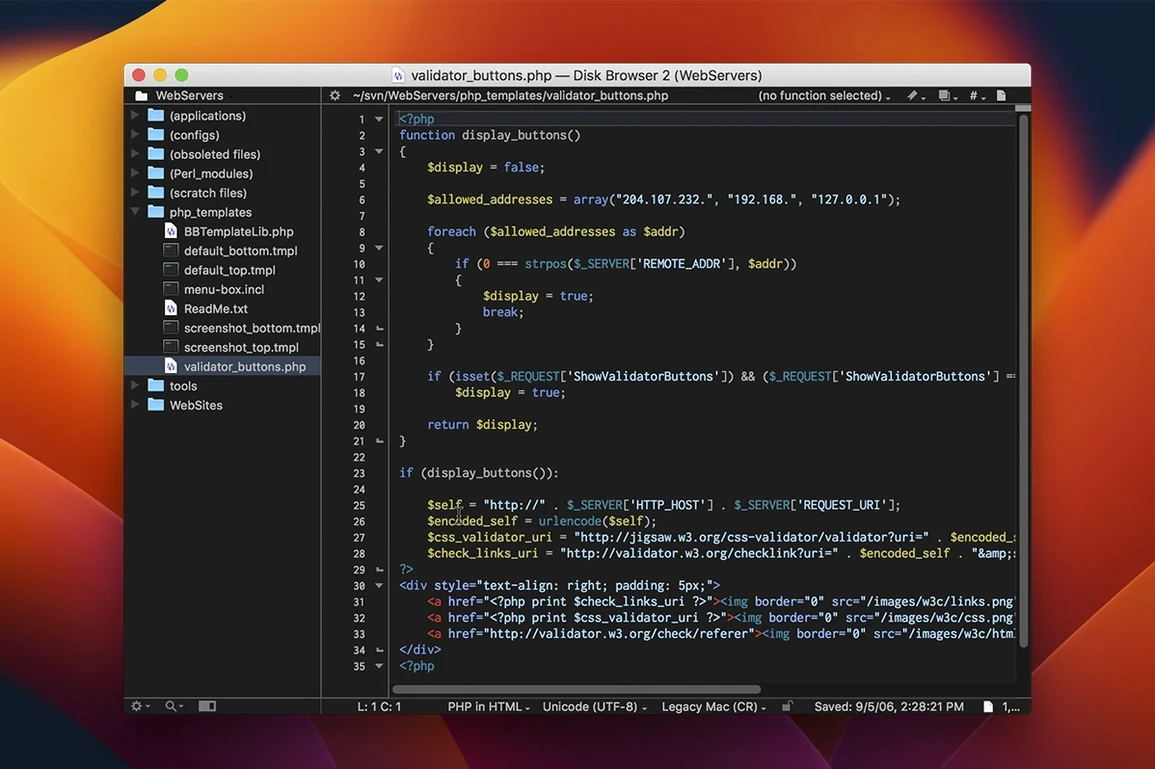
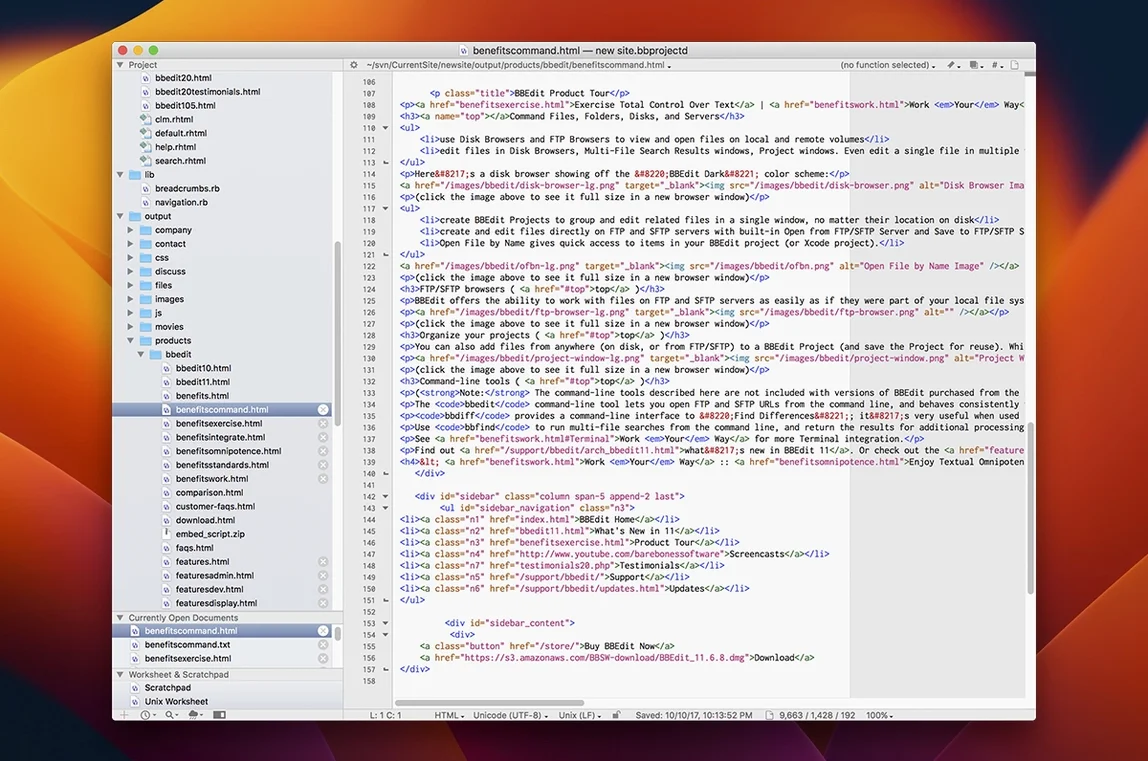
Writers, web developers, and system administrators reach for BBEdit when they need more than a basic text box. It handles heavy plain-text work—source code, markup, structured data—without slowing down. If you maintain a site, clean up data exports, or write scripts, this is the editor you grow into, not out of.
- Work directly on servers. Open, edit, and save files over FTP and SFTP without a separate client.
- Run scripts without leaving the app. A built-in interpreter handles Perl, Python, Ruby, and shell scripts for quick text transformations.
- Read code at a glance. Syntax highlighting colours multiple programming and markup languages so structure pops out.
- Fix mangled text. A converter translates text between encodings and number systems, saving hours of manual cleanup.
- Try it properly. A full 30-day evaluation period lets you use every feature before deciding.
Set BBEdit as the External Editor for Your Scripting Tools
BBEdit doesn't demand you reorganise your toolchain. It slots into existing workflows with a few deliberate connection points.
- Scripting editors. Set BBEdit as the external editor in CodeRunner, Script Debugger, or Terminal-based tools like
vimandemacs. Thebbeditcommand-line tool pipes text in and out. - Version control. Git integration is visual: diffs appear in BBEdit's own comparison window. Configure it as your merge tool and handle conflicts without launching a separate app.
- macOS Services and Shortcuts. Select text anywhere—Mail, Notes, Safari—and send it to BBEdit through the Services menu. Build Shortcuts that extract, clean, and return text automatically.
- Quick Look and Spotlight. BBEdit documents preview inline. Metadata and content are indexed for system-wide search, so finding a phrase inside a saved draft is near-instant.
- Markdown preview apps. Pair it with Marked or Brett Terpstra's tools. BBEdit edits; the previewer renders. No duplication of effort.
This isn't an editor that wants to be your only app. It's the heavy-lifting core you surround with lighter, purpose-built utilities.
Overlooking Reusable Snippets in the Clippings System
New users often treat BBEdit like a simpler editor and miss half its value. Three patterns show up repeatedly.
- Ignoring the Clippings system. A clipping is a reusable text snippet with placeholders. Instead of retyping boilerplate—HTML doctypes, SQL queries, email templates—insert a clipping, fill the blanks, and move on. Many beginners never open the Clippings palette.
- Not using grep patterns in the Find window. The search bar has a Grep checkbox. Tick it and you move from literal search to pattern matching. Finding every date in YYYY-MM-DD format or swapping two columns in a CSV becomes a one-pass operation. Doing it manually is the slow road.
- Skipping the disk browser. Open a folder, not a file. The disk browser shows the directory tree and lets you work across dozens of files without the Finder. Beginners tend to open single files and lose the project-level view.
A bbedit download mac install puts these features in front of you from day one. The evaluation period is the right window to build the habits.
No feature bloat, no subscription noise. Just a fast, native Mac editor that respects plain text.
- Fixed — Addressed reported issues to improve stability.
- macOS 14.0 or later
- Apple Silicon or Intel processor
Questions I get before install
Does the free evaluation have feature limitations?
No, the 30-day evaluation provides access to the complete set of features so you can test the full application.
What changed in the latest version?
BBEdit 16.0.3 is a maintenance release that contains fixes for reported issues, with no new feature additions or changes.
Comments 0
Sign in to leave a comment.Sign inCreate an account
No comments yet. If a step is still there after you install it, say so.
More in Mac Apps
All in Mac Apps Beauty Box Photo
Smooths skin texture automatically while keeping eyes and hair sharp.
16 steps saved
 Bartender
Hides the menu bar icons you rarely need behind a single click.
4 steps saved
 BAO Mask Avenger
Exposes every mask point as an animatable keyframe for detailed rotoscoping.
12 steps saved
 Updated
BetterDisplay Pro
Overrides the factory EDID so your screen matches the brightness and resolution you need.
19 steps saved
 BetterTouchTool
Maps unused trackpad gestures and key sequences to the commands you repeat daily.
5 steps saved
 Updated
BetterZip
Lets you preview an archive’s contents without extracting it first.
7 steps saved
 Audiofile Engineering Fidelia
Plays a local music library with audiophile-grade output and per-device settings.
20 steps saved
 Audiobook Builder
Stitches a stack of audio files into one structured, chaptered audiobook.