
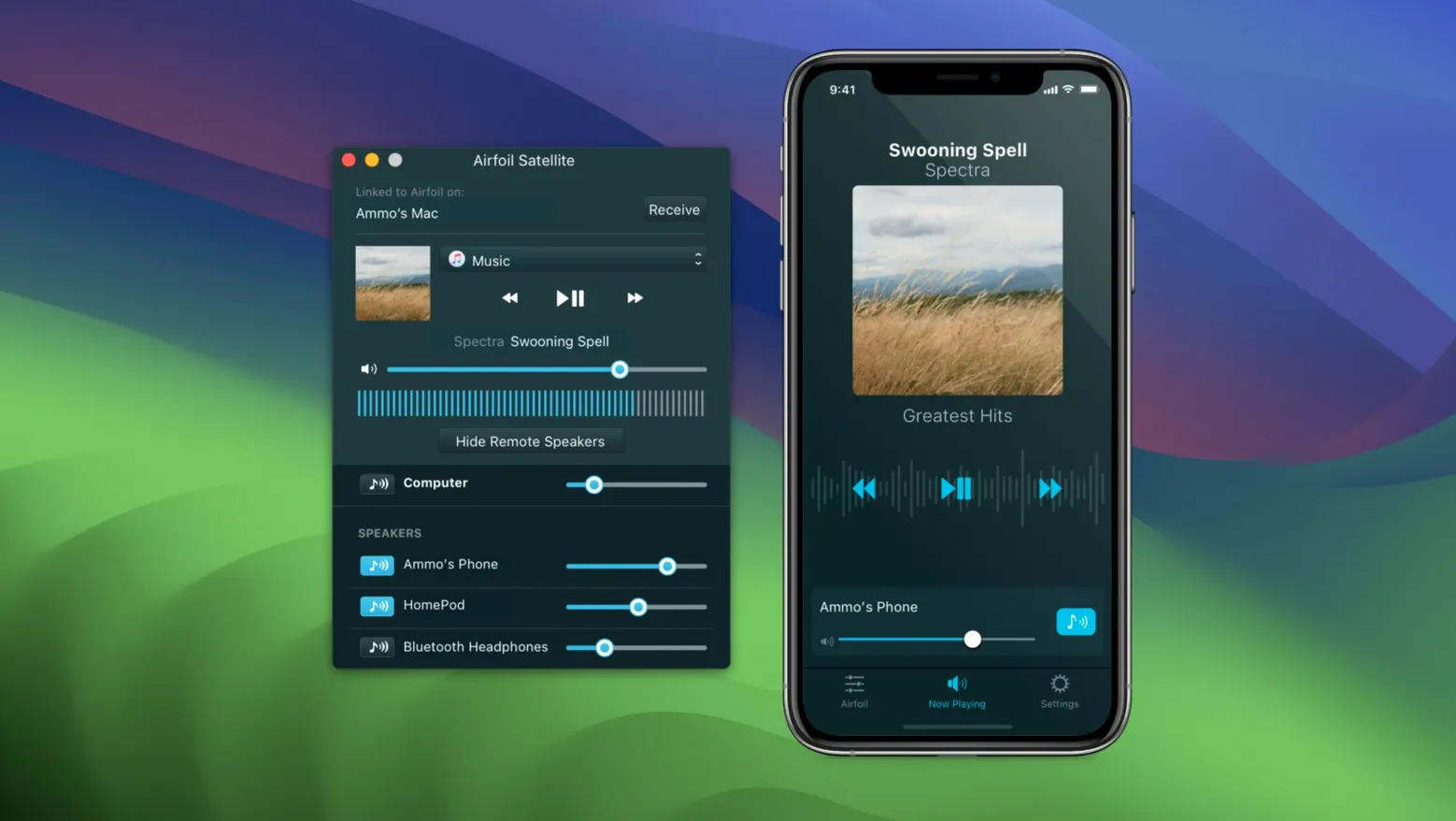
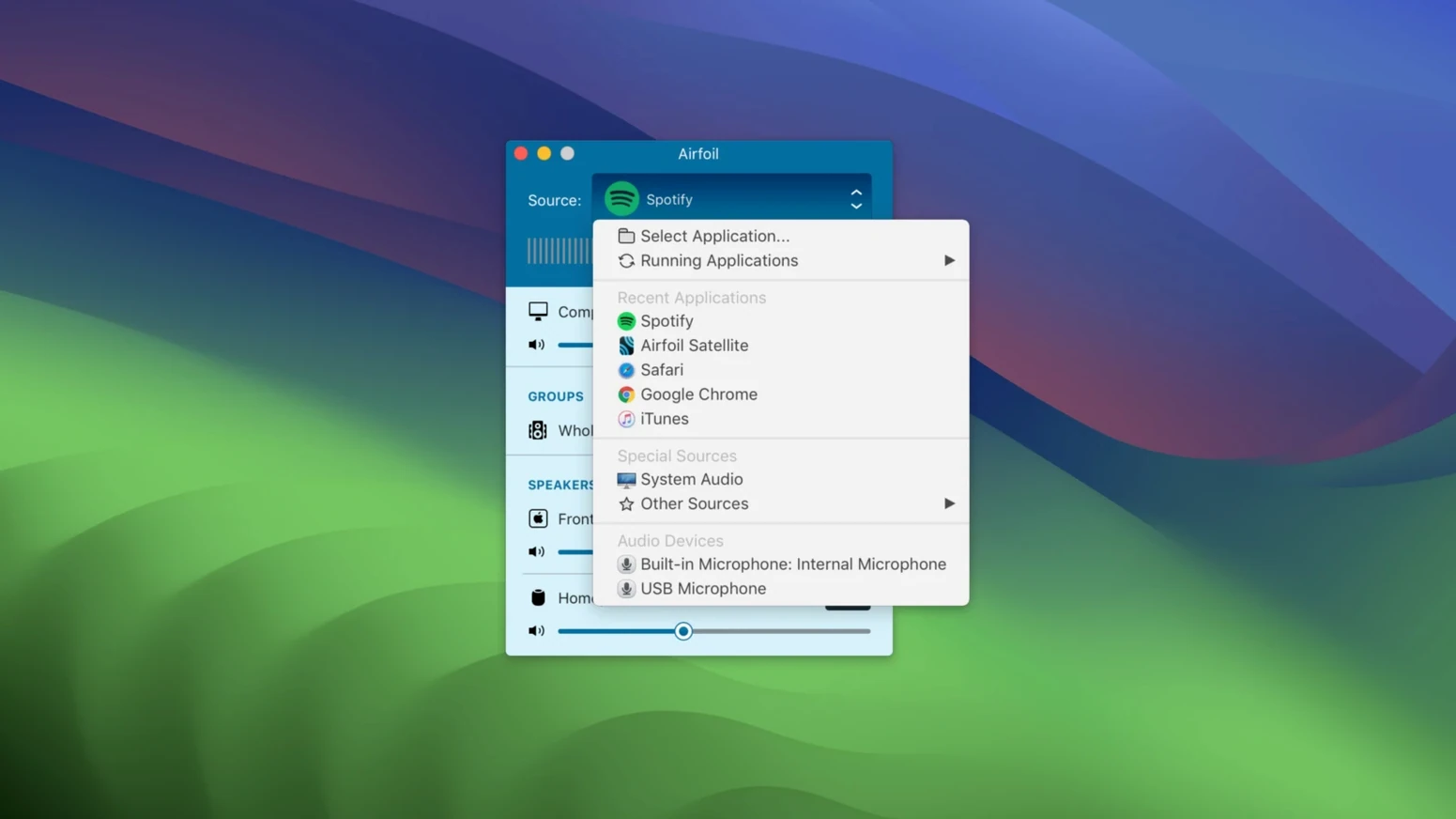
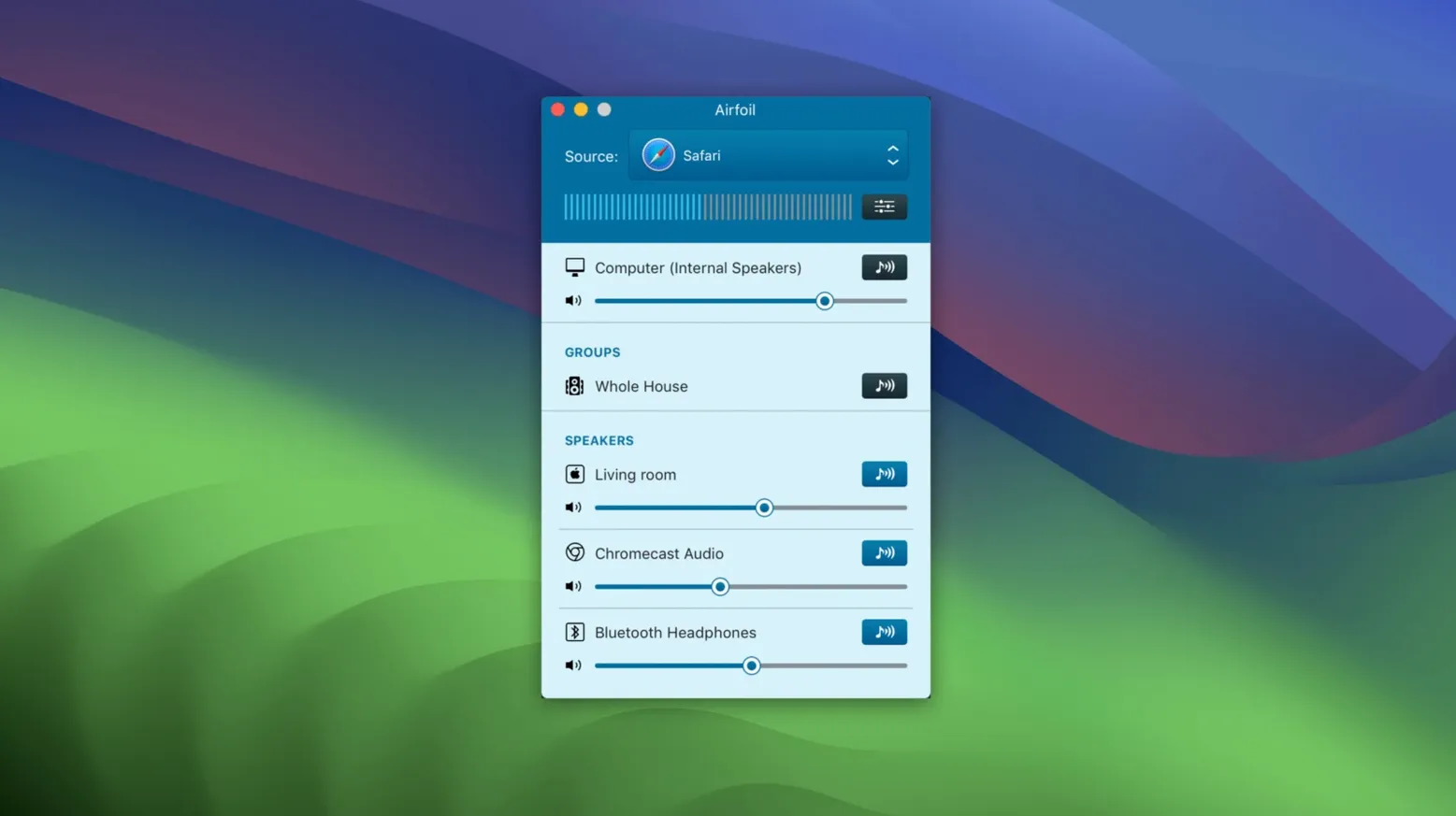
Transmitter can pull audio from a single app while you keep everything else local. That’s the core of how Airfoil cracked mac workflows—it lets you route a podcast in Safari to the living room HomePod while notifications stay on the Mac. The interface stays out of the way. Pick a source, pick a destination, hit play.
- Capture audio from any application individually
- Stream to multiple AirPlay, Bluetooth, and Airfoil Satellite devices at once
- Shape output with the built-in 10-band equalizer
- Auto-start streaming to a pre-selected device on launch
- Extend reach with the free Airfoil Satellite companion apps
Volume sync keeps levels matched across groups. The app runs on Apple silicon and Intel Macs from macOS 14.4 onward, so it slots into most setups without friction.
When a Speaker Vanishes, Check Your Wi-Fi Band
Airfoil depends on a clean local network, and that's where most trouble starts. If a device doesn't appear in the destination list, check that both the Mac and the target are on the same Wi-Fi band. A Mac on 5 GHz won't see a speaker stuck on 2.4 GHz if your router isolates the bands. Flip one device to match and the name usually pops back within seconds.
Another frequent hiccup: audio plays from the wrong app. Airfoil defaults to the system output, which includes every alert ping and background chirp. Switch the source to the specific application in the dropdown and that stops immediately.
Apple TV and HomePod streaming returned in version 5.13.0, but some users still hit silence after a macOS update. The fix is almost always a restart of both the Airfoil app and the target device—AirPlay handshakes can go stale after a system change. If that doesn't catch it, toggling the Mac's Wi-Fi off and on forces a fresh mDNS broadcast and re-registers all AirPlay receivers.
Bluetooth lag: the app can't eliminate codec delay. For video, the offset slider under the speaker's settings panel brings lipsync back in line. Drag it until the audio lands where the picture does, usually 200–400 ms for most Bluetooth headphones.
When the Equalizer Works Against You
The 10-band EQ is per-speaker, not global. A common mistake is boosting the low end on the Mac's local output and wondering why the HomePod sounds muddy. Check which device is selected in the EQ panel before adjusting anything.
Stop Sending Every System Ping to the Living Room
Streaming the entire system output instead of a single app is the big one. It's the default behaviour, and it means every Finder click and incoming message ping goes to the living room. Pick the app you want—Safari, Spotify, Music—from the source list. The rest of the Mac stays quiet.
Another pattern: forgetting about Airfoil Satellite. The free companion apps turn an old iPhone, iPad, or another Mac into either a receiver or a remote control. People install Airfoil and stop there, missing that they can send audio to a Mac mini hooked up to proper speakers without buying extra hardware. Install Satellite on the mini, and it appears as a destination in the main app.
Auto-start is off by default. When you want morning news to hit the kitchen speaker the moment the Mac wakes, set a start device in Preferences. Skip this step and you'll manually select it every single time.
Volume sync doesn't mean identical volume. Each device has its own hardware amp, so "matched" means relative balance stays proportional as you adjust the group slider. Expect to rough-in individual levels once, then let sync maintain the relationships.
Splitting One Mac’s Audio Across Two Destinations
Airfoil sits between applications and output hardware, so it works alongside—not instead of—your regular audio setup. Music plays through the native speaker while a separate app sends a browser's audio upstairs. macOS sees both paths as valid, and the Sound menu bar item doesn't interfere.
For podcasters, the pairing with Audio Hijack is natural. Capture and process a guest's voice in Audio Hijack, then use Airfoil to send the monitoring mix to Bluetooth earbuds with zero wire tether. Both apps come from Rogue Amoeba, so the audio routing doesn't conflict.
If you already use an Airfoil cracked setup to stream a Mac's audio to an Apple TV, the chain extends easily. Plug the Apple TV into a dumb stereo via optical or HDMI, and you've turned a screenless setup into a full-room music system controlled entirely from the Mac. Airfoil Satellite on an iOS device adds volume and track control from the couch, no screen sharing required.
macOS Shortcuts can trigger Airfoil actions indirectly. Set a shortcut to open a specific app and a playlist at a set time, and Airfoil's auto-start preference handles the rest. It's not direct Shortcuts integration, but the result is a hands-free morning routine that fires up news or music without a click.
- Restored audio streaming to Apple TV and HomePod devices
- macOS 14.4 or later
- Apple silicon or Intel 64-bit processor
Questions I get before install
Can Airfoil stream to an Apple TV?
Yes. The 5.13.0 update restored audio streaming to Apple TV and HomePod devices on supported macOS versions.
Comments 0
Sign in to leave a comment.Sign inCreate an account
No comments yet. If a step is still there after you install it, say so.
More in Mac Apps
All in Mac Apps Airflow
Casts video files from a Mac to a Chromecast without converting formats.
11 steps saved
 Alcove
Collects media controls and live notifications into one Dynamic Island-style overlay.
9 steps saved
 AlDente
Keeps a MacBook battery at a chosen charge limit to slow chemical aging.
7 steps saved
 AirBuddy
Shows charge levels and connection modes for nearby Apple devices at a glance.
17 steps saved
 Alfred 5 Powerpack
Chains file actions, searches, and scripts into automated sequences from the keyboard.
18 steps saved
 AIMP
Plays and organizes a local music collection without streaming dependencies.
11 steps saved
 Aiarty Video Enhancer
Upscales, deblurs, and cleans up video clips and their audio in one pass.
15 steps saved
 Aiarty Image Enhancer
Rebuilds lost facial detail and fabric texture in compressed photos.