AlDente is a battery charge limiter that stops your MacBook from charging past a set percentage. It sits in the menu bar, holds the charge level you pick, and helps MacBook batteries age slower by avoiding the stress of sitting at 100% all day. It works next to macOS’s own power settings and any desk setup — plugged in at a monitor, on a charger overnight, or topping up between meetings.
- Set a hard charge ceiling — 80%, for example — and the Mac stops drawing power once it hits that mark
- Menu bar icon shows current charge, battery temperature, and whether the limit is active
- Calibration mode lets you run a full discharge-and-recharge cycle on your own schedule
- Works with Apple Silicon and Intel MacBooks running macOS 12 or later
- Pairs naturally with system tools like Activity Monitor and third-party menu bar organisers
Where macOS Optimised Battery Charging learns your routine and decides when to hold at 80%, AlDente gives you a manual switch. It is useful for desk-bound MacBooks that rarely leave a charger, or for anyone who wants a predictable, fixed limit rather than an algorithm’s guess.
Dock-Bound Laptops Gain the Most Battery Relief
Desk-bound MacBook users see the biggest payoff. A machine that spends eight or ten hours a day on a USB-C dock has no reason to sit at 100% charge. AlDente holds it at a lower ceiling and keeps it there without any daily fiddling.
- Docked workers — the MacBook stays plugged into a monitor and charger all day; a fixed limit of 70–80% protects the battery from constant full-charge pressure
- Overnight chargers — anyone who leaves the laptop on a charger while sleeping gets a hard stop instead of macOS trickle-charging to full by morning
- Long-term keepers — owners who plan to use the same MacBook for four or five years and want the battery to hold usable capacity longer
- Heat-sensitive setups — clamshell mode users and people in warm rooms benefit from the temperature monitoring and heat protection triggers
Casual users who mostly run on battery and charge when needed may not notice much difference. The tool matters most when the charger is the default state, not the exception.
How AlDente Compares With Similar Mac Apps
macOS has a built-in battery management feature called Optimised Battery Charging. It learns your routine and pauses charging at 80% until it predicts you will unplug. AlDente replaces the prediction with a manual limit. You pick the number, and it holds. The trade-off is that Optimised Battery Charging requires no third-party software, while AlDente gives you control the system feature does not expose.
Battery Health 3 (by FIPLAB) focuses more on diagnostics and battery statistics. It tracks charge cycles, capacity, and temperature over time. It includes a charge limiter on some MacBook models, but the limiter feels like a secondary feature. AlDente puts the charge ceiling first and treats monitoring as support.
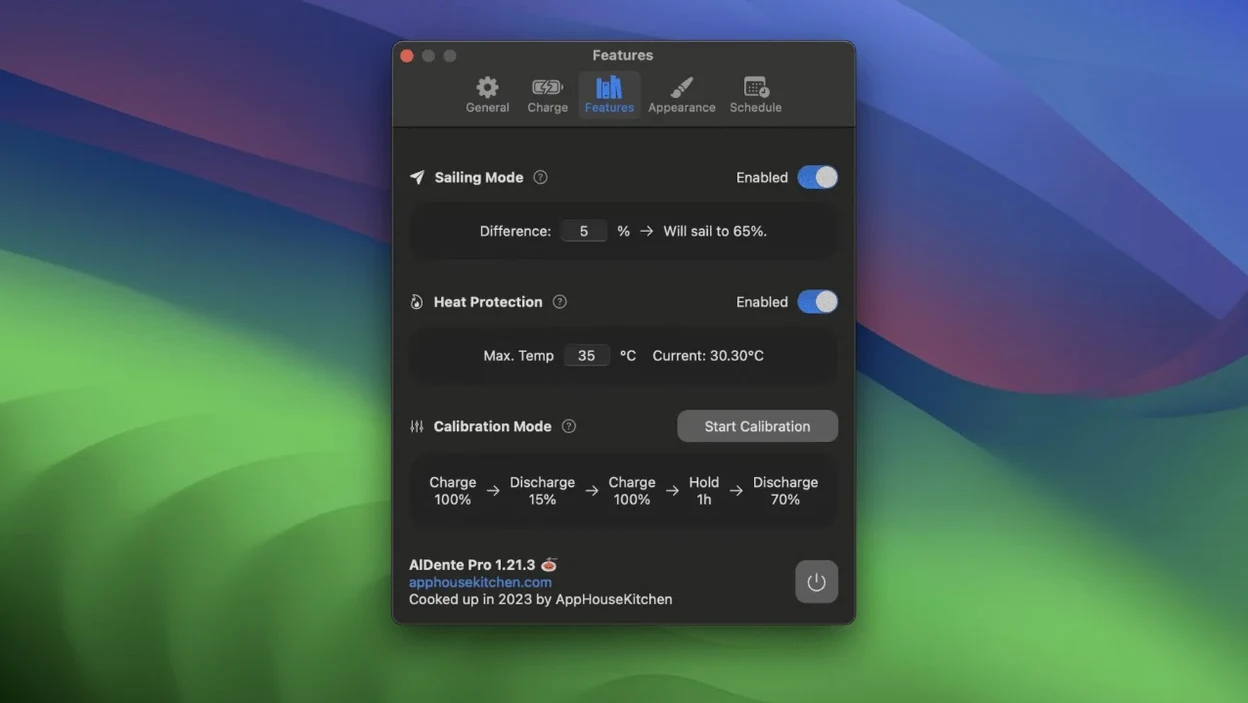
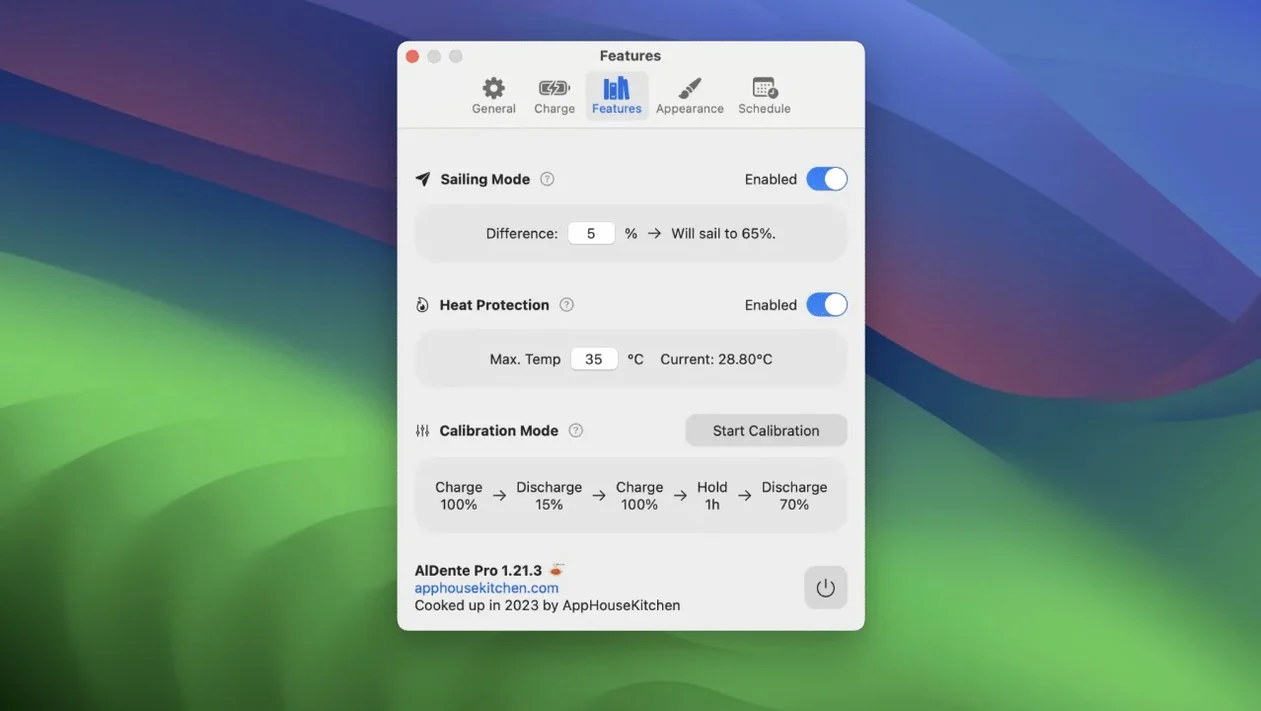
BatFi is a newer menu bar utility with a similar charge-limiting purpose. It has a lighter feature set and a cleaner, simpler interface. AlDente has more modes — Calibration Mode, Sailing Mode, heat protection — and more fine-grained control for users who want to tune behaviour. BatFi suits minimalists; AlDente suits tinkerers.
Runs Natively on Apple Silicon and Intel Without Conflicts
Does AlDente work on Apple Silicon and Intel? Yes. The app ships as a universal binary, so the same build runs on both architectures. macOS 12 Monterey or later is required.
Will it conflict with Optimised Battery Charging? No. You can leave the macOS feature on or turn it off. AlDente’s limit takes precedence when both are active, but many users disable the system feature to avoid two mechanisms fighting over the same battery.
What happens if I unplug at the charge limit? The MacBook runs on battery as usual, starting from whatever percentage you set. If you held it at 70%, you unplug with 70% available. That is the main trade-off of a low limit — less runtime when you leave the desk.
Can I still charge to 100% when I need to? Yes. Turning off the limit or switching to Calibration Mode lets the battery charge fully. Some users keep a low limit for desk days and top up to full before travel.
- Fixed — visual glitches in the Popover that appeared in the first betas of macOS 27.2
- macOS 12 Monterey or later
- Apple Silicon or 64-bit Intel MacBook
Questions I get before install
Does AlDente replace macOS Optimised Battery Charging?
It sits alongside it. AlDente gives you a manual charge limit you control directly, while macOS’s built-in feature learns your schedule and adjusts automatically.
Which MacBooks and macOS versions does AlDente support?
It runs on Apple Silicon and 64-bit Intel MacBooks and requires macOS 12 Monterey or later.
Comments 0
Sign in to leave a comment.Sign inCreate an account
No comments yet. If a step is still there after you install it, say so.
More in Mac Apps
All in Mac Apps Alcove
Collects media controls and live notifications into one Dynamic Island-style overlay.
17 steps saved
 Alfred 5 Powerpack
Chains file actions, searches, and scripts into automated sequences from the keyboard.
13 steps saved
 Airfoil
Sends audio from any single Mac app to speakers around the house.
6 steps saved
 Airflow
Casts video files from a Mac to a Chromecast without converting formats.
5 steps saved
 Updated
AltTab Pro
Switches between open windows with live thumbnails and a fully custom shortcut.
5 steps saved
 Amadeus Pro
Edits audio waveforms with markers, fades, and analysis tools on older Macs too.
7 steps saved
 AirBuddy
Shows charge levels and connection modes for nearby Apple devices at a glance.
18 steps saved
 AIMP
Plays and organizes a local music collection without streaming dependencies.