
Version 2.6.5 shifts the page-creation engine with multiple-page spreads and foldable models — gatefolds, trifolds, accordion folds — alongside a Reading Order panel that tags PDF accessibility right inside the layout. These aren’t trim tweaks; they change how a document gets built.
Structuring a publication
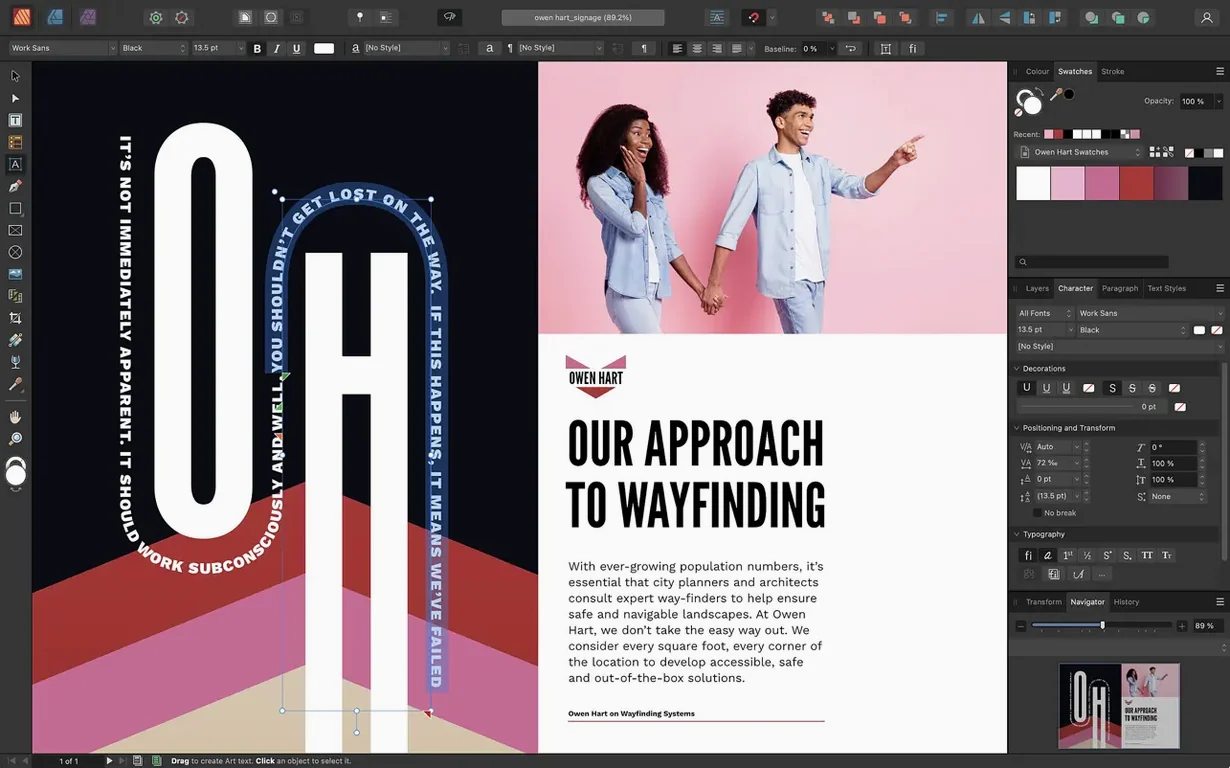
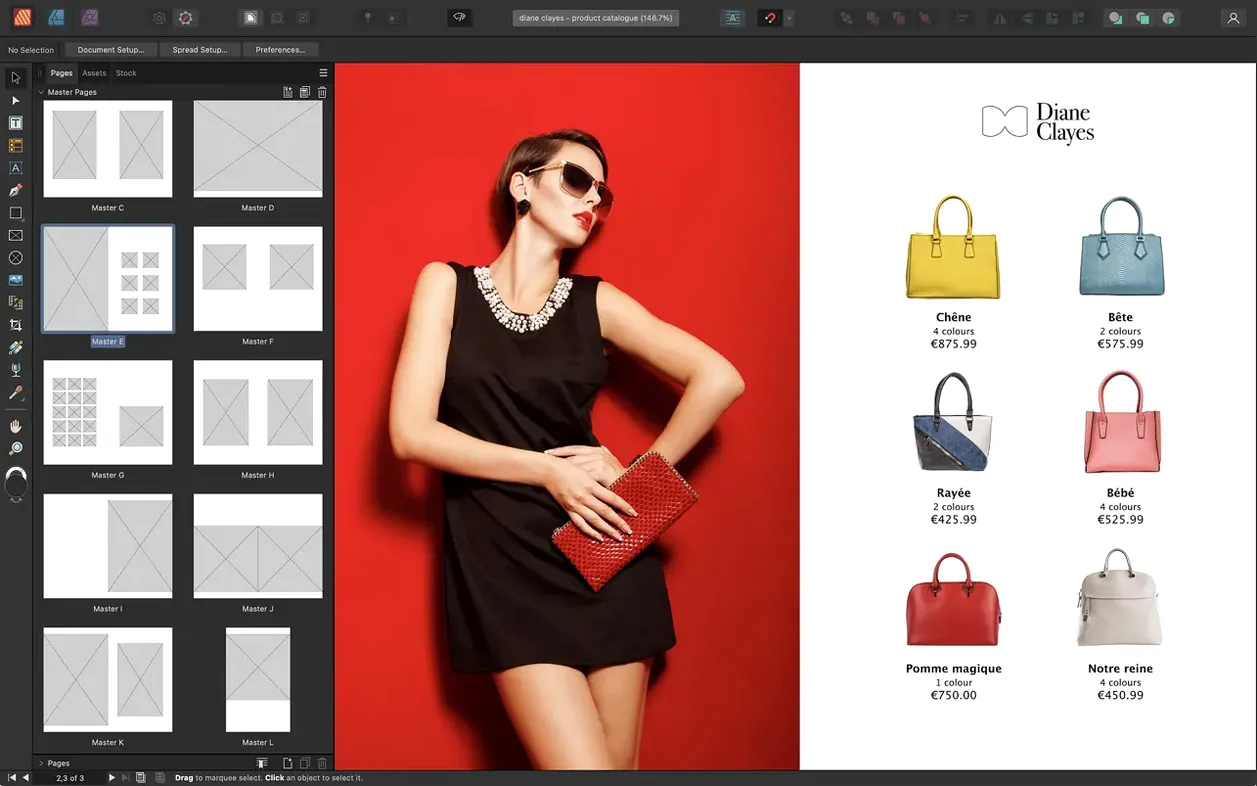
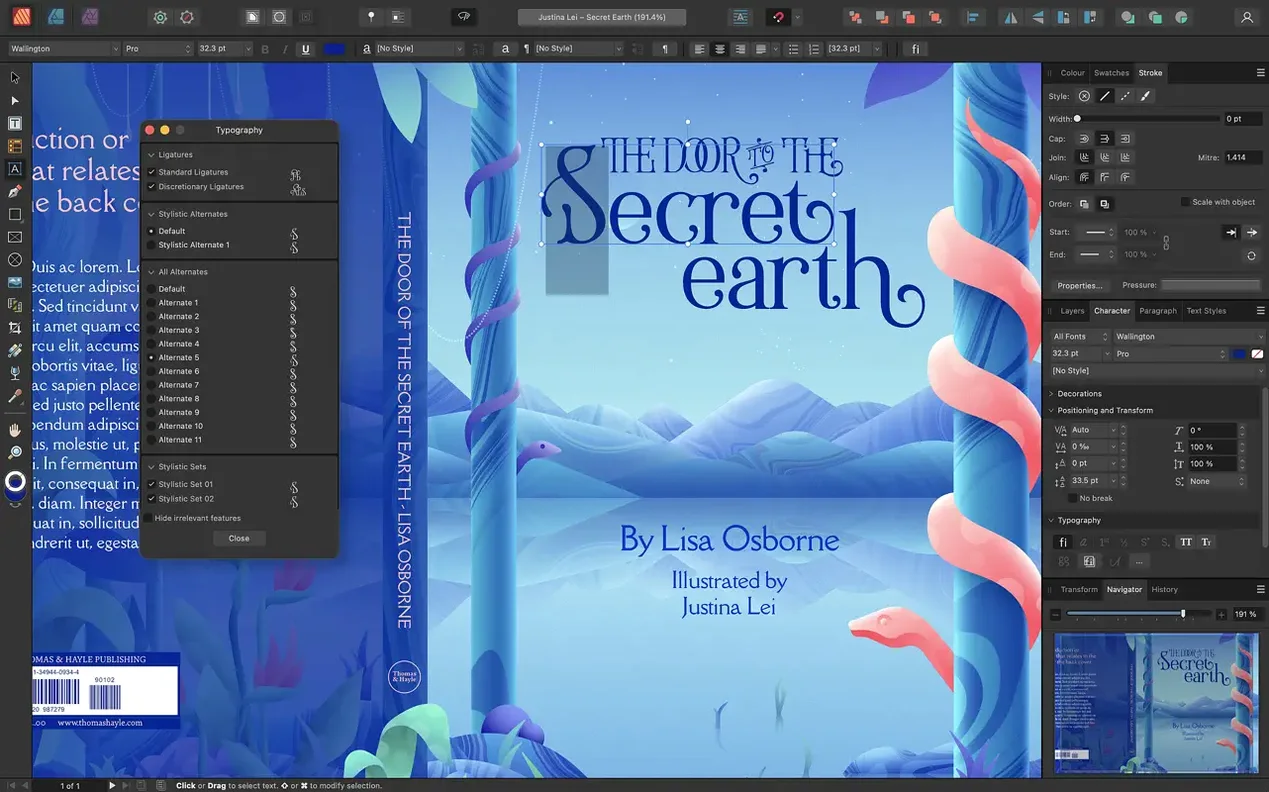
Dynamic master pages — including nested masters — anchor every project. Spreads, advanced guides, grids, and snapping keep elements from drifting. Character and paragraph styles lock typography in place, while text wrap with fill controls flows copy around objects without manual nudging. Boolean shape operations let you cut and combine vector forms for custom frames. Text can sit along a path when standard blocks won’t do.
Staying inside one workflow
StudioLink connects Affinity Designer and Affinity Photo directly inside Publisher. Switch to vector tools or raster edits without leaving the layout. Export runs from PDF/X-1a through PDF/X-4, and the Reading Order panel ensures tagged output meets accessibility requirements. The app runs on Apple Silicon and Intel Macs, so hardware isn’t a barrier.
Drag three or more pages into a single spread
The jump to 2.6 introduced multi-page spreads, and that reshapes daily production more than most dot-releases. Before, a spread held two pages — left and right. Now you can drag three, four, or more pages into a single spread on the pasteboard. For a gatefold brochure, that means the front cover, full-width interior panel, and back cover sit side by side as one unit. Trifolds, accordion folds, and roll-fold leaflets work the same way. You see the entire folding sequence while you design, eliminating the guesswork of aligning panels across separate spreads.
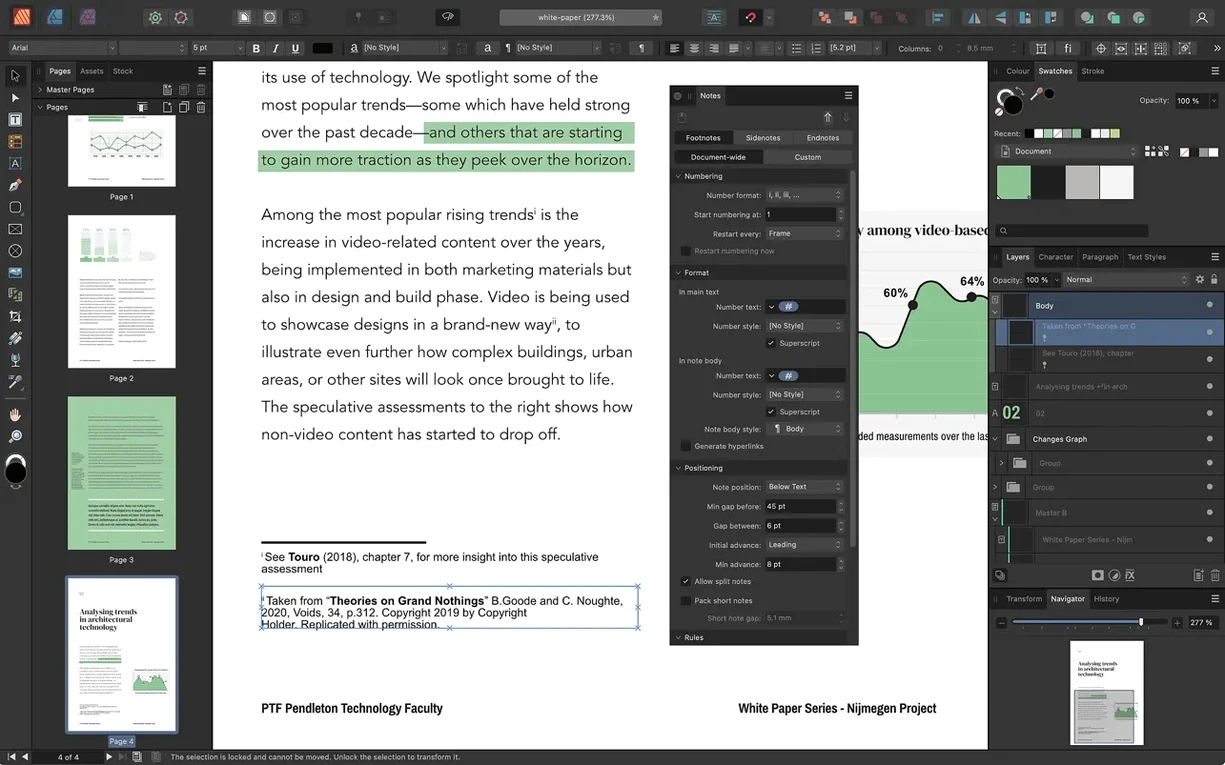
The Reading Order panel lands alongside it. Dragging objects into order for screen readers used to require an external tool or a lot of Acrobat cleanup. Now you set the tag sequence directly in Publisher and export a tagged PDF/X-4. One less round trip.
Version 2.6.2 tightened snapping behaviour across folds; 2.6.5 resolved a text-wrap flicker on Apple Silicon when dragging images across linked frames. Both are the kind of fixes you don't notice until you realise you haven't cursed at the screen in three days.
Speed, resources, and daily rhythm
On an M1 or M2 MacBook Air with 8 GB of RAM, a 48-page magazine file with embedded images opens cold in under four seconds. Scrolling through spreads stays fluid — no checkerboard rendering, no delayed text reflow. Memory pressure hovers around 1.2 GB during editing and climbs toward 2 GB during PDF export with raster-heavy pages. On Intel Macs, the same file feels heavier; you'll notice a half-beat pause when switching StudioLink personas, but it isn't disruptive.
StudioLink is the quiet efficiency gain. Tap the Designer persona to adjust a vector logo on-page; tap Photo to dodge-and-burn a placed image — both without spawning a separate window or saving intermediate files. The app holds edits in memory and commits them only when you return to the Publisher persona. That keeps file sprawl down and version confusion at zero.
Stability holds across long sessions. Leaving a 120-page catalogue open overnight with linked Affinity Designer and Photo files doesn't trigger leaks or hang on wake. Autosave catches work every few minutes, and the recovery dialogue has yet to produce a corrupted document in regular use.
Linked text reflows 300 pages without orphaned lines
Book designers and layout artists who live in master pages and style sheets. Nested masters handle chapter openers, part dividers, and running headers without duplication. The linked-text-frame engine handles reflow across 300 pages predictably — no orphaned lines sneaking through.
Small-press publishers and zine makers get the foldable spread tools they've been approximating with manual guides for years. A single spread holding six accordion panels exports cleanly to a printer-ready PDF.
In-house designers at agencies who open client files in PSD, AI, or PDF format. Import fidelity is strong: Illustrator artboards parse as separate elements, PSD text layers stay editable, and PDF passthrough avoids re-rasterising vector content. You're not rebuilding assets from scratch.
Accessibility-conscious teams who need tagged PDF output without Acrobat Pro. The Reading Order panel shifts tagging from post-production into the layout stage, which is where it belongs.
If your work involves multi-panel print pieces, long structured documents, or tight interchange with Affinity Photo and Designer, the 2.6.5 build feels less like a point update and more like the version the product was building toward.
- New — Multiple-page spreads for building complex layouts in one view.
- New — Foldable spread models: gatefolds, trifolds, and accordion folds.
- New — Reading Order panel for tagging PDF accessibility directly in the document.
- macOS 10.15 or later
- Apple Silicon and Intel 64-bit Macs
- 8 GB RAM recommended
- Up to 2.8 GB of available drive space
- Display size 1280×768 or larger
Questions I get before install
What export formats does Affinity Publisher support?
It can output PDF/X-1a, PDF/X-3, and PDF/X-4 files directly from the layout.
How does Affinity Publisher handle accessibility?
Version 2.6 introduced a dedicated Reading Order panel for managing PDF tags to meet accessibility standards.
Comments 0
Sign in to leave a comment.Sign inCreate an account
No comments yet. If a step is still there after you install it, say so.
More in Mac Apps
All in Mac Apps Affinity Photo
Processes RAW photos and retouches pixels non-destructively in dedicated personas.
17 steps saved
 Affinity Designer
Builds logos, layouts, and print-ready artwork with spot colour support.
18 steps saved
 Adobe XD
Designs, prototypes, and shares user interfaces in one native Mac workspace.
15 steps saved
 Aiarty Image Enhancer
Rebuilds lost facial detail and fabric texture in compressed photos.
11 steps saved
 Aiarty Video Enhancer
Upscales, deblurs, and cleans up video clips and their audio in one pass.
19 steps saved
 Adobe Premiere Rush
Builds a quick rough cut across devices when speed matters more than depth.
18 steps saved
 AIMP
Plays and organizes a local music collection without streaming dependencies.
17 steps saved
 Adobe Premiere Pro
Assembles a rough cut from a transcript so tight deadlines stay manageable.