
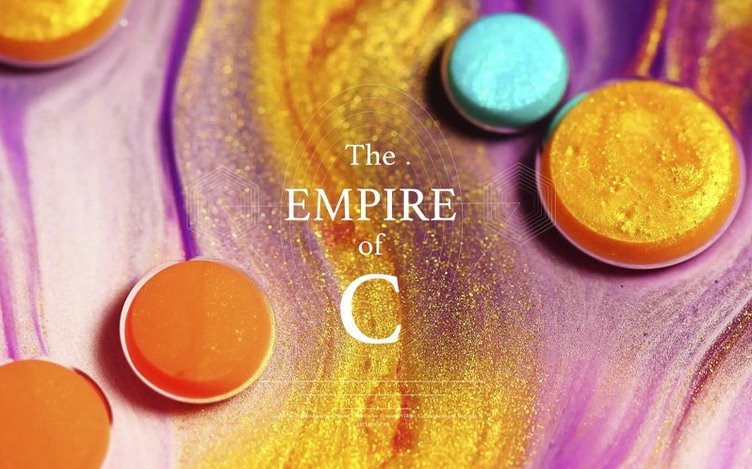



You need a video editor that keeps pace with modern camera formats and tight deadlines without stalling on playback or choking on 4K timelines. Adobe Premiere Pro handles that core job of professional video editing from first assembly to final export.
Assemble a Rough Cut from Text
Drop a transcript into the Paper Edit tool and it builds a sequence, pulling the matching clips onto the timeline. It turns interview selects into a first assembly in minutes.
Generate Cover Shots and Sound Effects
Describe what you need in the timeline and the Generative Media Tool creates video or audio clips to fill gaps. Generative Extend now works from 360p up to 4K UHD, any aspect ratio, including interlaced and non-square-pixel footage.
Match Colour Across Cameras
Apply shot-matching corrections and auto-duck background music against dialogue without leaving the editing environment. Native support for Sony FX5 XAVC and XOCN media keeps raw footage directly on the timeline.
4K XAVC Scrubbing Stays Smooth, ProRes RAW Color Holds Up
On a current Mac with plenty of unified memory, Premiere Pro 26.5.0 feels responsive during routine cutting. Scrubbing through 4K XAVC material stays smooth, and ProRes RAW support holds up well when you start stacking colour adjustments.
Resource use varies with the media. AVC and HEVC 4:2:2 10-bit MXF files decode on supported NVIDIA Blackwell hardware, which takes pressure off the CPU. On Apple Silicon, the GPU shares unified memory, so a machine with 16 GB or more gives you comfortable headroom for effects-heavy timelines.
Stability has been solid across long sessions. Background autosave keeps working without interrupting playback, and the application recovers cleanly after a forced quit. Exports from complex sequences complete without the render stalls that used to appear with older camera formats.
Scale Clips on Import, Turn On Proxies for Camera Originals
A few settings early on save time later.
- Set default media scaling to match your most common source, so imported clips land at the right size.
- Turn on proxy generation for large camera files if your storage is slow.
- Assign sequence presets per camera type before you start cutting.
- Keep releases from the same Adobe group together if you install several Creative Cloud apps on one machine.
Sort bins by camera or scene before importing. Premiere Pro handles large media pools well, but a tidy project makes the search filters and label colours actually useful.
Fix Drifting Audio with Frame Rate Handling Toggles
Some issues show up often enough to plan around.
- Audio out of sync after import — check the clip's source interpretation and switch between variable and constant frame rate handling.
- Generative Media Tool greyed out — make sure the sequence settings match the clip resolution and you have an active timeline selection.
- Black preview window — toggle the renderer in Project Settings between Metal and software, then restart.
- Slow exports — clear the media cache from Preferences and re-render just the affected section.
Paper Edit works best with transcripts that already have timecode. If the text came from an external service, map the fields before importing.
Option-Drag a Clip Edge for an Instant Slip Edit
A few shortcuts and hidden touches speed up editing noticeably.
- Double-click the audio track header to expand it without touching the mouse scroll wheel.
- Hold Option while dragging a clip edge for a slip edit that moves the clip content, not its position.
- Use the tilde key (~) to make the Program or Source monitor fill the screen while you work.
- Colour labels on clips carry into exported markers when you use marker workflows.
Motion graphics templates stay editable after you drop them in, which means you can fix lower thirds without switching to After Effects. Automatic ducking against dialogue takes about ten seconds to apply and saves a manual keyframe pass on most interview edits.
Adobe Premiere Pro 2026 26.5.2 ships with targeted stability fixes and a fresh set of under-the-hood performance improvements.
- macOS 14 or later
- Apple Silicon and Intel 64-bit
Comments 0
Sign in to leave a comment.Sign inCreate an account
No comments yet. If a step is still there after you install it, say so.
More in Mac Apps
All in Mac Apps Adobe Photoshop
Composites multiple exposures and removes distractions at the pixel level.
19 steps saved
 Adobe Premiere Rush
Builds a quick rough cut across devices when speed matters more than depth.
18 steps saved
 Adobe XD
Designs, prototypes, and shares user interfaces in one native Mac workspace.
15 steps saved
 Adobe Lightroom Classic
Processes raw files in a local folder workflow that never leaves your Mac.
17 steps saved
 Affinity Designer
Builds logos, layouts, and print-ready artwork with spot colour support.
4 steps saved
 Adobe InDesign
Lays out books, magazines and brochures with precise type and print-ready export.
10 steps saved
 Affinity Photo
Processes RAW photos and retouches pixels non-destructively in dedicated personas.
22 steps saved
 Adobe Illustrator
Builds logos, icons and print artwork as clean, scalable vectors.