
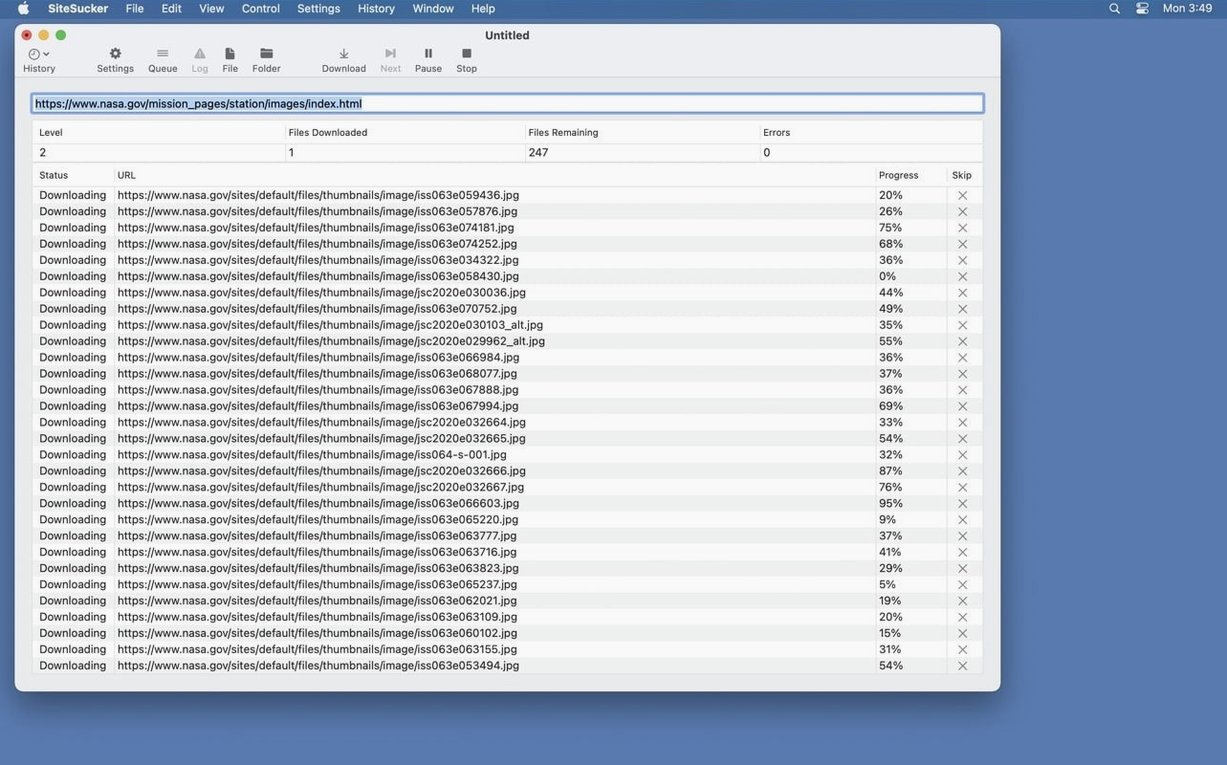
One URL in, an entire site out. SiteSucker Pro 6.2.2 grabs every HTML file, image, stylesheet, and asset a website needs, then saves it to your Mac for offline browsing. The Pro edition also pulls embedded YouTube and Vimeo videos.
macOS 26 and Apple Silicon or Intel Required
- macOS 26 or later
- Apple Silicon or Intel Mac
What you can control
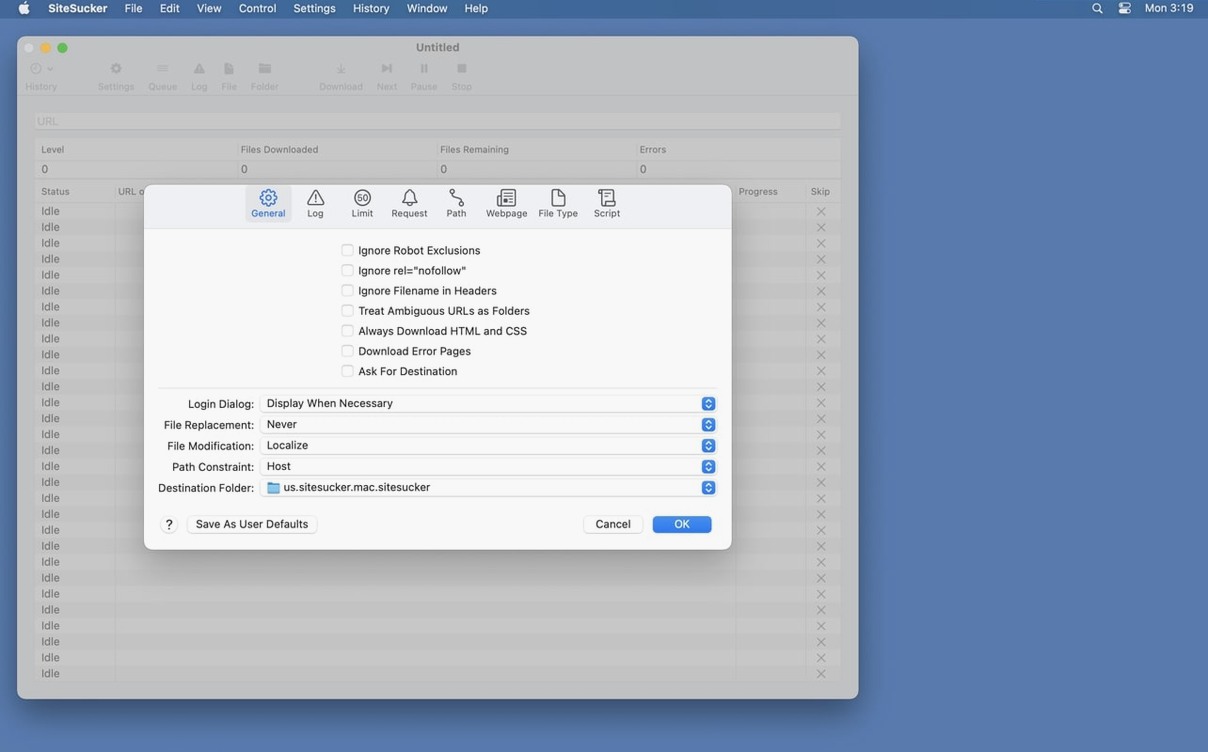
Choose to download everything or filter by file type. The app respects robots.txt exclusions by default, but you can switch that off. Six setting categories—General, Logs, Limits, File Types, Paths, and Advanced—let you scope each job precisely. An operation log tracks progress from the moment downloading starts, and you can open it directly in Console.
Where SiteSucker Pro fits in your tool set
Pair SiteSucker Pro with a PDF organiser to archive captured pages into searchable, annotated documents. Use a file renamer afterward to clean up awkward filenames the site’s CMS generated. The local directory structure mirrors the original site exactly, so a good Finder replacement or a dual-pane file manager makes navigating large archives fast.
macOS Quick Look handles most preview tasks—press the space bar on any downloaded HTML file to skim it without opening a browser. Spotlight indexes the local copy, so searching for a phrase from a captured page works seconds after the download finishes. Combine that with a text-expansion tool set to your research shorthand, and you can assemble notes from offline pages without touching an internet connection.
Who clicks Download without hesitation
Researchers building literature reviews from scattered conference sites. Developers who need a static snapshot of a staging environment before a redesign. Field engineers who spend Tuesday mornings on a train with no Wi-Fi and a stack of product manuals to read. These people treat SiteSucker Pro as a capture utility, not a browser.
Designers use it to collect visual references from portfolio sites. Teachers pull curriculum materials in bulk before a term starts. Legal teams archive public-facing policy pages as they appeared on a specific date. The common thread: anyone who needs a faithful, timestamped copy of what a site published, not what it publishes today.
If your workflow already involves offline-first reading tools—Reeder with local feeds, DEVONthink for document management, or a Markdown editor for your notes—SiteSucker Pro fits upstream, grabbing the raw source material before you process it.
PDF Page Cleanup and HTML Format Toggle
Two practical improvements landed in this release. PDF creation bugs were squashed, so sites that offer printer-friendly page versions now come through cleanly. A Format HTML toggle appeared in the Webpage settings panel. Switch it on, and the app tidies markup before saving—fewer inline style blobs, more consistent indentation, easier to read when you open the source in a code editor later.
Earlier Pro builds already handled embedded video, but the format option makes a quiet difference for anyone who reads the raw HTML after a crawl. It turns a dump of minified code into something you can scan, search, and edit without running it through a separate formatter first.
- New — Format HTML option in Webpage settings.
- Fixed — Bugs related to creating PDFs.
- macOS 26 or later
- Apple Silicon or Intel Mac
Questions I get before install
Can SiteSucker Pro download videos from a webpage?
Yes, the Pro version can download embedded YouTube and Vimeo videos as part of a site download.
Comments 0
Sign in to leave a comment.Sign inCreate an account
No comments yet. If a step is still there after you install it, say so.
More in Video Downloaders
All in Video Downloaders PullTube
Saves online video and audio in the quality you pick, with trimming built in.
20 steps saved
 Musify
Downloads full playlists from music sites and saves them as MP3 files.
12 steps saved
 YT Saver
Downloads online video and converts it straight into a deck-ready or trim-ready format.
4 steps saved
 YTD Video Downloader PRO
Grabs video links the moment you copy them and saves files for offline playback.
10 steps saved
 iTubeGo
Grabs entire playlists at speed and converts each file in the background queue.
4 steps saved
 iDownerGo
Captures streaming media in the background without hunting for a download link.
5 steps saved
 HarborDrop
Resumes partial downloads so a dropped packet doesn't scrap the whole file.
7 steps saved
 Folx Pro
Splits downloads into parallel threads to reduce wait times.